





Advanced Trailing Stop Expert Advisor for MetaTrader
Info
The Advanced Trailing Stop Expert Advisor for MetaTrader is a Expert Advisor for MetaTrader 5 that in scenarios where static stop loss and take profit levels are insufficient due to unpredictable trend durations, but the trend's nature and price movement are discernible, a standard trailing stop may not always be optimal. This is because it fails to account for the specific characteristics of future price changes.
Usage
This tool is typically used for automated trading on major forex pairs and gold.
Platform
This Expert Advisor works exclusively on MetaTrader 5 (both build 600+ and newer versions).
Setup
Place the downloaded file in MQL5/Experts folder via File ? Open Data Folder in MetaTrader 5.
How to Install and Use Advanced Trailing Stop Expert Advisor for MetaTrader
1. Installation: Open the "File" menu, select "Open Data Folder," navigate to MQL/Experts, paste your file, and restart the terminal.
2. Activation: Drag the EA from the Navigator onto a chart, ensure "Allow live trading" is checked in the Common tab, and verify the AutoTrading button is green.
3. Optimization: Right-click your chart, choose "Expert List," click "Properties" to adjust inputs, and save your preferred setup as a set file for future use.
4. Maintenance: Regularly check the "Experts" tab in the terminal window to monitor trade logs and potential execution errors.
Frequently Asked Questions
Q: Why is my EA not opening trades? A: Check the "AutoTrading" button, ensure "Allow live trading" is enabled, and verify your broker allows automated trading on your account type.
Q: Can I run multiple EAs on one chart? A: No, each chart can only host one active EA; however, you can open multiple charts for different currency pairs to run several EAs.
Q: What does the "smiley face" icon mean? A: A smiley face in the top-right corner of the chart indicates the EA is successfully running; a frowny face means it is disabled.
What this tool does
In scenarios where static stop loss and take profit levels are insufficient due to unpredictable trend durations, but the trend's nature and price movement are discernible, a standard trailing stop may not always be optimal.
Typical Use Case
This Expert Advisor excels in automated trading and technical analysis on MetaTrader 5.
Compatible Platform & Setup
This Expert Advisor works on MetaTrader 5. Place the file in the MQL5/Experts folder and restart the terminal.
Description & Settings
Related: APEX VELOCITY: Advanced Volatility Breakout System - another powerful expert for MetaTrader 5 traders.
In scenarios where static stop loss and take profit levels are insufficient due to unpredictable trend durations, but the trend's nature and price movement are discernible, a standard trailing stop may not always be optimal. This is because it fails to account for the specific characteristics of future price changes.Also recommended: Advanced Prop-Firm Trade Panel with Support/Resistance Finder for MT5 - similar expert with strong performance on MetaTrader 5.
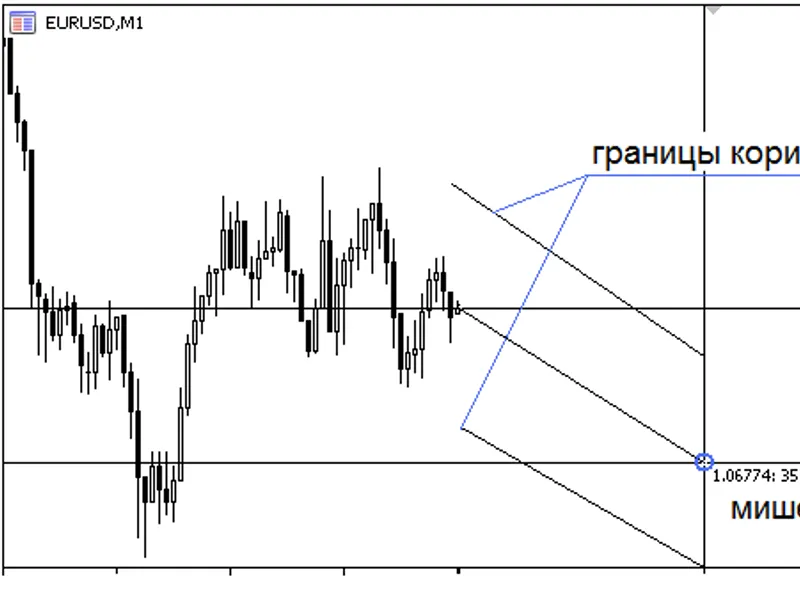
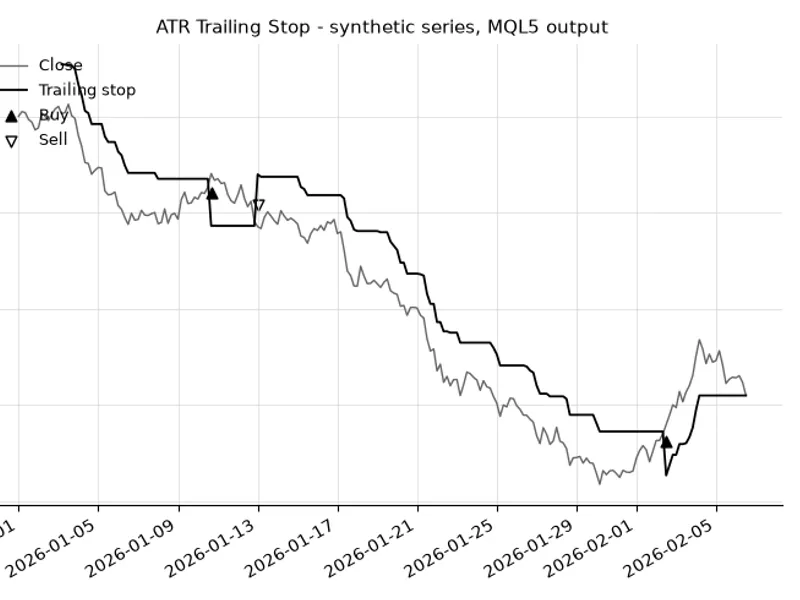
When linear price growth is anticipated, it becomes necessary to trail a position along a price channel defined by two parallel lines. The position should be trailed as long as the trend persists. Upon the price breaching this channel, the position must be closed, signifying the end of the current trend. This Expert Advisor dynamically adjusts the stop loss and take profit on each bar, following a trend line with a predetermined slope. Consequently, at the commencement of each new bar, stop orders are strategically placed at the channel's boundaries.
To accurately determine the trend line and its angle, a target must be established using two coordinates: a shift from the current position, specified as a number of bars, and a price change relative to the current price in pips. The EA then identifies the trend line as a straight line passing through this target and the current coordinate, delineates the channel's borders, and commences trailing the position.
In situations where sharp exponential price growth is expected, selecting an appropriate curve for trailing and setting the target becomes crucial. The EA will identify the correct trailing curve, initiating from the current coordinate and extending through the target. Subsequently, the stop loss and take profit levels are adjusted along a specific exponential path. Initially, stop orders are moved cautiously, but their movement accelerates as they approach and surpass the target.
For trading environments where price growth is expected to decelerate, a curve such as y=x^1/2 (a power function) is recommended as the trailing curve. Any curve in the form of y=x^n can be utilized, with the exponent being greater or less than one, or even negative. The method for defining the trailing curve remains consistent. For the y=x^1/2 curve, stop loss and take profit are adjusted rapidly at the outset, but their adjustment speed decreases as they approach and move beyond the target.
The EA also incorporates an option to close positions after a specified number of bars.
Please note that this Expert Advisor does not initiate trades or set initial stop loss and take profit orders. Its sole function is to trail open positions by dynamically moving existing stop orders.
Parameters
target_bar
- The shift relative to the current coordinate in bars.
delta_points
- The price change relative to the current price, in pips.
type
- The type of trailing curve: linear, exponential, power (parabolic).
exponent
- The exponent for the power function.
e
- The base of the exponential curve (e=2.718).
tp_escort
- Enables trailing of the take profit level.
close_bar
- Specifies the number of bars after which positions will be closed.
You may also like: Safe Risk Manager EA - Daily Loss, Break-Even, and Trailing Stop Management - excellent alternative for expert users on MetaTrader 5.
Source Code
/.......
⚠ Limitations & Risk Warning
- This tool is provided for educational and testing purposes only.
- Past performance does not guarantee future results.
- Trading involves substantial risk of loss. Use on a demo account first.
- Results may vary depending on market conditions, broker, and settings.
- We recommend thorough backtesting and forward testing before using with real funds.