

VSA Complex: Volume Spread Analysis for MetaTrader
Info
The VSA Complex: Volume Spread Analysis for MetaTrader is a Script for MetaTrader 4 that understanding volume spread analysis (vsa)vsa is a market assessment system used to make trading decisions. It evaluates the following parameters:- Candle Volume- Candle Spread (High-Low range, not Forex bid-ask spread)- Close position relative to the previous candle's close- Close position relative to the candle's spreadThe system categorizes parameters into levels: Volume (low, medium, high, ultra-high), Spread (low, medium, high), and candle type (up-bar, down-bar, null-bar).
Usage
This tool is typically used for enhancing chart analysis and decision making.
Platform
This Script works exclusively on MetaTrader 4 (both build 600+ and newer versions).
Setup
Place the downloaded file in MQL4/Scripts folder via File ? Open Data Folder in MetaTrader 4.
How to Install and Use VSA Complex: Volume Spread Analysis for MetaTrader
1. Installation: Move your script file into the MQL/Scripts directory and restart the platform.
2. Execution: Drag the script onto a chart; it will perform a one-time action, such as closing all open orders or clearing chart objects.
3. Editing: Use MetaEditor (F4) to modify code, click "Compile," and verify no errors appear in the terminal before running.
4. Removing: Scripts stop automatically, but you can remove them manually by right-clicking the chart and choosing "Remove Script."
Frequently Asked Questions
Q: How are scripts different from EAs? A: Scripts execute a single action and then stop; EAs monitor the market and trade continuously.
Q: Can I assign a hotkey to a script? A: Yes, right-click the script in the Navigator, select "Set Hotkey," and define your preferred keyboard shortcut.
Q: Why did my script stop? A: Scripts are designed to stop immediately after finishing their programmed command; this is normal behavior.
What this tool does
Understanding Volume Spread Analysis (VSA)VSA is a market assessment system used to make trading decisions.
Typical Use Case
This Script excels in automated trading and technical analysis on MetaTrader 4.
Compatible Platform & Setup
This Script works on MetaTrader 4. Place the file in the MQL4/Scripts folder and restart the terminal.
Description & Settings
Related: Equivolume and Range Bars in Strategy Tester - another powerful script for MetaTrader 4 traders.
Understanding Volume Spread Analysis (VSA)Also recommended: Average Volume Per Hour Indicator - similar script with strong performance on MetaTrader 4.
VSA is a market assessment system used to make trading decisions.
It evaluates the following parameters:
- Candle Volume
- Candle Spread (High-Low range, not Forex bid-ask spread)
- Close position relative to the previous candle's close
- Close position relative to the candle's spread
The system categorizes parameters into levels: Volume (low, medium, high, ultra-high), Spread (low, medium, high), and candle type (up-bar, down-bar, null-bar).
A key aspect of VSA is that these levels are highly individual, lacking strict definitions. Historically, VSA was considered unsuitable for Forex due to tick-based volume, but empirical observation shows a high degree of correlation with futures volume, making automation on Forex viable.
VSA Complex Features and Customization
This complex relies on manual level adjustment for optimal performance. The goal is to align trading entry signals with historical price highs and lows.
Levels must be configured independently for each currency pair and timeframe. Once set, these configurations are saved in global variables and automatically loaded on subsequent use, eliminating the need for repeated adjustments.
Working with the VSA Complex
The complex comprises three components, best loaded in the following order:
1. Spread Indicator: Monitors spread levels. Download link available.
2. Volumes Indicator: Monitors volume levels. Included with MetaTrader.
3. vsa_scr_v09 Script: Handles level configuration and trading signals. Download link available.
Indicator Details:
- The Volumes indicator is straightforward.
- The Spread indicator displays candle sizes in points. Up-bars are in the positive (green) area, down-bars in the negative (also green). Red bars represent null-bars (current close matches previous close) positioned at the top or bottom depending on the previous bar's direction. A blue line connects close levels but is not actively used in this version.
Configuration Process:
- The script calculates average volume and spread over a defined period (default 1000 bars, adjustable via `kol_bar_sredn`).
- Based on these averages, it establishes threshold lines for volume and spread (displayed on the Volumes and Spread indicators).
- These lines can be adjusted using coefficients on the control panel (located in the bottom right of the main screen).
Control Panel Parameters:
- `cl`: Close level relative to spread (0.01 to 0.99).
- `sh`: Coefficient for 'high spread' line.
- `s0`: Coefficient for 'low spread' line.
- `vs`: Coefficient for 'ultra-high volume' line.
- `vh`: Coefficient for 'high volume' line.
- `v0`: Coefficient for 'low volume' line.
Threshold Adjustment:
- The numerical values left of the parameters represent the threshold levels.
- Use the '-' and '+' signs to adjust these thresholds. The step size increases as you drag.
Trading Signals:
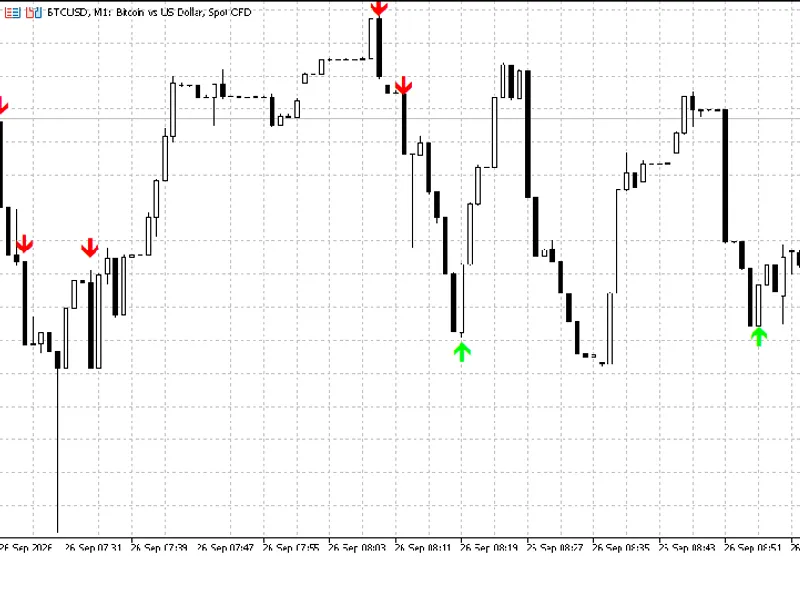
- The script incorporates an algorithm that generates buy or sell signals based on specific volume, spread, and close values.
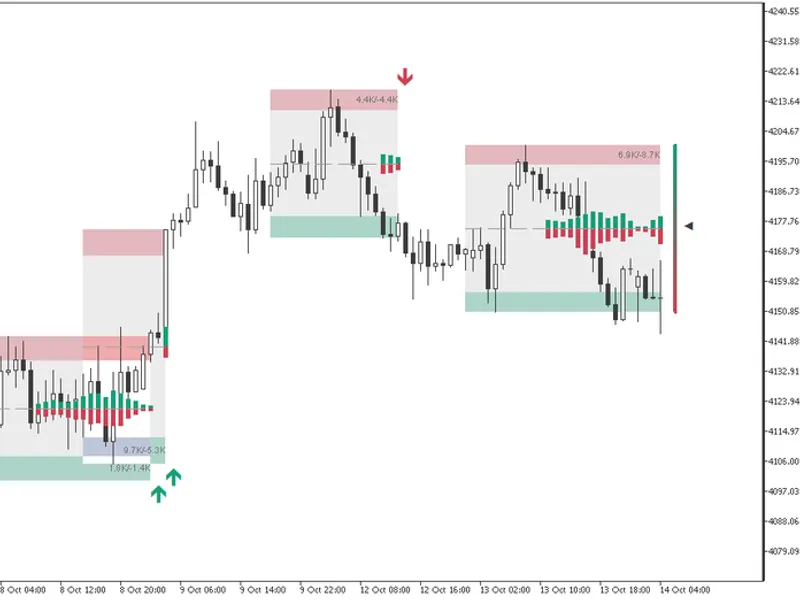
- Colored rectangles on the Volumes and Spread charts visually represent the algorithm's conditions: pink for sell signals, light green for buy signals.
- A signal appears when volume and spread align with the corresponding rectangle, provided the close is also within the designated zone (indicated by blue dots on the Spread chart).
With practice, users can effectively configure the script-indicator and begin trading.
Support is available for any questions.
You may also like: i-gap: Gap Trading Indicator - excellent alternative for script users on MetaTrader 4.
Source Code
#property copyright "robotfx"
#property link "https://robotfx.org"
#property show_inputs
#define        razm_mas               1000
extern int     kol_bar_sredn        = 1000;  //.
extern color   color_average        = magenta;
extern color   color_average_koef   = orange;
extern color   color_average_super  = red;
double    koef_volum           = 1;  //  0
double    koef_hi_volum        = 2;  //  1
.......
⚠ Limitations & Risk Warning
- This tool is provided for educational and testing purposes only.
- Past performance does not guarantee future results.
- Trading involves substantial risk of loss. Use on a demo account first.
- Results may vary depending on market conditions, broker, and settings.
- We recommend thorough backtesting and forward testing before using with real funds.