








Dynamic RS+Channel Indicator
Info
The Dynamic RS+Channel Indicator is a Indicator for MetaTrader 4 that dynamic rs+channel indicatorthis is the second indicator in a series of simple indicators that do not use averaging. The function of the indicator is straightforward and evident from its code.
Usage
This tool is typically used for enhancing chart analysis and decision making.
Platform
This Indicator works exclusively on MetaTrader 4 (both build 600+ and newer versions).
Setup
Place the downloaded file in MQL4/Indicators folder via File ? Open Data Folder in MetaTrader 4.
How to Install and Use Dynamic RS+Channel Indicator
1. Installation: Place your file in the MQL/Indicators folder via "Open Data Folder" and restart your terminal.
2. Loading: Find the indicator in the Navigator, drag it onto your chart, and configure the input parameters in the popup window.
3. Customization: Press Ctrl+I to open the indicator list, select your tool, and click "Properties" to change colors, levels, or visual styles.
4. Updating: Replace the old file in the Indicators folder with the new version and restart the platform to apply changes.
Frequently Asked Questions
Q: Why is my indicator not showing? A: Verify the file is in the MQL/Indicators folder, or try right-clicking the "Indicators" tree in the Navigator and clicking "Refresh."
Q: Do custom indicators slow down the platform? A: Too many complex indicators can impact performance; remove unused ones via the "Indicator List" (Ctrl+I).
Q: Can I use MT4 indicators on MT5? A: No, MQL4 and MQL5 are distinct languages; ensure the indicator is compiled specifically for your platform version.
What this tool does
Dynamic RS+Channel IndicatorThis is the second indicator in a series of simple indicators that do not use averaging.
Typical Use Case
This Indicator excels in automated trading and technical analysis on MetaTrader 4.
Compatible Platform & Setup
This Indicator works on MetaTrader 4. Place the file in the MQL4/Indicators folder and restart the terminal.
Description & Settings
Related: dynamic moving average - another powerful indicator for MetaTrader 4 traders.
Dynamic RS+Channel IndicatorThis is the second indicator in a series of simple indicators that do not use averaging.
Also recommended: dynamic trend indicator suite - similar indicator with strong performance on MetaTrader 4.
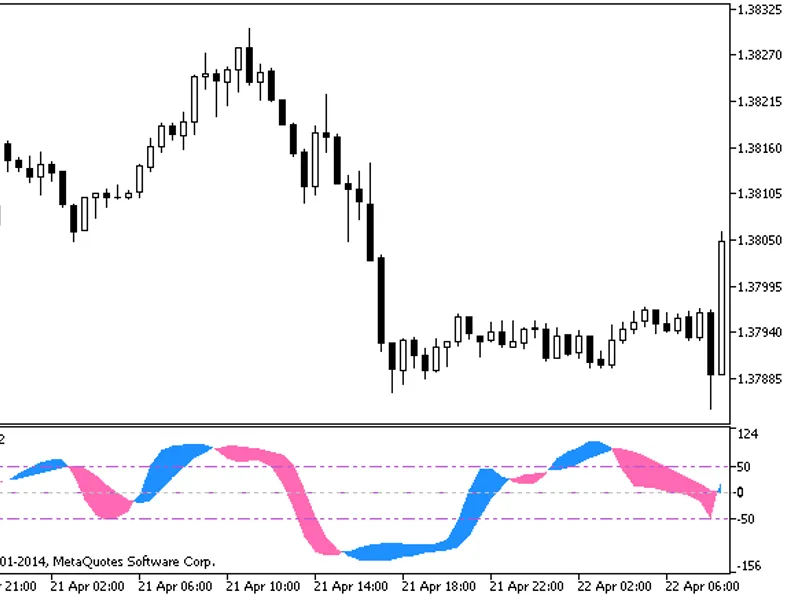
The function of the indicator is straightforward and evident from its code. Instead of analyzing the period, a fixed channel has been added on both sides of the indicator line. Initial versions included period analysis, but experiments revealed that indicator values are primarily determined by the channel boundaries.
Usage:
1. Identify the current trend on higher timeframes. A practical method is to use the indicator on smaller timeframes with a modest target. For instance, an 8-point channel often performs well on the M5 timeframe.
2. Enter trades during a correction, one point above the main indicator line for selling and one point below it for buying. Set a target of approximately 10 points, or one point beyond the channel.
3. It is advisable to use pending orders due to the use of small timeframes to avoid missing opportunities.
4. While not tested extensively on higher timeframes, the current development aims to create a program that consistently generates 2-3 profitable trades daily with minimal risk.
5. Place the stop loss one point beyond the price channel (Donchian) boundaries, using a period between 16 and 20.
The Dynamic RS+Channel Indicator provides a clear visual representation of price action within a dynamic channel, aiding in trend identification and trade entry decisions.
You may also like: dynamic fair value gap indicator for metatrader 4 - excellent alternative for indicator users on MetaTrader 4.
Source Code
#property copyright "robotfx"
#property link "https://robotfx.org"
extern int filter=15;
#property indicator_chart_window
#property indicator_buffers 3
#property indicator_color1 yellow
#property indicator_color2 red
#property indicator_color3 aqua
double extmapbuffer1[];
double extmapbuffer2[];
.......
⚠ Limitations & Risk Warning
- This tool is provided for educational and testing purposes only.
- Past performance does not guarantee future results.
- Trading involves substantial risk of loss. Use on a demo account first.
- Results may vary depending on market conditions, broker, and settings.
- We recommend thorough backtesting and forward testing before using with real funds.