






Repaint Test: Quantifying Indicator Redrawing Behavior
Info
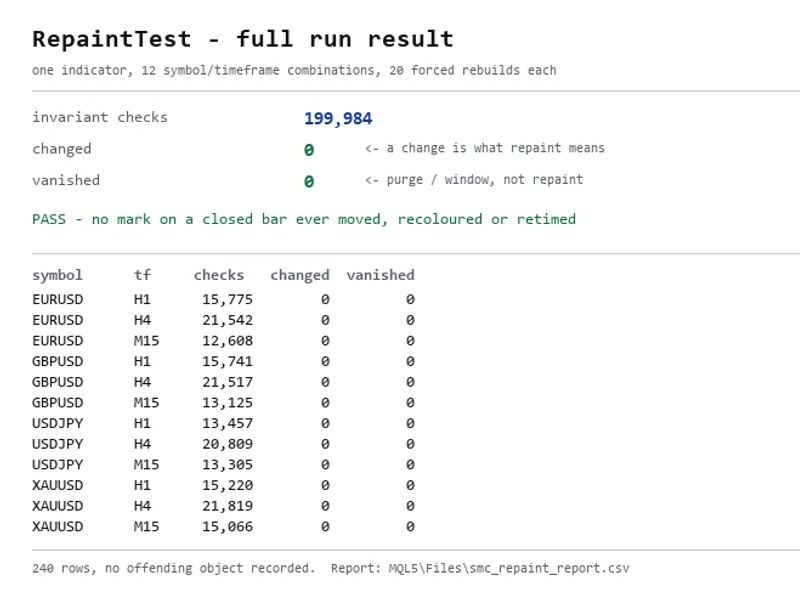
The Repaint Test: Quantifying Indicator Redrawing Behavior is a Script for MetaTrader 5 that almost every indicator description claims to be "non-repainting". However, very few provide any quantitative evidence for this claim.
Usage
This tool is typically used for enhancing chart analysis and decision making.
Platform
This Script works exclusively on MetaTrader 5 (both build 600+ and newer versions).
Setup
Place the downloaded file in MQL5/Scripts folder via File ? Open Data Folder in MetaTrader 5.
How to Install and Use Repaint Test: Quantifying Indicator Redrawing Behavior
1. Installation: Move your script file into the MQL/Scripts directory and restart the platform.
2. Execution: Drag the script onto a chart; it will perform a one-time action, such as closing all open orders or clearing chart objects.
3. Editing: Use MetaEditor (F4) to modify code, click "Compile," and verify no errors appear in the terminal before running.
4. Removing: Scripts stop automatically, but you can remove them manually by right-clicking the chart and choosing "Remove Script."
Frequently Asked Questions
Q: How are scripts different from EAs? A: Scripts execute a single action and then stop; EAs monitor the market and trade continuously.
Q: Can I assign a hotkey to a script? A: Yes, right-click the script in the Navigator, select "Set Hotkey," and define your preferred keyboard shortcut.
Q: Why did my script stop? A: Scripts are designed to stop immediately after finishing their programmed command; this is normal behavior.
What this tool does
Almost every indicator description claims to be "non-repainting".
Typical Use Case
This Script excels in automated trading and technical analysis on MetaTrader 5.
Compatible Platform & Setup
This Script works on MetaTrader 5. Place the file in the MQL5/Scripts folder and restart the terminal.
Description & Settings
Related: calculate unrealized profit(s) at a specific time in history - another powerful script for MetaTrader 5 traders.
Almost every indicator description claims to be "non-repainting". However, very few provide any quantitative evidence for this claim. This script addresses this by providing a method to measure whether an indicator redraws its graphical objects after a bar has closed.Also recommended: Widescreenshooter - similar script with strong performance on MetaTrader 5.
The Invariant
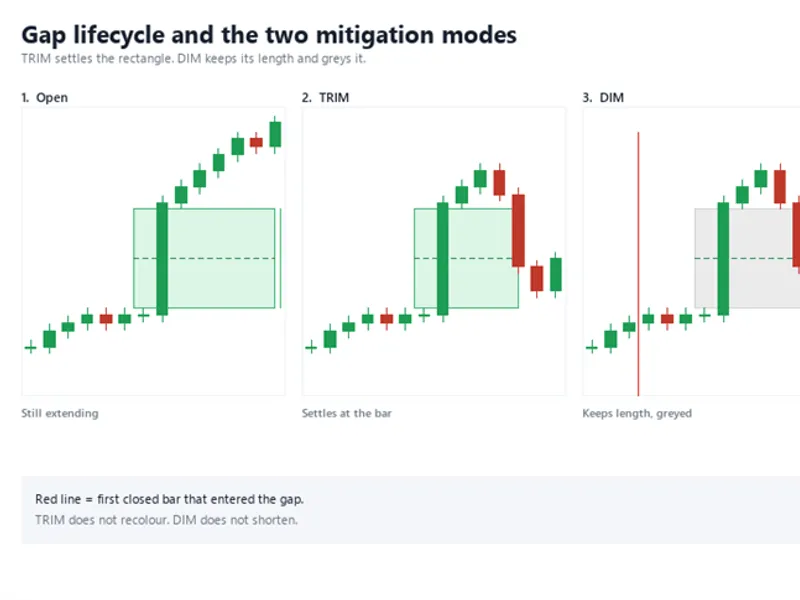
The fundamental principle is that once a bar has closed and been processed, any graphical object drawn by an indicator on that bar should remain unchanged. This includes its position, color, text, and its very existence. This principle is testable and can be proven false.
Methodology
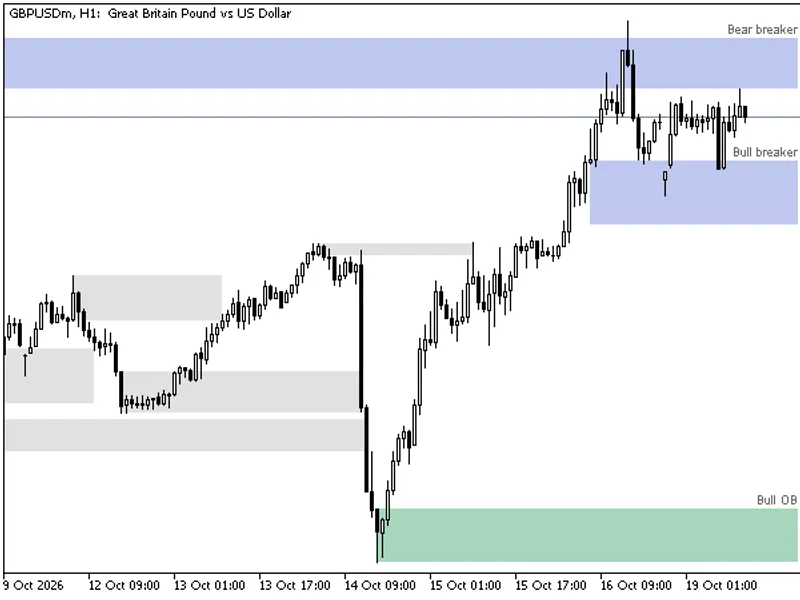
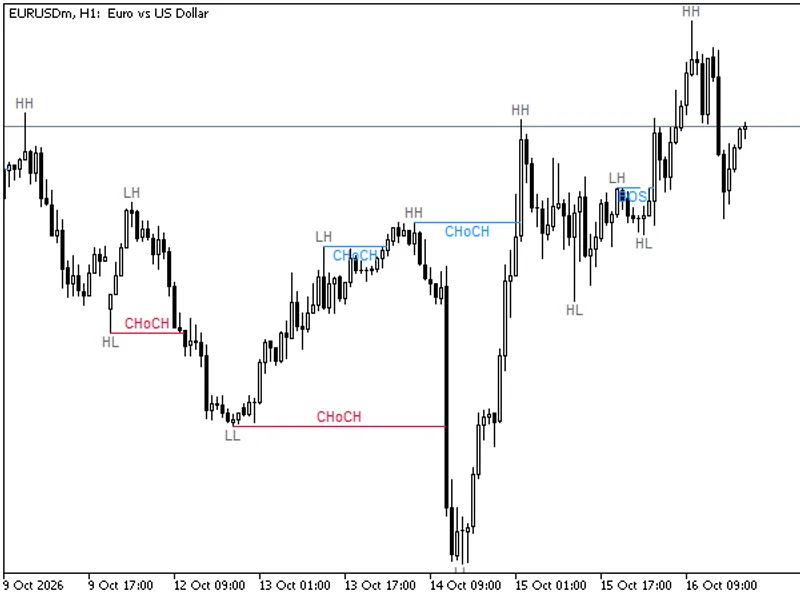
The script works by attaching your indicator to a custom symbol seeded with historical data. It then records all graphical objects drawn by the indicator. Subsequently, more historical bars are added, forcing the indicator to recalculate its objects over an extended history. Each recorded object from the initial pass is compared against the objects drawn in the recalculated pass on the corresponding closed bars. The comparison includes anchor times, prices, colors, and text.
This full rebuild process is a more rigorous test than an incremental tick-by-tick update. It simulates how an indicator behaves when a user scrolls back far enough to load older bars, a scenario where object naming issues based on bar index rather than time can surface.
What is Counted
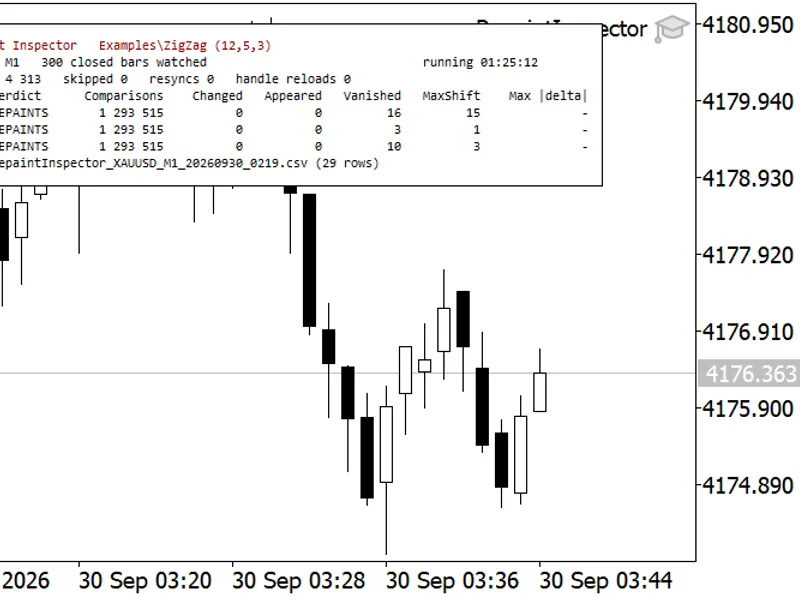
The script specifically counts changes and disappearances of graphical objects. A change in an object's properties indicates that the non-repainting claim is false. Disappearances are often due to user-defined limits like `MaxObjects` or `HistoryBars` settings; therefore, it is recommended to run the test with these limits disabled.
A test run that results in no comparisons is reported as INCONCLUSIVE. It is crucial to avoid false positives, as an empty successful run can lead to misleading statistics.
The output is a CSV file located in the MQL5\Files directory. Each row details the symbol, timeframe, and step, along with counts of compared, changed, and vanished objects, and the first offending object identified. The sum of the 'marks_compared' column provides a quantifiable metric that can be published, backed by the detailed output file.
Usage Instructions
1. Set the `Prefix` input to the object name prefix used by your indicator. In the `Exclude` field, list any objects that are designed to change dynamically, such as legends or countdown timers. These are not considered repaints and should be excluded from the test.
2. Attach your indicator to a chart with all drawing caps lifted. Save this chart as a template and specify its name in the `Template` input.
3. Adjust the `SettleMs` input until the object count on the first pass remains consistent across multiple runs. Insufficient time can lead to false disappearances.
4. To validate the script's functionality, intentionally introduce an error, such as shifting an object by one bar, and confirm that the script reports this change, identifying the affected field. A test harness that has never failed is not yet proven reliable.
Limitations
This script does not assess the accuracy or effectiveness of an indicator's trading signals. It focuses solely on the one specific question of whether objects are redrawn after a bar closes.
Previous testing methods, such as using the Strategy Tester or varying an indicator's `HistoryBars` input on a live chart, were found to be inadequate for catching this specific bug class and have been superseded by this approach.
This tool is provided free of charge, with no attribution required. If you discover issues in your indicator's code using this script, feedback is welcome.
You may also like: drag and drop move stop loss - excellent alternative for script users on MetaTrader 5.
Source Code
#property copyright "RobotFX"
#property link "https://robotfx.org"
#property version   "1.00"
#property script_show_inputs
#property description "This code is educational. Feel free to use, modify and upgrade as you wish. Visit ROBOTFX.ORG for professional trading tools"
input string InpPrefix      = "SMC_";
input string InpExclude     = "SMC_LEG_,SMC_TIMER";
input string InpSymbols     = "EURUSD,XAUUSD,GBPUSD,USDJPY";
input string InpPeriods     = "M15,H1,H4";
input int    InpTotalBars   = 1500;
.......
⚠ Limitations & Risk Warning
- This tool is provided for educational and testing purposes only.
- Past performance does not guarantee future results.
- Trading involves substantial risk of loss. Use on a demo account first.
- Results may vary depending on market conditions, broker, and settings.
- We recommend thorough backtesting and forward testing before using with real funds.