






Regular Expressions in MQL5
Info
The Regular Expressions in MQL5 is a Library for MetaTrader 5 that microsoft corporation. Source code taken from.
Usage
This tool is typically used for enhancing chart analysis and decision making.
Platform
This Library works exclusively on MetaTrader 5 (both build 600+ and newer versions).
Setup
Place the downloaded file in MQL5/Libraries folder via File ? Open Data Folder in MetaTrader 5.
How to Install and Use Regular Expressions in MQL5
1. Storage: Place library files in the MQL/Libraries directory to ensure they are accessible to your projects.
2. Implementation: Include the library in your code using the #import directive, ensuring you match the exact function names and parameters.
3. Compilation: Ensure the library is present in the directory before you compile your main EA or script, as the compiler links them during this phase.
4. Management: Keep libraries organized in sub-folders if you manage many custom functions to maintain a clean project structure.
Frequently Asked Questions
Q: What is a library file used for? A: Libraries store reusable code modules, allowing you to centralize common logic used by multiple EAs or indicators.
Q: Is a library executable? A: No, libraries are non-executable files containing functions; they must be imported into an EA, indicator, or script to function.
Q: Can I update a library while the platform is running? A: You should compile your EA or script after updating a library to ensure the latest code changes are integrated.
What this tool does
Microsoft Corporation.
Typical Use Case
This Library excels in automated trading and technical analysis on MetaTrader 5.
Compatible Platform & Setup
This Library works on MetaTrader 5. Place the file in the MQL5/Libraries folder and restart the terminal.
Description & Settings
Related: Ozymandias Signal Module - another powerful library for MetaTrader 5 traders.
Microsoft Corporation. Source code taken from .Note: The library works on the MetaTrader 5 build 1285 and higher.
Also recommended: Strategy Tester Performance Benchmarking - similar library with strong performance on MetaTrader 5.
Unzip the archive into the . The library codes are located in the:
This is a translation of the RegularExpressions from .NET Framework 2026.
To work with the library, include the regex.mqh file from the "mql5/include/regularexpressions/" directory in your code.
Several illustrative examples are provided with the library, serving as test cases. All samples are taken from the official site of Microsoft, demonstrating the main differences from regular expressions in C# and their use in MQL5.
Parameters
The regular expression parameters from the file regexoptions.mqh:
Working with Regular Expressions in MQL5
The second feature of working with regular expressions in MQL5 is derived from the first. It involves clearing the above storage by calling the regex::clearcache() static function. This function should be called after completing work with regular expressions to avoid deleting necessary pointers.
MQL5 does not implement the foreach loop, unlike .NET, resulting in different enumeration handling. Example:
The C# syntax allows the '@' symbol to ignore formatting marks, but MQL5 requires explicit definition of control characters in regular expression patterns.
Example
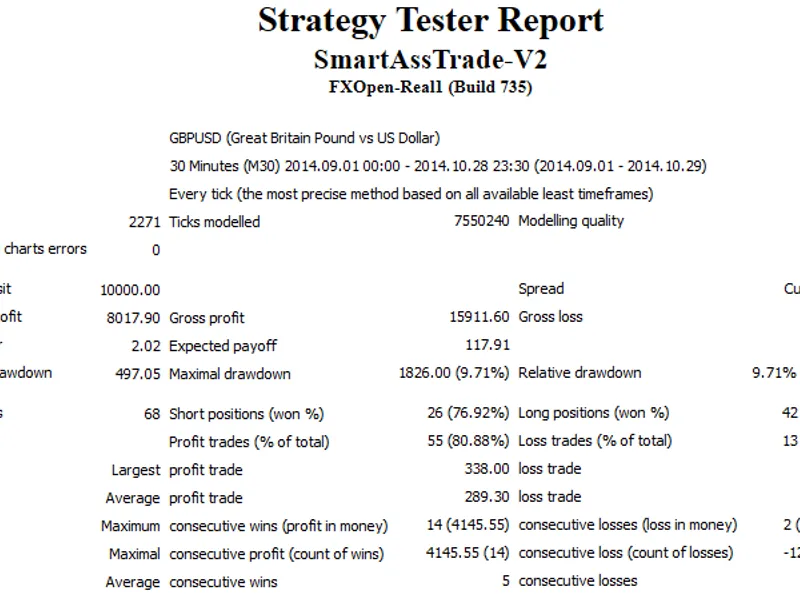
Consider an example of regular expressions applied to parse trading history downloaded from the terminal as an HTML file.
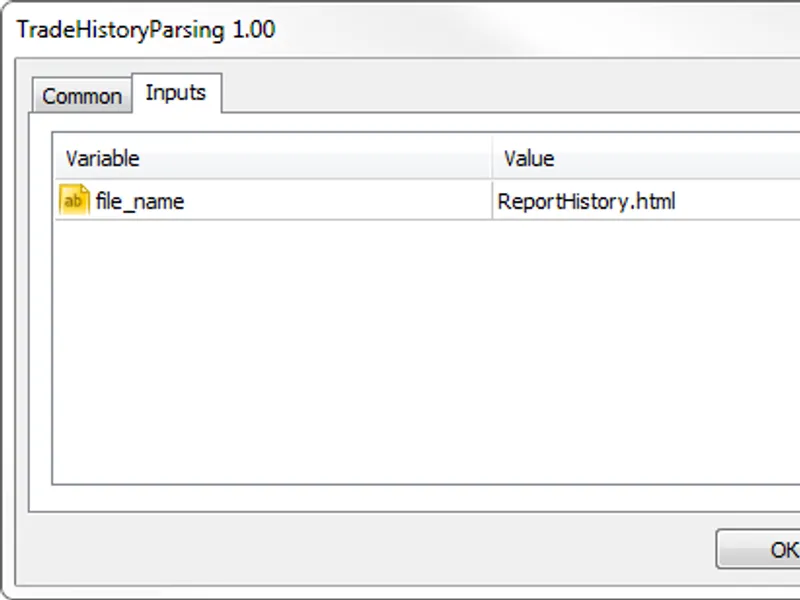
Create an expert with a single input parameter of the 'string' type, which will be the name of the file:
This document contains two main tables: "orders" and "deals".
Create a regular expression to parse the file:
Consider this regular expression:
Read the file line by line and get all matches corresponding to this regular expression:
The HTML file's strings, which are entries for the "orders" and "deals" tables, will have 23 and 27 matches, respectively. Extract the necessary information from these strings.
For the "orders" table:
Confirm the number of matches is 23, indicating an entry from the "orders" table. Create a string array as the initial representation. Iterate over odd matches, get values using the matches[j][.value() method, trim the first and last characters, and write to an in array. Create an instance of the orderrecord(in) class, representing a single entry, and add it to the m_list1 list, which interprets the "orders" table.
The "deals" table is processed similarly:
Here, m_list2 is a list of pointers to the dealrecord class, representing the "deals" table.
Both lists are members of the tradehistory class, representing the entire HTML file. This class also provides methods to apply simple filters to the tables: findallorders(const int columnindex,const t value) and findalldeals(const int columnindex,const t value).
Create a graphical interface in the EA to demonstrate these filters:
When working with this form, select a table, column, and value to filter. Press the find button to display the filtered table and statistics. The save button stores the filtered table in a CSV file named result.csv in the sandbox.
To learn more about RegularExpressions for MQL5 and its features, use the provided tests.mqh expert, which covers various regular expression usage examples.
You may also like: binary flags - excellent alternative for library users on MetaTrader 5.
Source Code
/.......
⚠ Limitations & Risk Warning
- This tool is provided for educational and testing purposes only.
- Past performance does not guarantee future results.
- Trading involves substantial risk of loss. Use on a demo account first.
- Results may vary depending on market conditions, broker, and settings.
- We recommend thorough backtesting and forward testing before using with real funds.