





Ziga-Zaga Lite: Market Structure Using H1 Fractals
Info
The Ziga-Zaga Lite: Market Structure Using H1 Fractals is a Indicator for MetaTrader 5 that idea. Standard zigzags and fractals on M5 either draw too many unnecessary waves due to noise or require opening reversals due to size filters.
Usage
This tool is typically used for enhancing chart analysis and decision making.
Platform
This Indicator works exclusively on MetaTrader 5 (both build 600+ and newer versions).
Setup
Place the downloaded file in MQL5/Indicators folder via File ? Open Data Folder in MetaTrader 5.
How to Install and Use Ziga-Zaga Lite: Market Structure Using H1 Fractals
1. Installation: Place your file in the MQL/Indicators folder via "Open Data Folder" and restart your terminal.
2. Loading: Find the indicator in the Navigator, drag it onto your chart, and configure the input parameters in the popup window.
3. Customization: Press Ctrl+I to open the indicator list, select your tool, and click "Properties" to change colors, levels, or visual styles.
4. Updating: Replace the old file in the Indicators folder with the new version and restart the platform to apply changes.
Frequently Asked Questions
Q: Why is my indicator not showing? A: Verify the file is in the MQL/Indicators folder, or try right-clicking the "Indicators" tree in the Navigator and clicking "Refresh."
Q: Do custom indicators slow down the platform? A: Too many complex indicators can impact performance; remove unused ones via the "Indicator List" (Ctrl+I).
Q: Can I use MT4 indicators on MT5? A: No, MQL4 and MQL5 are distinct languages; ensure the indicator is compiled specifically for your platform version.
What this tool does
Idea.
Typical Use Case
This Indicator excels in automated trading and technical analysis on MetaTrader 5.
Compatible Platform & Setup
This Indicator works on MetaTrader 5. Place the file in the MQL5/Indicators folder and restart the terminal.
Description & Settings
Related: Swift Draw Lite: MT5 Quick Chart Drawing and Hotkey Utility - another powerful indicator for MetaTrader 5 traders.
Idea.Also recommended: super trend quant pro elite: advanced adaptive trend analysis - similar indicator with strong performance on MetaTrader 5.
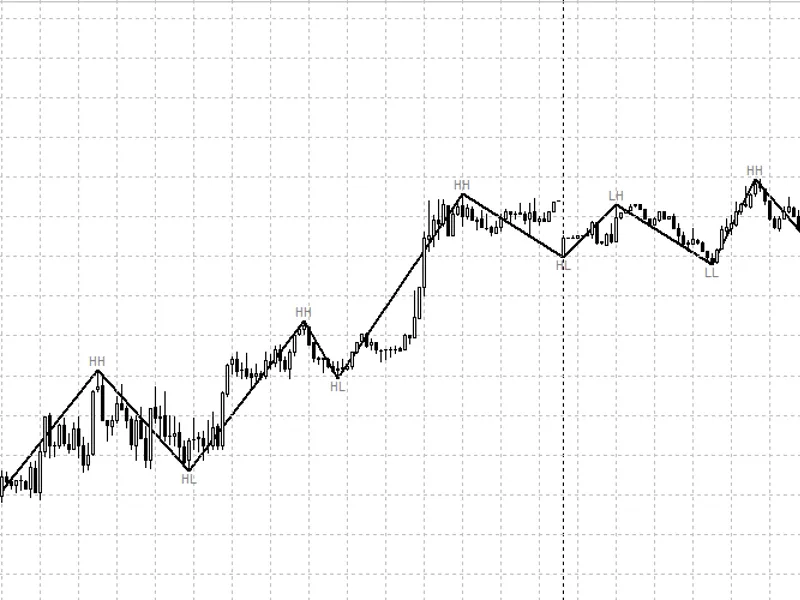
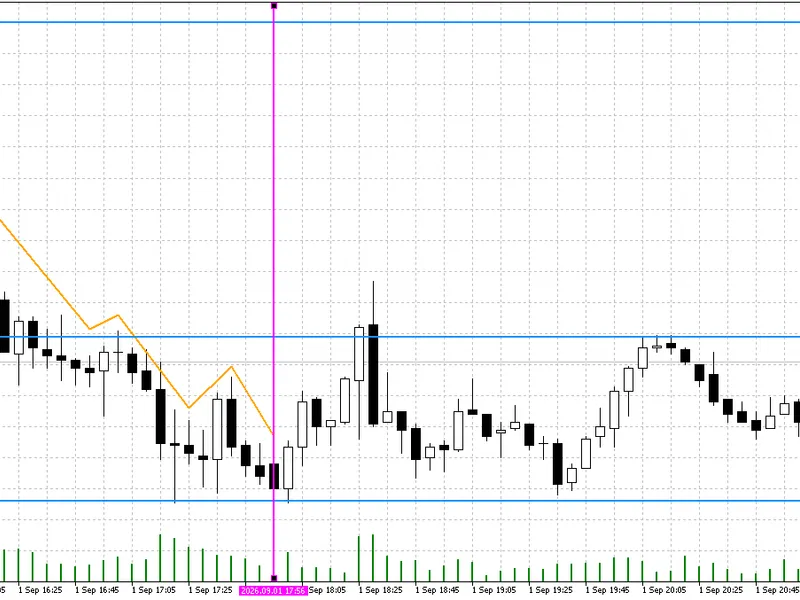
Standard zigzags and fractals on M5 either draw too many unnecessary waves due to noise or require opening reversals due to size filters. This indicator constructs the structure as a trader would manually: a reversal is confirmed where the higher timeframe (H1 fractal of three candles) reverses, and the point appears on the five-minute candle within the hour where the actual high or low occurred.Rules:
A wave never bypasses an extremum: if the price moved beyond it between two points, the wave's end will shift there.
The last point follows the price until a counter-fractal confirms it.
If an H1 fractal is absent, but the pullback is at least 0.5 ATR(H1), the missing pair of points is added.
There are no point thresholds; the indicator works identically on currencies, metals, and indices.
How to Read.
Solid lines represent confirmed waves and do not repaint. HH, HL labels indicate an uptrend structure, while LH, LL indicate a downtrend structure. The dotted line on the right represents the last, unconfirmed wave. It may continue until a fractal is encountered.
Input Parameters:
History Bars to Draw: The number of historical bars to analyze (default 3000).
Structure Color, Structure Line Thickness: Color and thickness of the structure lines.
Show HH / HL / LH / LL: Option to display trend labels.
Label Color: HH, HL / Label Color: LH, LL: Colors for the trend labels.
Show Unconfirmed Last Wave: Option to display the currently unconfirmed wave information.
Buffers for EAs (iCustom):
0 - Last confirmed high.
1 - Last confirmed low.
The value for each bar represents what was known at the opening of that bar, so there is no look-ahead bias in the tester.
Limitations.
Works only on the M5 chart. Long waves without an H1 fractal within them do not form or extend upwards. To establish the structure in the terminal's history, an H1 fractal is required – this means several hundred bars before the chart begins.
You may also like: Ultra Absolutely No Lag LWMA HTF - excellent alternative for indicator users on MetaTrader 5.
Source Code
#property copyright "RobotFX"
#property version     "1.01"
#property description "This code is educational. Feel free to use, modify and upgrade as you wish. Visit ROBOTFX.ORG for professional trading tools"
#property indicator_chart_window
#property indicator_buffers 2
#property indicator_plots   2
#property indicator_type1   DRAW_NONE
#property indicator_type2   DRAW_NONE
#property indicator_label1  "Last swing high"
#property indicator_label2  "Last swing low"
.......
⚠ Limitations & Risk Warning
- This tool is provided for educational and testing purposes only.
- Past performance does not guarantee future results.
- Trading involves substantial risk of loss. Use on a demo account first.
- Results may vary depending on market conditions, broker, and settings.
- We recommend thorough backtesting and forward testing before using with real funds.