


Swap Cost Panel: Monitor Overnight Rollover Costs
Info
The Swap Cost Panel: Monitor Overnight Rollover Costs is a Indicator for MetaTrader 5 that why it mattersswing trading strategies on assets like gold, indices, and cryptocurrencies often involve holding positions for extended periods, from days to weeks. With current interest rates, accumulating long swap costs can become significant each night.
Usage
This tool is typically used for enhancing chart analysis and decision making.
Platform
This Indicator works exclusively on MetaTrader 5 (both build 600+ and newer versions).
Setup
Place the downloaded file in MQL5/Indicators folder via File ? Open Data Folder in MetaTrader 5.
How to Install and Use Swap Cost Panel: Monitor Overnight Rollover Costs
1. Installation: Place your file in the MQL/Indicators folder via "Open Data Folder" and restart your terminal.
2. Loading: Find the indicator in the Navigator, drag it onto your chart, and configure the input parameters in the popup window.
3. Customization: Press Ctrl+I to open the indicator list, select your tool, and click "Properties" to change colors, levels, or visual styles.
4. Updating: Replace the old file in the Indicators folder with the new version and restart the platform to apply changes.
Frequently Asked Questions
Q: Why is my indicator not showing? A: Verify the file is in the MQL/Indicators folder, or try right-clicking the "Indicators" tree in the Navigator and clicking "Refresh."
Q: Do custom indicators slow down the platform? A: Too many complex indicators can impact performance; remove unused ones via the "Indicator List" (Ctrl+I).
Q: Can I use MT4 indicators on MT5? A: No, MQL4 and MQL5 are distinct languages; ensure the indicator is compiled specifically for your platform version.
What this tool does
Why it mattersSwing trading strategies on assets like gold, indices, and cryptocurrencies often involve holding positions for extended periods, from days to weeks.
Typical Use Case
This Indicator excels in automated trading and technical analysis on MetaTrader 5.
Compatible Platform & Setup
This Indicator works on MetaTrader 5. Place the file in the MQL5/Indicators folder and restart the terminal.
Description & Settings
Related: Spread and Liquidity Clock: Time-of-Day Cost-to-Range Profile - another powerful indicator for MetaTrader 5 traders.
Why it mattersAlso recommended: Gold Volatility and Risk Meter: ATR Regimes and Stop Cost Analysis for XAUUSD - similar indicator with strong performance on MetaTrader 5.
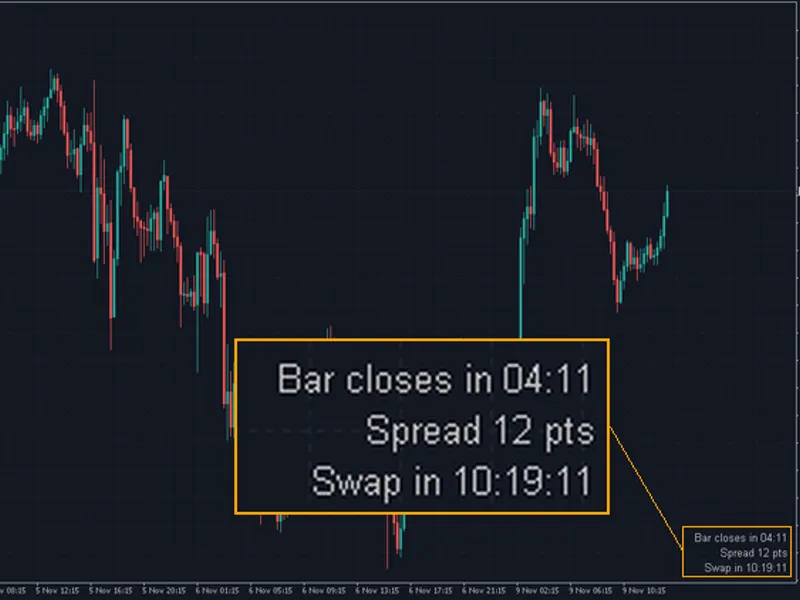
Swing trading strategies on assets like gold, indices, and cryptocurrencies often involve holding positions for extended periods, from days to weeks. With current interest rates, accumulating long swap costs can become significant each night. In testing by a financial analyst, swap costs accounted for 15–18% of a Bitcoin Expert Advisor's gross profit. Many traders may not realize the full impact until the end of the month.
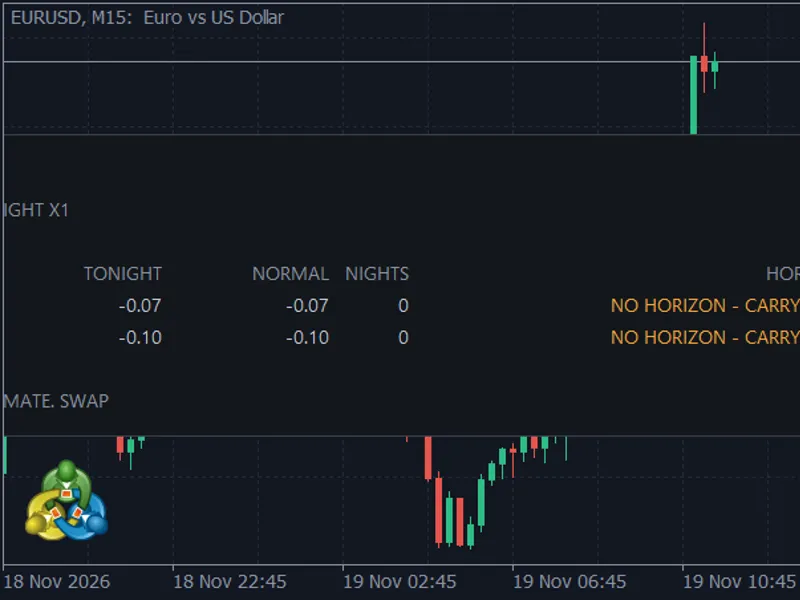
What the panel shows
Column
Meaning
Symbol, B/S, lots
Details of the open position.
Swap
Estimated overnight swap cost in your account currency. This figure is tripled on triple-swap days.
HOP
Cost to close and reopen the position: calculated as the spread from OrderCalcProfit plus commission.
Verdict
Indicates 'HOP' if the swap cost exceeds the hop cost; otherwise, it shows 'hold'.
TOTAL
The aggregate of all overnight swap costs for the current night.
Color Coding: Green indicates swap earned, red signifies swap paid, and orange highlights positions where swap is paid and hopping might be cost-effective.
Swap Modes Supported
Mode
Calculation Method
Points
Swap points multiplied by the point value and lot size.
Deposit currency
Swap rate multiplied by the lot size.
Interest (current or open price)
Notional value multiplied by the annual percentage rate divided by 360.
Other modes
Displayed as 'n/a'.
Example logic for points/deposit currency modes:
case SYMBOL_SWAP_MODE_POINTS: return(rate*PointValue(s)*lots);
case SYMBOL_SWAP_MODE_CURRENCY_DEPOSIT: return(rate*lots); // Triple swap calculation considers SYMBOL_SWAP_ROLLOVER3DAYS integer.
Inputs
Input Parameter
Default Value
Description
Commission per lot
0.0
The round-trip commission in your account currency.
X / Y offset
12 / 40
Adjusts the panel's position on the chart.
Background
dark
Sets the panel's background color.
Max rows
12
The maximum number of positions to display.
Notes
This calculation provides an estimate based on the symbol's current swap settings. Please be aware that brokers may alter swap rates and day conventions at any time.
You may also like: Rollover Cost Table: Understanding Swap Modes and Triple Swap Days - excellent alternative for indicator users on MetaTrader 5.
Source Code
#property copyright "RobotFX"
#property link "https://robotfx.org"
#property version     "1.00"
#property description "This code is educational. Feel free to use, modify and upgrade as you wish. Visit ROBOTFX.ORG for professional trading tools"
#property indicator_chart_window
#property indicator_plots 0
input double InpCommission = 0.0;
input int    InpX          = 12;
input int    InpY          = 40;
input color  InpBg         = C'16,22,30';
.......
⚠ Limitations & Risk Warning
- This tool is provided for educational and testing purposes only.
- Past performance does not guarantee future results.
- Trading involves substantial risk of loss. Use on a demo account first.
- Results may vary depending on market conditions, broker, and settings.
- We recommend thorough backtesting and forward testing before using with real funds.