
True Cost Report: Accurate Trading Cost Measurement
Info
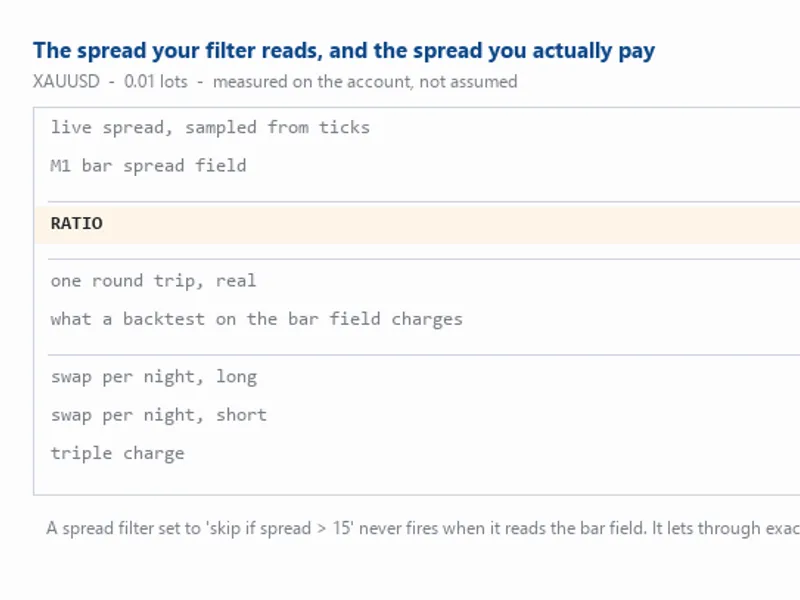
The True Cost Report: Accurate Trading Cost Measurement is a Expert Advisor for MetaTrader 5 that cost is the one input to a trading system that is knowable exactly, and it is almost always estimated wrongly — always in the direction that flatters the strategy. This Expert Advisor measures what one round trip actually costs on your broker and your symbol: the live spread sampled from ticks, the swap for both sides including the triple-charge day, and the commission read from your own closed deals.
Usage
This tool is typically used for automated trading on major forex pairs and gold.
Platform
This Expert Advisor works exclusively on MetaTrader 5 (both build 600+ and newer versions).
Setup
Place the downloaded file in MQL5/Experts folder via File ? Open Data Folder in MetaTrader 5.
How to Install and Use True Cost Report: Accurate Trading Cost Measurement
1. Installation: Open the "File" menu, select "Open Data Folder," navigate to MQL/Experts, paste your file, and restart the terminal.
2. Activation: Drag the EA from the Navigator onto a chart, ensure "Allow live trading" is checked in the Common tab, and verify the AutoTrading button is green.
3. Optimization: Right-click your chart, choose "Expert List," click "Properties" to adjust inputs, and save your preferred setup as a set file for future use.
4. Maintenance: Regularly check the "Experts" tab in the terminal window to monitor trade logs and potential execution errors.
Frequently Asked Questions
Q: Why is my EA not opening trades? A: Check the "AutoTrading" button, ensure "Allow live trading" is enabled, and verify your broker allows automated trading on your account type.
Q: Can I run multiple EAs on one chart? A: No, each chart can only host one active EA; however, you can open multiple charts for different currency pairs to run several EAs.
Q: What does the "smiley face" icon mean? A: A smiley face in the top-right corner of the chart indicates the EA is successfully running; a frowny face means it is disabled.
What this tool does
Cost is the one input to a trading system that is knowable exactly, and it is almost always estimated wrongly — always in the direction that flatters the strategy.
Typical Use Case
This Expert Advisor excels in automated trading and technical analysis on MetaTrader 5.
Compatible Platform & Setup
This Expert Advisor works on MetaTrader 5. Place the file in the MQL5/Experts folder and restart the terminal.
Description & Settings
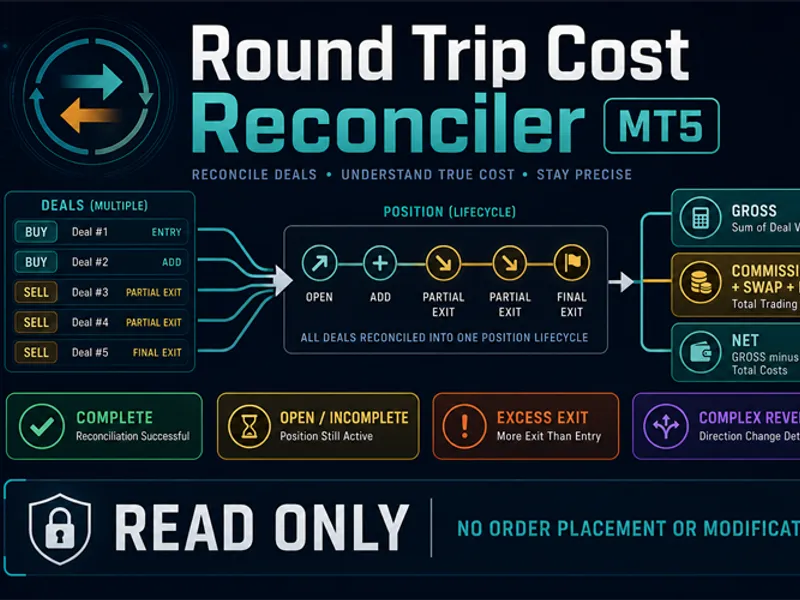
Related: Round Trip Cost Reconciler MT5 - another powerful expert for MetaTrader 5 traders.
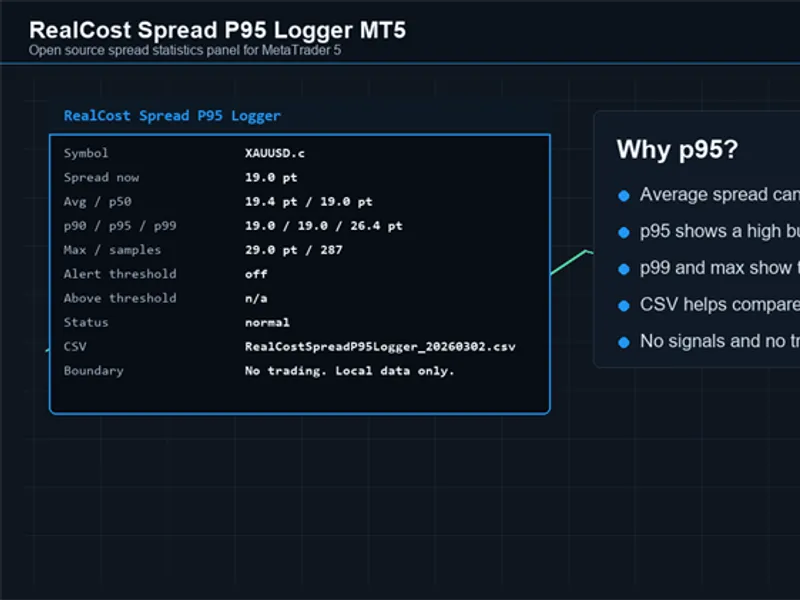
Cost is the one input to a trading system that is knowable exactly, and it is almost always estimated wrongly — always in the direction that flatters the strategy.Also recommended: Real Cost Spread P95 Logger MT5 - similar expert with strong performance on MetaTrader 5.
This Expert Advisor measures what one round trip actually costs on your broker and your symbol: the live spread sampled from ticks, the swap for both sides including the triple-charge day, and the commission read from your own closed deals. Then it puts the number your tools are probably using next to it.
It is strictly read-only. It never opens, closes or modifies a position.
The measurement it exists for
The usual source of a spread figure is the spread field of a price bar, because that is the one thing easy to reach from a script or a backtest. That field is a per-bar summary, not the quote at any instant.
Measured on XAUUSD: the live spread was 20 points across 60 consecutive readings while the M1 bar field had a median of 6. A factor of 3.3.
Anything built on that field inherits the error:
A spread filter set to "skip the entry if spread > 15" never fires, because the number it reads is a third of the truth. It lets through precisely the moments it exists to block.
A backtest charging that spread reports a system cheaper to run than the real one, and the gap grows with the number of trades — so it flatters high-frequency strategies most.
The half that most simulators do not charge at all
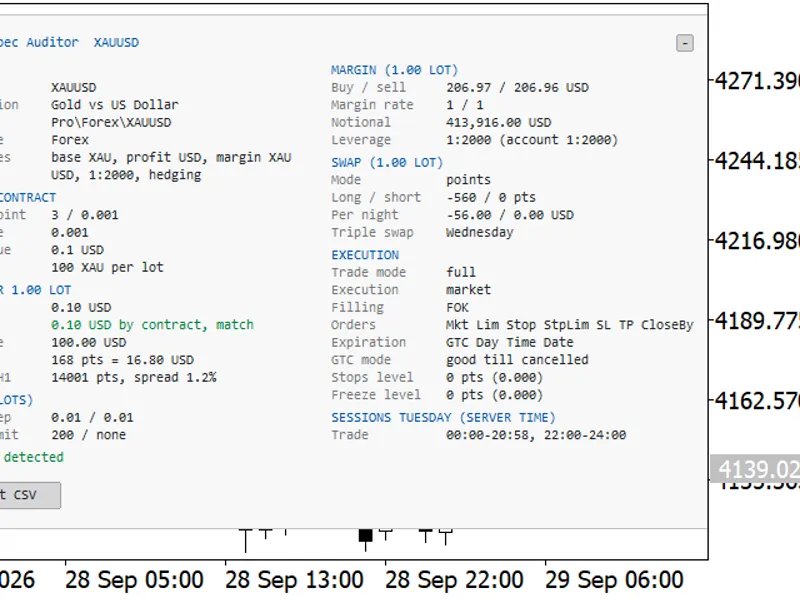
Swap. It is asymmetric — one side usually pays while the other collects — and one weekday is charged three times. On gold, per 0.01 lot per night, a real account gave −0.5842 long and +0.4098 short, with Wednesday tripled.
On a system that holds positions overnight this is not a detail. A basket of four legs each way costs roughly 1.9 a night simply to exist, which over a year exceeds most of the edges people are trying to capture. MT5's own Strategy Tester charges swap; a great many custom simulators do not, and their results are wrong by the whole of it.
Three things it does that a quick version would get wrong
It counts distinct quotes, not just ticks.
A feed that repeats the same value hundreds of times has been decimated somewhere, and a median over those repeats describes the decimation rather than the market. If fewer than five distinct quotes are seen, it says so.
It refuses to measure a closed market.
With the market shut the terminal keeps handing out the last tick it saw, so a sampling loop happily collects hundreds of identical readings of the frozen weekend quote — on the symbol this was written for, 50 points against a working-hours median of 20. The test uses the trap it documents:
TimeCurrent()
is the time of the last tick and freezes with the market, while
TimeTradeServer()
keeps running, so the gap between them is exactly how stale the quote is.
Commission comes from your deals, not from a symbol property.
Commission is an account term, not a symbol one: two accounts on the same broker and the same symbol can pay differently, and there is no field to read it from. Zero is a legitimate answer on a spread-only account, and is reported as zero rather than as unknown.
Inputs
Input Meaning
InpSampleSeconds How long to sample the live spread. Longer is better on a quiet symbol.
InpLots Lot size to price the cost for.
InpBarsToCompare How many M1 bars to take the bar-field median from.
InpDealDays Days of your own deals to read the commission from.
On the swap mode.
SYMBOL_SWAP_LONG and SYMBOL_SWAP_SHORT are quoted in whatever SYMBOL_SWAP_MODE says, and the modes are not interchangeable — reading a points value as if it were money produces a confident wrong number. Points and the deposit-currency modes are converted exactly; the interest and reopen modes depend on the position price and on the broker's year convention, so they are reported as not converted rather than guessed.
What it does not do
It does not model slippage, which cannot be measured without trading, and it says nothing about whether a strategy is viable. It measures the toll. What you carry over it is your business.
You may also like: Exp Coeffof Line True - excellent alternative for expert users on MetaTrader 5.
Source Code
#property copyright "RobotFX"
#property version   "1.00"
#property description "This code is educational. Feel free to use, modify and upgrade as you wish. Visit ROBOTFX.ORG for professional trading tools"
#property strict
input group "=== Measurement ==="
input int    InpSampleSeconds = 90;
input double InpLots          = 0.01;
input int    InpBarsToCompare = 120;
input int    InpDealDays      = 30;
input group "=== Display ==="
.......
⚠ Limitations & Risk Warning
- This tool is provided for educational and testing purposes only.
- Past performance does not guarantee future results.
- Trading involves substantial risk of loss. Use on a demo account first.
- Results may vary depending on market conditions, broker, and settings.
- We recommend thorough backtesting and forward testing before using with real funds.