




Prop Guard MT5: Daily Loss and Max Drawdown Deadline Visualizer
Info
The Prop Guard MT5: Daily Loss and Max Drawdown Deadline Visualizer is a Indicator for MetaTrader 5 that prop guard mt5 is a powerful indicator designed for traders operating within strict risk management rules, particularly those imposed by prop firms. It transforms your daily loss limit and overall max drawdown into a visual price level on the chart, known as the 'dead-line'.
Usage
This tool is typically used for enhancing chart analysis and decision making.
Platform
This Indicator works exclusively on MetaTrader 5 (both build 600+ and newer versions).
Setup
Place the downloaded file in MQL5/Indicators folder via File ? Open Data Folder in MetaTrader 5.
How to Install and Use Prop Guard MT5: Daily Loss and Max Drawdown Deadline Visualizer
1. Installation: Place your file in the MQL/Indicators folder via "Open Data Folder" and restart your terminal.
2. Loading: Find the indicator in the Navigator, drag it onto your chart, and configure the input parameters in the popup window.
3. Customization: Press Ctrl+I to open the indicator list, select your tool, and click "Properties" to change colors, levels, or visual styles.
4. Updating: Replace the old file in the Indicators folder with the new version and restart the platform to apply changes.
Frequently Asked Questions
Q: Why is my indicator not showing? A: Verify the file is in the MQL/Indicators folder, or try right-clicking the "Indicators" tree in the Navigator and clicking "Refresh."
Q: Do custom indicators slow down the platform? A: Too many complex indicators can impact performance; remove unused ones via the "Indicator List" (Ctrl+I).
Q: Can I use MT4 indicators on MT5? A: No, MQL4 and MQL5 are distinct languages; ensure the indicator is compiled specifically for your platform version.
What this tool does
Prop Guard MT5 is a powerful indicator designed for traders operating within strict risk management rules, particularly those imposed by prop firms.
Typical Use Case
This Indicator excels in automated trading and technical analysis on MetaTrader 5.
Compatible Platform & Setup
This Indicator works on MetaTrader 5. Place the file in the MQL5/Indicators folder and restart the terminal.
Description & Settings
Related: Daily Profit/Loss Percentage Overlay for Prop Firm Daily Loss Limits - another powerful indicator for MetaTrader 5 traders.
Prop Guard MT5 is a powerful indicator designed for traders operating within strict risk management rules, particularly those imposed by prop firms. It transforms your daily loss limit and overall max drawdown into a visual price level on the chart, known as the 'dead-line'. This innovative tool helps you make informed trading decisions, reduce emotional reactions, and stay within your defined risk boundaries.Also recommended: Prop Firm Daily Loss Limit Indicator - similar indicator with strong performance on MetaTrader 5.
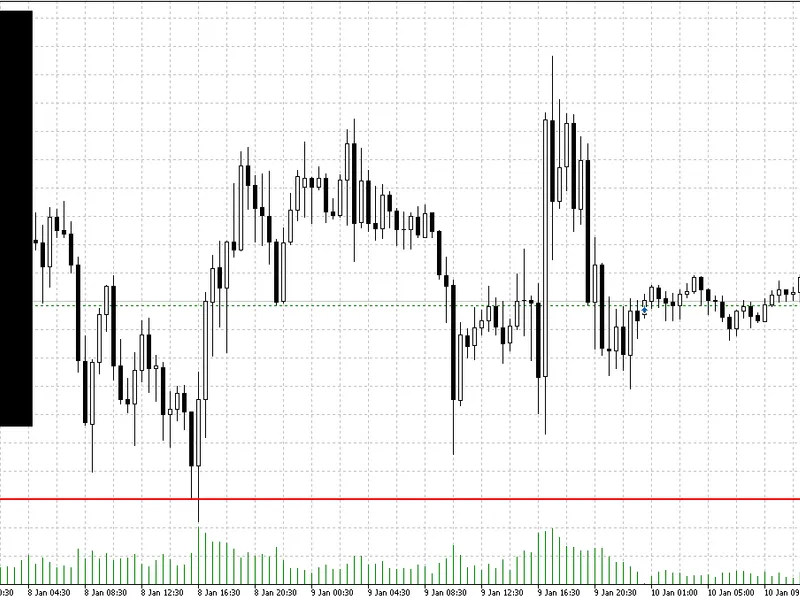
The core concept revolves around the 'dead-line', a dynamic chart level that represents your risk limits. When the price reaches this line, your account would hit the configured drawdown boundary.
## Core Concept: The 'Dead-Line'
Prop firms often set loss limits in currency or percentage terms, both daily and overall. Prop Guard MT5 translates these limits into a visual price level:
- **Net Long Position**: The dead-line is the price below the current market where your allowed daily or overall loss is exhausted.
- **Net Short Position**: The dead-line is the price above the current market where your allowed daily or overall loss is exhausted.
This line updates in real-time, reflecting your current equity, open positions on the chart symbol, and the symbol's tick value/size, ensuring compatibility across multiple assets.
## Indicator Display
Prop Guard MT5 provides a comprehensive visual representation of your risk limits:
- **Effective Dead-Line (Main Line)**: Displays the most restrictive limit, either daily or overall, whichever is closer to the current price.
- **Optional Separate Lines**: You can choose to display daily and overall dead-lines separately for a more detailed view.
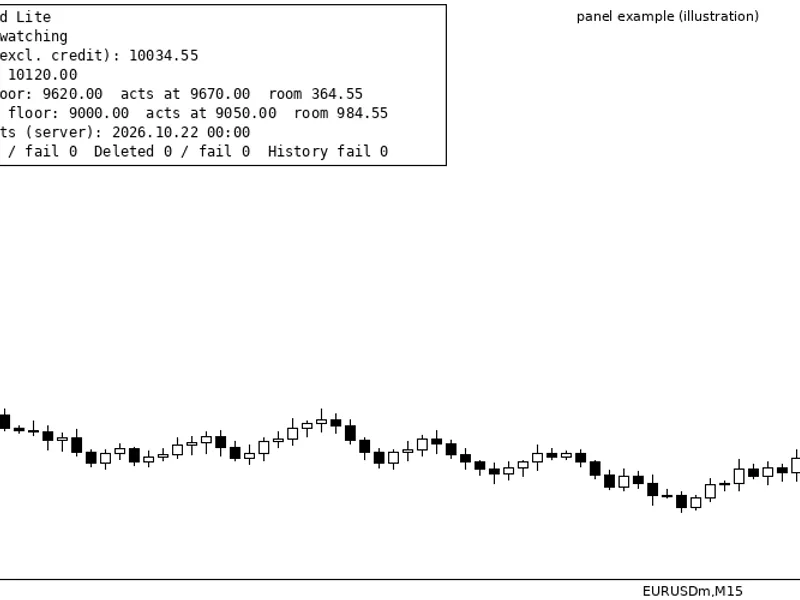
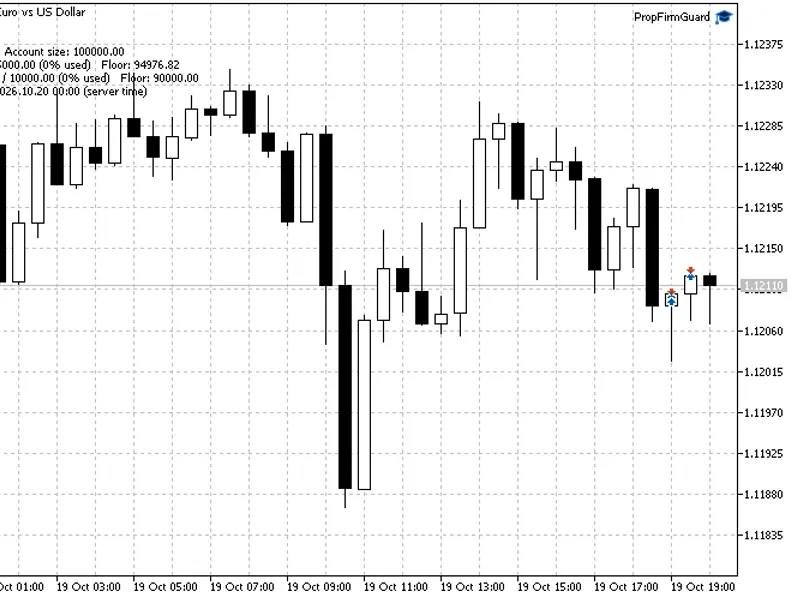
- **On-Chart Dashboard Panel**: A compact panel that shows crucial information, including balance, equity, maximum allowed loss, minimum equity levels, long/short lots, dead-line prices, effective rule, and remaining buffer in currency and points.
## Trailing Drawdown Modes
Prop Guard MT5 supports two drawdown models:
- **Trailing Drawdown On**: The dead-line is based on daily and overall peak equity, allowing the risk line to 'trail' as you reach new equity highs.
- **Trailing Drawdown Off**: The dead-line is based on fixed reference values:
- Daily Reference: Start-of-day balance.
- Overall Reference: Manually input start capital.
## Safety Handling
Prop Guard MT5 is designed with safety and transparency in mind:
- **No Open Positions**: If there are no open positions on the symbol, the lines are hidden, and the dashboard displays 'No Positions'.
- **Hedged/Near-Zero Net Sensitivity**: When the net exposure is effectively neutral, the lines are hidden, and the dashboard shows 'Hedged (No Dead-Line)'.
- **Limit Violation**: In case of a limit violation, the dashboard displays 'Violated!', and the remaining buffer becomes negative.
## Inputs and Customization
Prop Guard MT5 offers a range of inputs for customization:
- **Daily/Overall Max DD (%)**: Set your daily and overall loss limits in percentage terms.
- **Trailing Drawdown Mode**: Enable/disable peak-equity trailing.
- **Account Start Capital**: Input your initial capital for overall reference when trailing is off.
- **Show Daily & Overall Lines Separately**: Choose to display both daily and overall limits or only the effective line.
- **Dashboard Placement**: Adjust the dashboard's corner, X-offset, and Y-offset.
- **Line Colors/Width**: Customize the visual appearance of the lines.
- **Warning Threshold (%)**: Highlight the remaining buffer when it's close to violation.
## Notes and Limitations
- **Symbol-Specific Logic**: The dead-line is calculated based on positions on the current chart symbol only. For multiple symbols, attach Prop Guard MT5 to each relevant chart.
- **Visualization Tool**: Prop Guard MT5 is a visual aid and does not execute trades or enforce rules automatically. It empowers traders to make informed decisions while adhering to risk management guidelines.
You may also like: ATS Prop Rules Monitor: Comprehensive Prop Firm Challenge Scoreboard - excellent alternative for indicator users on MetaTrader 5.
Source Code
/.......
⚠ Limitations & Risk Warning
- This tool is provided for educational and testing purposes only.
- Past performance does not guarantee future results.
- Trading involves substantial risk of loss. Use on a demo account first.
- Results may vary depending on market conditions, broker, and settings.
- We recommend thorough backtesting and forward testing before using with real funds.