




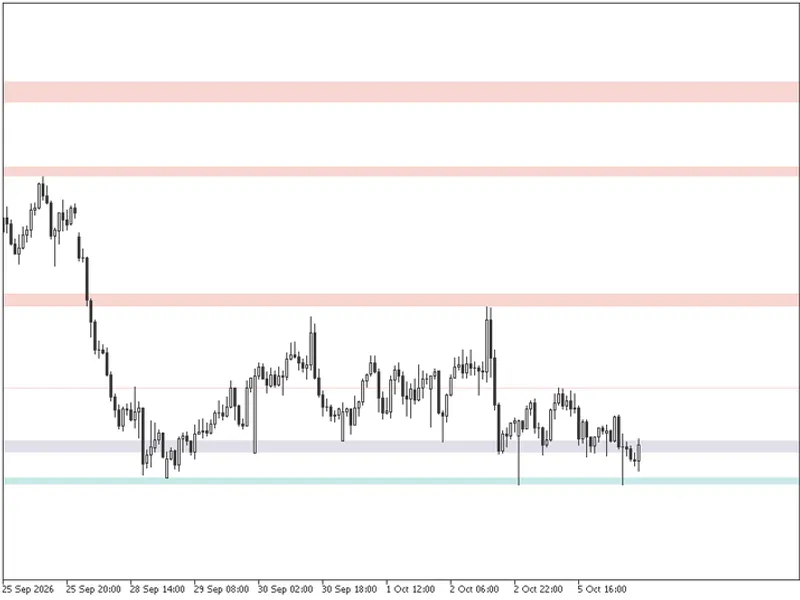
Channel Sun Signals Indicator
Info
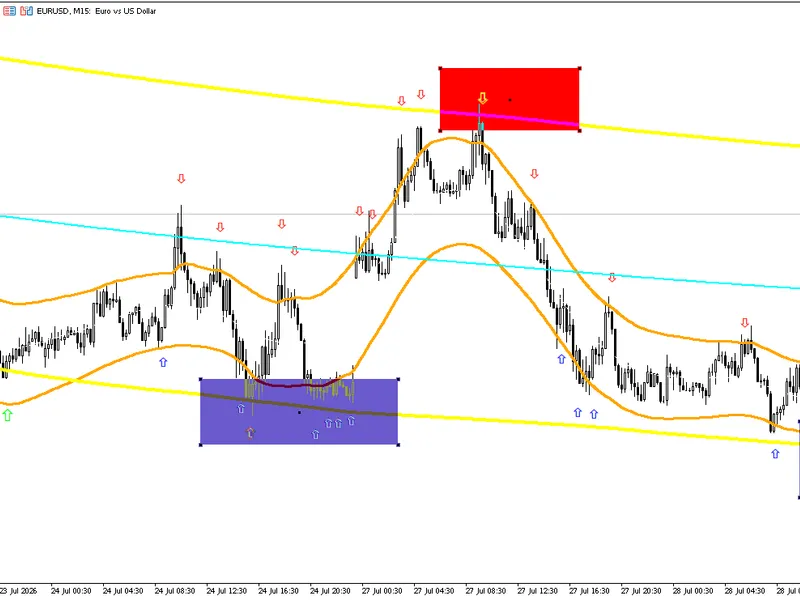
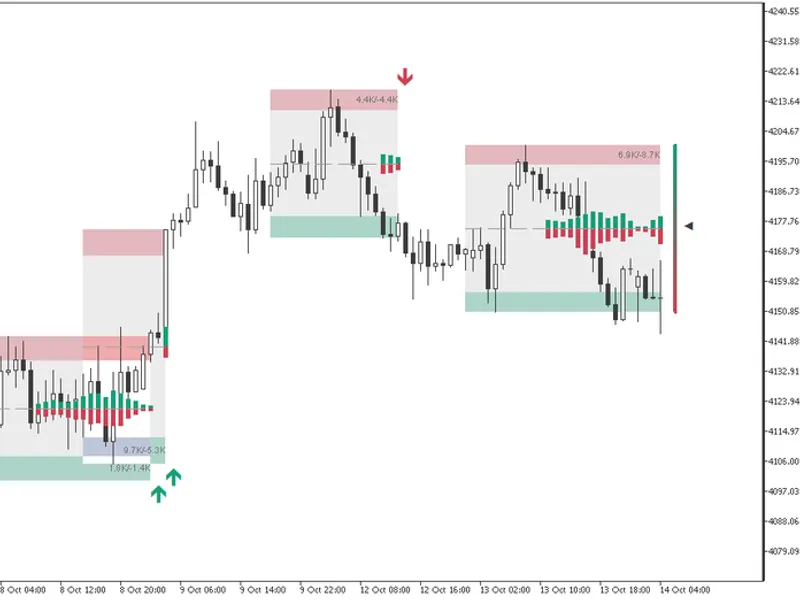
The Channel Sun Signals Indicator is a Indicator for MetaTrader 5 that how it workscenter line: a symmetric, triangular-weighted moving average of the applied price over 2×halflength+1 bars (the weight peaks at the current bar and decays linearly toward both edges — the smoothing bell shape visible in the screenshots). Bands: an adaptive/EMA-style variance of the positive and negative deviations from the center line is tracked bar by bar, and the upper/lower bands are drawn at Center ± BandsDeviations × StdDev.
Usage
This tool is typically used for enhancing chart analysis and decision making.
Platform
This Indicator works exclusively on MetaTrader 5 (both build 600+ and newer versions).
Setup
Place the downloaded file in MQL5/Indicators folder via File ? Open Data Folder in MetaTrader 5.
How to Install and Use Channel Sun Signals Indicator
1. Installation: Place your file in the MQL/Indicators folder via "Open Data Folder" and restart your terminal.
2. Loading: Find the indicator in the Navigator, drag it onto your chart, and configure the input parameters in the popup window.
3. Customization: Press Ctrl+I to open the indicator list, select your tool, and click "Properties" to change colors, levels, or visual styles.
4. Updating: Replace the old file in the Indicators folder with the new version and restart the platform to apply changes.
Frequently Asked Questions
Q: Why is my indicator not showing? A: Verify the file is in the MQL/Indicators folder, or try right-clicking the "Indicators" tree in the Navigator and clicking "Refresh."
Q: Do custom indicators slow down the platform? A: Too many complex indicators can impact performance; remove unused ones via the "Indicator List" (Ctrl+I).
Q: Can I use MT4 indicators on MT5? A: No, MQL4 and MQL5 are distinct languages; ensure the indicator is compiled specifically for your platform version.
What this tool does
How it worksCenter line: a symmetric, triangular-weighted moving average of the applied price over 2×HalfLength+1 bars (the weight peaks at the current bar and decays linearly toward both edges — the smoothing bell shape visible in the screenshots).
Typical Use Case
This Indicator excels in automated trading and technical analysis on MetaTrader 5.
Compatible Platform & Setup
This Indicator works on MetaTrader 5. Place the file in the MQL5/Indicators folder and restart the terminal.
Description & Settings
Related: Line Master: Advanced Trend Lines with Change Signals - another powerful indicator for MetaTrader 5 traders.
How it worksAlso recommended: Compression Breakout Channels with Buy and Sell Volume Analysis - similar indicator with strong performance on MetaTrader 5.
Center line: a symmetric, triangular-weighted moving average of the applied price over 2×HalfLength+1 bars (the weight peaks at the current bar and decays linearly toward both edges — the smoothing bell shape visible in the screenshots).
Bands: an adaptive/EMA-style variance of the positive and negative deviations from the center line is tracked bar by bar, and the upper/lower bands are drawn at Center ± BandsDeviations × StdDev.
Signals (arrows):
A red Sell arrow appears above a bar when the previous bar closed bullish and pushed its high above the upper band, followed by the current bar closing bearish (a rejection from the top of the channel).
A blue Buy arrow appears below a bar when the previous bar closed bearish and pushed its low below the lower band, followed by the current bar closing bullish (a rejection from the bottom of the channel).
Arrow vertical offset from the candle is scaled by ATR(20), so arrows stay readable across instruments/timeframes.
Multi-timeframe mode: you can select any timeframe (e.g., run the indicator on an M15 chart but calculate the channel on H1). Higher-timeframe candles are pulled with CopyRates() and the channel is computed locally, with optional linear interpolation between HTF bar closes so the lines aren't staircased on the lower timeframe chart.
Inputs:
Timeframe – calculation timeframe (defaults to chart period; can also be a higher timeframe for MTF mode).
Channel HalfLength – smoothing/width of the triangular MA window.
Applied Price – standard MT5 price types (Close, Open, High, Low, Median, Typical, Weighted).
Bands Deviation multiplier – how far the bands sit from the center line.
Interpolate between MTF bars – smooths the channel lines when using a higher calculation timeframe.
Colors – chosen from fixed dropdown lists (not the free color picker), for the mid line, bands, and both arrow colors.
Line width / Arrow size – 1–5 for each plot.
Signals → closed-bar only – optional switch to make signals appear only after a bar fully closes (removes any repainting on the current, still-forming bar).
Signal filters (optional):
Minimum band width % — ignore signals when the channel is too narrow (range-bound/no-trend market).
Volume confirmation — require the breakout bar's tick volume to exceed its recent average by a chosen multiplier.
Signal cooldown (bars) — suppress new arrows for N bars after a signal, to avoid clusters of arrows in choppy conditions.
Alerts – popup, sound, push-notification and email alerts, triggered on band penetration by either High/Low or Close, on the current or last closed bar.
Risk Disclaimer:
This indicator is provided for informational and educational purposes only and does not constitute financial or investment advice. Trading Forex, CFDs, and other financial instruments involves a high level of risk and may not be suitable for all investors. Past performance, backtest results, or historical signals are not indicative of future results. You may lose part or all of your invested capital, and you should never trade with money you cannot afford to lose. Always test thoroughly on a demo account before using it with real funds, and consider seeking advice from an independent, licensed financial advisor.
You may also like: Support and Resistance Channels Ranked by Strength - excellent alternative for indicator users on MetaTrader 5.
Source Code
#property copyright "RobotFX"
#property link "https://robotfx.org"
#property version   "2.00"
#property indicator_chart_window
#property indicator_buffers 7
#property indicator_plots   5
#property indicator_label1  "Mid"
#property indicator_type1   DRAW_LINE
#property indicator_color1  clrWhite
#property indicator_style1  STYLE_DOT
.......
⚠ Limitations & Risk Warning
- This tool is provided for educational and testing purposes only.
- Past performance does not guarantee future results.
- Trading involves substantial risk of loss. Use on a demo account first.
- Results may vary depending on market conditions, broker, and settings.
- We recommend thorough backtesting and forward testing before using with real funds.