
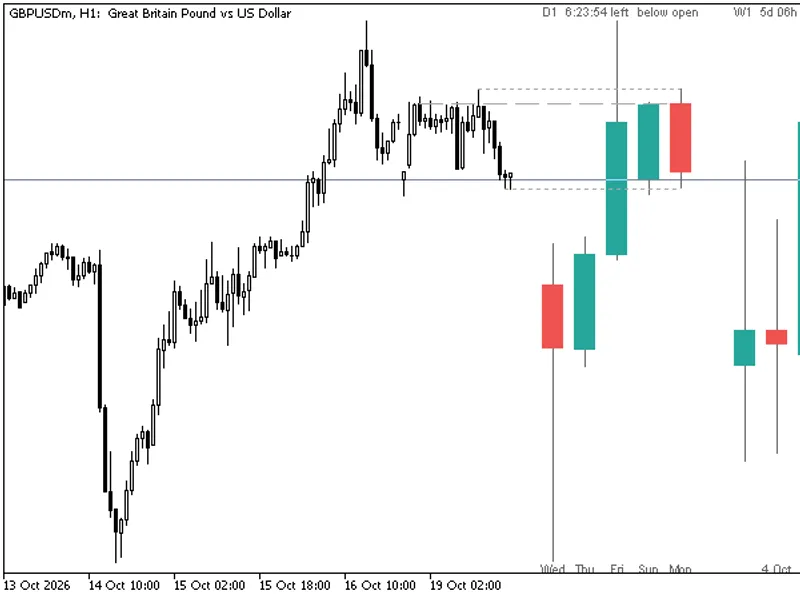
Candle Pattern Statistics: Engulfing, Pin Bar, and Inside Bar with Rolling Hit Rate
Info
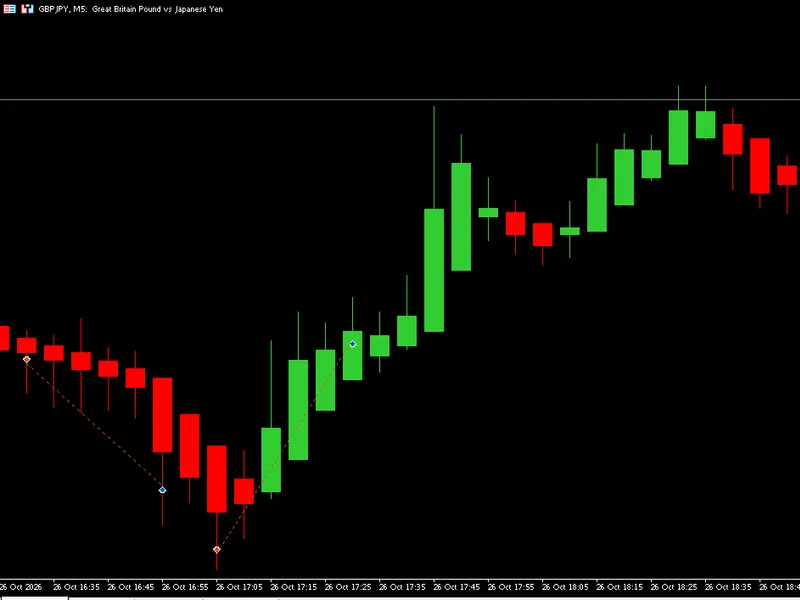
The Candle Pattern Statistics: Engulfing, Pin Bar, and Inside Bar with Rolling Hit Rate is a Indicator for MetaTrader 5 that what it doeson every closed bar, the indicator identifies five patterns and draws an arrow when one is detected:bullish / bearish engulfing: the body of the current bar completely covers the body of the previous bar in the opposite direction and is larger. Bullish / Bearish Pin Bar: The dominant wick is at least X% of the bar's total range, and the body is at most Y% of the range.
Usage
This tool is typically used for enhancing chart analysis and decision making.
Platform
This Indicator works exclusively on MetaTrader 5 (both build 600+ and newer versions).
Setup
Place the downloaded file in MQL5/Indicators folder via File ? Open Data Folder in MetaTrader 5.
How to Install and Use Candle Pattern Statistics: Engulfing, Pin Bar, and Inside Bar with Rolling Hit Rate
1. Installation: Place your file in the MQL/Indicators folder via "Open Data Folder" and restart your terminal.
2. Loading: Find the indicator in the Navigator, drag it onto your chart, and configure the input parameters in the popup window.
3. Customization: Press Ctrl+I to open the indicator list, select your tool, and click "Properties" to change colors, levels, or visual styles.
4. Updating: Replace the old file in the Indicators folder with the new version and restart the platform to apply changes.
Frequently Asked Questions
Q: Why is my indicator not showing? A: Verify the file is in the MQL/Indicators folder, or try right-clicking the "Indicators" tree in the Navigator and clicking "Refresh."
Q: Do custom indicators slow down the platform? A: Too many complex indicators can impact performance; remove unused ones via the "Indicator List" (Ctrl+I).
Q: Can I use MT4 indicators on MT5? A: No, MQL4 and MQL5 are distinct languages; ensure the indicator is compiled specifically for your platform version.
What this tool does
What it doesOn every closed bar, the indicator identifies five patterns and draws an arrow when one is detected:Bullish / Bearish Engulfing: The body of the current bar completely covers the body of the previous bar in the opposite direction and is larger.
Typical Use Case
This Indicator excels in automated trading and technical analysis on MetaTrader 5.
Compatible Platform & Setup
This Indicator works on MetaTrader 5. Place the file in the MQL5/Indicators folder and restart the terminal.
Description & Settings
Related: Candle Timer Countdown for MetaTrader 5 - another powerful indicator for MetaTrader 5 traders.
What it doesOn every closed bar, the indicator identifies five patterns and draws an arrow when one is detected:
Also recommended: Heikin Ashi Candlesticks - similar indicator with strong performance on MetaTrader 5.
Bullish / Bearish Engulfing: The body of the current bar completely covers the body of the previous bar in the opposite direction and is larger.
Bullish / Bearish Pin Bar: The dominant wick is at least X% of the bar's total range, and the body is at most Y% of the range. Both limits are inclusive; a bar exactly on the limit is counted.
Inside Bar: The high of the current bar is below the previous bar's high, and the low is above the previous bar's low. The direction of the pattern is determined by the direction of the mother bar (the previous bar). A mother bar with no body (open = close) is ignored.
A pattern is only marked if the range of the signal bar (the mother bar for the inside bar) is at least Minimum Bar Range multiplied by the ATR (Wilder).
Optional Trend Filter: Bullish patterns are considered only if the closing price is above the EMA, and bearish patterns only if it is below.
The Rolling Statistic
Each pattern occurrence initiates a case at the close of the signal bar. The take profit level is set at Entry + (X * ATR) in the pattern's direction, and the adverse stop loss level is at Entry - (Y * ATR). Both calculations use the ATR value from the signal bar. The case is resolved by the first subsequent bar that reaches either level: hitting the take profit first is counted as a 'hit,' while hitting the stop loss first is counted as a 'miss.' If both levels are reached within the same bar, the case is counted as a miss (the exact order within the bar is unknown). If neither level is reached within 'Bars to Wait' bars, the case is discarded and not counted either way.
The panel displays, for each pattern, the number of hits and resolved cases over the last N resolved cases, along with the total number of cases in the sample. A case is only counted from the bar where it is resolved, ensuring that the values shown at any given bar do not use future data. Reloading the indicator will produce the same historical results.
This report details the historical performance on the loaded data for the selected symbol and timeframe. It does not account for spread, commission, or slippage. Results depend on the chosen X, Y, and N parameters and provide no guarantee of future outcomes. Small sample sizes can be misleading; always consider the number of cases displayed next to each percentage. This is not financial advice.
No Repainting
Only completed bars are evaluated, and each bar is processed only once. The currently forming bar will not display any arrows or signals. Alerts are triggered once per closed bar, and no alerts are generated for the existing history when the indicator is initially attached.
Buffers (iCustom)
Buffer
Content
0
Arrow price for bullish engulfing (EMPTY_VALUE if none)
1
Arrow price for bearish engulfing
2
Arrow price for bullish pin bar
3
Arrow price for bearish pin bar
4
Arrow price for inside bar
5
Signal for bullish engulfing: 1 on the bar with the pattern, 0 otherwise
6
Signal for bearish engulfing: -1 / 0
7
Signal for bullish pin bar: 1 / 0
8
Signal for bearish pin bar: -1 / 0
9
Signal for inside bar: 1 if the mother bar is bullish, -1 if bearish, 0 none
10-14
Rolling hit rate in % (0-100) for patterns 0-4, calculated as of that bar's close; EMPTY_VALUE until the pattern has at least one resolved case
15-19
Number of resolved cases in the rolling sample (0 to N) for patterns 0-4
To read data for the last closed bar, use shift 1. Shift 0 (the currently forming bar) will always have a signal of 0. When only the indicator name is provided, the default input values are used. Example:
int h = iCustom(_Symbol, PERIOD_H1, "CandlePatternStats");
double sig[1], rate[1], n[1];
if(CopyBuffer(h, 5, 1, 1, sig) == 1 && sig[0] > 0.0 &&
CopyBuffer(h, 10, 1, 1, rate) == 1 && CopyBuffer(h, 15, 1, 1, n) == 1)
PrintFormat("Bullish engulfing, hit rate %.1f%% over %d cases", rate[0], (int)n[0]);
Inputs
Definitions: ATR period, minimum bar range (as a multiple of ATR), pin bar wick percentage and body percentage thresholds, and options to enable/disable each pattern family.
Trend Filter: On/off toggle, and EMA period.
Statistics: X (take profit multiplier), Y (stop loss multiplier), N (rolling sample size), and bars to wait for case resolution.
Display: Panel visibility, panel position (top-left or bottom-left), pixel offsets, color schemes, and arrow distance from the bar.
Alerts: Options for popup notifications, push notifications, sound alerts, and log file names.
Notes
This indicator functions on any symbol and timeframe. The first 'ATR Period' bars of the historical data will not show any patterns as they require preceding bars for calculation.
Inside bar statistics follow the direction of the mother bar. If a different convention is preferred, the signal buffer indicates the direction that was used for the calculation.
The indicator is deterministic. Applying it twice to the same historical data will produce identical arrows and numerical results.
Read-only: This indicator does not open, modify, or close trades.
Testing
The signals, arrows, rolling hit rates, and sample sizes were exported for the entire EURUSD M15 history from a demo account (694,770 bars, approximately 288,000 patterns). These were then recomputed using an independent Python implementation adhering to the same rules. All values matched precisely, with zero discrepancies across over 3.47 million bar/pattern data points. The Python reference implementation was further verified against a brute-force forward scan using random data. Since only closed bars are evaluated, the displayed values do not change after a bar has completed.
You may also like: HTF Candles (ICT Power of Three): Higher Timeframe Candles Displayed - excellent alternative for indicator users on MetaTrader 5.
Source Code
#property copyright "RobotFX"
#property version   "1.00"
#property description "This code is educational. Feel free to use, modify and upgrade as you wish. Visit ROBOTFX.ORG for professional trading tools"
#property indicator_chart_window
#property indicator_buffers 22
#property indicator_plots   20
#property indicator_label1  "Bullish engulfing"
#property indicator_label2  "Bearish engulfing"
#property indicator_label3  "Bullish pin bar"
#property indicator_label4  "Bearish pin bar"
.......
⚠ Limitations & Risk Warning
- This tool is provided for educational and testing purposes only.
- Past performance does not guarantee future results.
- Trading involves substantial risk of loss. Use on a demo account first.
- Results may vary depending on market conditions, broker, and settings.
- We recommend thorough backtesting and forward testing before using with real funds.