




asq spread logger: track every pip of spread
Info
The asq spread logger: track every pip of spread is a Indicator for MetaTrader 5 that asq spread logger is a powerful tool for traders, offering real-time spread monitoring and logging capabilities. with this lightweight indicator, you can make informed entry decisions and analyze spread behavior across various scenarios.
Usage
This tool is typically used for enhancing chart analysis and decision making.
Platform
This Indicator works exclusively on MetaTrader 5 (both build 600+ and newer versions).
Setup
Place the downloaded file in MQL5/Indicators folder via File ? Open Data Folder in MetaTrader 5.
How to Install and Use asq spread logger: track every pip of spread
1. Installation: Place your file in the MQL/Indicators folder via "Open Data Folder" and restart your terminal.
2. Loading: Find the indicator in the Navigator, drag it onto your chart, and configure the input parameters in the popup window.
3. Customization: Press Ctrl+I to open the indicator list, select your tool, and click "Properties" to change colors, levels, or visual styles.
4. Updating: Replace the old file in the Indicators folder with the new version and restart the platform to apply changes.
Frequently Asked Questions
Q: Why is my indicator not showing? A: Verify the file is in the MQL/Indicators folder, or try right-clicking the "Indicators" tree in the Navigator and clicking "Refresh."
Q: Do custom indicators slow down the platform? A: Too many complex indicators can impact performance; remove unused ones via the "Indicator List" (Ctrl+I).
Q: Can I use MT4 indicators on MT5? A: No, MQL4 and MQL5 are distinct languages; ensure the indicator is compiled specifically for your platform version.
What this tool does
asq spread logger is a powerful tool for traders, offering real-time spread monitoring and logging capabilities.
Typical Use Case
This Indicator excels in automated trading and technical analysis on MetaTrader 5.
Compatible Platform & Setup
This Indicator works on MetaTrader 5. Place the file in the MQL5/Indicators folder and restart the terminal.
Description & Settings
Related: Spread Monitor Indicator for MetaTrader 5 - another powerful indicator for MetaTrader 5 traders.
asq spread logger is a powerful tool for traders, offering real-time spread monitoring and logging capabilities. with this lightweight indicator, you can make informed entry decisions and analyze spread behavior across various scenarios.Also recommended: Enhanced Spread Monitor for MetaTrader 5 - similar indicator with strong performance on MetaTrader 5.
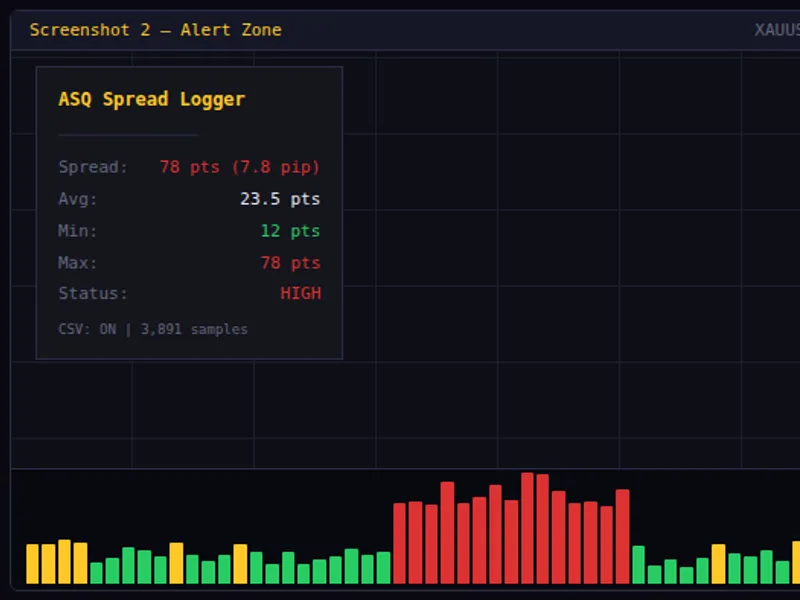
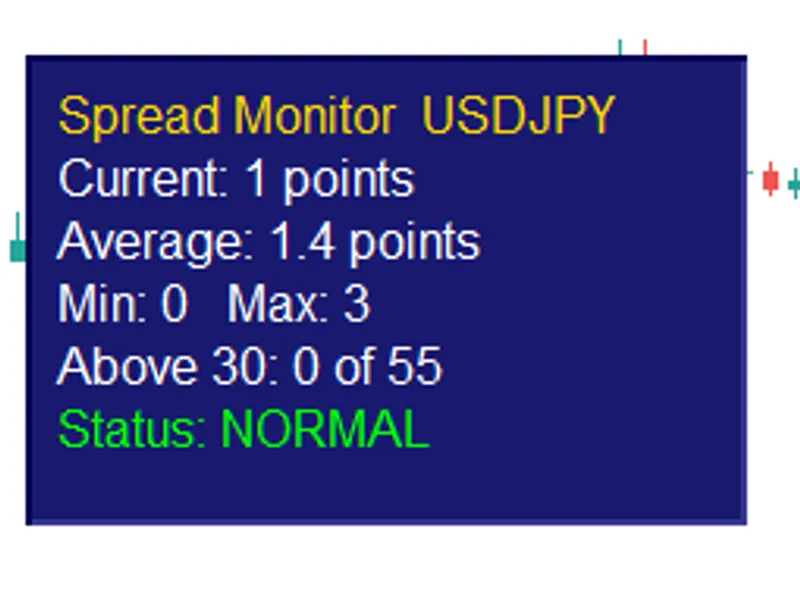
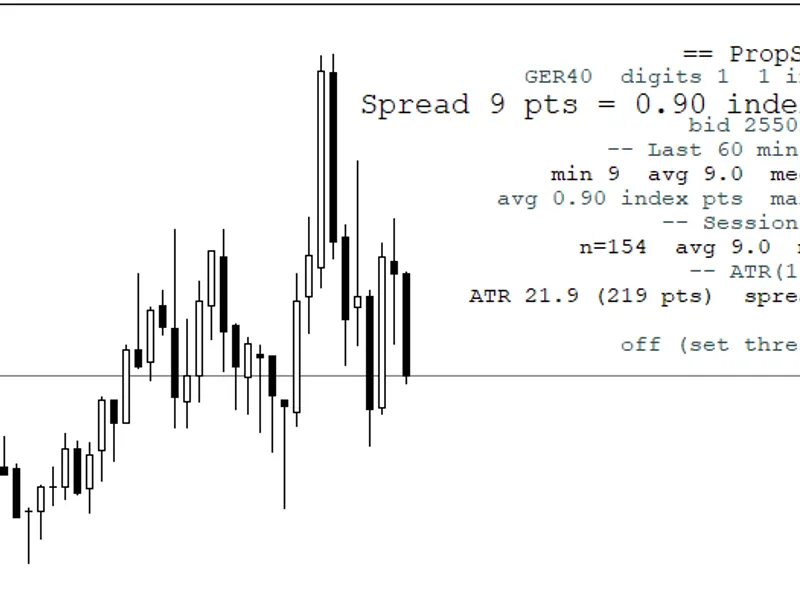
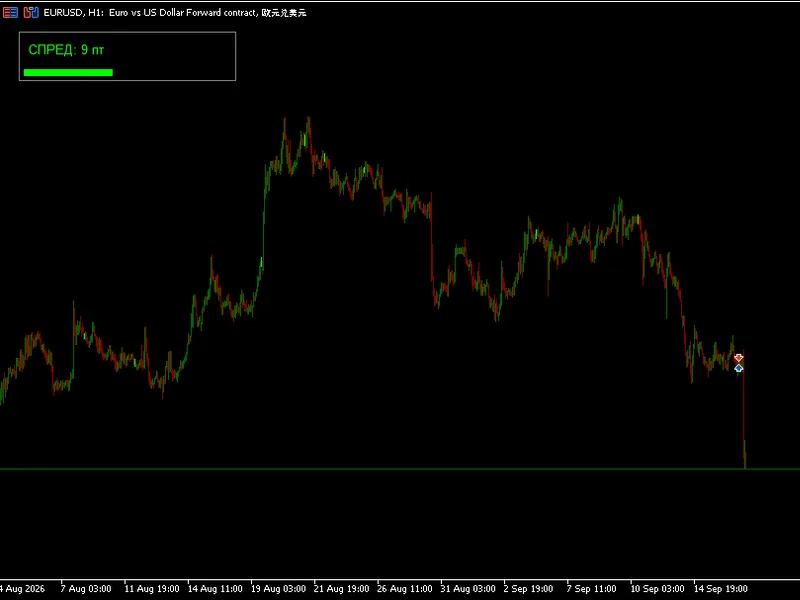
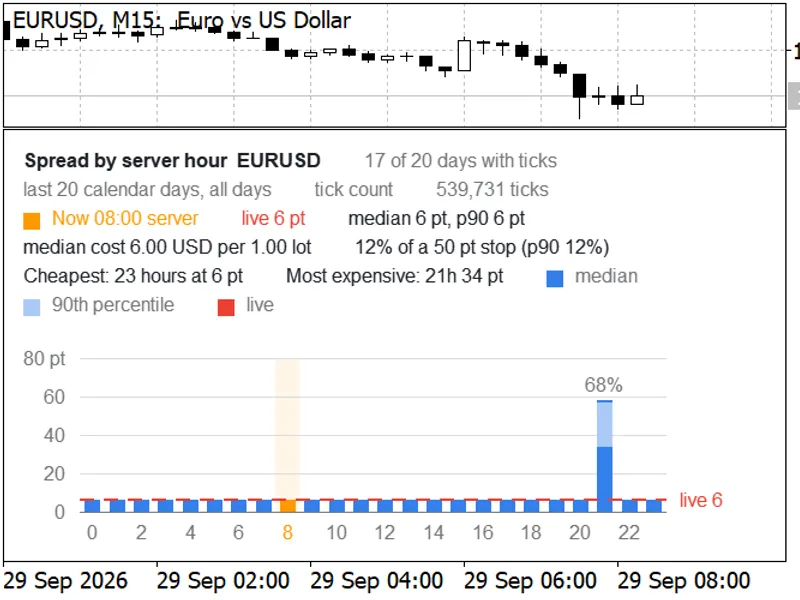
this indicator provides a visual representation of the spread with a color-coded histogram in a separate window. the colors indicate the spread status: green for low, gold for moderate, and red for exceeding your defined threshold. additionally, a comprehensive on-chart panel displays essential spread information, including current spread, rolling average, minimum, maximum, and status.
one of its key features is the ability to log spread data to a csv file, allowing for in-depth analysis. the log includes datetime, symbol, spread, bid, ask, avg, min, max, and status, enabling you to study spread patterns over different sessions, days, or brokers using excel or python. you can choose from three logging frequencies: every tick, every second, or once per new bar.
the asq spread logger is highly customizable and user-friendly. it offers configurable low/high thresholds, threshold reference lines on the histogram, and alert cooldown to prevent spam. you can also customize the panel's position, offset, font, and colors to suit your preferences. moreover, it is designed for minimal cpu usage, ensuring a smooth trading experience.
use cases:
- scalping: ensure you enter trades only when the spread is within your desired range.
- news trading: monitor spread changes during high-impact news events.
- broker comparison: log and compare spread data across multiple brokers for informed broker selection.
- session analysis: identify the most favorable trading hours based on spread tightness.
- prop firm compliance: maintain records of trading during acceptable spread conditions.
installation and compatibility:
1. download asq_spreadlogger.mq5.
2. place the file in mql5/indicators/.
3. compile in metaeditor (no external dependencies required).
4. drag the indicator onto any chart.
compatible with metatrader 5, the asq spread logger supports all brokers, instruments (forex, metals, indices, crypto), and timeframes. it is available for free under the algosphere quant brand, empowering traders with precision and control over their trading environment.
You may also like: Spread Profile by Hour - excellent alternative for indicator users on MetaTrader 5.
Source Code
#property copyright "robotfx"
#property link "https://robotfx.org"
#property version     "1.00"
#property description "This code is provided AS IS and intended for educational purposes only. Professional trading EAs and indicators - robotfx www.robotfx.org"
#property description "This code is provided AS IS and intended for educational purposes only. Professional trading EAs and indicators - robotfx www.robotfx.org"
#property description "This code is provided AS IS and intended for educational purposes only. Professional trading EAs and indicators - robotfx www.robotfx.org"
#property description "This code is provided AS IS and intended for educational purposes only. Professional trading EAs and indicators - robotfx www.robotfx.org"
#property description "This code is provided AS IS and intended for educational purposes only. Professional trading EAs and indicators - robotfx www.robotfx.org"
#property indicator_separate_window
#property indicator_buffers 3
.......
⚠ Limitations & Risk Warning
- This tool is provided for educational and testing purposes only.
- Past performance does not guarantee future results.
- Trading involves substantial risk of loss. Use on a demo account first.
- Results may vary depending on market conditions, broker, and settings.
- We recommend thorough backtesting and forward testing before using with real funds.