









Self-Learning Expert Advisor
Info
The Self-Learning Expert Advisor is a Expert Advisor for MetaTrader 5 that this expert advisor is designed to operate on ticks, regardless of the chosen timeframe. It functions by averaging price patterns, forming patterns based on current market prices.
Usage
This tool is typically used for automated trading on major forex pairs and gold.
Platform
This Expert Advisor works exclusively on MetaTrader 5 (both build 600+ and newer versions).
Setup
Place the downloaded file in MQL5/Experts folder via File ? Open Data Folder in MetaTrader 5.
How to Install and Use Self-Learning Expert Advisor
1. Installation: Open the "File" menu, select "Open Data Folder," navigate to MQL/Experts, paste your file, and restart the terminal.
2. Activation: Drag the EA from the Navigator onto a chart, ensure "Allow live trading" is checked in the Common tab, and verify the AutoTrading button is green.
3. Optimization: Right-click your chart, choose "Expert List," click "Properties" to adjust inputs, and save your preferred setup as a set file for future use.
4. Maintenance: Regularly check the "Experts" tab in the terminal window to monitor trade logs and potential execution errors.
Frequently Asked Questions
Q: Why is my EA not opening trades? A: Check the "AutoTrading" button, ensure "Allow live trading" is enabled, and verify your broker allows automated trading on your account type.
Q: Can I run multiple EAs on one chart? A: No, each chart can only host one active EA; however, you can open multiple charts for different currency pairs to run several EAs.
Q: What does the "smiley face" icon mean? A: A smiley face in the top-right corner of the chart indicates the EA is successfully running; a frowny face means it is disabled.
What this tool does
This expert advisor is designed to operate on ticks, regardless of the chosen timeframe.
Typical Use Case
This Expert Advisor excels in automated trading and technical analysis on MetaTrader 5.
Compatible Platform & Setup
This Expert Advisor works on MetaTrader 5. Place the file in the MQL5/Experts folder and restart the terminal.
Description & Settings
Related: VPS Toolkit: Secure Order Sending and Restart-Safe State for Expert Advisors - another powerful expert for MetaTrader 5 traders.
This expert advisor is designed to operate on ticks, regardless of the chosen timeframe. It functions by averaging price patterns, forming patterns based on current market prices. Multiple patterns with varying parameters are created, and the number of patterns is controlled by the nidelt variable.Also recommended: Automated Live Testing for Expert Advisors on Demo Accounts - similar expert with strong performance on MetaTrader 5.
The expert advisor captures new points for each pattern when the price reaches specific dstop values. For instance, the first pattern uses dstop, the second uses dstop*2, and so on, up to dstop*n, where n represents the number of patterns. The latest point is then deleted, ensuring a fixed pattern length of nidelt points.
The depth of historical data captured by a pattern is determined by its settings value. Consequently, the market is simultaneously analyzed at different historical depths.
The expert advisor can open one to three virtual positions with individual stop loss/take profit values. The stop loss/take profit value for each position is defined by the dstop parameter, with dstop*1, dstop*2, and so on, for subsequent positions. If the price moves in the direction of the stop loss/take profit, the probability of a potential price increase is adjusted accordingly.
Virtual positions are opened for each of the three patterns, considering pattern parameters, pattern numbers, and stop loss/take profit values. The probability of virtual trade is calculated for each combination.
If at least 10 virtual deals are generated for any combination of three parameters (parameter, number, and stop loss/take profit), and a similar market situation arises, the expert advisor can consider opening a position based on the calculated probability using stop loss/take profit values.
Preparing the Expert Advisor
The first step in preparing the expert advisor for operation is optimizing its parameters: nidel, nstop, dstop, forg, probab, nn, and delta. During this stage, the readhistory and savehistory parameters are disabled. Once an optimal parameter combination is identified, a test should be conducted with savehistory set to true.
After the test, the expert advisor can be run on an account with readhistory set to true, allowing it to commence work immediately, utilizing the statistics gathered during the tester phase. It is recommended to enable savehistory when working on an account to automatically save data as the expert advisor learns and becomes ready for potential restarts.
When savehistory is enabled during testing, the learning data is stored in a file named fd_[symbol]. For instance, if testing is performed on EURUSD, the file will be named fd_eurusd, and for GBPUSD, it will be fd_gbpusd. These files are saved in the files folder, which serves as the common data folder for all terminals. The main menu of MetaEditor provides access to this general data folder, enabling data reading through readhistory.
In addition to saving learning results, the expert advisor saves two files essential for the trading process: fdlast_buy[symbol][timeframe] and fdlast_sell[symbol][timeframe]. These files can be ignored.
The expert advisor's performance is influenced by the timeframe, affecting the periodicity of learning data saving and the minimum time between virtual deals. This results in slight variations in the expert advisor's performance across different timeframes.
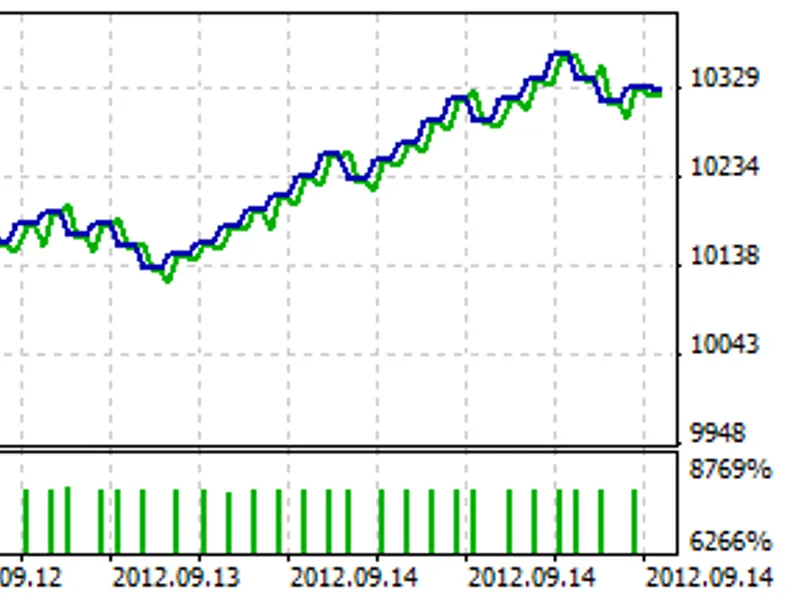
The accompanying image illustrates the learning results of the expert advisor on EURUSD M15 using default settings.
Parameters
- readhistory: Enables reading saved history of learning.
- savehistory: Saves history of learning during testing and regularly during account operation.
- lots: Position volume.
- nidelt: Number of patterns, limited to 30.
- nstop: Number of virtual position parameters (different stop loss and take profit values), with options of 1, 2, or 3.
- dstop: Step size for virtual positions parameter changes (stop loss and take profit).
- forg: Forgetting rate for learning results, slightly greater than 1.
- probab: Probability level determined by learning results, used for position opening.
- nn: Pattern size, not exceeding 12.
- delta: Step size for pattern parameter changes.
- replacestops: Modifies stop loss/take profit based on new opening signals, considering position direction.
- trailing: Trailing stop level; set to 0 to disable trailing stop.
You may also like: Programmatically Attach Expert Advisors with Custom Inputs to MetaTrader 5 Charts - excellent alternative for expert users on MetaTrader 5.
Source Code
#property copyright "robotfx"
#property link "https://robotfx.org"
#property version   "1.00"
#property description "this code is educational. feel free to use, modify and upgrade as you wish. visit robotfx.org for professional trading tools"
#include <trade/trade.mqh>
#include <trade/symbolinfo.mqh>
#include <trade/positioninfo.mqh>
ctrade trade;
csymbolinfo sym;
cpositioninfo pos;
.......
⚠ Limitations & Risk Warning
- This tool is provided for educational and testing purposes only.
- Past performance does not guarantee future results.
- Trading involves substantial risk of loss. Use on a demo account first.
- Results may vary depending on market conditions, broker, and settings.
- We recommend thorough backtesting and forward testing before using with real funds.