
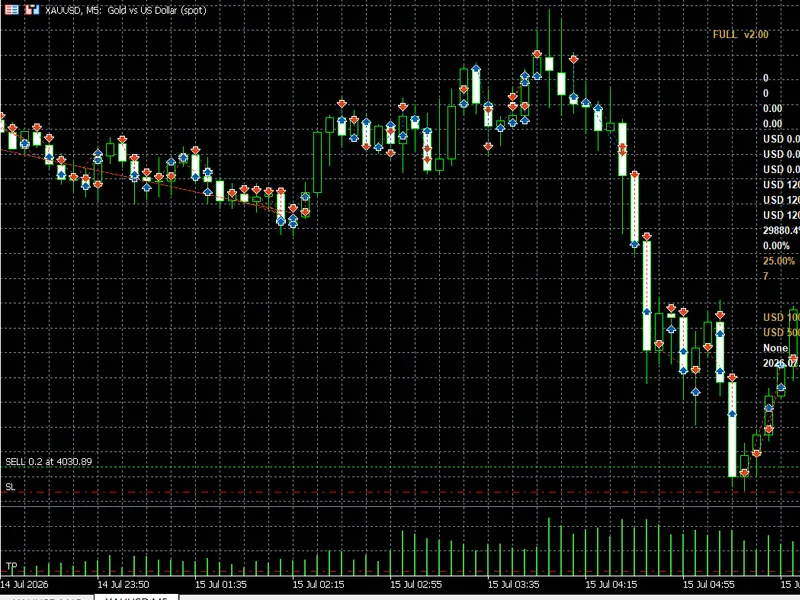
quantum xauusd silver trader
Info
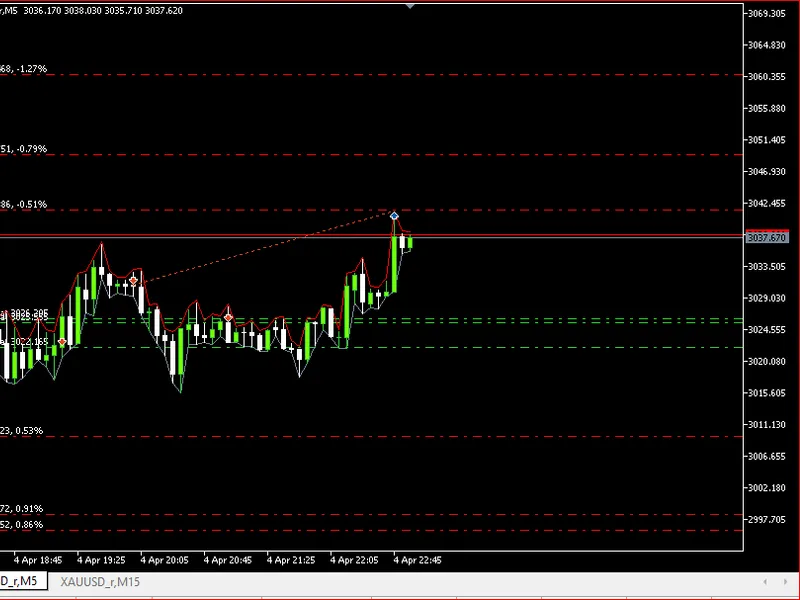
The quantum xauusd silver trader is a Expert Advisor for MetaTrader 5 that quantum xauusd silver trader is a multi-indicator expert advisor for gold (xauusd) and silver (xagusd) on metatrader 5. it integrates rsi, adx, and moving average signals into a unified weighted decision, employing distinct parameter presets tailored for each metal.
Usage
This tool is typically used for automated trading on major forex pairs and gold.
Platform
This Expert Advisor works exclusively on MetaTrader 5 (both build 600+ and newer versions).
Setup
Place the downloaded file in MQL5/Experts folder via File ? Open Data Folder in MetaTrader 5.
How to Install and Use quantum xauusd silver trader
1. Installation: Open the "File" menu, select "Open Data Folder," navigate to MQL/Experts, paste your file, and restart the terminal.
2. Activation: Drag the EA from the Navigator onto a chart, ensure "Allow live trading" is checked in the Common tab, and verify the AutoTrading button is green.
3. Optimization: Right-click your chart, choose "Expert List," click "Properties" to adjust inputs, and save your preferred setup as a set file for future use.
4. Maintenance: Regularly check the "Experts" tab in the terminal window to monitor trade logs and potential execution errors.
Frequently Asked Questions
Q: Why is my EA not opening trades? A: Check the "AutoTrading" button, ensure "Allow live trading" is enabled, and verify your broker allows automated trading on your account type.
Q: Can I run multiple EAs on one chart? A: No, each chart can only host one active EA; however, you can open multiple charts for different currency pairs to run several EAs.
Q: What does the "smiley face" icon mean? A: A smiley face in the top-right corner of the chart indicates the EA is successfully running; a frowny face means it is disabled.
What this tool does
quantum xauusd silver trader is a multi-indicator expert advisor for gold (xauusd) and silver (xagusd) on metatrader 5.
Typical Use Case
This Expert Advisor excels in automated trading and technical analysis on MetaTrader 5.
Compatible Platform & Setup
This Expert Advisor works on MetaTrader 5. Place the file in the MQL5/Experts folder and restart the terminal.
Description & Settings
Related: Gold Scalp Bot - Autonomous XAUUSD Scalper with Local App Bridge - another powerful expert for MetaTrader 5 traders.
quantum xauusd silver trader is a multi-indicator expert advisor for gold (xauusd) and silver (xagusd) on metatrader 5.Also recommended: Aegis Quantum Lite - similar expert with strong performance on MetaTrader 5.
it integrates rsi, adx, and moving average signals into a unified weighted decision, employing distinct parameter presets tailored for each metal. this ensures the same logic adapts to the varying volatility of gold and silver. each entry is constructed from multiple components: rsi momentum, adx trend strength, fast and slow moving average direction, and a market volatility filter.
an adaptive weighting module adjusts the contribution of each component based on recent closed-trade results. a trade is initiated only when the combined signal surpasses a configurable decision threshold. risk management is seamlessly integrated into the core.
the ea employs atr-based stop loss and take profit levels, manages open trades with an adaptive atr trailing stop, and safeguards the account through a daily drawdown limit, total drawdown limit, daily loss limit, position-size cap, and an optional hard stop. a micro account mode is included for managing exposure on small deposits.
key features
- multi-indicator entry: rsi, adx, fast/slow moving averages, and a volatility filter combined into a weighted signal.
- adaptive weighting updates based on recent closed-trade results.
- separate presets automatically applied for xauusd and xagusd.
- atr-based stop loss and take profit.
- adaptive atr trailing stop with customizable activation.
- capital protection: daily and total drawdown limits, daily loss limit, position-size cap, and optional hard stop.
- micro/cent account mode for small deposits.
- custom tester criterion for backtests using a 70/30 in-sample/out-of-sample split.
ideal for
designed with micro and cent accounts in mind, such as procent or cent accounts on brokers like roboforex, weltrade, or exness, where 0.01 cent lots maintain low exposure while preserving the same logic. default risk settings are conservative: 0.5% per trade on gold and 0.3% on silver. recommended symbols are xauusd and xagusd, on the m15 timeframe and higher.
how to use
- attach the ea to an xauusd or xagusd chart on m15 or higher. presets will load automatically for each metal.
- keep capital protection options enabled, especially on small accounts.
- on small deposits, note that a very low position-size cap may block trades on gold due to margin requirements. adjust the cap or use cent lots.
- test on a demo account and optimize inputs for your broker's conditions before live trading.
- understand the risks before running on a real account.
settings
money management: base risk, maximum risk per trade, position-size limit and cap, risk adjustment after wins/losses, maximum consecutive losses, micro account mode, micro risk correction, and minimum lot option.
entry signal: analysis timeframe, decision threshold, adaptive learning window, rsi/adx/atr/fast ma/slow ma periods, volatility window, on/off switches, and weights for rsi, adx, ma, volatility, and state modules. volatility filter with threshold.
stop loss and take profit: default atr multipliers, minimum bars between trades.
trailing stop: enable/disable, base and maximum atr multipliers, activation profit, volatility sensitivity, and state influence.
capital protection: enable equity protection, daily/total drawdown limits, drawdown buffer, daily loss limit (percentage and absolute), atr multiplier for loss limit, position-size limit/cap, optional hard stop, and its level.
symbol presets: auto-apply gold (xauusd) and silver (xagusd) presets for stop loss, take profit, risk, bars between trades, trailing multiplier, and volatility threshold.
adaptive state engine (advanced): number of internal states, decay, update, and memory factors.
optimization: auto-optimization pass in the strategy tester and pass count.
disclaimer
this source code is provided for educational and research purposes only. it does not constitute financial advice or guarantee results. always test on demo accounts, optimize for your conditions, and never trade with capital you cannot afford to lose. open source—feel free to use, study, and modify the code. ratings, bug reports, and suggestions are welcome.
You may also like: prime quantum ai: ai-powered trading with metatrader 5 - excellent alternative for expert users on MetaTrader 5.
Source Code
#property copyright "robotfx"
#property link "https://robotfx.org"
#property version   "1.00"
#property description "This code is provided AS IS and intended for educational purposes only. Professional trading EAs and indicators - robotfx www.robotfx.org"
#property description "This code is provided AS IS and intended for educational purposes only. Professional trading EAs and indicators - robotfx www.robotfx.org"
#include <trade\trade.mqh>
#include <trade\accountinfo.mqh>
input string sep_money = "══════ 1) money management ══════"; // ─────────────
input double inpbaserisk            = 0.5;   // base risk per trade (%)
input double inpmaxrisk             = 2.0;   // maximum risk per trade (%)
.......
⚠ Limitations & Risk Warning
- This tool is provided for educational and testing purposes only.
- Past performance does not guarantee future results.
- Trading involves substantial risk of loss. Use on a demo account first.
- Results may vary depending on market conditions, broker, and settings.
- We recommend thorough backtesting and forward testing before using with real funds.