
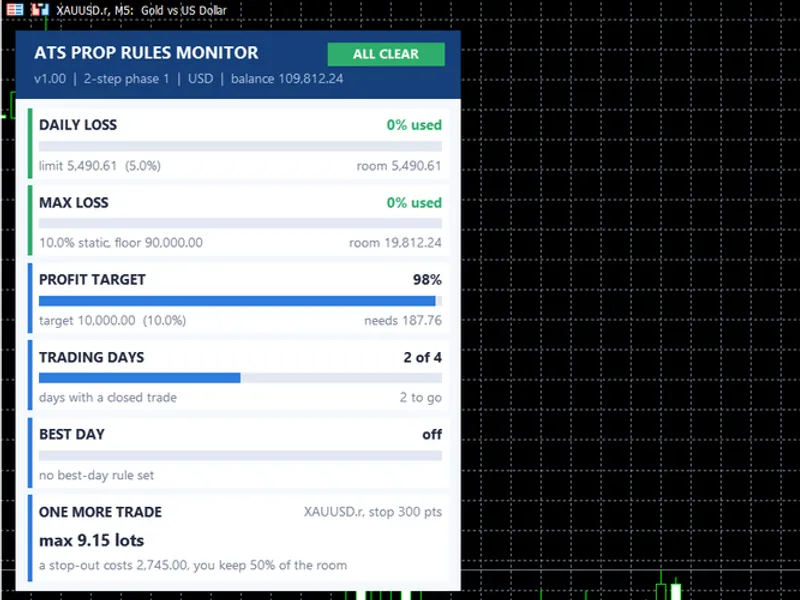
Prop Firm Equity Protector – Institutional Risk Manager (Open Source)
Info
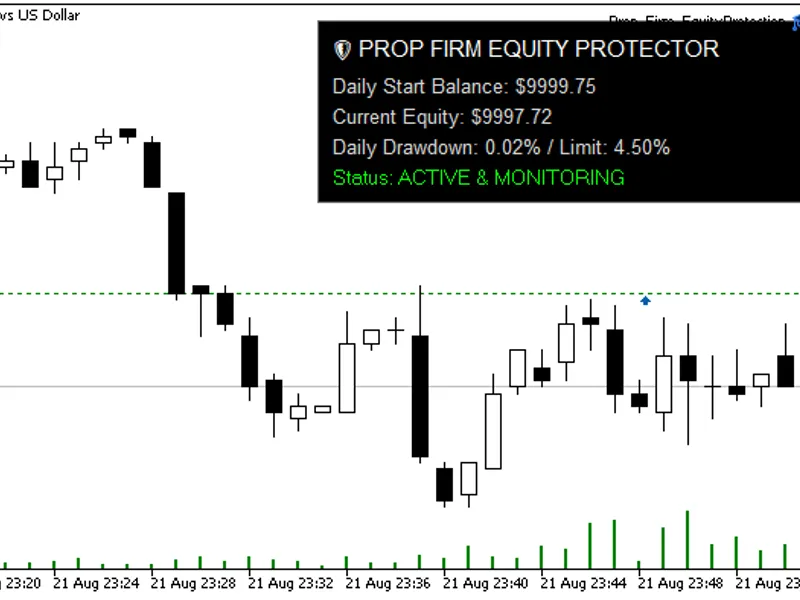
The Prop Firm Equity Protector – Institutional Risk Manager (Open Source) is a Expert Advisor for MetaTrader 5 that prop firm equity protector (institutional risk manager)recommended symbol & timeframesymbol: any. Highly recommended for volatile assets such as XAUUSD, GBPUSD, or indices such as US30.
Usage
This tool is typically used for automated trading on major forex pairs and gold.
Platform
This Expert Advisor works exclusively on MetaTrader 5 (both build 600+ and newer versions).
Setup
Place the downloaded file in MQL5/Experts folder via File ? Open Data Folder in MetaTrader 5.
How to Install and Use Prop Firm Equity Protector – Institutional Risk Manager (Open Source)
1. Installation: Open the "File" menu, select "Open Data Folder," navigate to MQL/Experts, paste your file, and restart the terminal.
2. Activation: Drag the EA from the Navigator onto a chart, ensure "Allow live trading" is checked in the Common tab, and verify the AutoTrading button is green.
3. Optimization: Right-click your chart, choose "Expert List," click "Properties" to adjust inputs, and save your preferred setup as a set file for future use.
4. Maintenance: Regularly check the "Experts" tab in the terminal window to monitor trade logs and potential execution errors.
Frequently Asked Questions
Q: Why is my EA not opening trades? A: Check the "AutoTrading" button, ensure "Allow live trading" is enabled, and verify your broker allows automated trading on your account type.
Q: Can I run multiple EAs on one chart? A: No, each chart can only host one active EA; however, you can open multiple charts for different currency pairs to run several EAs.
Q: What does the "smiley face" icon mean? A: A smiley face in the top-right corner of the chart indicates the EA is successfully running; a frowny face means it is disabled.
What this tool does
Prop Firm Equity Protector (Institutional Risk Manager)Recommended Symbol & TimeframeSymbol: Any.
Typical Use Case
This Expert Advisor excels in automated trading and technical analysis on MetaTrader 5.
Compatible Platform & Setup
This Expert Advisor works on MetaTrader 5. Place the file in the MQL5/Experts folder and restart the terminal.
Description & Settings
Related: Prop Guard Lite: Daily and Max Loss Protection for Prop Firm Accounts - another powerful expert for MetaTrader 5 traders.
Prop Firm Equity Protector (Institutional Risk Manager)Also recommended: Prop Firm Guard: Daily Loss and Max Drawdown Protection - similar expert with strong performance on MetaTrader 5.
Recommended Symbol & Timeframe
Symbol:
Any. Highly recommended for volatile assets such as XAUUSD, GBPUSD, or indices such as US30.
Timeframe:
Any. This Utility EA is timeframe-independent as it relies on the OnTimer() event (1-second intervals) rather than OnTick(), ensuring constant risk monitoring even if the market freezes.
Core Concepts Embedded in the Code
The primary concept behind this code is to provide an institutional-grade risk management framework for prop firm traders. Traditional stop-loss orders are vulnerable to extreme slippage during news events. This EA mitigates this by introducing a dual-tier risk mitigation system:
Tier 1 (Soft Limit):
When the account reaches a warning drawdown level, the EA identifies the worst-performing open position and executes a partial close (e.g., 50 per cent of the volume) to free up margin in the account and prevent a total breach.
Tier 2 (Hard Limit):
If extreme volatility pushes the equity to the absolute daily Prop Firm limit, the EA triggers an aggressive panic-close loop, bypassing broker requotes to secure the account.
Description of External Variables
InpMaxDailyLossPercent: The absolute maximum daily loss permitted by your Prop Firm (e.g., 4.5%). Triggers Tier 2.
InpAutoCloseOnLimit : Enables the Tier 2 absolute panic close.
InpRemoveEAOnLimit: If set to true, the EA detaches itself from the chart following a Tier 2 breach to prevent further automated trading.
InpMitigationLossPercent: The warning threshold (e.g., 3.5%). Triggers Tier 1.
InpEnableMitigation : Activates the Tier 1 partial closing module.
InpPartialClosePercent: The percentage of the worst position’s volume to be closed during Tier 1 mitigation (Default: 50.0).
InpSlippagePoints: Permitted deviation to enforce closure in fast-moving markets.
InpSendPushNotification: Sends a mobile push notification when limits are breached.
InpMaxRetries: The number of times the EA will force the close command to be sent if the broker’s server returns an error.
Explanation of the Code Structure
To help other users understand the implementation, this EA was developed using strict Object-Oriented Programming (OOP) principles.
CPropFirmProtector Class:
Encapsulates all risk logic, preventing conflicts with global variables.
CalculateDailyStartBalance() Method:
Instead of relying on static variables, it scans the HistorySelect() from 00:00 server time to mathematically calculate the exact daily starting balance, taking into account swaps, commissions and realised profits.
Self-Healing GUI:
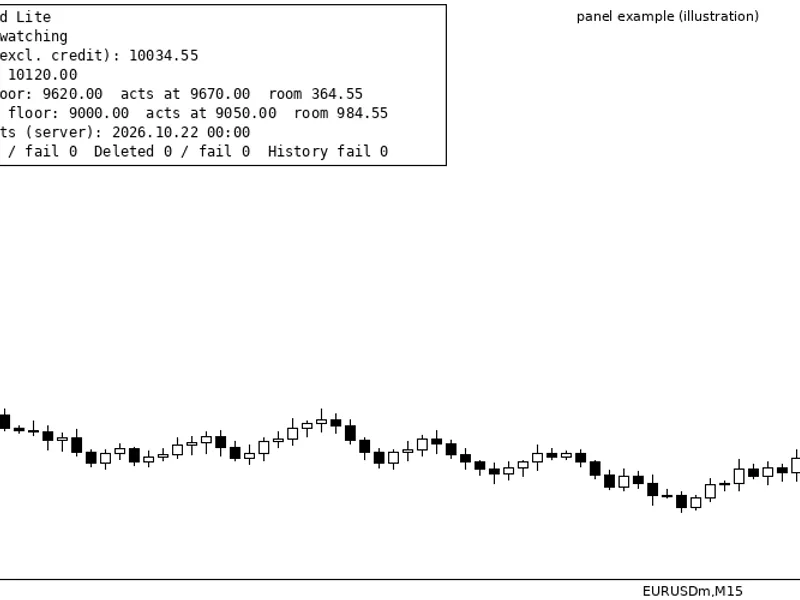
The on-chart dashboard utilises a Z-order-locked background and a self-repairing loop (ObjectFind). If another indicator accidentally deletes the risk dashboard, the EA reconstructs it in a millisecond.
You may also like: Prop Firm Equity Guard: Daily Loss and Maximum Drawdown Protection - excellent alternative for expert users on MetaTrader 5.
Source Code
#property copyright "RobotFX"
#property link "https://robotfx.org"
#property version     "1.00"
#property description "This code is educational. Feel free to use, modify and upgrade as you wish. Visit ROBOTFX.ORG for professional trading tools"
#property strict
#include <Trade\Trade.mqh>
input double   InpMaxDailyLossPercent   = 4.5;
input bool     InpAutoCloseOnLimit      = true;
input bool     InpRemoveEAOnLimit       = false;
input double   InpMitigationLossPercent = 3.5;
.......
⚠ Limitations & Risk Warning
- This tool is provided for educational and testing purposes only.
- Past performance does not guarantee future results.
- Trading involves substantial risk of loss. Use on a demo account first.
- Results may vary depending on market conditions, broker, and settings.
- We recommend thorough backtesting and forward testing before using with real funds.