







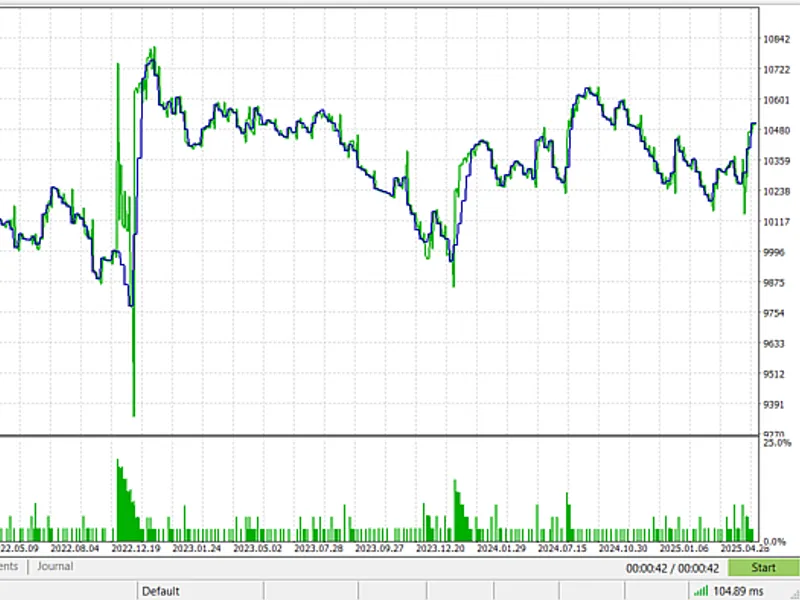

martingale pulse ea
Info
The martingale pulse ea is a Expert Advisor for MetaTrader 5 that key features four unique price action strategies:choose your core logic from hft tick momentum, candlestick engulfing patterns, rsi reversals, or a classic ema crossover. flexible entry methods:execute trades instantly with market orders or plan your entries with precision using stop and limit orders.
Usage
This tool is typically used for automated trading on major forex pairs and gold.
Platform
This Expert Advisor works exclusively on MetaTrader 5 (both build 600+ and newer versions).
Setup
Place the downloaded file in MQL5/Experts folder via File ? Open Data Folder in MetaTrader 5.
How to Install and Use martingale pulse ea
1. Installation: Open the "File" menu, select "Open Data Folder," navigate to MQL/Experts, paste your file, and restart the terminal.
2. Activation: Drag the EA from the Navigator onto a chart, ensure "Allow live trading" is checked in the Common tab, and verify the AutoTrading button is green.
3. Optimization: Right-click your chart, choose "Expert List," click "Properties" to adjust inputs, and save your preferred setup as a set file for future use.
4. Maintenance: Regularly check the "Experts" tab in the terminal window to monitor trade logs and potential execution errors.
Frequently Asked Questions
Q: Why is my EA not opening trades? A: Check the "AutoTrading" button, ensure "Allow live trading" is enabled, and verify your broker allows automated trading on your account type.
Q: Can I run multiple EAs on one chart? A: No, each chart can only host one active EA; however, you can open multiple charts for different currency pairs to run several EAs.
Q: What does the "smiley face" icon mean? A: A smiley face in the top-right corner of the chart indicates the EA is successfully running; a frowny face means it is disabled.
What this tool does
key features four unique price action strategies:choose your core logic from hft tick momentum, candlestick engulfing patterns, rsi reversals, or a classic ema crossover.
Typical Use Case
This Expert Advisor excels in automated trading and technical analysis on MetaTrader 5.
Compatible Platform & Setup
This Expert Advisor works on MetaTrader 5. Place the file in the MQL5/Experts folder and restart the terminal.
Description & Settings
Related: ICE (Impulse Confirmation Engine): Advanced Trading System - another powerful expert for MetaTrader 5 traders.
key featuresAlso recommended: sideways martingale with ai trend detection - similar expert with strong performance on MetaTrader 5.
four unique price action strategies:
choose your core logic from hft tick momentum, candlestick engulfing patterns, rsi reversals, or a classic ema crossover.
flexible entry methods:
execute trades instantly with market orders or plan your entries with precision using stop and limit orders.
advanced martingale system:
go beyond the classic approach with three distinct martingale types: classic multiplier, multiplier with sum, and sum with initial.
dynamic lot sizing:
select a fixed lot size or let the ea automatically calculate position sizes based on a percentage of your account balance and stop-loss.
comprehensive trade management:
set stop loss in points.
define your target with a risk:reward ratio.
new in v1.10:
a powerful dual-mode
trailing stop
that works in
points
or
money
.
institutional-grade risk management:
set a
daily profit target
to lock in gains automatically.
protect your capital with a
daily drawdown limit
(fixed amount or percentage).
customize risk calculation periods based on server time or a custom utc window.
full time & session control:
define exact trading hours for every day of the week. automatically close all trades at the end of a session if desired.
built-in trade cooldown:
prevent over-trading by setting a minimum time between a closed trade and the next entry.
smart margin checks:
the ea always checks for sufficient margin before placing a trade, protecting your account from errors.
detailed feature explanations trading strategies
fine-tune the ea's logic to match your market view.
hft tick momentum:
for high-frequency scalpers, this strategy analyzes tick-by-tick data to capture short-term momentum bursts.
candlestick engulfing:
a powerful price action pattern that identifies potential trend reversals on the close of a new bar.
rsi reversal:
trades on classic rsi signals, entering when the indicator crosses back from overbought or oversold territories.
ema crossover:
a robust trend-following strategy that triggers trades when the price closes across a specified exponential moving average.
dual-mode trailing stop
protect your profits dynamically as the market moves in your favor.
trailing in points:
secure your profits by trailing the stop-loss at a fixed point distance from the current price. perfect for volatile markets.
trailing in money:
lock in a specific cash amount. the stop-loss will trail to protect a defined monetary profit, regardless of the distance in points.
daily risk protection
trade with peace of mind. the ea tracks your account's performance from the start of each trading day. if the daily profit target is hit or the maximum drawdown is reached, it will
close all open positions and stop trading
until the next day, securing your capital and profits.
who is this ea for?
traders who want to automate different price action strategies.
users who require a high degree of customization over risk management.
traders who employ or want to safely experiment with martingale strategies.
systematic traders who operate within specific market sessions.
fully customizable inputs
all settings are clearly grouped and labeled for easy configuration:
core trading strategy
indicator settings
lot sizing & martingale
trade management
time & session management
daily risk management
ea identification (magic number)
recommendations
for best performance and uninterrupted trading, run this ea on a virtual private server (vps).
always perform thorough backtesting on your chosen symbol and timeframe before deploying on a live account.
start with the risk-based lot sizing ( percent_of_balance) on a demo account to understand how the ea behaves with your settings.
You may also like: pro mart: a martingale-based expert advisor - excellent alternative for expert users on MetaTrader 5.
Source Code
#property copyright "robotfx"
#property link "https://robotfx.org"
#property version   "1.10"
#property description "this code is educational. feel free to use, modify and upgrade as you wish. visit robotfx.org for professional trading tools"
#property description "this code is educational. feel free to use, modify and upgrade as you wish. visit robotfx.org for professional trading tools"
#include <trade\trade.mqh>
#include <trade\positioninfo.mqh>
ctrade trade;
cpositioninfo position;
enum enum_entry_strategy
.......
⚠ Limitations & Risk Warning
- This tool is provided for educational and testing purposes only.
- Past performance does not guarantee future results.
- Trading involves substantial risk of loss. Use on a demo account first.
- Results may vary depending on market conditions, broker, and settings.
- We recommend thorough backtesting and forward testing before using with real funds.