
Interactive Supply and Demand Zone Trading Framework
Info
The Interactive Supply and Demand Zone Trading Framework is a Expert Advisor for MetaTrader 5 that this project introduces a lightweight trading prototype built around an interactive supply and demand zone management framework. The objective is not to present a complete trading methodology or claim a finished automated trading system, but to demonstrate how structured zone analysis can be combined with validation logic, trade management, and market context evaluation.
Usage
This tool is typically used for automated trading on major forex pairs and gold.
Platform
This Expert Advisor works exclusively on MetaTrader 5 (both build 600+ and newer versions).
Setup
Place the downloaded file in MQL5/Experts folder via File ? Open Data Folder in MetaTrader 5.
How to Install and Use Interactive Supply and Demand Zone Trading Framework
1. Installation: Open the "File" menu, select "Open Data Folder," navigate to MQL/Experts, paste your file, and restart the terminal.
2. Activation: Drag the EA from the Navigator onto a chart, ensure "Allow live trading" is checked in the Common tab, and verify the AutoTrading button is green.
3. Optimization: Right-click your chart, choose "Expert List," click "Properties" to adjust inputs, and save your preferred setup as a set file for future use.
4. Maintenance: Regularly check the "Experts" tab in the terminal window to monitor trade logs and potential execution errors.
Frequently Asked Questions
Q: Why is my EA not opening trades? A: Check the "AutoTrading" button, ensure "Allow live trading" is enabled, and verify your broker allows automated trading on your account type.
Q: Can I run multiple EAs on one chart? A: No, each chart can only host one active EA; however, you can open multiple charts for different currency pairs to run several EAs.
Q: What does the "smiley face" icon mean? A: A smiley face in the top-right corner of the chart indicates the EA is successfully running; a frowny face means it is disabled.
What this tool does
This project introduces a lightweight trading prototype built around an interactive supply and demand zone management framework.
Typical Use Case
This Expert Advisor excels in automated trading and technical analysis on MetaTrader 5.
Compatible Platform & Setup
This Expert Advisor works on MetaTrader 5. Place the file in the MQL5/Experts folder and restart the terminal.
Description & Settings
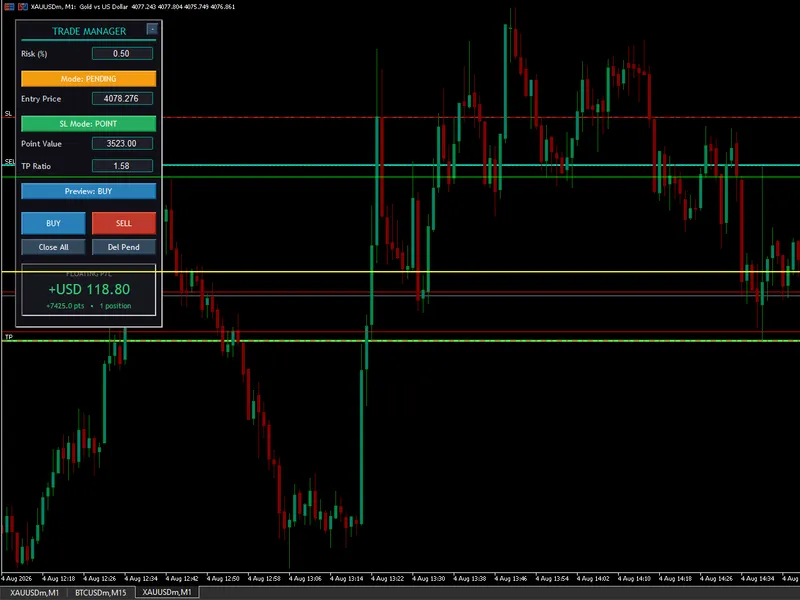
Related: Interactive On-Chart Risk Management and Execution Panel for MT5 - another powerful expert for MetaTrader 5 traders.
This project introduces a lightweight trading prototype built around an interactive supply and demand zone management framework. The objective is not to present a complete trading methodology or claim a finished automated trading system, but to demonstrate how structured zone analysis can be combined with validation logic, trade management, and market context evaluation.Also recommended: Interactive Chart Trading Panel with Risk Management for MT5 - similar expert with strong performance on MetaTrader 5.
The configurable input parameters control different areas of the trading framework, including:
- Strategy Automation Controls: Enable or disable automated signal processing, configure the Expert Advisor identifier, and define basic execution parameters.
- Risk, Spread & Trade Protection: Manage trading conditions through spread limits, risk-reward targets, and volatility-based protection settings.
- Trailing Stop Settings: Control optional position management by allowing profits to be protected as price moves favorably.
- Higher Timeframe Trend Filter Parameters: Apply broader market context confirmation using trend direction and momentum exhaustion checks.
- Approach Context Parameters: Evaluate how price moves toward a qualified zone, helping distinguish between controlled approaches and aggressive market movements.
The main focus of this implementation is the interactive zone management system. Each qualified supply or demand zone maintains information about its lifecycle, structural quality, and interaction history as market conditions develop.
The detailed zone logging system is one of the key outputs of this project. The generated logs provide a record of how zones are formed, monitored, tested, and invalidated over time. Traders can use this information to study zone behavior, review historical interactions, and develop their own trading ideas or decision processes.
The trading strategy included in this release is provided as an example of how the zone framework can be applied in an automated environment. Users are encouraged to explore the generated zone data, experiment with the available settings, and adapt the framework according to their own trading approach.
The primary goal of this project is to demonstrate a structured way of managing supply and demand zones while providing useful information that can support further analysis, experimentation, and strategy development.
Notice: This tool is designed purely as a foundational framework and should be utilized exclusively within a demo environment. The primary value of this engine lies in its comprehensive logging infrastructure. For anyone seeking an expanded feature set, a commercial utility based on this logic is available in the Market.
Files included:
- MasterLog1.mqh: A reusable logging module used by the Expert Advisor. It provides the logging functionality required by the project.
- DynamicSR4.mq5: The main Expert Advisor. It demonstrates the Dynamic Support and Resistance interaction engine presented and serves as the entry point for the accompanying source code.
- TradeManager.mqh: Implements the trade execution and position management layer. It is responsible for submitting, monitoring, and managing orders generated by the strategy while remaining independent of the decision-making process.
- ZoneStrategy.mqh: Implements the trading decision engine. It evaluates qualified supply and demand zones through a sequence of validation filters before generating trade requests that are delegated to the trade manager for execution.
- MQL5.zip: An archive with the MQL5 folder as its root, holding all files listed above. Unpack it into the terminal installation directory, and each file will be placed in its correct location.
You may also like: position size pro lite: interactive risk calculator - excellent alternative for expert users on MetaTrader 5.
Source Code
#property copyright "RobotFX"
#property link "https://robotfx.org"
#property version   "1.2"
#include <Arrays\ArrayObj.mqh>
#include <Arrays\ArrayString.mqh>
#include <Trade\Trade.mqh>
#include <DynamicSR4\MasterLog2.mqh>
#include <DynamicSR4\TradeManager.mqh>
#include <DynamicSR4\ZoneStrategy.mqh>
CLogger logger;
.......
⚠ Limitations & Risk Warning
- This tool is provided for educational and testing purposes only.
- Past performance does not guarantee future results.
- Trading involves substantial risk of loss. Use on a demo account first.
- Results may vary depending on market conditions, broker, and settings.
- We recommend thorough backtesting and forward testing before using with real funds.