


Ezo O Daily Loss Guard - Account-Wide Daily Loss Limit and Profit Target
Info
The Ezo O Daily Loss Guard - Account-Wide Daily Loss Limit and Profit Target is a Expert Advisor for MetaTrader 5 that ezo o daily loss guard safeguards your account against adverse trading days. It is particularly beneficial for prop firm challenges that enforce daily drawdown limits, and for any trader aiming to cease trading after incurring a predetermined daily loss.
Usage
This tool is typically used for automated trading on major forex pairs and gold.
Platform
This Expert Advisor works exclusively on MetaTrader 5 (both build 600+ and newer versions).
Setup
Place the downloaded file in MQL5/Experts folder via File ? Open Data Folder in MetaTrader 5.
How to Install and Use Ezo O Daily Loss Guard - Account-Wide Daily Loss Limit and Profit Target
1. Installation: Open the "File" menu, select "Open Data Folder," navigate to MQL/Experts, paste your file, and restart the terminal.
2. Activation: Drag the EA from the Navigator onto a chart, ensure "Allow live trading" is checked in the Common tab, and verify the AutoTrading button is green.
3. Optimization: Right-click your chart, choose "Expert List," click "Properties" to adjust inputs, and save your preferred setup as a set file for future use.
4. Maintenance: Regularly check the "Experts" tab in the terminal window to monitor trade logs and potential execution errors.
Frequently Asked Questions
Q: Why is my EA not opening trades? A: Check the "AutoTrading" button, ensure "Allow live trading" is enabled, and verify your broker allows automated trading on your account type.
Q: Can I run multiple EAs on one chart? A: No, each chart can only host one active EA; however, you can open multiple charts for different currency pairs to run several EAs.
Q: What does the "smiley face" icon mean? A: A smiley face in the top-right corner of the chart indicates the EA is successfully running; a frowny face means it is disabled.
What this tool does
Ezo O Daily Loss Guard safeguards your account against adverse trading days.
Typical Use Case
This Expert Advisor excels in automated trading and technical analysis on MetaTrader 5.
Compatible Platform & Setup
This Expert Advisor works on MetaTrader 5. Place the file in the MQL5/Experts folder and restart the terminal.
Description & Settings
Related: Daily Loss Limit Guard - Enforce Daily Loss Limits and Maintain Flat Account - another powerful expert for MetaTrader 5 traders.
Ezo O Daily Loss Guard safeguards your account against adverse trading days. It is particularly beneficial for prop firm challenges that enforce daily drawdown limits, and for any trader aiming to cease trading after incurring a predetermined daily loss.Also recommended: Risk Lot Line: Calculate Lot Size with Draggable Stop Loss - similar expert with strong performance on MetaTrader 5.
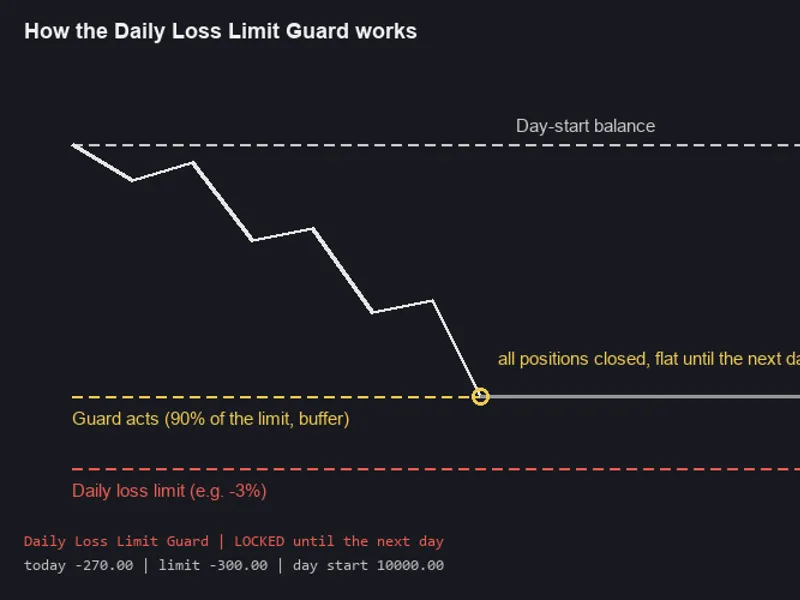
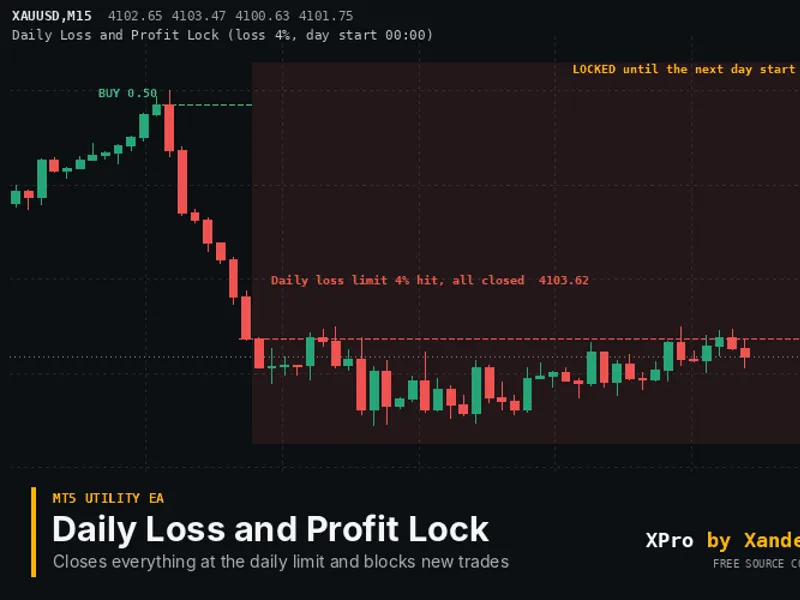
At the commencement of each trading day, the Expert Advisor (EA) records the day's starting balance, equity, or the higher of the two, aligning with common prop firm methodologies. Throughout the day, it monitors the current equity against this recorded value, thereby incorporating open (floating) losses into its calculations.
Upon reaching the daily loss limit (expressed as a percentage or monetary value), or achieving the optional profit target, the EA performs the following actions:
- Closes open positions. This can be configured to affect all symbols or only the symbol on the current chart, with an optional magic number filter.
- Deletes pending orders, if selected.
- Optionally, continues to close any new trades until the daily reset. This feature prevents further losses from other EAs or manual trades.
- Issues an alert and an optional push notification.
The day's starting value and the 'limit reached' status are preserved using terminal global variables, ensuring that a terminal restart does not reset the daily parameters. The reset time is determined by the server's time.
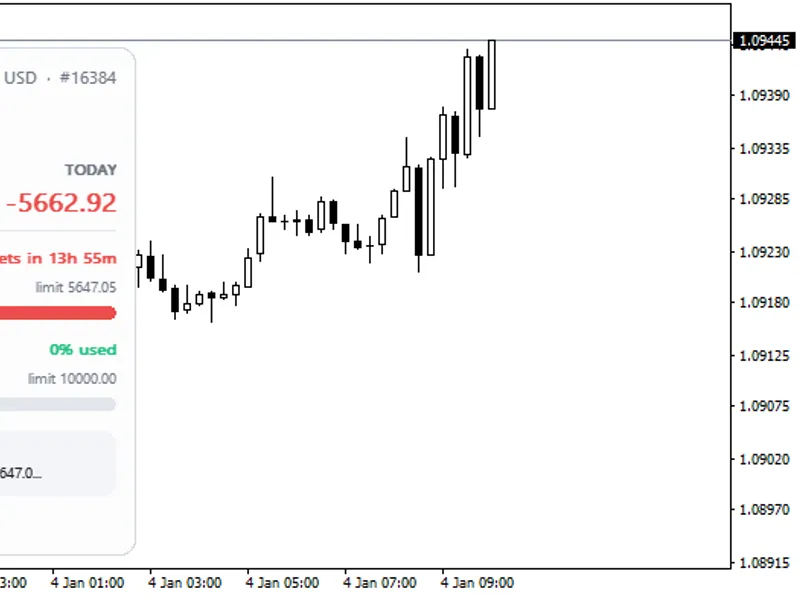
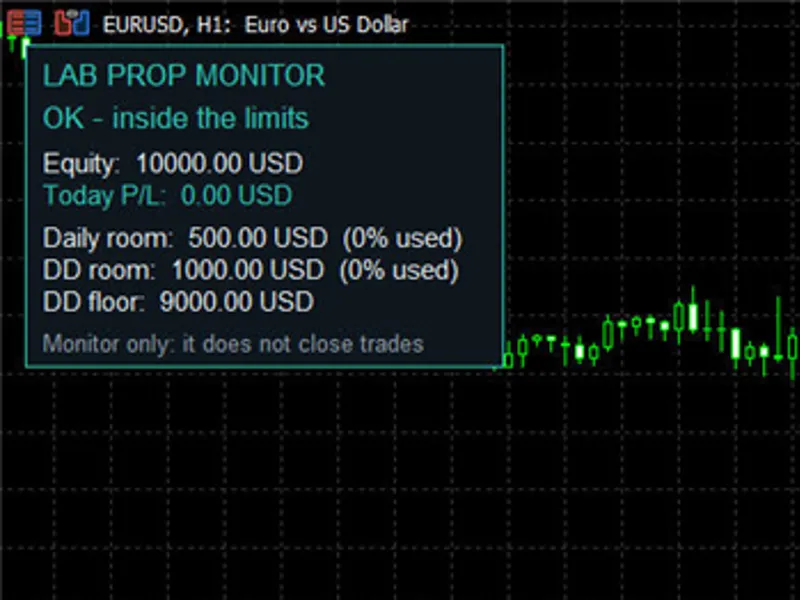
A compact panel displays the day's starting value, current day's profit/loss, the established limits, and the operational status.
Available inputs include: limit type (percentage or monetary), daily loss limit, daily profit target, day start value, reset hour, option to close all symbols, magic number filter, delete pending orders, block trading until reset, alert activation, and push notification activation.
Please note: The EA does not initiate trades. Deposits and withdrawals made during the trading day will affect equity and are accounted for as profit or loss.
You may also like: Daily Loss and Profit Lock for MT4/MT5 - excellent alternative for expert users on MetaTrader 5.
Source Code
#property copyright "RobotFX"
#property version   "1.00"
#property description "This code is educational. Feel free to use, modify and upgrade as you wish. Visit ROBOTFX.ORG for professional trading tools"
#include <Trade\Trade.mqh>
enum ENUM_LIMIT_TYPE
  {
   LIMIT_PERCENT = 0,
   LIMIT_MONEY   = 1
  };
enum ENUM_DAY_BASE
.......
⚠ Limitations & Risk Warning
- This tool is provided for educational and testing purposes only.
- Past performance does not guarantee future results.
- Trading involves substantial risk of loss. Use on a demo account first.
- Results may vary depending on market conditions, broker, and settings.
- We recommend thorough backtesting and forward testing before using with real funds.