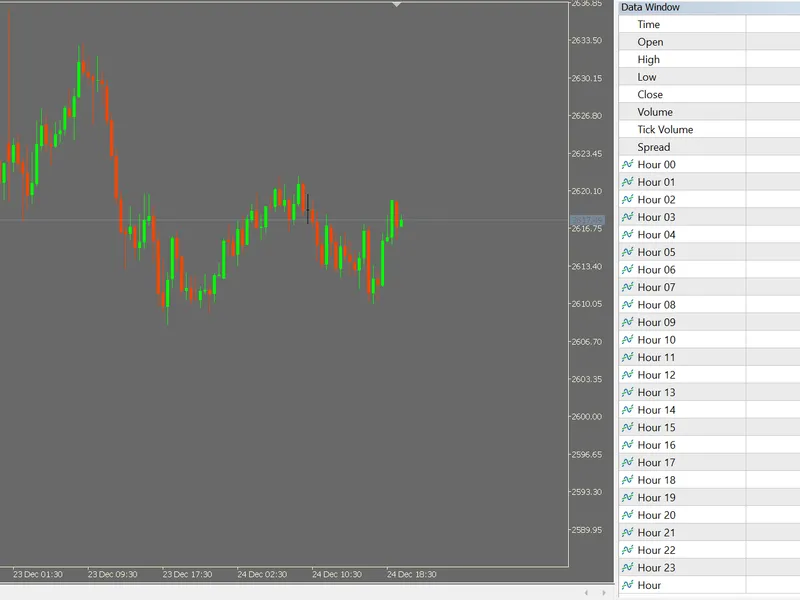
Buffers for each hour (binary) and an hour buffer from 0-23 - for data collection purposes
This software component for MetaTrader 5 is built to enhance the capabilities of your trading environment. This technical indicator acts as a specialized analysis tool designed to visualize market data. It helps traders identify emerging trends, momentum shifts, and key support or resistance levels by plotting statistical calculations directly onto price charts.
How to Setup and Use Buffers for each hour (binary) and an hour buffer from 0-23 - for data collection purposes
1. Installation: Place your file in the MQL/Indicators folder via "Open Data Folder" and restart your terminal.
2. Loading: Find the indicator in the Navigator, drag it onto your chart, and configure the input parameters in the popup window.
3. Customization: Press Ctrl+I to open the indicator list, select your tool, and click "Properties" to change colors, levels, or visual styles.
4. Updating: Replace the old file in the Indicators folder with the new version and restart the platform to apply changes.
Frequently Asked Questions
Q: Why is my indicator not showing? A: Verify the file is in the MQL/Indicators folder, or try right-clicking the "Indicators" tree in the Navigator and clicking "Refresh."
Q: Do custom indicators slow down the platform? A: Too many complex indicators can impact performance; remove unused ones via the "Indicator List" (Ctrl+I).
Q: Can I use MT4 indicators on MT5? A: No, MQL4 and MQL5 are distinct languages; ensure the indicator is compiled specifically for your platform version.
Description & Settings
Purpose
Users may collect data for modelling. Time dummies are frequently used in economic modelling. The simple indicator below, which can easily be expanded upon, provides each hour as a binary buffer array vector. A final buffer array vector stores the hour itself.
If data from other indicators is being collected to a CSV, for example, using, e.g. a CopyBuffer function, this indicator allows for dummy columns for the hour being collected as additional data.
This is a simple code for those who collect data, for e.g. ML purposes, so that you can have a ready made dummy variable (buffers 0 to 23), or hour variable (buffer 24) for use in modelling.
Walking through the code
Started by declaring buffer number and plot number as 25:
Buffer Labelling
Delineated the buffer labels for the data window:
Buffer Declarations
Proceeded to declare the buffers and also a integer variable for the hour of the day which is calculated later.
Indexing and Plot Drawing
Set index for all buffers as data, and switched off plotting using a loop (trying to do the indexing with a loop presented an error that you cannot pass e.g. hourBuffer[q] through SetIndexBuffer, therefore did this one by one; but looping seems to work for PlotIndexSetInteger, helpfully).
OnCalculate Function Loops and Programme
Then we move to the OnCalculate function:
Here we set all buffers back to zero, and change only the one corresponding to the current hour up to one. There's possibly an efficiency gain to be had here, but for later.
Function for adding flavour to the comment
And last but not least, a programme for a comment:
This is in effect a debugging check but I have left the commenting in.
Note that this only displays through the data window at present.
Merry Christmas and a Happy New Year of 2025 everyone.