

Close All Trades at Total Profit or Loss Target
Info
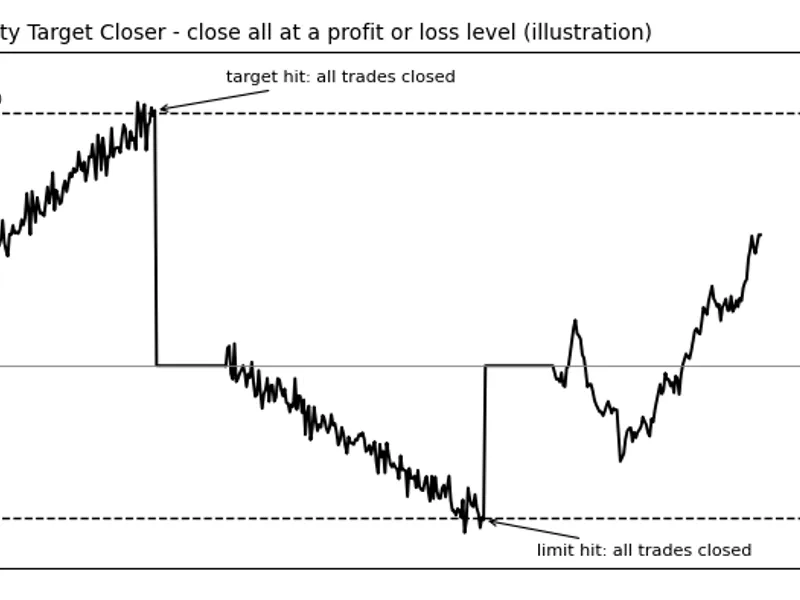
The Close All Trades at Total Profit or Loss Target is a Expert Advisor for MetaTrader 5 that close all trades at total profit or loss targetmany traders desire a straightforward rule: "close all open trades when the total floating profit reaches a specific positive amount, or when the total floating loss reaches a specific negative amount. " This utility precisely fulfills that requirement.
Usage
This tool is typically used for automated trading on major forex pairs and gold.
Platform
This Expert Advisor works exclusively on MetaTrader 5 (both build 600+ and newer versions).
Setup
Place the downloaded file in MQL5/Experts folder via File ? Open Data Folder in MetaTrader 5.
How to Install and Use Close All Trades at Total Profit or Loss Target
1. Installation: Open the "File" menu, select "Open Data Folder," navigate to MQL/Experts, paste your file, and restart the terminal.
2. Activation: Drag the EA from the Navigator onto a chart, ensure "Allow live trading" is checked in the Common tab, and verify the AutoTrading button is green.
3. Optimization: Right-click your chart, choose "Expert List," click "Properties" to adjust inputs, and save your preferred setup as a set file for future use.
4. Maintenance: Regularly check the "Experts" tab in the terminal window to monitor trade logs and potential execution errors.
Frequently Asked Questions
Q: Why is my EA not opening trades? A: Check the "AutoTrading" button, ensure "Allow live trading" is enabled, and verify your broker allows automated trading on your account type.
Q: Can I run multiple EAs on one chart? A: No, each chart can only host one active EA; however, you can open multiple charts for different currency pairs to run several EAs.
Q: What does the "smiley face" icon mean? A: A smiley face in the top-right corner of the chart indicates the EA is successfully running; a frowny face means it is disabled.
What this tool does
Close All Trades at Total Profit or Loss TargetMany traders desire a straightforward rule: "close all open trades when the total floating profit reaches a specific positive amount, or when the total floating loss reaches a specific negative amount.
Typical Use Case
This Expert Advisor excels in automated trading and technical analysis on MetaTrader 5.
Compatible Platform & Setup
This Expert Advisor works on MetaTrader 5. Place the file in the MQL5/Experts folder and restart the terminal.
Description & Settings
Related: No Hedge Guard - Close Newer Opposite Position on Hedging - another powerful expert for MetaTrader 5 traders.
Close All Trades at Total Profit or Loss TargetAlso recommended: Smart Break-Even and Partial Close - R-based Trade Manager - similar expert with strong performance on MetaTrader 5.
Many traders desire a straightforward rule: "close all open trades when the total floating profit reaches a specific positive amount, or when the total floating loss reaches a specific negative amount." This utility precisely fulfills that requirement.
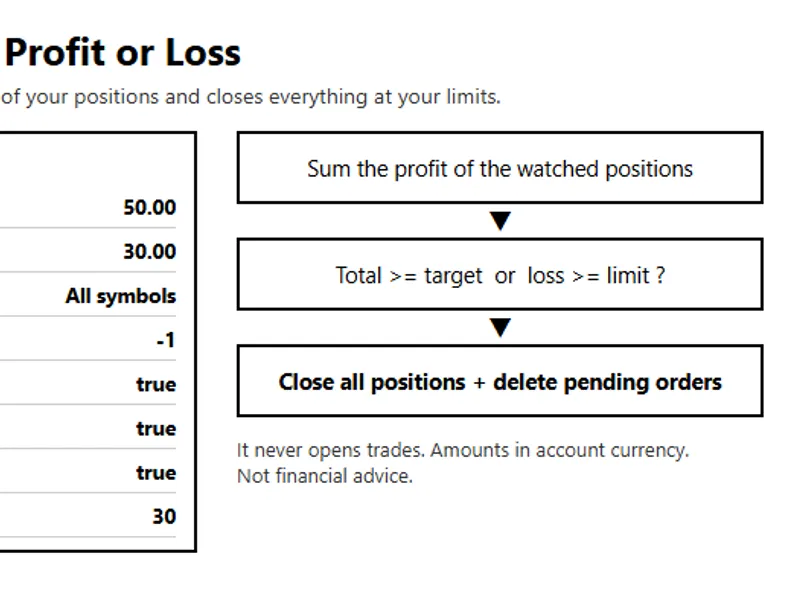
It monitors the aggregate floating profit across all your open positions, denominated in your account currency. Once the predefined profit target or loss limit is met, it will proceed to close all open trades. Optionally, it can also remove pending orders that meet the specified criteria.
This tool is designed solely for closing trades; it never initiates new trades. Therefore, you can safely run it concurrently with your manual trading activities or alongside other Expert Advisors (EAs).
Inputs
Close when total profit >=
- Specify the profit target in account currency. A value of 0 disables this feature.
Close when total loss >=
- Set the loss limit in account currency. This value should be entered as a positive number. A value of 0 disables this feature.
Positions to watch
- Choose to monitor all symbols traded on your account, or restrict monitoring to only the symbol associated with the chart where the EA is attached.
Magic number
- Use -1 to monitor all positions regardless of their origin. Use 0 to monitor only manual trades. Any other positive integer value will restrict monitoring to trades opened by an EA with that specific magic number.
Include swap
- Select this option to include accrued swap values in the total profit or loss calculation.
Delete pending orders
- If enabled, this option will remove pending orders matching the EA's filter criteria when the closing condition is met.
Stop after one close
- Once the closing action is executed, the EA will disable itself, preventing unintended subsequent actions.
Max slippage (points)
- Define the maximum acceptable deviation in points for the closing orders to be considered valid.
How to use:
Attach the EA to any chart and timeframe. The chart's symbol is only relevant if you select "Only this chart's symbol" for the "Positions to watch" setting. Ensure "Algo Trading" is enabled in your terminal settings. Configure your desired profit and loss limits.
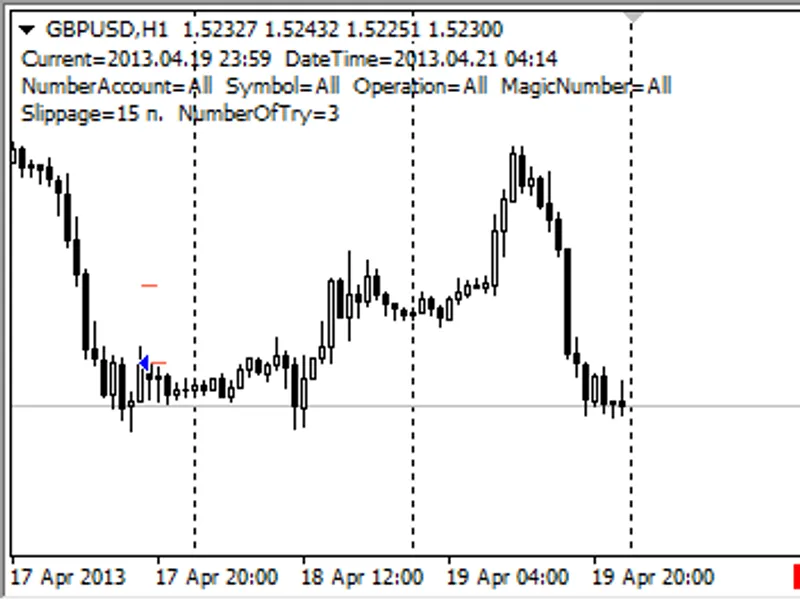
The chart comment will display the number of positions being monitored and the current total floating profit/loss. The monitoring process runs on every tick and also once per second. Closing orders will be retried up to 3 times if initially rejected by the broker.
Notes:
The profit/loss amounts refer to the floating profit/loss of open positions, not the total account equity. Commissions charged at the time of trade opening are not included in the floating profit calculation by MetaTrader platforms. It is strongly recommended to test this tool thoroughly on a demo account before using it with real funds. This utility functions as a risk management tool and does not guarantee profits. This is not financial advice.
You may also like: Equity Target Closer: Close All Trades at Profit or Loss Level - excellent alternative for expert users on MetaTrader 5.
Source Code
#property copyright "RobotFX"
#property version   "1.00"
#property description "This code is educational. Feel free to use, modify and upgrade as you wish. Visit ROBOTFX.ORG for professional trading tools"
#include <Trade\Trade.mqh>
enum ENUM_SCOPE
  {
   SCOPE_ALL_SYMBOLS = 0,
   SCOPE_THIS_SYMBOL = 1
  };
input double     InpTargetProfit   = 50.0;
.......
⚠ Limitations & Risk Warning
- This tool is provided for educational and testing purposes only.
- Past performance does not guarantee future results.
- Trading involves substantial risk of loss. Use on a demo account first.
- Results may vary depending on market conditions, broker, and settings.
- We recommend thorough backtesting and forward testing before using with real funds.