




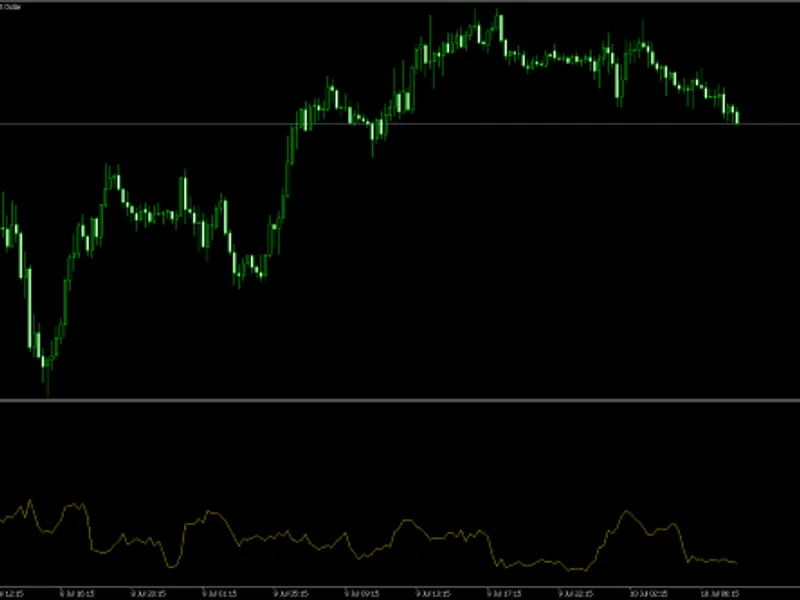
SL+TP Pip Distance Indicator
Info
The SL+TP Pip Distance Indicator is a Indicator for MetaTrader 4 that sl+tp pip distance indicator - v2 (indicator)calculates the pip difference between the current price and the stop loss (sl) & take profit (tp) prices. Displays text labels at SL & TP lines, including: order type, ticket number, SL & TP price, pip calculation, and pip label.
Usage
This tool is typically used for enhancing chart analysis and decision making.
Platform
This Indicator works exclusively on MetaTrader 4 (both build 600+ and newer versions).
Setup
Place the downloaded file in MQL4/Indicators folder via File ? Open Data Folder in MetaTrader 4.
How to Install and Use SL+TP Pip Distance Indicator
1. Installation: Place your file in the MQL/Indicators folder via "Open Data Folder" and restart your terminal.
2. Loading: Find the indicator in the Navigator, drag it onto your chart, and configure the input parameters in the popup window.
3. Customization: Press Ctrl+I to open the indicator list, select your tool, and click "Properties" to change colors, levels, or visual styles.
4. Updating: Replace the old file in the Indicators folder with the new version and restart the platform to apply changes.
Frequently Asked Questions
Q: Why is my indicator not showing? A: Verify the file is in the MQL/Indicators folder, or try right-clicking the "Indicators" tree in the Navigator and clicking "Refresh."
Q: Do custom indicators slow down the platform? A: Too many complex indicators can impact performance; remove unused ones via the "Indicator List" (Ctrl+I).
Q: Can I use MT4 indicators on MT5? A: No, MQL4 and MQL5 are distinct languages; ensure the indicator is compiled specifically for your platform version.
What this tool does
SL+TP Pip Distance Indicator - v2 (Indicator)Calculates the pip difference between the current price and the Stop Loss (SL) & Take Profit (TP) prices.
Typical Use Case
This Indicator excels in automated trading and technical analysis on MetaTrader 4.
Compatible Platform & Setup
This Indicator works on MetaTrader 4. Place the file in the MQL4/Indicators folder and restart the terminal.
Description & Settings
Related: ma distance from price indicator - another powerful indicator for MetaTrader 4 traders.
SL+TP Pip Distance Indicator - v2 (Indicator)Calculates the pip difference between the current price and the Stop Loss (SL) & Take Profit (TP) prices.
Also recommended: SL+TP-OE Pip Calc Indy – V2 Indicator - similar indicator with strong performance on MetaTrader 4.
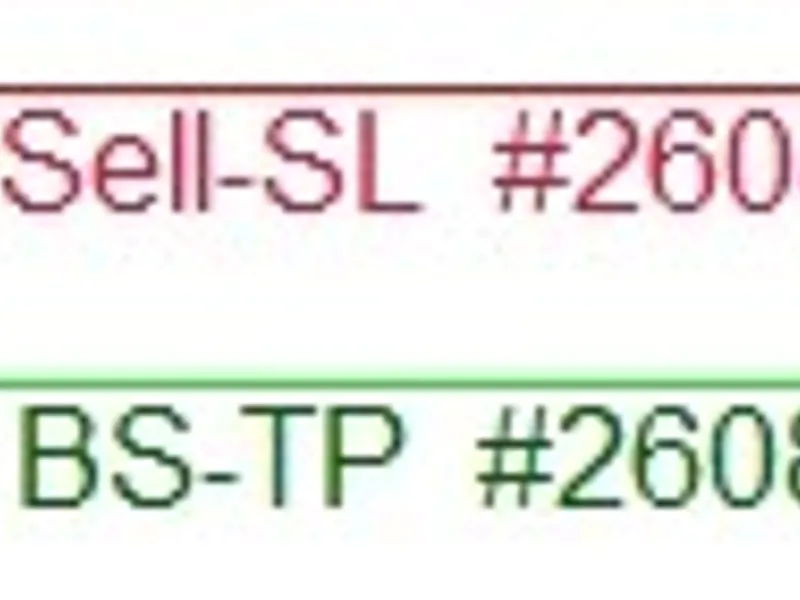
Displays text labels at SL & TP lines, including: order type, ticket number, SL & TP price, pip calculation, and pip label.
Displays text labels at Order Execution (OE) lines, including: order type, ticket number, and OE price.
Can be used with MT4 defaults and other suitable MT4 applications such as Sangmane's Easy Order script. Labels can be user-defined. See hide options in the input window for user-defined examples.
Examples of user-defined labels:
sell-sl #260844327 * 1.04606 * 322.4 pps
sell-sl #260844327 * 3224 f-pps *
#260844327 * 3224
sell-sl * 322.4
1.04606 * 3224
322.4
bs-oe #260866924 * 1.02015
* Non-digit symbols will default to pps, regardless of whether f-pps (fractional pips - points / 3 & 5 digit pricing) is set to true.
Pip Calculation Test & Check:
1. Cross-reference tables with the chart and terminal.
2. Tables T-1 & T-2:
a) Terminal: Columns 0-2 contain values taken from the terminal at the instant of the screenshot. These values can be validated in the terminal image included on the chart.
b) Calculation: Column 3 is an Excel calculation of the relevant values.
c) Chart: Column 4 shows the values as indicated on the chart.
d) Check: Column 5 confirms a matching value.
e) Current bid and ask at the instant of the screenshot can be found in column 9 of the terminal.
f) All buy orders are calculated as follows:
i. TP pip calculation = TP price – Bid price.
ii. SL pip calculation = Bid price - SL price.
g) All sell orders are calculated as follows:
i. SL pip calculation = SL price – Ask price.
ii. TP pip calculation = Ask price – TP price.
3. Column 9 of the terminal indicates the ask price for buy limit and buy stop orders. When a future current ask price equals the relevant limit or stop price, the order will fill and register in the terminal as a buy. Column 9 will then reflect a bid price for the order, as is the case for the buy in line 1.
4. Column 9 of the terminal indicates the bid price for sell limit and sell stop orders. When a future current bid price equals the relevant limit or stop price, the order will fill and register in the terminal as a sell. Column 9 will then reflect an ask price for the order, as is the case for the sell in line 2.
Notes:
1. SL+TP-CP Pip Dist Indi – v2 is not part of Easy Order; it functions independently of Easy Order and does not attach text to the Easy Order SL & TP lines but to the MT4 default SL and TP values.
2. Easy Order is a free MT4 script and can be downloaded from its official source.
Avoid time-wasting repetitions; permanently change defaults. Examples are provided.
If you have not edited before, it is straightforward and saves time and tedious unnecessary repetitions.
Instructions for Editing:
1. Open MT4, locate 'View' at the top left of the menu, and click it, then click 'Navigator'.
2. The Navigator window will open on the left or right of your screen.
3. Locate 'Custom Indicators' in the Navigator window and click the [+] to expand if it is not already expanded.
4. Locate 'SL+TP-CP Pip Dist Indi - v2', highlight it, and right-click to reveal the selection window.
5. Click 'Modify' on the selection window.
6. You will now be in the MetaEditor with 'SL+TP-CP Pip Dist Indi – v2' loaded.
7. If other indicators are loaded, it is best to unload them before beginning any editing. Right-click on the relevant tab and click 'Close'.
8. You can now begin editing. Follow the instructions provided.
9. After every edit/modification, run compile and check for errors. An example can be found at the provided link.
Note:
If you get stuck and cannot figure out why it will not compile without errors, use the left undo arrow to revert to a point where it compiled successfully. Compile and check for errors after every modification.
Find the following code, which is located at the top when the code editor is accessed.
Disclaimer:
All downloads and documentation offered are provided as-is, as educational material. Copyright 2026.
You may also like: Inverse Distance Weighted Moving Average (ID WMA) - excellent alternative for indicator users on MetaTrader 4.
Source Code
#property copyright "robotfx"
#property indicator_chart_window
extern string pips_or_fractional_pips = "fractional pips = points / 3 & 5 digit pricing";
extern bool   fractional_pips  = true; // modification examples: = false;
extern string hide_options;
extern bool   hide_order_text = false;
extern bool   hide_orderticket = false;
extern bool   hide_sl_tp_price = false;
extern bool   hide_pip_text = false;
extern bool   hide_sl = false;
.......
⚠ Limitations & Risk Warning
- This tool is provided for educational and testing purposes only.
- Past performance does not guarantee future results.
- Trading involves substantial risk of loss. Use on a demo account first.
- Results may vary depending on market conditions, broker, and settings.
- We recommend thorough backtesting and forward testing before using with real funds.