





Renko Fractals Grid EA
Info
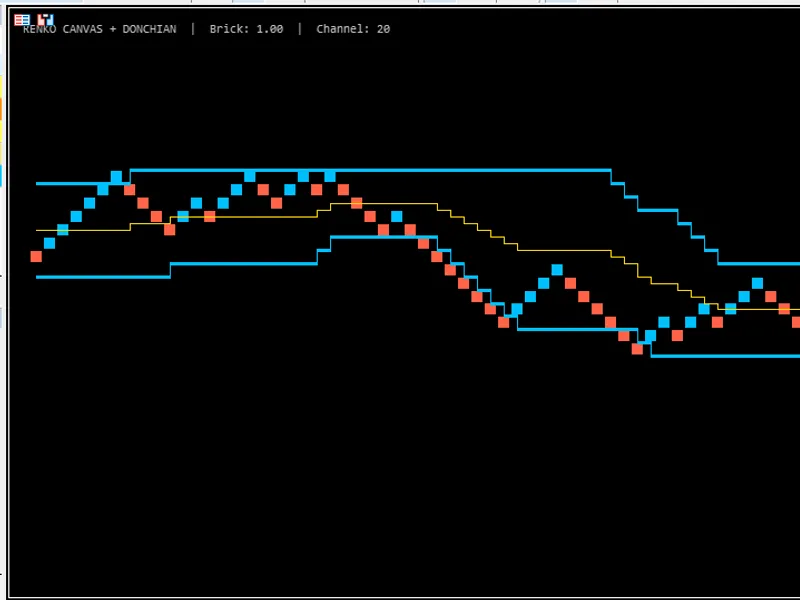
The Renko Fractals Grid EA is a Expert Advisor for MetaTrader 4 that this expert advisor utilizes renko boxes on metatrader 4 charts. When a Renko box is formed and the price reaches a fractal level, the EA initiates a trade.
Usage
This tool is typically used for automated trading on major forex pairs and gold.
Platform
This Expert Advisor works exclusively on MetaTrader 4 (both build 600+ and newer versions).
Setup
Place the downloaded file in MQL4/Experts folder via File ? Open Data Folder in MetaTrader 4.
How to Install and Use Renko Fractals Grid EA
1. Installation: Open the "File" menu, select "Open Data Folder," navigate to MQL/Experts, paste your file, and restart the terminal.
2. Activation: Drag the EA from the Navigator onto a chart, ensure "Allow live trading" is checked in the Common tab, and verify the AutoTrading button is green.
3. Optimization: Right-click your chart, choose "Expert List," click "Properties" to adjust inputs, and save your preferred setup as a set file for future use.
4. Maintenance: Regularly check the "Experts" tab in the terminal window to monitor trade logs and potential execution errors.
Frequently Asked Questions
Q: Why is my EA not opening trades? A: Check the "AutoTrading" button, ensure "Allow live trading" is enabled, and verify your broker allows automated trading on your account type.
Q: Can I run multiple EAs on one chart? A: No, each chart can only host one active EA; however, you can open multiple charts for different currency pairs to run several EAs.
Q: What does the "smiley face" icon mean? A: A smiley face in the top-right corner of the chart indicates the EA is successfully running; a frowny face means it is disabled.
What this tool does
This Expert Advisor utilizes Renko boxes on MetaTrader 4 charts.
Typical Use Case
This Expert Advisor excels in automated trading and technical analysis on MetaTrader 4.
Compatible Platform & Setup
This Expert Advisor works on MetaTrader 4. Place the file in the MQL4/Experts folder and restart the terminal.
Description & Settings
Related: fractured fractals expert advisor - another powerful expert for MetaTrader 4 traders.
This Expert Advisor utilizes Renko boxes on MetaTrader 4 charts. When a Renko box is formed and the price reaches a fractal level, the EA initiates a trade. It features a trailing stop loss and take profit functionality. This EA is compatible with all timeframes and major forex pairs, as well as Nasdaq. It is recommended to test this EA on a demo account first. The EA trades only based on the price of the open candle. To disable lot size increases after a losing trade, set "increasefactor" to 0. Input Parameters: Take Profit Settings: use_tp_in_money - Use Take Profit in monetary value (true/false). tp_in_money - Take Profit amount in money (values: 10-100). use_tp_in_percent - Use Take Profit in percentage (true/false). tp_in_percent - Take Profit percentage (values: 10-100). Trailing Stop Settings (for multiple trades): enable_trailing - Enable trailing stop with monetary values (true/false). take profit in money - Take Profit amount in current currency (values: 25-200). stop loss in money - Stop Loss amount in current currency (values: 1-20). Renko and Indicator Settings: atr - Enable ATR indicator for Renko box size calculation (values: 0-1). box1 - Renko box size in pips (values: 5-100). candlestoretrace - Number of candles to wait for Renko box formation (values: 10-100). Trade Management: exit - Close trades if the trend is against you to control drawdown (true/false). lots - Initial lot size (values: 0.01-1). lots size exponent - Exponent for lot size calculation (values: 1.01-2). increasefactor - Factor to increase lot size from total margin after a loss (values: 0.001-0.1). stop_loss - Stop Loss in pips (values: 30-500). Set to 600 for multiple trades. magicnumber - Magic number to identify EA trades (values: 1-100000). takeprofit - Take Profit in pips (values: 50-200). Set to 600 for multiple trades. Moving Average and Momentum Settings: fastma - Fast Moving Average period (values: 1-20). slowma - Slow Moving Average period (values: 50-200). mom_sell - Momentum sell trigger threshold (values: 0.1-0.9). mom_buy - Momentum buy trigger threshold (values: 0.1-0.9). Drawdown Control: useequitystop - Use equity stop to control drawdown (true/false). totalequityrisk - Maximum total equity risk percentage (values: 0.01-20). Trade Limits: max_trades - Maximum number of concurrent trades (values: 1-12). Single Trade Settings: trailingstop - Activate trailing stop loss & take profit (values: 40-100). Set to 0 to disable. enable "break even" - Enable break-even functionality (true/false). when move "break even" - Pips to move price for break-even activation (values: 5-30). how much pips move "break even" - Pips to set break-even at after activation (values: 5-30). Optimization and Usage: It is advised to optimize this EA every few months using the exact same input parameters as listed above. This EA can be used as a hedging grid EA or a single trade EA. Backtesting Instructions:Also recommended: Renko Scalper - similar expert with strong performance on MetaTrader 4.
You may also like: Renko EA: Updated for MetaTrader 2026 - excellent alternative for expert users on MetaTrader 4.
Source Code
/.......
⚠ Limitations & Risk Warning
- This tool is provided for educational and testing purposes only.
- Past performance does not guarantee future results.
- Trading involves substantial risk of loss. Use on a demo account first.
- Results may vary depending on market conditions, broker, and settings.
- We recommend thorough backtesting and forward testing before using with real funds.