

Automated Wedge Pattern Trading EA for Forex and Stocks
Info
The Automated Wedge Pattern Trading EA for Forex and Stocks is a Expert Advisor for MetaTrader 4 that this expert advisor (ea) identifies and trades wedge patterns using price action and fractals on your mt4/mt5 charts. It incorporates a trailing stop loss and take profit functionality and is designed to work with major forex pairs, stocks, and indices like the Nasdaq across all timeframes.
Usage
This tool is typically used for automated trading on major forex pairs and gold.
Platform
This Expert Advisor works exclusively on MetaTrader 4 (both build 600+ and newer versions).
Setup
Place the downloaded file in MQL4/Experts folder via File ? Open Data Folder in MetaTrader 4.
How to Install and Use Automated Wedge Pattern Trading EA for Forex and Stocks
1. Installation: Open the "File" menu, select "Open Data Folder," navigate to MQL/Experts, paste your file, and restart the terminal.
2. Activation: Drag the EA from the Navigator onto a chart, ensure "Allow live trading" is checked in the Common tab, and verify the AutoTrading button is green.
3. Optimization: Right-click your chart, choose "Expert List," click "Properties" to adjust inputs, and save your preferred setup as a set file for future use.
4. Maintenance: Regularly check the "Experts" tab in the terminal window to monitor trade logs and potential execution errors.
Frequently Asked Questions
Q: Why is my EA not opening trades? A: Check the "AutoTrading" button, ensure "Allow live trading" is enabled, and verify your broker allows automated trading on your account type.
Q: Can I run multiple EAs on one chart? A: No, each chart can only host one active EA; however, you can open multiple charts for different currency pairs to run several EAs.
Q: What does the "smiley face" icon mean? A: A smiley face in the top-right corner of the chart indicates the EA is successfully running; a frowny face means it is disabled.
What this tool does
This Expert Advisor (EA) identifies and trades wedge patterns using price action and fractals on your MT4/MT5 charts.
Typical Use Case
This Expert Advisor excels in automated trading and technical analysis on MetaTrader 4.
Compatible Platform & Setup
This Expert Advisor works on MetaTrader 4. Place the file in the MQL4/Experts folder and restart the terminal.
Description & Settings
Related: e-news-lucky$ - automated news trading expert advisor - another powerful expert for MetaTrader 4 traders.
This Expert Advisor (EA) identifies and trades wedge patterns using price action and fractals on your MT4/MT5 charts. It incorporates a trailing stop loss and take profit functionality and is designed to work with major forex pairs, stocks, and indices like the Nasdaq across all timeframes.Also recommended: e-moving in wl2: automated stop loss adjustment - similar expert with strong performance on MetaTrader 4.
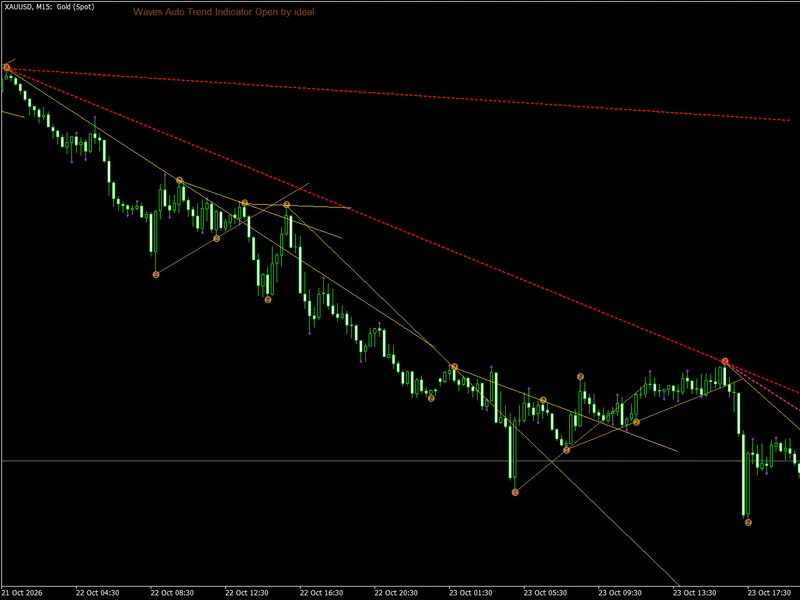
The EA's strategy is based on the classic falling wedge pattern:
In a falling wedge, both boundary lines slope downwards from left to right, with the upper line descending at a steeper angle than the lower line.
Volume typically diminishes as prices narrow, indicating a potential breakout.
The EA activates trading at the open of a new candle. It includes options for managing lot size, including increasing lot size after a loss (configurable by setting 'increasefactor' to 0 to disable).
The EA combines moving averages and trend lines. While trend lines do not function in testing mode, they act as a filter in live trading to potentially increase the probability of winning trades.
Key Inputs:
Take Profit Options:
- use_tp_in_money (true/false)
- tp_in_money (10-100)
- use_tp_in_percent (true/false)
- tp_in_percent (10-100)
Trailing Stop Loss (Money - for multiple trades):
- enable_trailing (true/false)
- Take profit in money (25-300)
- Stop loss in money (1-20)
Trade Management:
- exit (true/false): Close trades if the trend is against you and control drawdown.
- lots (0.01-1): Base lot size.
- lots_size_exponent (1.01-2): Factor for increasing lot size.
- increasefactor (0.001-0.1): Amount to increase lot size from total margin after a loss.
- stop_loss (30-500): Standard stop loss value. Set to 600 for multiple trades.
- magicnumber (1-100000): Unique identifier for EA trades.
- takeprofit (50-200): Standard take profit value. Set to 600 for multiple trades.
Moving Averages:
- fastma (1-20): Period for the fast moving average.
- slowma (50-200): Period for the slow moving average.
Momentum Triggers:
- mom_sell (0.1-0.9): Momentum trigger for sell signals.
- mom_buy (0.1-0.9): Momentum trigger for buy signals.
Drawdown Control:
- useequitystop (true): Enable equity stop loss.
- totalequityrisk (0.01-20): Percentage of total equity to risk for drawdown control.
Trade Limits:
- max_trades (1-12): Maximum number of open trades.
- fractalnum (1-10): Number of fractals to consider for pattern identification.
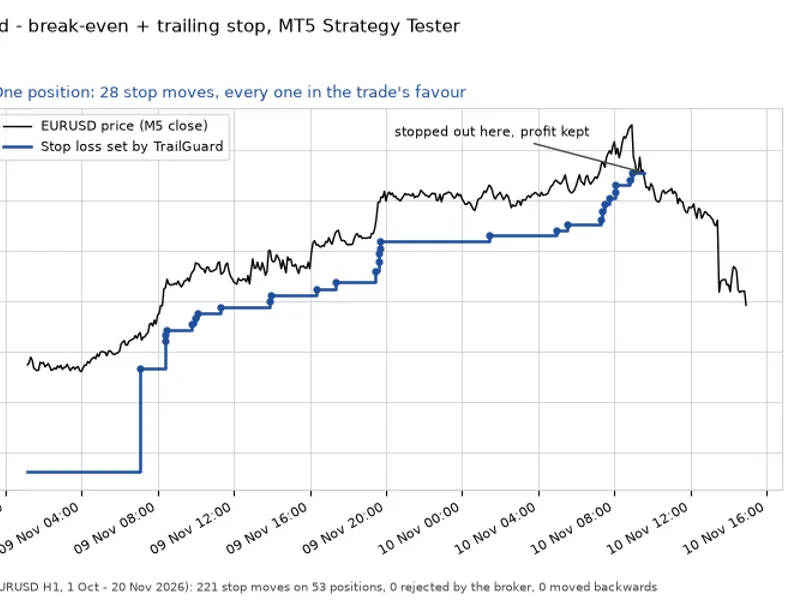
Trailing Stop Loss (Single Trade):
- usetrailingstop (true/false)
- whentotrail (40-100): Pips/points to wait before activating trailing stop.
- trailamount (40-100): Amount to trail stop loss by.
- distance_from_candle (1-100): Distance from candle for trailing stop.
- usecandeltrail (true/false)
- x (1-100): Number of candles to consider for candle-based trailing.
Break Even:
- usemovetobreakeven (true/false): Enable moving stop loss to break even.
- whentomovetobe (1-30): Candles/pips/points to reach before moving to break even.
- pipstomovesl (1-30): Number of pips/points to move stop loss to break even.
Recommendations:
- It is advised to optimize the EA's inputs every few months.
- This EA can be used as a hedging grid EA or a single trade EA.
- For backtesting, please refer to the platform's specific instructions.
Disclaimer: Always test EAs on a demo account before trading with real money. Past performance is not indicative of future results. Trading financial instruments involves risk.
You may also like: e-trailing: automated trailing stop for all positions - excellent alternative for expert users on MetaTrader 4.
Source Code
/.......
⚠ Limitations & Risk Warning
- This tool is provided for educational and testing purposes only.
- Past performance does not guarantee future results.
- Trading involves substantial risk of loss. Use on a demo account first.
- Results may vary depending on market conditions, broker, and settings.
- We recommend thorough backtesting and forward testing before using with real funds.