



Volatility Regime Percentile: Understanding Market Conditions
Info
The Volatility Regime Percentile: Understanding Market Conditions is a Indicator for MetaTrader 5 that volatility regime percentile answers a simple question: is the market quiet or busy right now compared with its own recent history. Instead of reading a raw ATR value that means something different on every symbol and timeframe, it converts ATR into a percentile rank from 0 to 100, so the same thresholds work on gold, oil, forex pairs and indices.
Usage
This tool is typically used for enhancing chart analysis and decision making.
Platform
This Indicator works exclusively on MetaTrader 5 (both build 600+ and newer versions).
Setup
Place the downloaded file in MQL5/Indicators folder via File ? Open Data Folder in MetaTrader 5.
How to Install and Use Volatility Regime Percentile: Understanding Market Conditions
1. Installation: Place your file in the MQL/Indicators folder via "Open Data Folder" and restart your terminal.
2. Loading: Find the indicator in the Navigator, drag it onto your chart, and configure the input parameters in the popup window.
3. Customization: Press Ctrl+I to open the indicator list, select your tool, and click "Properties" to change colors, levels, or visual styles.
4. Updating: Replace the old file in the Indicators folder with the new version and restart the platform to apply changes.
Frequently Asked Questions
Q: Why is my indicator not showing? A: Verify the file is in the MQL/Indicators folder, or try right-clicking the "Indicators" tree in the Navigator and clicking "Refresh."
Q: Do custom indicators slow down the platform? A: Too many complex indicators can impact performance; remove unused ones via the "Indicator List" (Ctrl+I).
Q: Can I use MT4 indicators on MT5? A: No, MQL4 and MQL5 are distinct languages; ensure the indicator is compiled specifically for your platform version.
What this tool does
Volatility Regime Percentile answers a simple question: is the market quiet or busy right now compared with its own recent history.
Typical Use Case
This Indicator excels in automated trading and technical analysis on MetaTrader 5.
Compatible Platform & Setup
This Indicator works on MetaTrader 5. Place the file in the MQL5/Indicators folder and restart the terminal.
Description & Settings
Related: Giano ATR Regime Indicator - another powerful indicator for MetaTrader 5 traders.
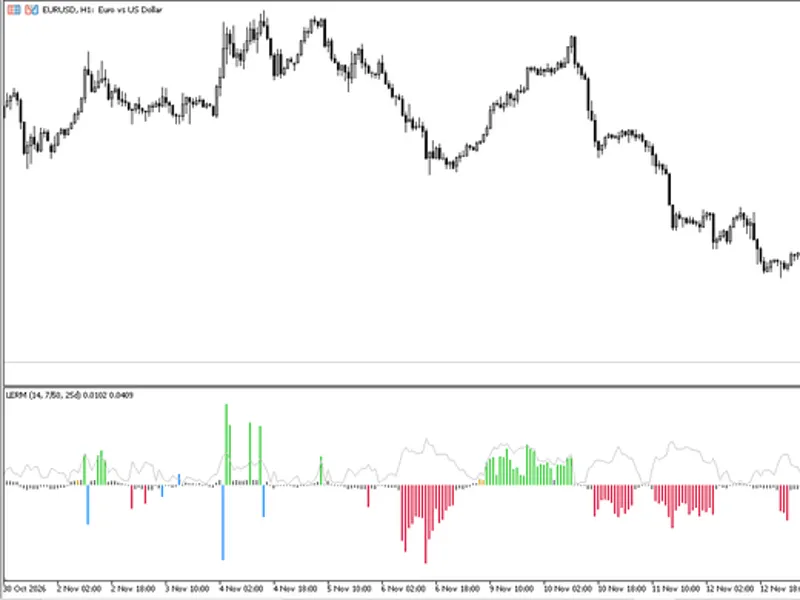
Volatility Regime Percentile answers a simple question: is the market quiet or busy right now compared with its own recent history?Also recommended: LERM - Liquidity and Efficiency Regime Matrix - similar indicator with strong performance on MetaTrader 5.
Instead of reading a raw ATR value that means something different on every symbol and timeframe, it converts ATR into a percentile rank from 0 to 100, so the same thresholds work on gold, oil, forex pairs and indices.How it works
The indicator calculates the ATR (default 14) on the chart timeframe.
For every bar it looks at the last N bars (default 250) and counts the share of them whose ATR was less than or equal to the current ATR. That share is the percentile rank.
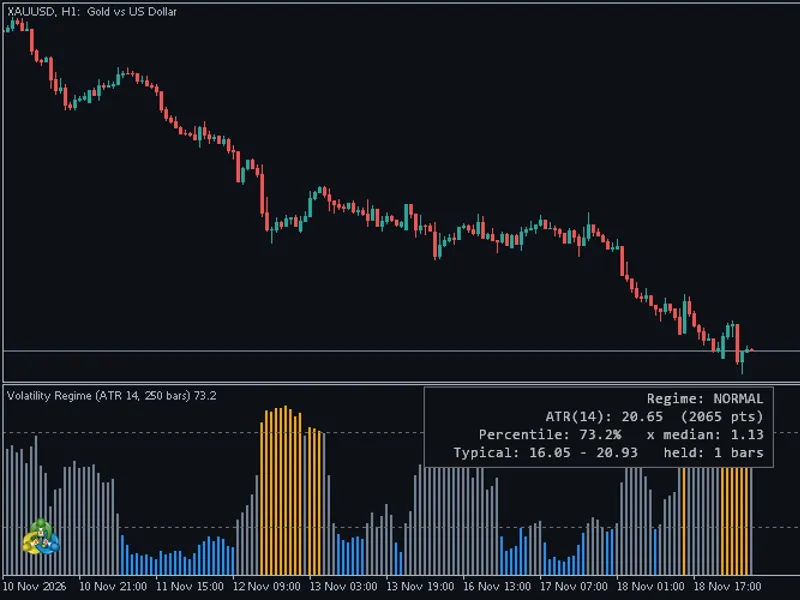
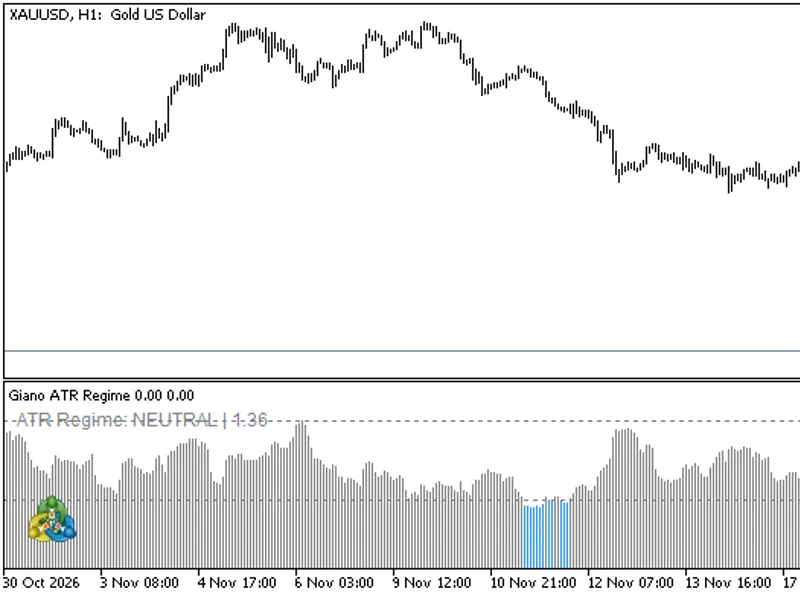
The histogram is coloured by regime:
Blue - LOW volatility: percentile at or below the low threshold (default 25)
Grey - NORMAL volatility
Orange - HIGH volatility: percentile at or above the high threshold (default 75)
Dotted levels mark the two thresholds.
Panel
Current regime (coloured).
ATR in price and in points (for example on XAUUSD with 3-digit pricing, 20.65 = 2065 points).
Percentile and ATR vs median of the lookback window (1.00 = typical, 1.50 = 50% above typical).
Typical range: the 25th and 75th percentile ATR values of the window.
Held: how many bars the current regime has lasted.
Ideas for use
Size stop-losses and targets to the current regime instead of fixed values.
Spot compression (long LOW stretches) that often comes before expansion.
Filter strategies: for example, trade breakouts only in NORMAL/HIGH regimes, or mean-reversion only in LOW regimes.
Compare sessions: on gold and oil the regime usually changes around the London and New York opens.
Alerts
Optional alert when a closed bar changes regime (one alert per bar).
Notes
Works on any symbol and timeframe. It needs at least ATR period + lookback bars of history.
Information only. It does not open, close or modify trades, and it does not predict price direction.
Inputs
Input
Default
Description
ATR period
14
Period of the ATR
Lookback bars for the percentile rank
250
Window used to rank the current ATR
Low-volatility threshold (percentile)
25
At or below = LOW regime
High-volatility threshold (percentile)
75
At or above = HIGH regime
Show info panel
true
Shows the panel in the indicator window
Panel on the right side
true
false = left side
Panel text colour
Silver
Colour of the panel text
Panel font size
9
Font size of the panel
Alert when a closed bar changes regime
false
Pop-up alert on a regime change
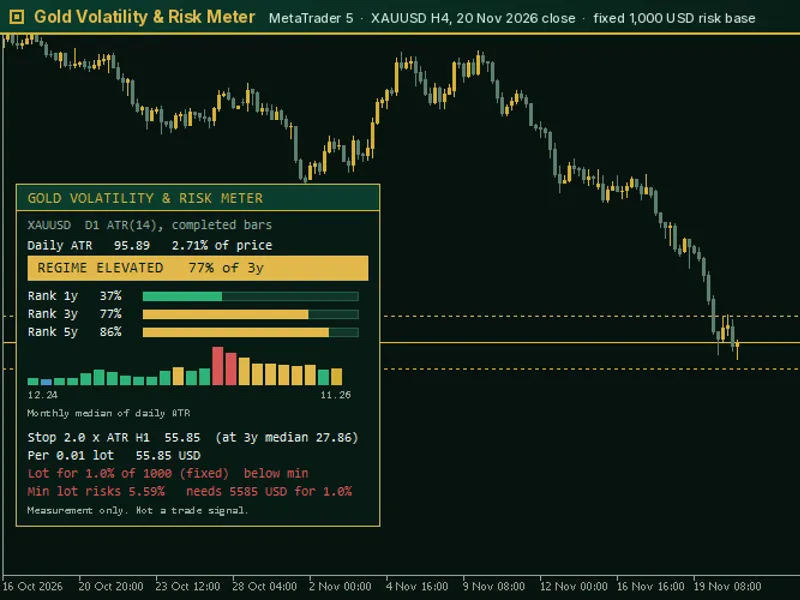
You may also like: Gold Volatility and Risk Meter: ATR Regimes and Stop Cost Analysis for XAUUSD - excellent alternative for indicator users on MetaTrader 5.
Source Code
#property copyright "RobotFX"
#property version     "1.00"
#property description "This code is educational. Feel free to use, modify and upgrade as you wish. Visit ROBOTFX.ORG for professional trading tools"
#property indicator_separate_window
#property indicator_buffers 3
#property indicator_plots   1
#property indicator_minimum 0
#property indicator_maximum 100
#property indicator_label1  "ATR percentile"
#property indicator_type1   DRAW_COLOR_HISTOGRAM
.......
⚠ Limitations & Risk Warning
- This tool is provided for educational and testing purposes only.
- Past performance does not guarantee future results.
- Trading involves substantial risk of loss. Use on a demo account first.
- Results may vary depending on market conditions, broker, and settings.
- We recommend thorough backtesting and forward testing before using with real funds.