







Squeeze Momentum: Bollinger Bands Within Keltner Channel
Info
The Squeeze Momentum: Bollinger Bands Within Keltner Channel is a Indicator for MetaTrader 5 that squeeze momentum: bollinger bands within keltner channelthe conceptmarkets naturally oscillate between periods of low and high activity. A prolonged quiet phase often precedes a significant price movement, though the direction is not always predictable beforehand.
Usage
This tool is typically used for enhancing chart analysis and decision making.
Platform
This Indicator works exclusively on MetaTrader 5 (both build 600+ and newer versions).
Setup
Place the downloaded file in MQL5/Indicators folder via File ? Open Data Folder in MetaTrader 5.
How to Install and Use Squeeze Momentum: Bollinger Bands Within Keltner Channel
1. Installation: Place your file in the MQL/Indicators folder via "Open Data Folder" and restart your terminal.
2. Loading: Find the indicator in the Navigator, drag it onto your chart, and configure the input parameters in the popup window.
3. Customization: Press Ctrl+I to open the indicator list, select your tool, and click "Properties" to change colors, levels, or visual styles.
4. Updating: Replace the old file in the Indicators folder with the new version and restart the platform to apply changes.
Frequently Asked Questions
Q: Why is my indicator not showing? A: Verify the file is in the MQL/Indicators folder, or try right-clicking the "Indicators" tree in the Navigator and clicking "Refresh."
Q: Do custom indicators slow down the platform? A: Too many complex indicators can impact performance; remove unused ones via the "Indicator List" (Ctrl+I).
Q: Can I use MT4 indicators on MT5? A: No, MQL4 and MQL5 are distinct languages; ensure the indicator is compiled specifically for your platform version.
What this tool does
Squeeze Momentum: Bollinger Bands Within Keltner ChannelThe ConceptMarkets naturally oscillate between periods of low and high activity.
Typical Use Case
This Indicator excels in automated trading and technical analysis on MetaTrader 5.
Compatible Platform & Setup
This Indicator works on MetaTrader 5. Place the file in the MQL5/Indicators folder and restart the terminal.
Description & Settings
Related: Volatility Squeeze Scanner: Bollinger Inside Keltner with Momentum - another powerful indicator for MetaTrader 5 traders.
Squeeze Momentum: Bollinger Bands Within Keltner ChannelAlso recommended: Bollinger Keltner Squeeze Release Arrows - similar indicator with strong performance on MetaTrader 5.
The Concept
Markets naturally oscillate between periods of low and high activity. A prolonged quiet phase often precedes a significant price movement, though the direction is not always predictable beforehand. The Squeeze Momentum indicator objectively identifies these quiet phases by comparing two volatility envelopes:
Bollinger Bands: These are calculated based on the standard deviation of closing prices. They contract rapidly when price movements become less volatile.
Keltner Channel: This is based on the average range (True Range) of price bars. It reacts more gradually and tends to remain wider than Bollinger Bands.
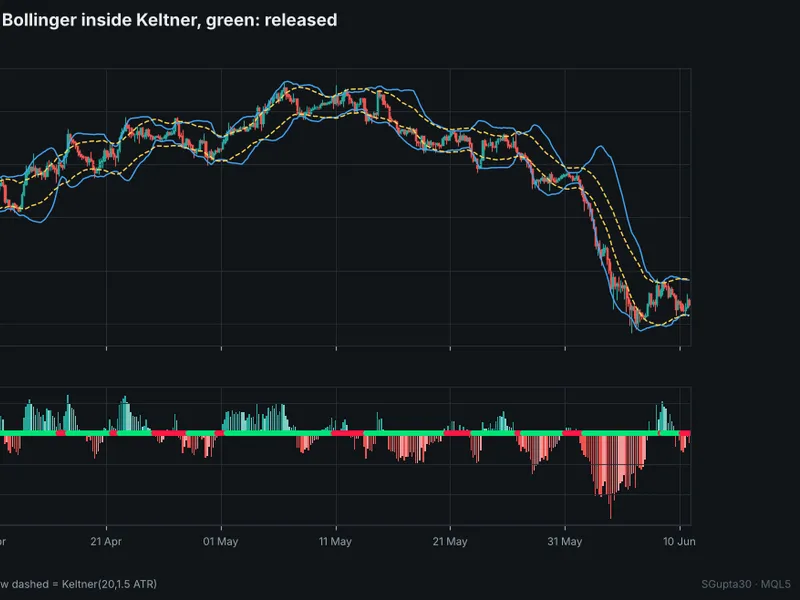
When the Bollinger Bands are fully contained within the Keltner Channel, it signifies an unusual contraction in volatility, indicating a market "squeeze." The release of this squeeze, marked by the Bollinger Bands moving back outside the channel, often precedes a directional price move.
To help estimate the potential direction of the subsequent move, the indicator also displays a momentum histogram. This histogram is derived from the linear regression of the price's distance from its mid-line (calculated as the average of the highest-high/lowest-low range and the simple moving average of the close). Positive values suggest the price is trading above its mid-line, while negative values indicate it is below.
Interpretation Guidelines
Dots on the Zero Line: These dots indicate the squeeze status for each bar: "Squeeze ON" (Bollinger Bands inside Keltner Channel, default red), "Squeeze OFF" (Bollinger Bands outside Keltner Channel, default lime), and "Neutral" (default gray, where one band is inside and the other is outside).
Histogram: Represents momentum. Values above zero suggest a bullish bias, while values below zero indicate a bearish bias. Four colors further refine this: lime for positive and strengthening momentum, green for positive and weakening momentum, red for negative and falling momentum, and maroon for negative and strengthening momentum. In monochrome displays, strengthening bars are bright, and weakening bars are dim.
Squeeze Release: The first bar appearing after a series of "Squeeze ON" dots is a potential signal. The direction and sign of the histogram at this point can suggest the likely direction of the ensuing price move.
Duration: The longer a squeeze persists, the more potential energy is considered to be stored. An information label displays the count of consecutive squeeze bars.
Information Label: Located in the upper-left of the indicator subwindow, this label shows the current bar's squeeze state (including the bar count for "ON" states) and the current momentum value.
Alerts (Optional): When enabled, an alert is triggered upon the release of a squeeze on a closed bar, indicating the prevailing momentum bias (bullish or bearish).
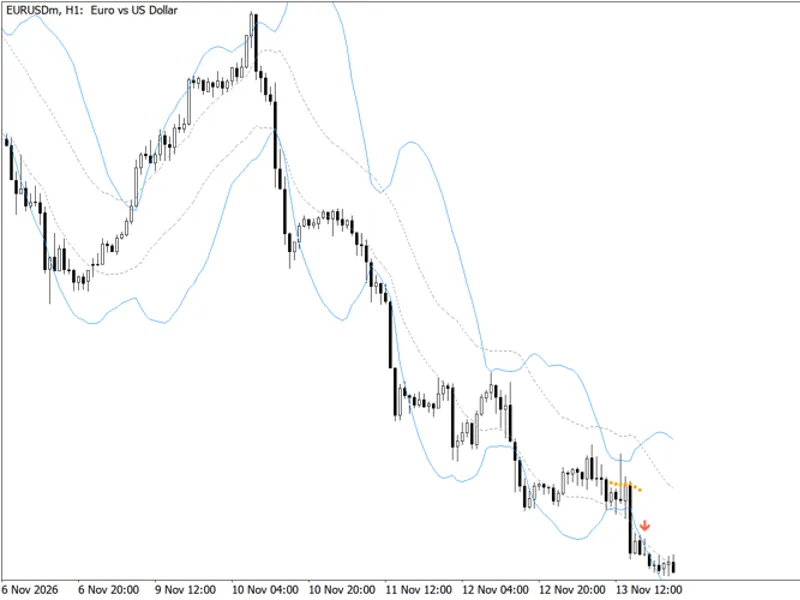
Figure 1. Squeeze Momentum displayed below an M15 chart, illustrating a squeeze (white dots on the zero line) during consolidation, followed by the momentum histogram after its release. The black and white representation adheres to Code Base image guidelines; colors are customizable.
External Variables (Inputs)
Input
Default
Purpose
InpBBLength
20
Period for Bollinger Bands calculation (minimum 2).
InpBBMult
2.0
Standard deviation multiplier for Bollinger Bands (must be greater than zero).
InpKCLength
20
Period for Keltner Channel and momentum calculation (minimum 2).
InpKCMult
1.5
Range multiplier for Keltner Channel (must be greater than zero). Lower values result in rarer, more significant squeezes.
InpUseTrueRange
true
Determines channel width calculation: true uses True Range, false uses the simple High−Low range.
InpAlert
false
Enables alerts when a squeeze is released on a closed bar.
InpShowInfoLabel
true
Displays the information label showing squeeze state and momentum value.
InpLabelColor
clrSilver
Color for the information label.
Note: The colors for the histogram and dots can be adjusted within the indicator's properties under the "Colors" tab.
Recommended Usage
Symbols and Timeframes: This indicator is versatile and can be applied to any symbol and timeframe. Squeezes tend to be more meaningful on liquid instruments and timeframes ranging from M15 to H4. Very low timeframes may produce frequent and less reliable signals.
Trading Context: The indicator highlights periods of compressed volatility and indicates the favored momentum direction. It is not a standalone entry signal. Many traders use it in conjunction with price action confirmation, such as a breakout from the consolidation range following a squeeze release, and manage risk with protective stops.
Caveats: A squeeze release may occur without a significant price move or against the prevailing momentum direction. False starts can also follow a release. The momentum calculation is smoothed and subject to lag; the final bar's appearance may change with incoming ticks before the bar closes. Consequently, alerts are evaluated only on closed bars.
Parameters: Standard settings include a 20-period Bollinger Bands with a 2.0 multiplier and a 20-period Keltner Channel with a 1.5 multiplier. Adjusting the Keltner Channel multiplier (e.g., to 1.0 or 2.0) can alter the frequency of detected squeezes.
Calculation: The indicator utilizes closing prices and simple averages. Recalculations primarily affect the forming bar and new bars, requiring a limited history of previous bars after the initial calculation.
Account Types: The indicator functions identically on both netting and hedging accounts as it does not perform trades.
The information label is dynamically created within the indicator subwindow using a unique identifier and is automatically removed upon indicator deletion or reinitialization.
You may also like: BB Squeeze Indicator - excellent alternative for indicator users on MetaTrader 5.
Source Code
#property copyright "RobotFX"
#property link "https://robotfx.org"
#property version     "1.00"
#property description "This code is educational. Feel free to use, modify and upgrade as you wish. Visit ROBOTFX.ORG for professional trading tools"
#property indicator_separate_window
#property indicator_buffers 7
#property indicator_plots   2
#property indicator_label1  "Momentum"
#property indicator_type1   DRAW_COLOR_HISTOGRAM
#property indicator_color1  clrLime,clrGreen,clrRed,clrFireBrick
.......
⚠ Limitations & Risk Warning
- This tool is provided for educational and testing purposes only.
- Past performance does not guarantee future results.
- Trading involves substantial risk of loss. Use on a demo account first.
- Results may vary depending on market conditions, broker, and settings.
- We recommend thorough backtesting and forward testing before using with real funds.