





Spread Heatmap: Hourly Spread Analysis by Day and Time
Info
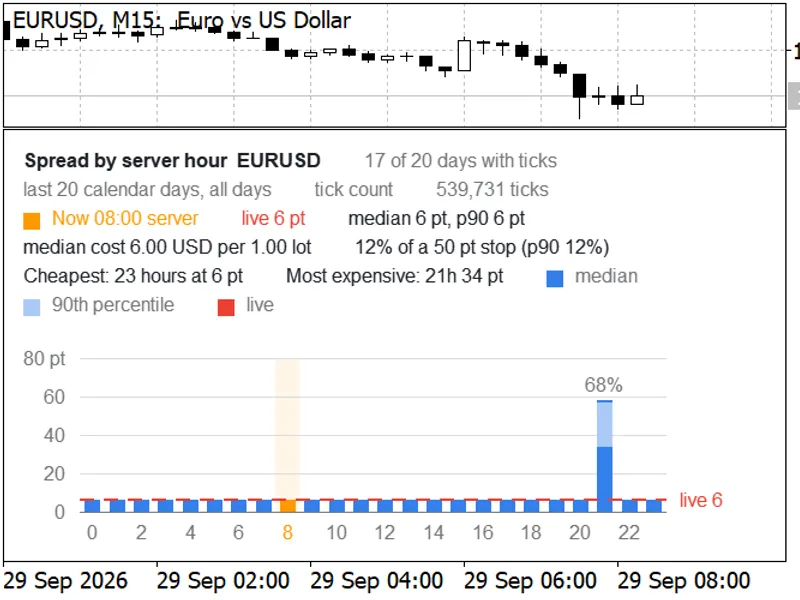
The Spread Heatmap: Hourly Spread Analysis by Day and Time is a Indicator for MetaTrader 5 that the spread of currency pairs and other financial instruments is not constant throughout the trading day. It typically narrows during active trading sessions like London and New York, and can widen significantly during rollover periods (around 17:00 New York time) or immediately following market openings after weekends.
Usage
This tool is typically used for enhancing chart analysis and decision making.
Platform
This Indicator works exclusively on MetaTrader 5 (both build 600+ and newer versions).
Setup
Place the downloaded file in MQL5/Indicators folder via File ? Open Data Folder in MetaTrader 5.
How to Install and Use Spread Heatmap: Hourly Spread Analysis by Day and Time
1. Installation: Place your file in the MQL/Indicators folder via "Open Data Folder" and restart your terminal.
2. Loading: Find the indicator in the Navigator, drag it onto your chart, and configure the input parameters in the popup window.
3. Customization: Press Ctrl+I to open the indicator list, select your tool, and click "Properties" to change colors, levels, or visual styles.
4. Updating: Replace the old file in the Indicators folder with the new version and restart the platform to apply changes.
Frequently Asked Questions
Q: Why is my indicator not showing? A: Verify the file is in the MQL/Indicators folder, or try right-clicking the "Indicators" tree in the Navigator and clicking "Refresh."
Q: Do custom indicators slow down the platform? A: Too many complex indicators can impact performance; remove unused ones via the "Indicator List" (Ctrl+I).
Q: Can I use MT4 indicators on MT5? A: No, MQL4 and MQL5 are distinct languages; ensure the indicator is compiled specifically for your platform version.
What this tool does
The spread of currency pairs and other financial instruments is not constant throughout the trading day.
Typical Use Case
This Indicator excels in automated trading and technical analysis on MetaTrader 5.
Compatible Platform & Setup
This Indicator works on MetaTrader 5. Place the file in the MQL5/Indicators folder and restart the terminal.
Description & Settings
Related: Spread Monitor Indicator for MetaTrader 5 - another powerful indicator for MetaTrader 5 traders.
The spread of currency pairs and other financial instruments is not constant throughout the trading day. It typically narrows during active trading sessions like London and New York, and can widen significantly during rollover periods (around 17:00 New York time) or immediately following market openings after weekends. This indicator visualizes these spread fluctuations.Also recommended: Enhanced Spread Monitor for MetaTrader 5 - similar indicator with strong performance on MetaTrader 5.
The indicator displays the typical spread for each hour of the day, broken down by weekday (Monday to Friday, and an 'All' column for the entire week). The data is presented in a table format on the chart.
Each cell in the table represents the typical spread for a specific hour on a specific weekday. These cells are color-coded to indicate spread cost: green signifies a low spread (cheaper), transitioning through yellow and orange, to red for a high spread (expensive). The numerical spread value, measured in points, is displayed within each cell.
Included Files:
- SpreadHeatmap.mq5: The main indicator file.
- BrokerTime.mqh: A utility class for handling time zone conversions. Place both files in the same MQL5/Indicators folder.
How the Data is Interpreted:
The indicator utilizes spread data stored within historical price bars (MqlRates.spread, in points). It analyzes bars from the selected timeframe (default is M5) over a specified number of past days (default is 60).
Statistical Measures:
For each cell, the indicator can calculate the spread using different statistical methods, including median (default), average, 90th percentile (indicating that 90% of observed spreads were cheaper), or maximum spread.
Color Scale:
The color intensity of each cell is determined relative to the median spread of the entire symbol. Thresholds can be adjusted via inputs: green up to 1.3 times the median, yellow at 2 times, and red from 4 times the median.
Table Indicators:
- Cells with fewer than 3 data points are shown as '-'.
- A '>' marker next to an hour indicates the current trading hour.
- The first lines of the table display the symbol name, the number of bars analyzed, and the cheapest and most expensive hours observed.
Time Zone Options:
You can choose to display the hours according to various time zones, including Broker Server Time, UTC, New York, London, Frankfurt, Sydney, or Tokyo. The BrokerTime class intelligently determines your broker's time zone by analyzing Friday closing prices and applies appropriate summer/winter time adjustments for each bar, ensuring that times like '17:00 New York' consistently represent the same market moment throughout the year.
The columns for Saturday and Sunday will appear dynamically based on the selected time zone's alignment with those days (e.g., Sunday evening New York time).
Optional CSV Export:
The indicator can export the table data (spread values and bar counts) to a CSV file named `SpreadHeatmap_
Data Handling:
- Bars with a spread of 0 (unrecorded) are ignored by default. If a symbol's history contains a constant spread value, the heatmap will appear flat, reflecting the recorded data.
- The indicator operates only on the chart and does not interact with the Strategy Tester's visual mode. It does not execute trades.
- The table updates automatically when a new bar of the selected timeframe begins and also refreshes every minute.
User Inputs:
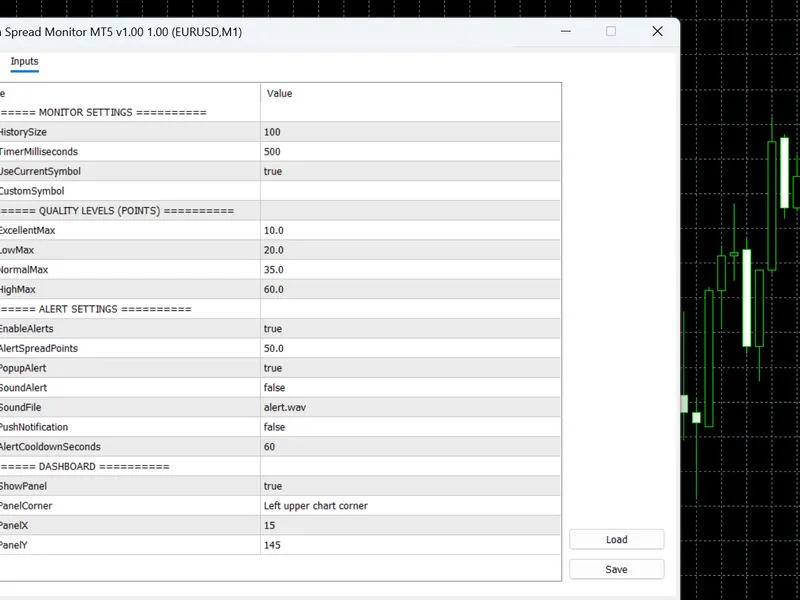
The indicator offers several customizable inputs: timeframe, number of days to analyze, statistical method, time zone selection, option to skip zero spreads, the three color threshold limits, table position, font size, and CSV export toggle.
Testing and Validation:
The indicator's calculations have been rigorously compared against an independent analysis performed in Python, utilizing the IANA time zone database. This validation covered 24 hours x 8 days (including weekends) across five different configurations (median in server time, average in New York time, 90th percentile in London time, maximum in UTC, and median in Sydney time) for EURUSD and XAUUSD on a live demo account. No discrepancies were found across 3,840 comparisons.
Initial terminal startup may require a brief period for historical data to synchronize. The indicator includes a check to ensure data accuracy before calculation and will re-query data if needed after a 5-second delay if a symbol initially lacks bars.
Validator-style tests were also conducted within the Strategy Tester using EURUSD H1, GBPUSD M30, and EURUSD M1 timeframes. These tests reported no errors, no visual output in the tester, and successfully processed 663,241 M1 bars without any copy failures.
The accompanying screenshot illustrates the indicator on a live EURUSD chart (New York time), clearly showing the red row for the 17:00 rollover hour.
You may also like: Spread Profile by Hour - excellent alternative for indicator users on MetaTrader 5.
Source Code
#property copyright "RobotFX"
#property version   "1.00"
#property description "This code is educational. Feel free to use, modify and upgrade as you wish. Visit ROBOTFX.ORG for professional trading tools"
#property indicator_chart_window
#property indicator_buffers 1
#property indicator_plots   0
#include "BrokerTime.mqh"
enum ENUM_SHM_STAT
  {
   SHM_MEDIAN  = 0,
.......
⚠ Limitations & Risk Warning
- This tool is provided for educational and testing purposes only.
- Past performance does not guarantee future results.
- Trading involves substantial risk of loss. Use on a demo account first.
- Results may vary depending on market conditions, broker, and settings.
- We recommend thorough backtesting and forward testing before using with real funds.