
Currency Exposure and Leverage Monitor: Analyze Your Real Risk
Info
The Currency Exposure and Leverage Monitor: Analyze Your Real Risk is a Indicator for MetaTrader 5 that the currency exposure and leverage monitor analyzes your open positions, breaking them down by the currencies they involve. It quanties your actual exposure to each currency in your account's currency.
Usage
This tool is typically used for enhancing chart analysis and decision making.
Platform
This Indicator works exclusively on MetaTrader 5 (both build 600+ and newer versions).
Setup
Place the downloaded file in MQL5/Indicators folder via File ? Open Data Folder in MetaTrader 5.
How to Install and Use Currency Exposure and Leverage Monitor: Analyze Your Real Risk
1. Installation: Place your file in the MQL/Indicators folder via "Open Data Folder" and restart your terminal.
2. Loading: Find the indicator in the Navigator, drag it onto your chart, and configure the input parameters in the popup window.
3. Customization: Press Ctrl+I to open the indicator list, select your tool, and click "Properties" to change colors, levels, or visual styles.
4. Updating: Replace the old file in the Indicators folder with the new version and restart the platform to apply changes.
Frequently Asked Questions
Q: Why is my indicator not showing? A: Verify the file is in the MQL/Indicators folder, or try right-clicking the "Indicators" tree in the Navigator and clicking "Refresh."
Q: Do custom indicators slow down the platform? A: Too many complex indicators can impact performance; remove unused ones via the "Indicator List" (Ctrl+I).
Q: Can I use MT4 indicators on MT5? A: No, MQL4 and MQL5 are distinct languages; ensure the indicator is compiled specifically for your platform version.
What this tool does
The Currency Exposure and Leverage Monitor analyzes your open positions, breaking them down by the currencies they involve.
Typical Use Case
This Indicator excels in automated trading and technical analysis on MetaTrader 5.
Compatible Platform & Setup
This Indicator works on MetaTrader 5. Place the file in the MQL5/Indicators folder and restart the terminal.
Description & Settings
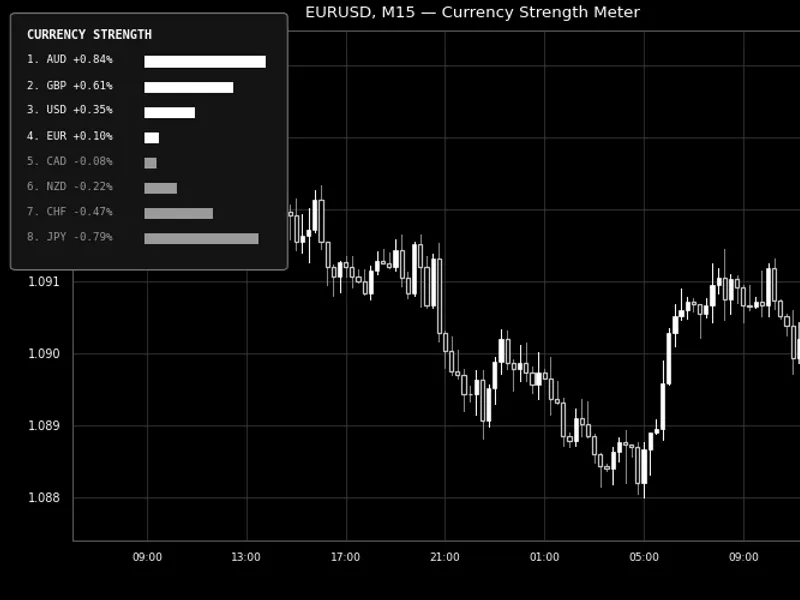
Related: Currency Strength Meter - another powerful indicator for MetaTrader 5 traders.
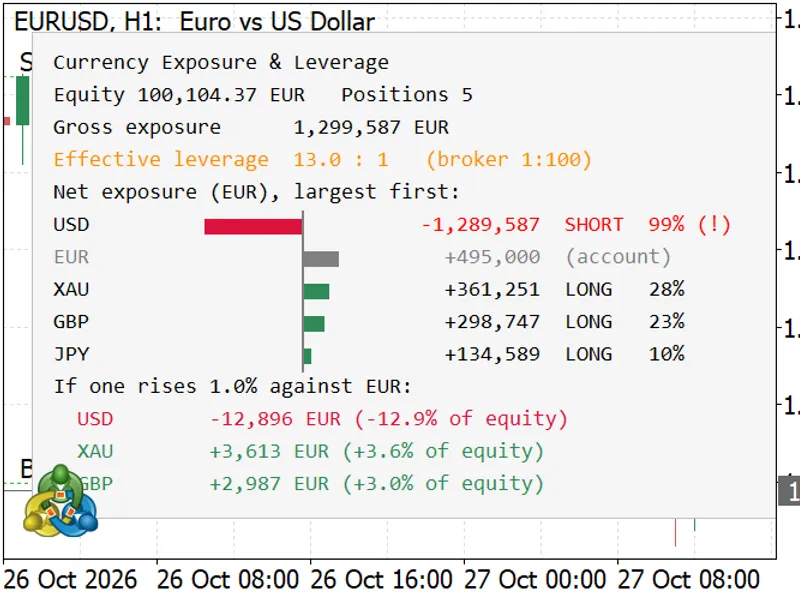
The Currency Exposure and Leverage Monitor analyzes your open positions, breaking them down by the currencies they involve. It quanties your actual exposure to each currency in your account's currency. For instance, a buy order on EURUSD means you are long EUR and short USD. Similarly, buy orders on GBPUSD and Gold also contribute to being short USD. Three seemingly unrelated trades could represent a significant combined bet against a single currency, a risk not apparent from the standard position list. This tool also displays your account's effective leverage and quantifies potential equity changes from a 1% currency movement. It serves solely as an analysis tool; it does not execute, modify, or close orders. As an indicator, it operates on the same chart as your trading Expert Advisor.Also recommended: currency exposure monitor for systemic risk management - similar indicator with strong performance on MetaTrader 5.
Features
Net exposure per currency
- Each position is divided into its bought and sold currency components. These are aggregated per currency and displayed in account currency. The largest exposures are shown first as bars relative to a zero axis (long positions to the right, short positions to the left), indicating the amount and the proportion of gross exposure.
Effective leverage
- Calculated as the gross notional value of all positions divided by your equity. For example, 12.9:1. This value is displayed alongside the leverage limit set by your broker. The effective leverage is color-coded green, orange, or red based on two configurable thresholds.
Sensitivity analysis
- For your three largest exposures, the monitor shows the estimated change in equity if that specific currency moves by 1% (or a user-defined percentage) against the account currency, presented in both monetary value and as a percentage of equity.
Concentration warning
- A row is flagged with (!) if a single currency constitutes more than a configurable percentage (default 50%) of the gross exposure, highlighting potential risk concentration.
Visibility of hidden offsets
- Opposite currency legs in trades are shown. For example, a buy on EURUSD and a buy on USDCHF result in minimal USD exposure. This tool reveals the net exposure, such as a long EUR / short CHF position, which is not explicitly shown in the trade list.
Metals, crypto, and CFDs
- Symbols like Gold (XAU) and Bitcoin (BTC) are treated like currencies, split into their components. Indices, shares, and commodities with the same base and profit currency are displayed as distinct asset rows (e.g., US500).
Tooltip details
- Hover over any row to view the specific positions that comprise that currency's exposure.
Magic number filter
- Option to analyze the entire account or filter positions belonging to a specific Expert Advisor using its magic number. Multiple instances can be used on a single chart, each with its own magic number and designated corner.
Display scaling
- The panel automatically adjusts to screen DPI settings, maintaining its proportions on displays with different scaling levels.
How to Use
Attach this indicator to any chart. The chart's symbol is irrelevant as the panel displays information for all open positions across the entire account.
Review the top section for key metrics: equity, gross exposure, and effective leverage.
Analyze the bars to identify the currency your account is most exposed to. Rows marked with (!) indicate the highest risk concentrations.
Before initiating new trades, consult the sensitivity lines to understand the potential impact of currency fluctuations on your equity.
Inputs
Input
Default
Description
Magic number filter (-1 = all positions)
-1
Counts only positions with this magic number; -1 includes all positions in the account.
Sensitivity: currency move, %
1.0
Defines the percentage change in a currency used for the sensitivity calculations.
Effective leverage warning level (x:1)
10
Sets the effective leverage threshold at which the value turns orange.
Effective leverage high level (x:1)
20
Sets the effective leverage threshold at which the value turns red.
Concentration warning, % of gross exposure
50
A currency exceeding this percentage of the gross exposure will be marked with (!).
Show account currency row
true
Determines whether to display the account currency row, which has no exchange-rate risk and is shown in gray. Can be hidden.
Maximum rows in the table
10
Rows below this limit are summarized as "+N more".
Panel corner
Left upper
Specifies the chart corner where the panel will be displayed.
Panel font size
9
Sets the font size for the panel text. The entire layout scales accordingly.
Panel text color / Panel background color
Black / WhiteSmoke
Configures the panel's text and background colors. A light background enhances readability on dark charts.
Long exposure bar color / Short exposure bar color
SeaGreen / Crimson
Sets the colors for the long and short exposure bars.
Refresh interval, seconds
1
The timer interval for panel refreshes. The panel is only redrawn if positions, prices, or equity change.
Notes
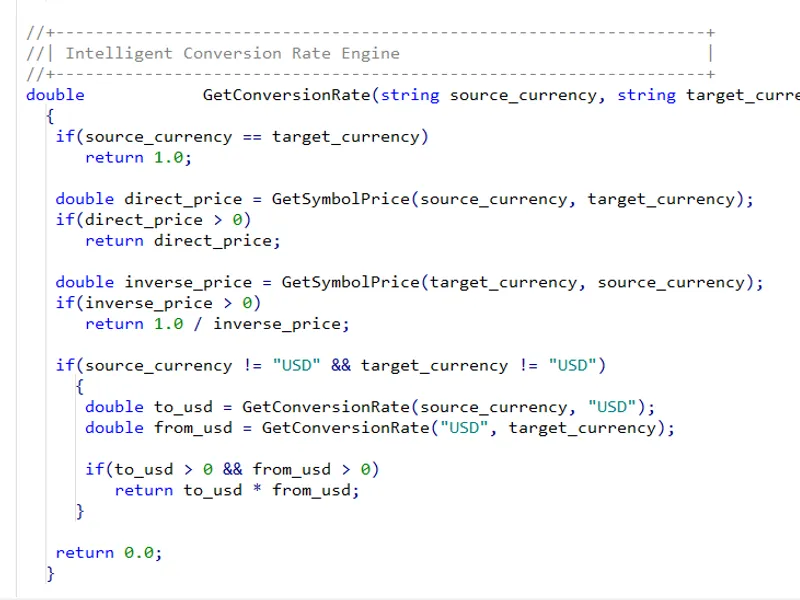
Exposure is calculated as the notional value of positions at current prices, converted to the account currency. For forex, metals, and CFDs, this is volume × contract size × price, converted using the exchange rate of the profit currency obtained from a forex symbol in Market Watch. For futures, the contract's tick value is used. For some CFDs, the reported tick value by brokers may not align with the contract specifications and is therefore not utilized.
The conversion rate is derived from a forex pair in Market Watch that is quoted in, or based on, the profit currency. If no such pair is available, the broker's tick value is used as a fallback. A position is marked as skipped only if its symbol lacks current price data. Bonds, which are priced as a percentage of face value, are also skipped.
Sensitivity estimates are linear calculations based on current rates and do not account for swaps, commissions, currency correlations, or fluctuations in other rates.
For CFDs on indices, shares, and commodities, currency risk is applied only to the floating profit, not the entire notional value. Consequently, these are displayed as assets rather than being split into currencies.
Pending orders are not included in the analysis.
This tool is a single file with no external dependencies. It compiles with zero errors and zero warnings.
Screenshots
You may also like: us dollar index (usdx) multicurrency indicator - excellent alternative for indicator users on MetaTrader 5.
Source Code
#property copyright "RobotFX"
#property link "https://robotfx.org"
#property version   "1.00"
#property description "This code is educational. Feel free to use, modify and upgrade as you wish. Visit ROBOTFX.ORG for professional trading tools"
#property indicator_chart_window
#property indicator_buffers 0
#property indicator_plots   0
#include <Trade\AccountInfo.mqh>
#include <Trade\PositionInfo.mqh>
#include <ChartObjects\ChartObjectsTxtControls.mqh>
.......
⚠ Limitations & Risk Warning
- This tool is provided for educational and testing purposes only.
- Past performance does not guarantee future results.
- Trading involves substantial risk of loss. Use on a demo account first.
- Results may vary depending on market conditions, broker, and settings.
- We recommend thorough backtesting and forward testing before using with real funds.