










crash spike trade pattern
Info
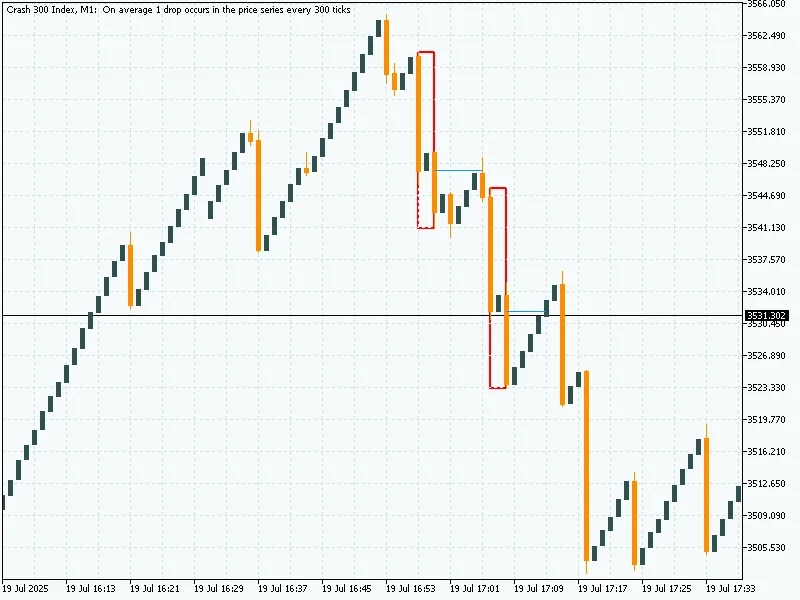
The crash spike trade pattern is a Indicator for MetaTrader 5 that this mt5 indicator detects crash market spike patternsusing a specific 3-candle formation:red-green-redcandle pattern (where red candles are strong spikes and the green is a middle retracement). when the pattern is found, it draws a boxaround the high/low of those 3 candles.
Usage
This tool is typically used for enhancing chart analysis and decision making.
Platform
This Indicator works exclusively on MetaTrader 5 (both build 600+ and newer versions).
Setup
Place the downloaded file in MQL5/Indicators folder via File ? Open Data Folder in MetaTrader 5.
How to Install and Use crash spike trade pattern
1. Installation: Place your file in the MQL/Indicators folder via "Open Data Folder" and restart your terminal.
2. Loading: Find the indicator in the Navigator, drag it onto your chart, and configure the input parameters in the popup window.
3. Customization: Press Ctrl+I to open the indicator list, select your tool, and click "Properties" to change colors, levels, or visual styles.
4. Updating: Replace the old file in the Indicators folder with the new version and restart the platform to apply changes.
Frequently Asked Questions
Q: Why is my indicator not showing? A: Verify the file is in the MQL/Indicators folder, or try right-clicking the "Indicators" tree in the Navigator and clicking "Refresh."
Q: Do custom indicators slow down the platform? A: Too many complex indicators can impact performance; remove unused ones via the "Indicator List" (Ctrl+I).
Q: Can I use MT4 indicators on MT5? A: No, MQL4 and MQL5 are distinct languages; ensure the indicator is compiled specifically for your platform version.
What this tool does
this mt5 indicator detects crash market spike patternsusing a specific 3-candle formation:red-green-redcandle pattern (where red candles are strong spikes and the green is a middle retracement).
Typical Use Case
This Indicator excels in automated trading and technical analysis on MetaTrader 5.
Compatible Platform & Setup
This Indicator works on MetaTrader 5. Place the file in the MQL5/Indicators folder and restart the terminal.
Description & Settings
Related: EVT Crash Gauge: Advanced Tail-Risk Measurement - another powerful indicator for MetaTrader 5 traders.
this mt5 indicator detects
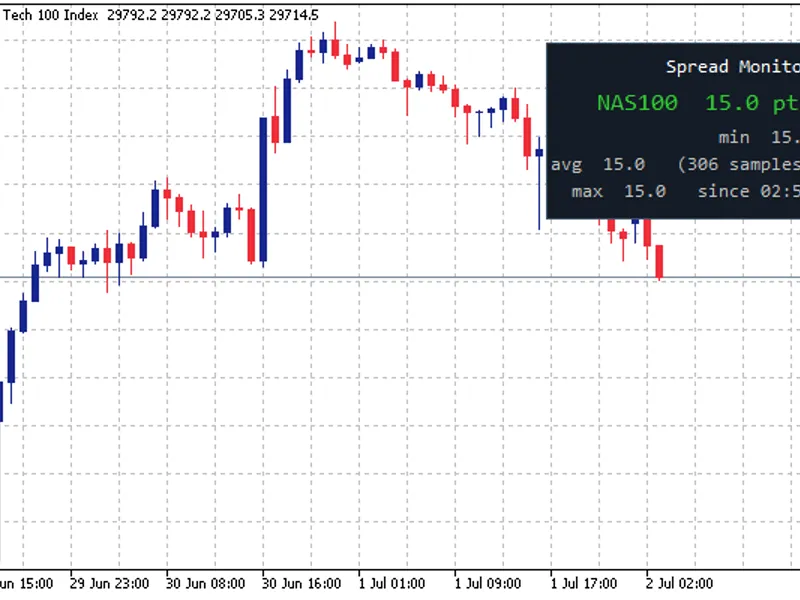
Also recommended: Spread Monitor Panel: Live Spread and Spike Alerts - similar indicator with strong performance on MetaTrader 5.
crash market spike patternsusing a specific
3-candle formation
:
red-green-red
candle pattern (where red candles are strong spikes and the green is a middle retracement).
when the pattern is found, it
draws a box
around the high/low of those 3 candles.
it also plots a
horizontal entry line
at the
middle candle’s open price
.
the line stays active until price returns to that level (mitigation).
once the
entry price is hit (mitigated)
, the entry line is replaced by a
shorter fixed line
from the pattern to the mitigation candle.
it works on both
historical and real-time candles
.
visually helps identify potential
return-to-zone trading opportunities
.
this indicator detects a
specific bearish spike formation
over 3 candles:
candle 1
:
bearish (red candle).
long wick.
body must be
greater than 70%
of the total candle range (i.e., a strong spike).
candle 2 (middle)
:
bullish (green candle).
can be any size; just needs to be positive.
candle 3
:
bearish again.
same condition as candle 1: body > 70% of full range.
when this pattern is found:
it identifies a
"supply zone"
created by aggressive selling.
a
box
is drawn around the high and low of the 3 candles.
an
entry line
is drawn at the
open price of the middle (green) candle
, expecting price to return.
core idea / strategy concept
this tool is based on the
smart money concept (smc)
— particularly the idea of
mitigation zones
and
supply/demand imbalances
.
after a
strong bearish impulse
, price often retraces back to the
origin of the move
(the middle candle).
the indicator marks that area visually as a
“mitigation zone”
.
once price
returns to this zone
(entry line), it is considered
"mitigated"
, and a trader may look for re-entry or reaction.
it
removes the entry line
after mitigation to keep the chart clean and optionally draws a
shorter line to show mitigation
.
practical use:
look for
return-to-box
trades.
works great in
confluence with other indicators
(like ema, obv, or order block confirmations).
You may also like: news spread risk dashboard (spike and gap monitor) - excellent alternative for indicator users on MetaTrader 5.
Source Code
/.......
⚠ Limitations & Risk Warning
- This tool is provided for educational and testing purposes only.
- Past performance does not guarantee future results.
- Trading involves substantial risk of loss. Use on a demo account first.
- Results may vary depending on market conditions, broker, and settings.
- We recommend thorough backtesting and forward testing before using with real funds.