


Price Extreme Indicator Expert Advisor
Info
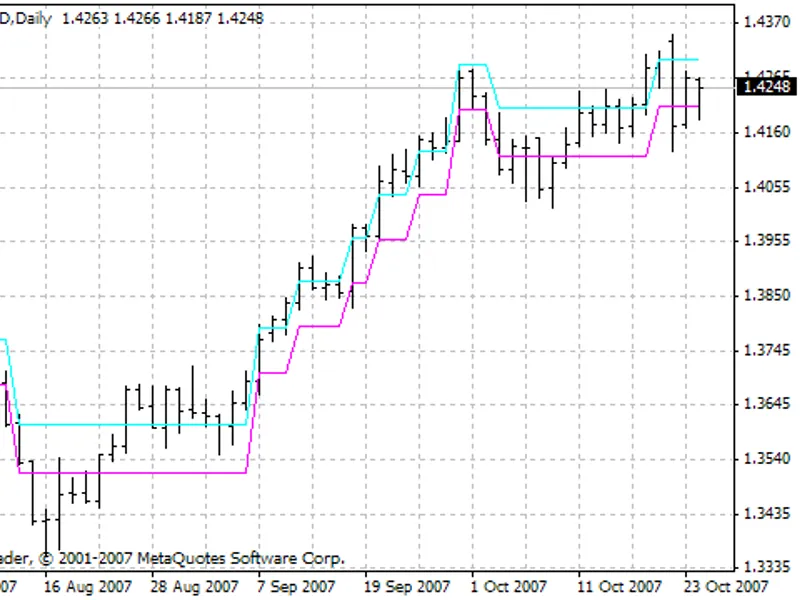
The Price Extreme Indicator Expert Advisor is a Expert Advisor for MetaTrader 5 that the expert advisor is based on the channel indicator, implementing a straightforward strategy. When the close price of a candlestick (default setting: 1) surpasses the upper channel border, a long position is initiated.
Usage
This tool is typically used for automated trading on major forex pairs and gold.
Platform
This Expert Advisor works exclusively on MetaTrader 5 (both build 600+ and newer versions).
Setup
Place the downloaded file in MQL5/Experts folder via File ? Open Data Folder in MetaTrader 5.
How to Install and Use Price Extreme Indicator Expert Advisor
1. Installation: Open the "File" menu, select "Open Data Folder," navigate to MQL/Experts, paste your file, and restart the terminal.
2. Activation: Drag the EA from the Navigator onto a chart, ensure "Allow live trading" is checked in the Common tab, and verify the AutoTrading button is green.
3. Optimization: Right-click your chart, choose "Expert List," click "Properties" to adjust inputs, and save your preferred setup as a set file for future use.
4. Maintenance: Regularly check the "Experts" tab in the terminal window to monitor trade logs and potential execution errors.
Frequently Asked Questions
Q: Why is my EA not opening trades? A: Check the "AutoTrading" button, ensure "Allow live trading" is enabled, and verify your broker allows automated trading on your account type.
Q: Can I run multiple EAs on one chart? A: No, each chart can only host one active EA; however, you can open multiple charts for different currency pairs to run several EAs.
Q: What does the "smiley face" icon mean? A: A smiley face in the top-right corner of the chart indicates the EA is successfully running; a frowny face means it is disabled.
What this tool does
The Expert Advisor is based on the channel indicator, implementing a straightforward strategy.
Typical Use Case
This Expert Advisor excels in automated trading and technical analysis on MetaTrader 5.
Compatible Platform & Setup
This Expert Advisor works on MetaTrader 5. Place the file in the MQL5/Experts folder and restart the terminal.
Description & Settings
Related: Accurate Broker GMT Offset and Daylight Saving Time Rules from Price History - another powerful expert for MetaTrader 5 traders.
The Expert Advisor is based on the channel indicator, implementing a straightforward strategy.Also recommended: Session Reality Auditor: Verifying Broker Session Data Against Historical Price Activity - similar expert with strong performance on MetaTrader 5.
When the close price of a candlestick (default setting: 1) surpasses the upper channel border, a long position is initiated. Conversely, if the close price dips below the lower border, a short position is opened. These positions are triggered on each new bar that meets the specified conditions. If a buy signal arises while there are open sell positions, the EA closes the sell positions and opens a buy position. The same principle applies to sell signals.
This Expert Advisor offers flexibility by allowing users to enable or disable long and short trades and to reverse indicator signals, facilitating buy or sell actions based on the signal direction. Users can also set stop loss and take profit values in points. If invalid values are entered, the EA adjusts them to the minimum stoplevel permitted for the symbol.
The EA automatically corrects lot values if they are invalid. If the lot is too large, the EA modifies it to enable position opening. In cases where there are insufficient funds for the minimum lot, the signal is ignored.
For optimal functionality, the EA requires the compiled indicator file 'price_extreme_indicator'. It is designed for training and strategy testing purposes.
The EA encompasses 11 configurable parameters:
- Experts Magic Number: A unique identifier for the EA to distinguish its positions.
- Length of Levels of Indicator: A parameter of the price_extreme_indicator.
- Bar of Signals: The bar from which indicator signals are utilized (default: 1).
- Long Positions Enabled: Option to allow opening long positions.
- Short Positions Enabled: Option to allow opening short positions.
- Reverse Trade: Enable or disable signal reversal.
- Lots: Position volume.
- Stop Loss in Points: Stop loss value in points (default: 0, not used).
- Take Profit in Points: Take profit value in points (default: 0, not used).
- Slippage Price: Allowable price slippage in points.
- Multiplier Spread for Stops: Spread multiplier for calculating the minimum distance for stop orders. This parameter addresses the issue of stoplevel, which represents the minimum allowed distance for placing stop loss, take profit, and pending orders. If stoplevel is zero, it doesn't indicate absence but rather a floating value, typically equal to spread*. This parameter allows for a custom multiplier to ensure accurate stop order placement.
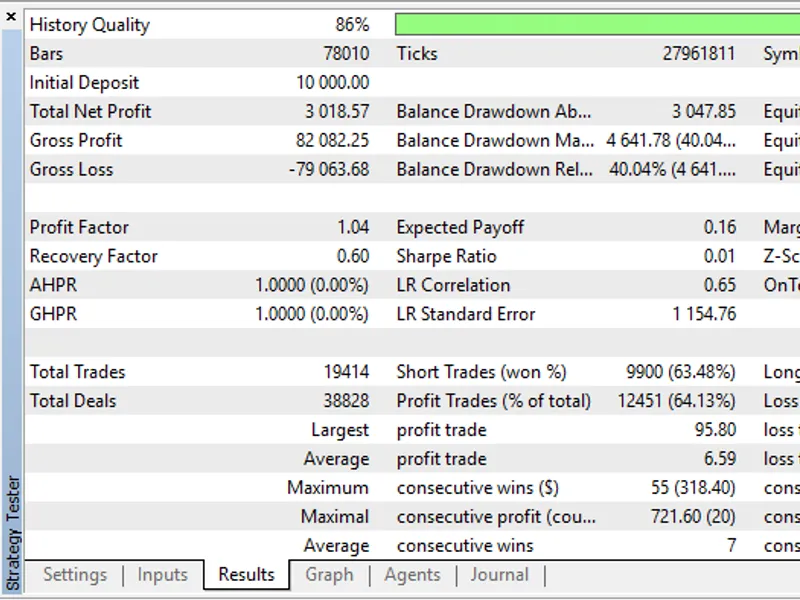
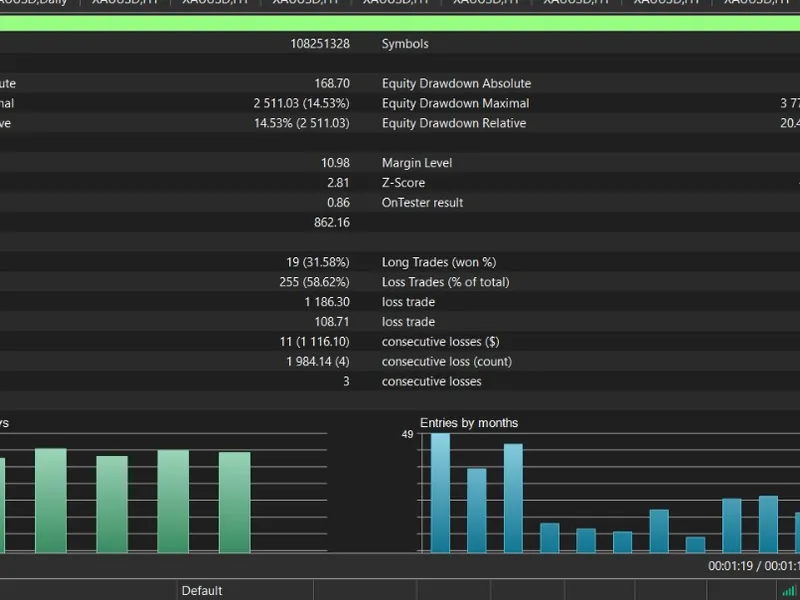
Testing was conducted using default settings and data from 2026.01.02 to 2026.01.19. Initially, the EA performed poorly, losing the deposit at the start of the testing period. Subsequent testing with reversed signals yielded more promising results.
Testing Details:
- Period: M5
- Testing Interval: 2026.01.02 - 2026.01.19
- Parameters: All default except for reverse trade enabled
The testing graph reveals the EA's sensitivity to market conditions (trend/flat). It performed well during flat periods but struggled during trending periods. This suggests that the strategy could be enhanced by adapting the EA's behavior based on market trends.
You may also like: mtf price action scalper ea - excellent alternative for expert users on MetaTrader 5.
Source Code
/.......
⚠ Limitations & Risk Warning
- This tool is provided for educational and testing purposes only.
- Past performance does not guarantee future results.
- Trading involves substantial risk of loss. Use on a demo account first.
- Results may vary depending on market conditions, broker, and settings.
- We recommend thorough backtesting and forward testing before using with real funds.