OHLC M T F Scalper EA - Multi-Timeframe Price Action
This software component for MetaTrader 5 is built to enhance the capabilities of your trading environment. This Expert Advisor serves as automated trading software. It is utilized to monitor financial markets and execute trades based on predefined algorithmic rules, enabling precise position management without the need for constant manual oversight.
How to Setup and Use OHLC M T F Scalper EA - Multi-Timeframe Price Action
1. Installation: Open the "File" menu, select "Open Data Folder," navigate to MQL/Experts, paste your file, and restart the terminal.
2. Activation: Drag the EA from the Navigator onto a chart, ensure "Allow live trading" is checked in the Common tab, and verify the AutoTrading button is green.
3. Optimization: Right-click your chart, choose "Expert List," click "Properties" to adjust inputs, and save your preferred setup as a set file for future use.
4. Maintenance: Regularly check the "Experts" tab in the terminal window to monitor trade logs and potential execution errors.
Frequently Asked Questions
Q: Why is my EA not opening trades? A: Check the "AutoTrading" button, ensure "Allow live trading" is enabled, and verify your broker allows automated trading on your account type.
Q: Can I run multiple EAs on one chart? A: No, each chart can only host one active EA; however, you can open multiple charts for different currency pairs to run several EAs.
Q: What does the "smiley face" icon mean? A: A smiley face in the top-right corner of the chart indicates the EA is successfully running; a frowny face means it is disabled.
Description & Settings
This Expert Advisor is a pure price action trading system. It does not use any standard lagging indicators like moving averages or oscillators. Instead, it reads the exact OHLC (Open, High, Low, Close) data across multiple timeframes to find precise entry points based on market structure.
The core idea of the strategy is to align the momentum of lower timeframes with the structural highs and lows of higher timeframes. For example, the EA can evaluate if the previous H1 High is greater than the H4 High, while simultaneously checking M5 breakouts, executing a trade only when all selected timeframes confirm the direction.
Main Strategy Components:
MTF Structure Alignment:
Compares Previous Highs and Lows across predefined timeframes (H1, H4, Daily).
Role Reversals:
Identifies when a previous High flips to become a new Low (Support/Resistance flip).
Breakout and Continuation:
Triggers orders based on candle closes breaching critical structure levels.
Pending Orders Execution:
Places Limit or Stop orders exactly at the structural levels instead of jumping in at market price.
Recommended Environment:
Symbols:
Works best on highly liquid and trending assets like XAUUSD or BTCUSD.
Timeframe:
Attach the EA to the H1 chart (the internal logic will automatically pull data from M5, M30, H4, and D1 as configured).
Input Parameters Explanation:
The EA is highly modular, allowing the user to enable or disable any specific condition.
Look_Back_Bar / Look_Forward_Bar:
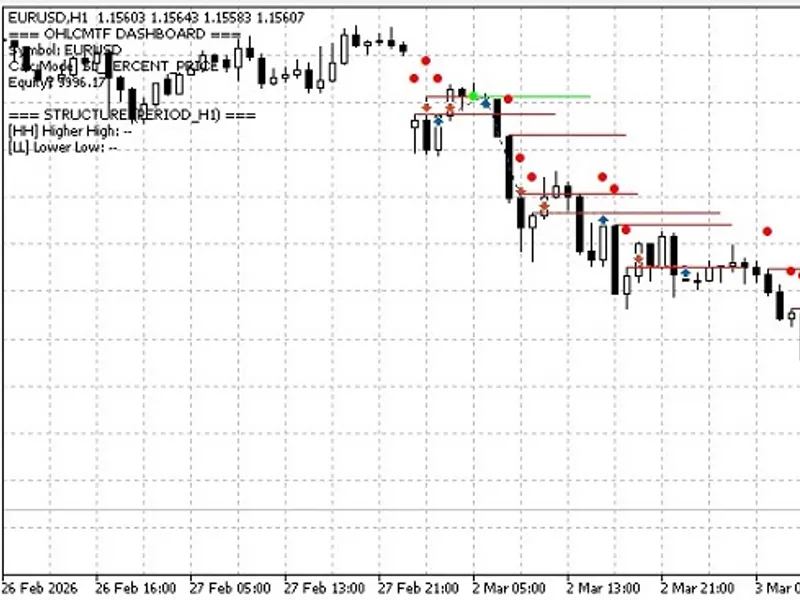
Controls the scanning depth for previous structures and the length of the horizontal visual lines drawn on the chart.
Buy/Sell Conditions:
A set of boolean switches to enable specific MTF comparisons (e.g., 60m High > 240m High).
Lower Timeframes:
Enables fast execution logic combining M5 with M30 or H1.
SL_Mode:
Choose between Fixed Points, % of Balance, or fixed USD Amount for dynamic position sizing.
Use_Break_Even & Auto_Expiration:
Moves stop loss to entry after reaching a safe distance and cancels pending orders after a specified time in minutes.
Dot_Offset:
A visual adjustment to draw signal dots away from the candles, ensuring the price action remains fully visible to the trader.