
hunter, liquidity library and fvg detection library
Info
The hunter, liquidity library and fvg detection library is a Expert Advisor for MetaTrader 5 that **hunter ea v2** **core strategy:** * **dual trading modes:** 1. **standard fvg mode:** enters a trade when any candle touches an active fair value gap and the fvg's direction (bullish/bearish) aligns with the established daily bias from the liquidity library.
Usage
This tool is typically used for automated trading on major forex pairs and gold.
Platform
This Expert Advisor works exclusively on MetaTrader 5 (both build 600+ and newer versions).
Setup
Place the downloaded file in MQL5/Experts folder via File ? Open Data Folder in MetaTrader 5.
How to Install and Use hunter, liquidity library and fvg detection library
1. Installation: Open the "File" menu, select "Open Data Folder," navigate to MQL/Experts, paste your file, and restart the terminal.
2. Activation: Drag the EA from the Navigator onto a chart, ensure "Allow live trading" is checked in the Common tab, and verify the AutoTrading button is green.
3. Optimization: Right-click your chart, choose "Expert List," click "Properties" to adjust inputs, and save your preferred setup as a set file for future use.
4. Maintenance: Regularly check the "Experts" tab in the terminal window to monitor trade logs and potential execution errors.
Frequently Asked Questions
Q: Why is my EA not opening trades? A: Check the "AutoTrading" button, ensure "Allow live trading" is enabled, and verify your broker allows automated trading on your account type.
Q: Can I run multiple EAs on one chart? A: No, each chart can only host one active EA; however, you can open multiple charts for different currency pairs to run several EAs.
Q: What does the "smiley face" icon mean? A: A smiley face in the top-right corner of the chart indicates the EA is successfully running; a frowny face means it is disabled.
What this tool does
**hunter ea v2** **core strategy:** * **dual trading modes:** 1.
Typical Use Case
This Expert Advisor excels in automated trading and technical analysis on MetaTrader 5.
Compatible Platform & Setup
This Expert Advisor works on MetaTrader 5. Place the file in the MQL5/Experts folder and restart the terminal.
Description & Settings
Related: liquidity sweep h4 - m15 (swing highs and lows) / mq l5 - another powerful expert for MetaTrader 5 traders.
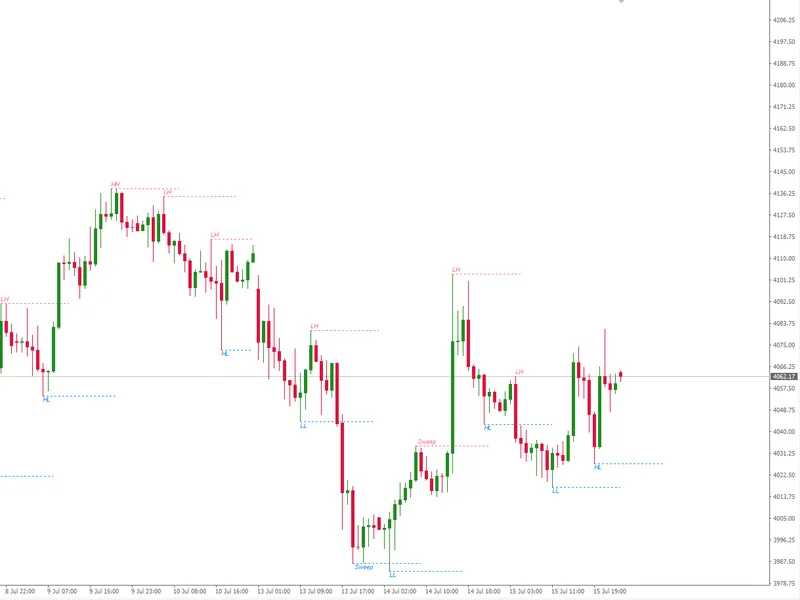
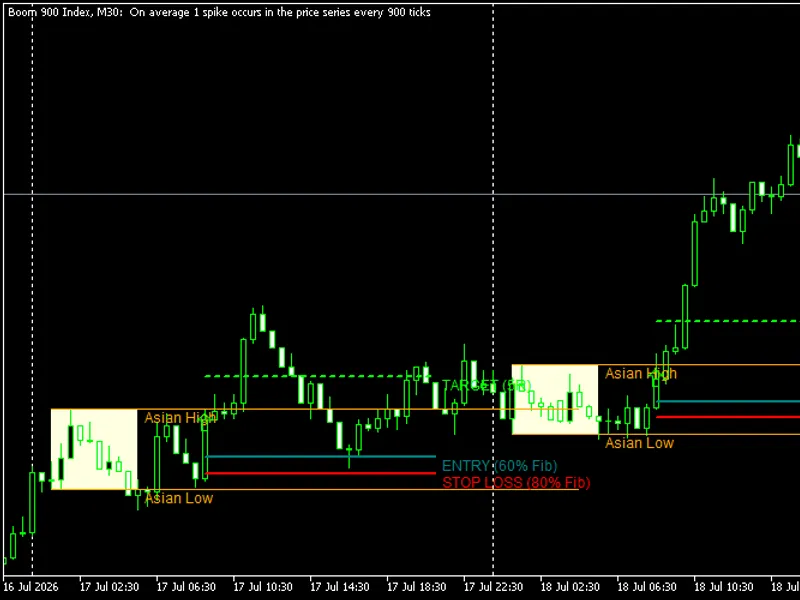
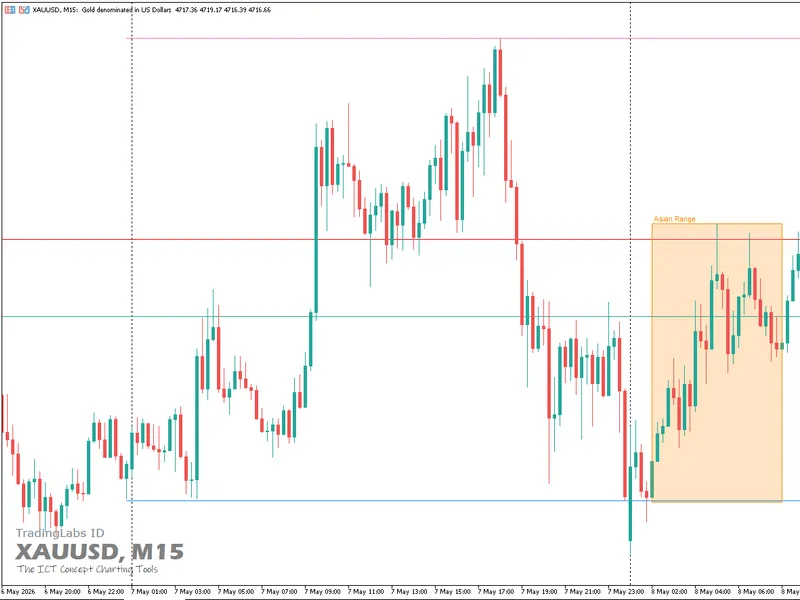
**hunter ea v2** **core strategy:** * **dual trading modes:** 1. **standard fvg mode:** enters a trade when any candle touches an active fair value gap and the fvg's direction (bullish/bearish) aligns with the established daily bias from the liquidity library. 2. **encroachment mode (recommended):** a more conservative approach that waits for price to touch the fvg's midpoint (encroachment point) and close with a directional bias that matches the daily bias. this provides higher confirmation before entry. * **bias confluence:** all trades require alignment between the market's structural bias (from liquiditylibrary) and the immediate price action signal (from fvglibrary). a bullish daily bias only triggers buys from bullish fvgs or bullish encroachments, and vice versa for bearish. * **risk management:** includes an optional stop loss (in account currency, e.g., $2) alongside the fixed profit target. this creates a defined risk-reward profile for each trade. **key features:** * **flexible fvg detection:** configurable timeframe and minimum gap size for fvg detection, allowing adaptation to different instruments and volatility profiles. * **smart trade tracking:** prevents re-entering the same fvg setup and logs the relationship between each trade and its triggering fvg id. * **enhanced logging:** provides detailed real-time console output for fvg formation, encroachment events, bias updates, and trade execution logic. * **visual object toggle:** option to draw fvg zones (boxes) and encroachment points on the chart for visual strategy confirmation and backtesting. (needs to be fixed) * **callback-driven architecture:** efficiently responds to events from the fvg library (formation, encroachment, reset) without constant polling. **liquiditylibrary.mqh** a comprehensive institutional liquidity detection and tracking library built on ict smart money concepts. this modular component identifies, categorizes, and monitors key market levels where stop losses accumulate—known as liquidity pools—providing essential targets for price movement (draw on liquidity) across multiple timeframes and sessions. **core capabilities:** * **multi-type liquidity detection:** identifies swing highs/lows, equal highs/lows, session extremes, and historical levels (previous day/week high/low). * **session management:** tracks all major trading sessions (sydney, tokyo, london, new york) plus specialized "silver bullet" windows for high-probability targeting. * **daily bias engine:** calculates market bias based on the relationship between the current price and key historical levels (pdh/pdl), determining the primary "draw on liquidity" target. * **sweep detection:** monitors when liquidity levels are breached ("swept"), signaling potential shifts in market structure and invalidating those levels as future targets. * **failure to displace logic:** identifies when price attempts but fails to break through a key level, indicating potential bias reversal. **key features:** * **visual plotting:** automatically draws color-coded horizontal lines on the chart for each liquidity type (red for highs, green for lows, orange/aqua for pdh/pdl). * **priority system:** ranks liquidity targets for each silver bullet session, ensuring the ea focuses on the most relevant institutional levels. * **event callback system:** notifies the main ea in real-time when liquidity events occur (creation, sweep, failure). * **dynamic array management:** efficiently handles an unlimited number of liquidity levels with automatic memory allocation. * **statistical reporting:** provides detailed logs and counts of active vs. swept liquidity levels for strategy analysis. **fvglibrary.mqh** a sophisticated fair value gap (fvg) detection and analysis library built on ict smart money concepts. this modular component automatically identifies, tracks, and manages institutional price inefficiencies—areas where price moved too quickly, leaving "unfilled" zones that markets tend to revisit. **core capabilities:** * **automatic fvg detection:** scans each new candle to identify three-candle patterns that create gaps between the high of the oldest candle and the low of the newest candle (bullish fvg) or the low of the oldest and high of the newest (bearish fvg). filters by a user-defined minimum gap size. * **encroachment point calculation:** for each fvg, calculates a precise midpoint (50% level) known as the encroachment (enc) point. this level acts as a trigger zone for potential trade entries. * **directional bias determination:** monitors price action as it touches the enc point. determines a directional bias ("bullish" or "bearish") based on whether the candle closes above or below the enc point, providing a clear signal for trade direction. * **inverse fvg & reset logic:** identifies when a candle "shoots through" an fvg (opening on one side and closing on the other), which invalidates the fvg and marks it as "reset," preventing false signals. * **high accuracy mode:** optional mode that performs encroachment checks on a lower timeframe (e.g., 1-minute) for more precise entry timing. **key features:** * **event callback system:** notifies the main ea in real-time about key fvg events (formation, encroachment, reset) for efficient, event-driven trading logic. * **visual plotting:** can automatically plot colored dots on the chart: green for bullish fvgs, red for bearish, orange/blue for encroachment with bias. * **trade association:** links executed trade tickets to specific fvg ids, enabling detailed performance analysis per setup. * **dynamic array management:** efficiently handles an expanding list of fvgs with automatic memory allocation. * **statistical reporting:** tracks the total number of fvgs, active vs. filled rates, and provides performance insights.Also recommended: Exp Color Trend CF - similar expert with strong performance on MetaTrader 5.
You may also like: exp color xm u v tm - excellent alternative for expert users on MetaTrader 5.
⚠ Limitations & Risk Warning
- This tool is provided for educational and testing purposes only.
- Past performance does not guarantee future results.
- Trading involves substantial risk of loss. Use on a demo account first.
- Results may vary depending on market conditions, broker, and settings.
- We recommend thorough backtesting and forward testing before using with real funds.