





single moving average trading optimization
Info
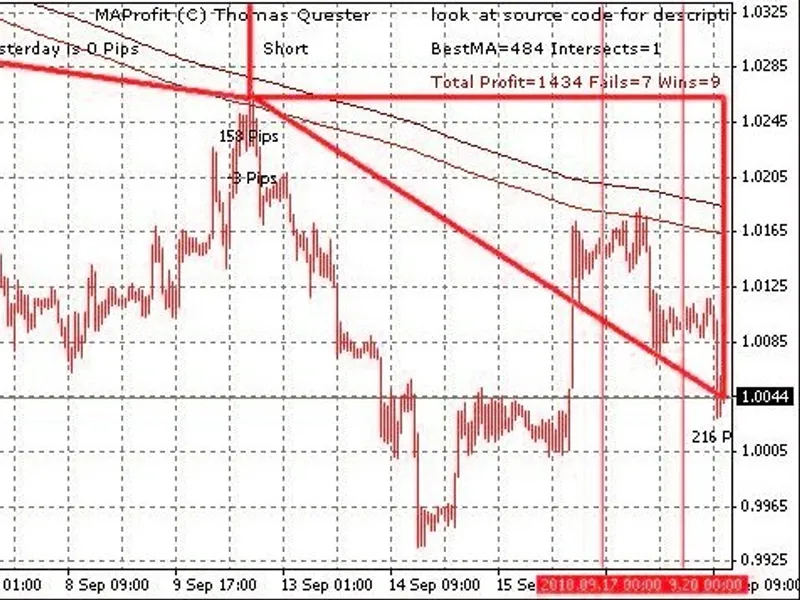
The single moving average trading optimization is a Indicator for MetaTrader 4 that this code is based on the concept of ma profit, but utilizes a single moving average instead of a cross moving average system. by employing a single moving average, optimization is significantly faster.
Usage
This tool is typically used for enhancing chart analysis and decision making.
Platform
This Indicator works exclusively on MetaTrader 4 (both build 600+ and newer versions).
Setup
Place the downloaded file in MQL4/Indicators folder via File ? Open Data Folder in MetaTrader 4.
How to Install and Use single moving average trading optimization
1. Installation: Place your file in the MQL/Indicators folder via "Open Data Folder" and restart your terminal.
2. Loading: Find the indicator in the Navigator, drag it onto your chart, and configure the input parameters in the popup window.
3. Customization: Press Ctrl+I to open the indicator list, select your tool, and click "Properties" to change colors, levels, or visual styles.
4. Updating: Replace the old file in the Indicators folder with the new version and restart the platform to apply changes.
Frequently Asked Questions
Q: Why is my indicator not showing? A: Verify the file is in the MQL/Indicators folder, or try right-clicking the "Indicators" tree in the Navigator and clicking "Refresh."
Q: Do custom indicators slow down the platform? A: Too many complex indicators can impact performance; remove unused ones via the "Indicator List" (Ctrl+I).
Q: Can I use MT4 indicators on MT5? A: No, MQL4 and MQL5 are distinct languages; ensure the indicator is compiled specifically for your platform version.
What this tool does
this code is based on the concept of ma profit, but utilizes a single moving average instead of a cross moving average system.
Typical Use Case
This Indicator excels in automated trading and technical analysis on MetaTrader 4.
Compatible Platform & Setup
This Indicator works on MetaTrader 4. Place the file in the MQL4/Indicators folder and restart the terminal.
Description & Settings
Related: Zero Lag Moving Average - another powerful indicator for MetaTrader 4 traders.
this code is based on the concept of ma profit, but utilizes a single moving average instead of a cross moving average system.Also recommended: dynamic moving average - similar indicator with strong performance on MetaTrader 4.
by employing a single moving average, optimization is significantly faster. it can efficiently evaluate all moving averages within the range of 10 to 1000 in a short time.
trading with a single moving average generates three signals, typically using larger moving averages such as 150 or even 500 or higher.
signal rules:
- curve below the candles: buy
- curve above the candles: sell
- curve is horizontal and frequently crosses the candles: close positions and wait
switching the period recalculates everything, allowing you to verify if different time frames (minute, hour, day, etc.) exhibit the same signal. a signal is generally stronger if it is consistent across multiple time frames. you can also switch to a lower time frame to identify entry points for long or short trades.
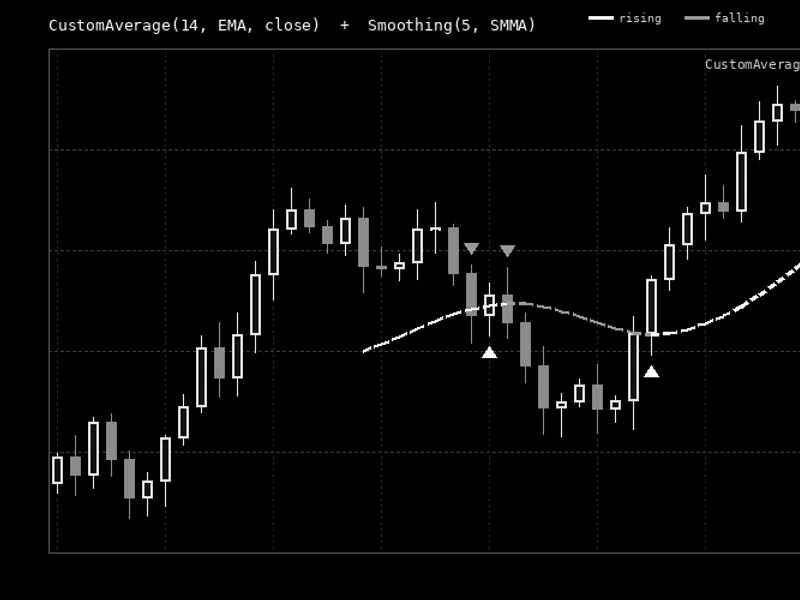
the indicator displays four types of triangles and provides status updates in its status line, including the count of good and wrong signals.
optimization can be performed in two modes:
- simulated trading: the best moving average is determined by the highest profit.
- intersection counting: the optimal moving average minimizes intersections between the curve and the candles.
parameters:
- extern bool boptimize=true; // enable optimization to find the best single ma by switching time frames
- extern bool boptimizeintersect=true; // optimize for minimum intersections or maximum profit
- extern int periodma=400; // manually define a period if optimization is disabled
- extern int method=0; // ma method: 0 = simple, 1 = exponential, 2 = smoothed, 3 = linear weighted
- extern bool drawtringles=true; // draw triangles for simulated trading
- extern int minma=5; // minimum test value for optimization
- extern int maxma=500; // maximum test value for optimization
- extern int stepma=1; // step for optimization, 1 tests every ma, 10 tests every 10th, etc.
- extern int countoptimize=300; // number of candles for optimization
- extern int repaintbars=3000; // number of candles for triangle drawing and win/loss calculation
- extern bool alarm=true; // enable visual alert for new signals
- extern bool bspeak=true; // enable speech alert using gspeak
moving average trading provides strong signals but also generates many false signals. further filtering techniques are being explored to enhance the signal accuracy for an upcoming moving average expert advisor.
use this strategy at your own risk.
You may also like: moving average of oscillator (osma) - excellent alternative for indicator users on MetaTrader 4.
Source Code
#property copyright "RobotFX"
#property link "https://robotfx.org"
#property indicator_chart_window
#property indicator_buffers 2
#property indicator_color1 Aqua
#property indicator_color2 Yellow
#import "speak.dll"
void gRate(int rate);
void gVolume(int rate);
void gPitch(int rate);
.......
⚠ Limitations & Risk Warning
- This tool is provided for educational and testing purposes only.
- Past performance does not guarantee future results.
- Trading involves substantial risk of loss. Use on a demo account first.
- Results may vary depending on market conditions, broker, and settings.
- We recommend thorough backtesting and forward testing before using with real funds.