






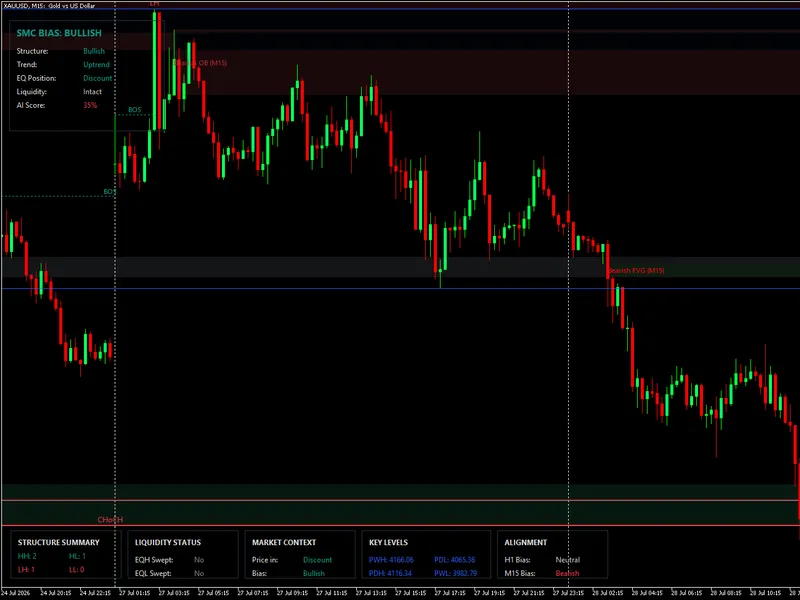


institutional ict killzones and asian range indicator
Info
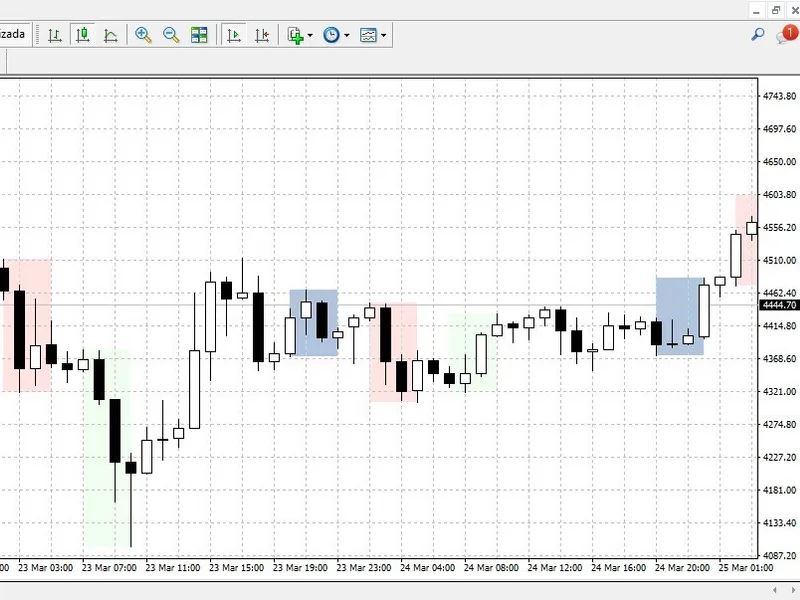
The institutional ict killzones and asian range indicator is a Indicator for MetaTrader 4 that the ict (inner circle trader) methodology relies on specific operating windows for algorithmic price delivery, emphasizing the importance of time alongside price. the market's liquidity accumulation during the asian session, manipulation during the london open, and distribution during the new york killzone are key.
Usage
This tool is typically used for enhancing chart analysis and decision making.
Platform
This Indicator works exclusively on MetaTrader 4 (both build 600+ and newer versions).
Setup
Place the downloaded file in MQL4/Indicators folder via File ? Open Data Folder in MetaTrader 4.
How to Install and Use institutional ict killzones and asian range indicator
1. Installation: Place your file in the MQL/Indicators folder via "Open Data Folder" and restart your terminal.
2. Loading: Find the indicator in the Navigator, drag it onto your chart, and configure the input parameters in the popup window.
3. Customization: Press Ctrl+I to open the indicator list, select your tool, and click "Properties" to change colors, levels, or visual styles.
4. Updating: Replace the old file in the Indicators folder with the new version and restart the platform to apply changes.
Frequently Asked Questions
Q: Why is my indicator not showing? A: Verify the file is in the MQL/Indicators folder, or try right-clicking the "Indicators" tree in the Navigator and clicking "Refresh."
Q: Do custom indicators slow down the platform? A: Too many complex indicators can impact performance; remove unused ones via the "Indicator List" (Ctrl+I).
Q: Can I use MT4 indicators on MT5? A: No, MQL4 and MQL5 are distinct languages; ensure the indicator is compiled specifically for your platform version.
What this tool does
the ict (inner circle trader) methodology relies on specific operating windows for algorithmic price delivery, emphasizing the importance of time alongside price.
Typical Use Case
This Indicator excels in automated trading and technical analysis on MetaTrader 4.
Compatible Platform & Setup
This Indicator works on MetaTrader 4. Place the file in the MQL4/Indicators folder and restart the terminal.
Description & Settings
Related: Institutional Ehlers Fisher Transform: Advanced Price Normalization for MT4 - another powerful indicator for MetaTrader 4 traders.
the ict (inner circle trader) methodology relies on specific operating windows for algorithmic price delivery, emphasizing the importance of time alongside price. the market's liquidity accumulation during the asian session, manipulation during the london open, and distribution during the new york killzone are key.Also recommended: institutional kyle's lambda market impact engine: revolutionizing volume analysis - similar indicator with strong performance on MetaTrader 4.
mt4's native limitations in visualizing these macro-sessions often lead traders to manually draw boxes and calculate broker server time differences. the institutional ict killzones indicator addresses this challenge.
core features:
- automated liquidity boxes: capture the asian range by identifying the highest high and lowest low, defining the liquidity pools.
- killzone highlighting: visually emphasize high-volatility windows for london and new york, aiding in avoiding dead zones.
- broker time offset: crucial for aligning with institutional time, this feature accommodates various broker server times (e.g., gmt+2, gmt+3, est) with a shift parameter.
- lightweight execution: optimized for mt4, it limits historical calculations to a user-defined number of days, ensuring terminal responsiveness and preventing memory leaks.
input parameters:
- daystocalculate: specify the number of days for historical box drawing, optimizing mt4 performance.
- broker_gmt_shift: adjust hours to align with new york midnight.
- session times: customize start and end times for asia, london, and new york.
- colors: tailor the indicator's appearance to your chart template.
You may also like: institutional anchored vwap (smart money benchmark) - excellent alternative for indicator users on MetaTrader 4.
Source Code
#property copyright "robotfx"
#property version   "1.50"
#property strict
#property indicator_chart_window
input group "=== general settings ==="
input int    inpdaystocalc = 5;
input int    inpgmtshift   = 0;
input group "=== asian range ==="
input bool   show_asia     = true;
input string asia_start    = "20:00";
.......
⚠ Limitations & Risk Warning
- This tool is provided for educational and testing purposes only.
- Past performance does not guarantee future results.
- Trading involves substantial risk of loss. Use on a demo account first.
- Results may vary depending on market conditions, broker, and settings.
- We recommend thorough backtesting and forward testing before using with real funds.