




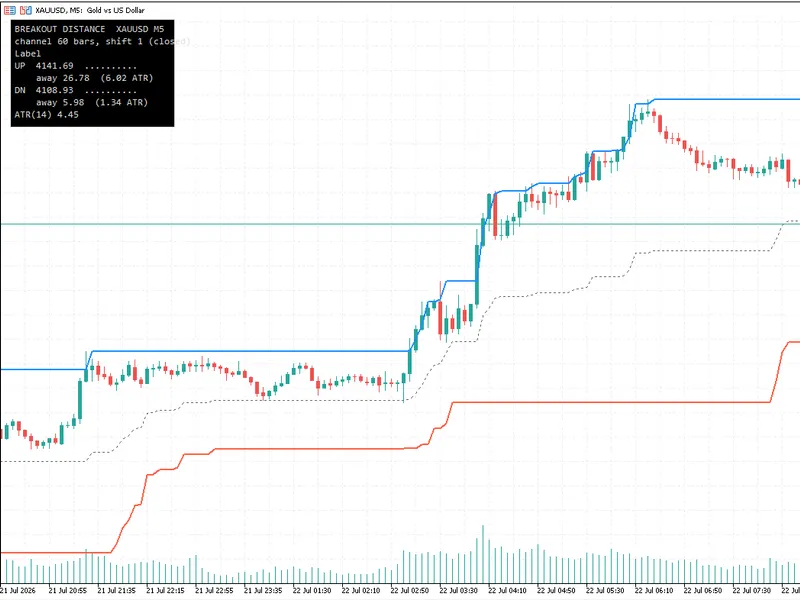
hodrick-prescott channel
Info
The hodrick-prescott channel is a Indicator for MetaTrader 4 that brief description of the channel first, the filtered close price values are calculated. then, they are filtered with a larger period.
Usage
This tool is typically used for enhancing chart analysis and decision making.
Platform
This Indicator works exclusively on MetaTrader 4 (both build 600+ and newer versions).
Setup
Place the downloaded file in MQL4/Indicators folder via File ? Open Data Folder in MetaTrader 4.
How to Install and Use hodrick-prescott channel
1. Installation: Place your file in the MQL/Indicators folder via "Open Data Folder" and restart your terminal.
2. Loading: Find the indicator in the Navigator, drag it onto your chart, and configure the input parameters in the popup window.
3. Customization: Press Ctrl+I to open the indicator list, select your tool, and click "Properties" to change colors, levels, or visual styles.
4. Updating: Replace the old file in the Indicators folder with the new version and restart the platform to apply changes.
Frequently Asked Questions
Q: Why is my indicator not showing? A: Verify the file is in the MQL/Indicators folder, or try right-clicking the "Indicators" tree in the Navigator and clicking "Refresh."
Q: Do custom indicators slow down the platform? A: Too many complex indicators can impact performance; remove unused ones via the "Indicator List" (Ctrl+I).
Q: Can I use MT4 indicators on MT5? A: No, MQL4 and MQL5 are distinct languages; ensure the indicator is compiled specifically for your platform version.
What this tool does
brief description of the channel first, the filtered close price values are calculated.
Typical Use Case
This Indicator excels in automated trading and technical analysis on MetaTrader 4.
Compatible Platform & Setup
This Indicator works on MetaTrader 4. Place the file in the MQL4/Indicators folder and restart the terminal.
Description & Settings
Related: donchian channel indicator - another powerful indicator for MetaTrader 4 traders.
brief description of the channel
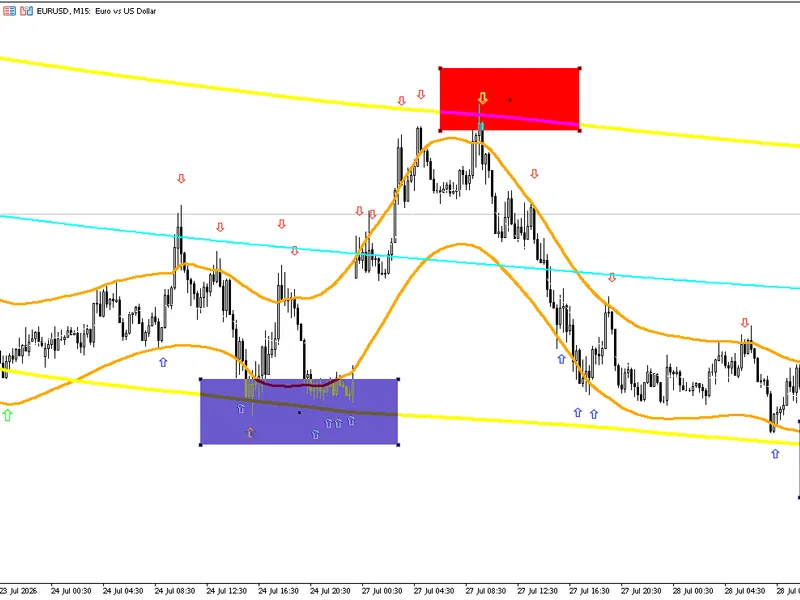
first, the filtered close price values are calculated. then, they are filtered with a larger period. the result is two arrays: hp and hpslow. the next step is the calculation of the standard deviation of the hp relative to the hpslow and channel plotting.
Also recommended: all channel indicator - similar indicator with strong performance on MetaTrader 4.
the indicator displays the value of the average spread and the ratio of the channel width to the hpslow value on the zero bar as a percentage in the bottom right corner of the chart. double click the text label to drag it to the desired location. it can be deleted by pressing the del key. the text reappears when switching timeframes.how to correctly interpret the values of this channel?
this channel is based on the hodrick-prescott filter, that is one of the digital filters without delays. these types of filters look beautiful compared to the moving average, but they are redrawn at every new bar.
why is this happening? in fact, it is mathematically impossible to implement an "honest" filter without delays. any filter will have a delay equal to or greater than the number of bars set for averaging. this can be easily seen by changing the period in the moving average indicator. the greater the period, the better the smoothing, but the greater the delay.
there is only one way to remove the delay. the pure form of the algorithm is as follows: it is necessary to filter the input bars from left to right first, then filter the resulting sequence once again, this time from right to left. moreover, the initial direction does not matter, as long as the second filtering is performed in the opposite direction.
in fact, the various filters without delays offer different degrees of compromise between the delay and the smoothing. but it must be clearly understood that the perfection can not be achieved, as it is not possible to tell the future.
this filter must be used to determine the instant (at the level of several new bars) direction of the price movement. if the both this channel and the standard deviation channel are attached to the chart, it will be evident that their directions are close to each other near the first (rightmost) bars. but if the standard deviation channel is plotted by three straight lines, this channel shows the direction of the price in history with a certain degree of accuracy. moreover, the deeper the history, the lower the level of accuracy.
during the adaptation of the indicator to the mql4 i specifically added the code that draws the "tails" of the channel. run it in the М1 timeframe, wait for half an hour without changing the timeframe, and you will see the channel wagging its "tail". the "tail" disappears when switching timeframes.
it is recommended to use the indicator for scalping, it is not suitable for long-term strategies or for replacing the "honest" moving average.
indicator input parameters:
hp fast period — the hp filtering period;
hp slow period — the hpslow filtering period;
fontcolor — font color.
You may also like: commodity channel index (cci) - excellent alternative for indicator users on MetaTrader 4.
Source Code
/.......
⚠ Limitations & Risk Warning
- This tool is provided for educational and testing purposes only.
- Past performance does not guarantee future results.
- Trading involves substantial risk of loss. Use on a demo account first.
- Results may vary depending on market conditions, broker, and settings.
- We recommend thorough backtesting and forward testing before using with real funds.