





2sides stoch expert advisor
Info
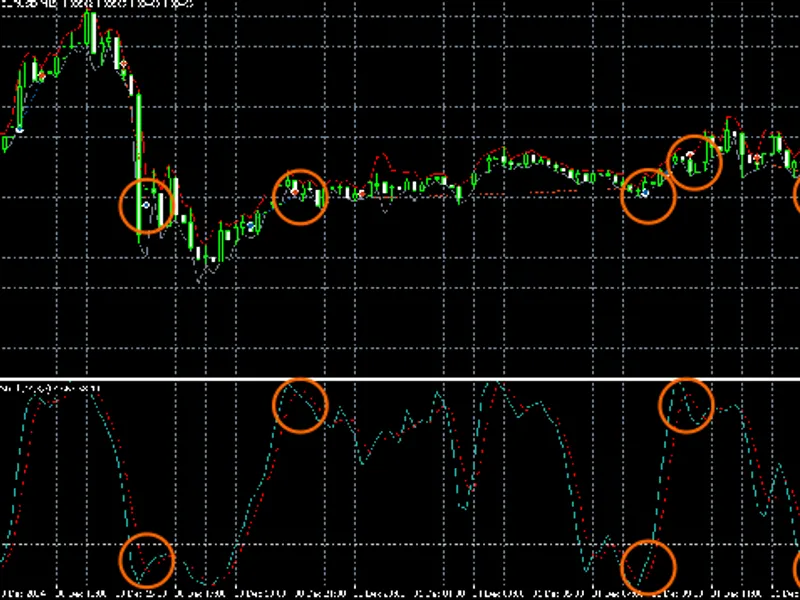
The 2sides stoch expert advisor is a Expert Advisor for MetaTrader 4 that expert advisor logicfor buy/sell signals, the expert advisor uses signals from the stochastic indicator. the indicator has overbought (zonesell) and oversold (zonebuy) levels set for the currency pair.
Usage
This tool is typically used for automated trading on major forex pairs and gold.
Platform
This Expert Advisor works exclusively on MetaTrader 4 (both build 600+ and newer versions).
Setup
Place the downloaded file in MQL4/Experts folder via File ? Open Data Folder in MetaTrader 4.
How to Install and Use 2sides stoch expert advisor
1. Installation: Open the "File" menu, select "Open Data Folder," navigate to MQL/Experts, paste your file, and restart the terminal.
2. Activation: Drag the EA from the Navigator onto a chart, ensure "Allow live trading" is checked in the Common tab, and verify the AutoTrading button is green.
3. Optimization: Right-click your chart, choose "Expert List," click "Properties" to adjust inputs, and save your preferred setup as a set file for future use.
4. Maintenance: Regularly check the "Experts" tab in the terminal window to monitor trade logs and potential execution errors.
Frequently Asked Questions
Q: Why is my EA not opening trades? A: Check the "AutoTrading" button, ensure "Allow live trading" is enabled, and verify your broker allows automated trading on your account type.
Q: Can I run multiple EAs on one chart? A: No, each chart can only host one active EA; however, you can open multiple charts for different currency pairs to run several EAs.
Q: What does the "smiley face" icon mean? A: A smiley face in the top-right corner of the chart indicates the EA is successfully running; a frowny face means it is disabled.
What this tool does
expert advisor logicfor buy/sell signals, the expert advisor uses signals from the stochastic indicator.
Typical Use Case
This Expert Advisor excels in automated trading and technical analysis on MetaTrader 4.
Compatible Platform & Setup
This Expert Advisor works on MetaTrader 4. Place the file in the MQL4/Experts folder and restart the terminal.
Description & Settings
Related: Aver4 Stochastic + Post-Zigzag Indicator Setup for USDJPY - another powerful expert for MetaTrader 4 traders.
expert advisor logicAlso recommended: Stochastic Take Profit and Trailing Stop EA - similar expert with strong performance on MetaTrader 4.
for buy/sell signals, the expert advisor uses signals from the stochastic indicator.
the indicator has overbought (zonesell) and oversold (zonebuy) levels set for the currency pair.
when the main stochastic line enters these levels and crosses the signal line, the expert advisor receives a sell or buy signal.
it is believed that price cannot move in one direction indefinitely.
when the main stochastic line crosses these levels, we can confidently say that the price will soon move in the opposite direction, though we do not know exactly when.
therefore, the expert advisor employs a martingale strategy.
this strategy, in case of an inaccurate signal, allows for covering losses on orders by opening larger volume orders in the same direction but at a more favorable price.
additionally, the expert advisor has an order filtering function.
it considers orders to be its own if their magic number (order identifier) matches the one set in the advisor's options (including magic_list).
orders opened manually have a magic number of 0.
thus, the expert advisor can operate in a mode where the trader opens the first order.
if this order is unprofitable, the expert advisor will also operate according to the martingale strategy and attempt to generate a profit.
the info section displays the count of buy and sell orders.
their values reflect the number of orders that the expert advisor considers its own.
therefore, if a new order is opened, it could be due to two reasons:
the number of orders in that direction was 0, and the expert advisor opened an order based on a stochastic signal;
the number of orders in that direction was greater than 0, and the expert advisor opened an order at a step distance from the last opened order in the same direction.
vtp mode (true/false) and order closing methods
in vtp mode, the expert advisor uses virtual take profit lines to close orders.
when a new order in a series is opened (manually/automatically), the expert advisor calculates a new price level for moving the take profit line.
when the price moves beyond the take profit line (for a buy series, from bottom to top; for a sell series, from top to bottom) by a distance set in the options as tral_start, the take profit line changes color to the one specified in the advisor's options as tral_color.
this indicates the start of a profit trail.
if the price continues to move in the desired direction, the take profit line will follow the price at a distance not exceeding tral_size.
when the price reverses, the series will close at the level of the adjusted take profit line.
it is important to note that deleting the take profit line will cancel the trail, and the line will return to its initial position.
it should also be noted that take profit lines can now be moved, allowing you to select the desired closing level for the series.
the expected profit in currency units is displayed just below the take profit line.
this means you can choose both a desired closing level at a specific price and a desired profit amount.
forced closure of a series is performed in the same way.
move the take profit line beyond the price to trigger the trail.
then, move the line back beyond the price in the opposite direction to trigger the series closure.
in usevtp = false mode, moving the take profit lines results in changes to the terminal take profits.
this mode is protected against error 130 (close stops).
therefore, you can move the line freely.
the only important consideration is that order modifications occur immediately.
thus, avoid moving the line for extended periods, as this will lead to numerous order modifications and server requests, which are not favored by most dealing centers.
You may also like: Genie Stochastic RSI - excellent alternative for expert users on MetaTrader 4.
Source Code
#property copyright "robotfx"
extern string  tx1            =  "  ";
extern bool    info           =  true;
extern color   maininfoback   =  lightgray;
extern color   maininfo       =  black;
extern color   buyinfoback    =  lightgray;
extern color   buyinfo        =  black;
extern color   sellinfoback   =  lightgray;
extern color   sellinfo       =  black;
extern int     profitshift    =  30;
.......
⚠ Limitations & Risk Warning
- This tool is provided for educational and testing purposes only.
- Past performance does not guarantee future results.
- Trading involves substantial risk of loss. Use on a demo account first.
- Results may vary depending on market conditions, broker, and settings.
- We recommend thorough backtesting and forward testing before using with real funds.