Multi Tester
This tool for MetaTrader 5 is specifically engineered to streamline your trading operations. This library provides a collection of modular, reusable code. It is utilized by developers to organize common functions, allowing for the integration of complex logic across multiple Expert Advisors, indicators, or scripts without the need for code duplication.
How to Setup and Use Multi Tester
1. Storage: Place library files in the MQL/Libraries directory to ensure they are accessible to your projects.
2. Implementation: Include the library in your code using the #import directive, ensuring you match the exact function names and parameters.
3. Compilation: Ensure the library is present in the directory before you compile your main EA or script, as the compiler links them during this phase.
4. Management: Keep libraries organized in sub-folders if you manage many custom functions to maintain a clean project structure.
Frequently Asked Questions
Q: What is a library file used for? A: Libraries store reusable code modules, allowing you to centralize common logic used by multiple EAs or indicators.
Q: Is a library executable? A: No, libraries are non-executable files containing functions; they must be imported into an EA, indicator, or script to function.
Q: Can I update a library while the platform is running? A: You should compile your EA or script after updating a library to ensure the latest code changes are integrated.
Description & Settings
There are times when you need to run the Expert Advisor on multiple symbols. For this purpose there is a mode "All symbols selected in the Market Watch window" in the MT5-tester. This allows you to run the same EA settings on different symbols.
But sometimes you need to make many different runs of MT5-tester. This library allows you to do it.
Features.
You can set any number of combinations of symbols, timeframes, intervals. And conduct not only single runs on them, but also optimisation, including forward.
Scenarios.
Research on which symbols and/or intervals and/or timeframes the TS shows good results.
Performing optimisations on consecutive intervals in order to evaluate the auto-optimisation prospects of the TS. Usage.
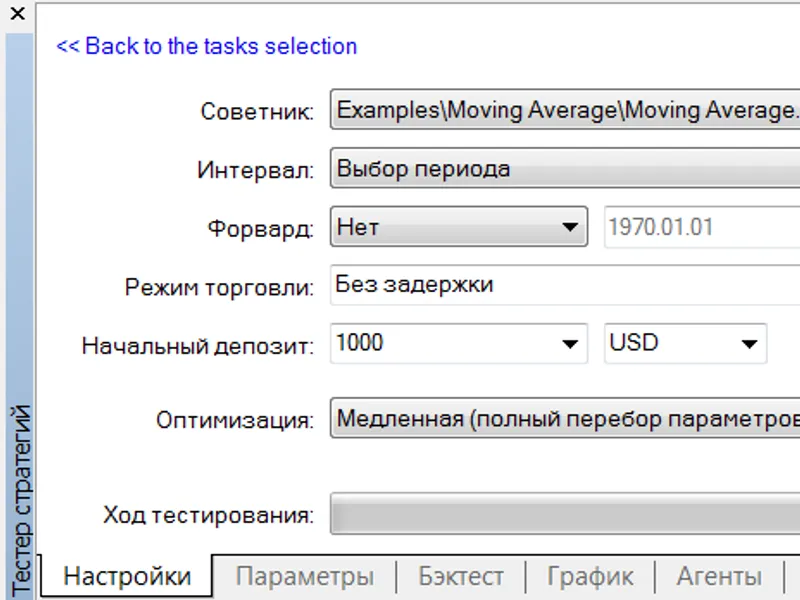
We configure MT5-Tester as we need.
The picture shows that Optimisation will be carried out by full brute force on real ticks at a certain interval.
Create a list of required optimisations. For example, you can run an Expert Advisor from the delivery of this library.
With the settings as shown in the picture, it will run optimisation on all symbols from the Market Watch, and for each symbol it will optimise on M1 and M15 timeframes.
The result will be like this
And now you can safely see the results of optimisation using the standard MT5-tester tools.
Programming.
Example1.
Let's consider a very simple example first.
The result of running this EA will be three calls of the Tester with the settings that are read in the source code.
Example2.
Let's analyse the source code of the Expert Advisor, the demonstration of launching which is given in the beginning.
The second example generates a list of tasks based on the marked TFs and symbols in the Market Watch. Again, let's look at the comments in the source code.
So, all we need to do is to write this string
and write only one function that generates tasks in an intuitive way.
Features.
Requires permission to use a DLL. Several WinAPI functions from user32.dll are called. Therefore not suitable for Market unless .
The
MTTester.mqh
file in the delivery contains methods of MT5-tester control, which are convenient to use in other projects.
It is possible to resume a task from an interrupted place.





![Schnick [Support Vector Machine Learning Tool Tester - DE M O]](/images/1370.webp)