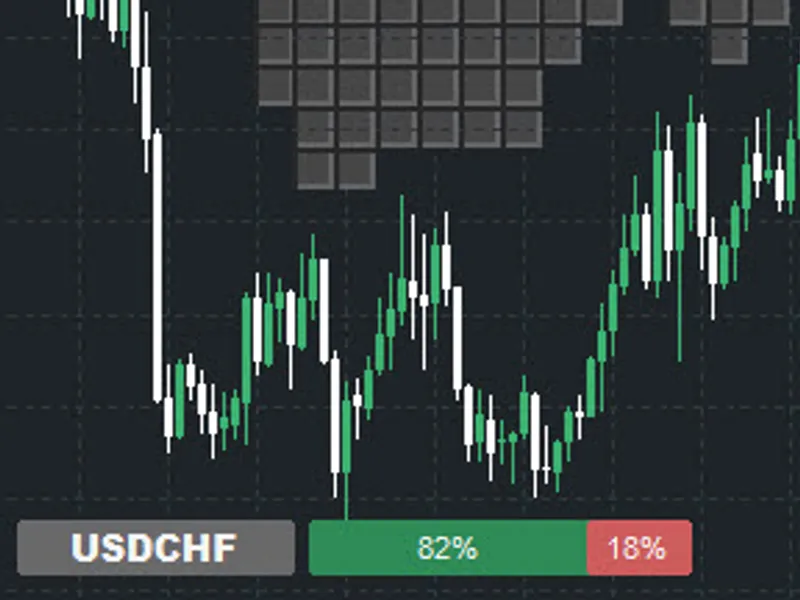
Trade By Retail Sentiment
This is a powerful addition to your MetaTrader 4 toolkit designed to optimize market analysis and performance. This Expert Advisor serves as automated trading software. It is utilized to monitor financial markets and execute trades based on predefined algorithmic rules, enabling precise position management without the need for constant manual oversight.
How to Setup and Use Trade By Retail Sentiment
1. Installation: Open the "File" menu, select "Open Data Folder," navigate to MQL/Experts, paste your file, and restart the terminal.
2. Activation: Drag the EA from the Navigator onto a chart, ensure "Allow live trading" is checked in the Common tab, and verify the AutoTrading button is green.
3. Optimization: Right-click your chart, choose "Expert List," click "Properties" to adjust inputs, and save your preferred setup as a set file for future use.
4. Maintenance: Regularly check the "Experts" tab in the terminal window to monitor trade logs and potential execution errors.
Frequently Asked Questions
Q: Why is my EA not opening trades? A: Check the "AutoTrading" button, ensure "Allow live trading" is enabled, and verify your broker allows automated trading on your account type.
Q: Can I run multiple EAs on one chart? A: No, each chart can only host one active EA; however, you can open multiple charts for different currency pairs to run several EAs.
Q: What does the "smiley face" icon mean? A: A smiley face in the top-right corner of the chart indicates the EA is successfully running; a frowny face means it is disabled.
Description & Settings
Description:
This Expert Advisor (EA) leverages retail trader sentiment from the Ziwox API to make contrarian trading decisions combined with a simple technical filter. The idea is simple: if most retail traders are long, we consider selling, and if most are short, we consider buying. By combining sentiment analysis with moving average trend confirmation, the EA provides an intelligent approach to trading based on collective market behavior.
Code and implement comes from this
Why Retail Sentiment Matters:
Retail trader sentiment reflects the positions and biases of small traders in the market. It’s widely known that retail traders often take the wrong side of market moves due to emotional trading, poor risk management, or overreacting to news. By analyzing the long and short ratios of retail traders, we can adopt a contrarian strategy, which often aligns with institutional flow and broader market trends.
Sentiment analysis can help traders:
Identify overextended market conditions.
Detect potential reversals early.
Enhance technical analysis with behavioral insights.
Reduce risk by avoiding crowded trades.
How the EA Works:
This EA retrieves retail sentiment data via the Ziwox API and combines it with a moving average crossover filter:
API Integration:
Using the GetAPI function, the EA sends a web request to Ziwox’s endpoint to fetch sentiment data in JSON format. The data includes key fields such as Retail Long Ratio , Retail Short Ratio , and Risk Sentiment . The JSON is then parsed into an array ( APIJSON ) using JsonDataParse .
Contrarian Logic:
If Retail Long Ratio >= 60% and the fast MA is above the slow MA, the EA considers a sell trade.
If Retail Short Ratio >= 60% and the fast MA is below the slow MA, the EA considers a buy trade. This ensures trades are taken contrarian to retail sentiment but still in line with technical trend confirmation.
Technical Filter:
Simple moving averages ( iMA ) with user-defined periods ( shortMAPeriod and longMAPeriod ) filter trades. Only trades that align with the moving average trend are executed.
Automated Trading:
When AutoTrade is enabled, the EA automatically opens orders, checks for new candles via IsNewCandle() , and ensures no duplicate trades with OrdersTotal() .
Visualization:
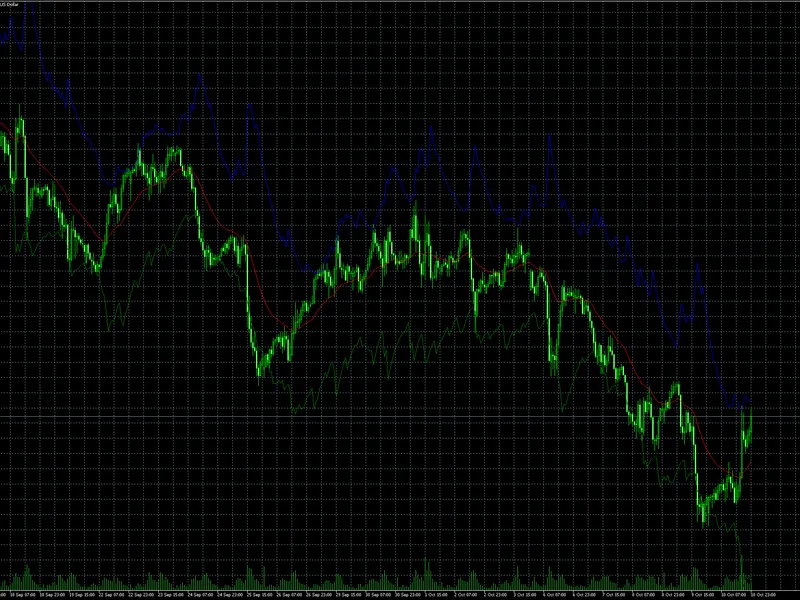
The EA draws sentiment indicators on the chart using DrawSentiment and ButtonCreate , showing retail long and short ratios in a clear, color-coded manner. Green indicates long positions, and red indicates short positions.
Key Code Components Explained:
GetAPI : Handles API calls to Ziwox, manages rate limits, retries, and saves data to a JSON file.
JsonDataParse : Reads the JSON file, parses sentiment values, and stores them in the APIJSON array for use in trading logic.
OnTick : Checks conditions each tick, applies contrarian logic with MA trend filter, and sends orders if criteria are met.
DrawSentiment & ButtonCreate : Visualizes sentiment directly on the MT4 chart for instant insight.
IsNewCandle : Ensures trades are only checked once per new candle to avoid multiple executions on the same candle.
Usage Instructions:
Place the EA in the Experts folder of MT4.
Input your Ziwox API key in the APIKey field.
Adjust shortMAPeriod and longMAPeriod as needed.
Set AutoTrade to true if you want fully automated trading.
Load the EA on any symbol chart. It will fetch sentiment, visualize it, and trade according to the contrarian strategy.
Conclusion:
This EA combines behavioral finance insights from retail sentiment with technical analysis to provide a simple yet effective contrarian trading strategy. By monitoring the collective bias of retail traders, the system helps identify potential market reversals and avoids crowded trades, giving an edge to disciplined traders.