

Object Emulator
Info
The Object Emulator is a Library for MetaTrader 5 that description metatrader 4 allows using the objects in the expert advisor when testing. The chart with the objects will be opened at the end of testing.
Usage
This tool is typically used for enhancing chart analysis and decision making.
Platform
This Library works exclusively on MetaTrader 5 (both build 600+ and newer versions).
Setup
Place the downloaded file in MQL5/Libraries folder via File ? Open Data Folder in MetaTrader 5.
How to Install and Use Object Emulator
1. Storage: Place library files in the MQL/Libraries directory to ensure they are accessible to your projects.
2. Implementation: Include the library in your code using the #import directive, ensuring you match the exact function names and parameters.
3. Compilation: Ensure the library is present in the directory before you compile your main EA or script, as the compiler links them during this phase.
4. Management: Keep libraries organized in sub-folders if you manage many custom functions to maintain a clean project structure.
Frequently Asked Questions
Q: What is a library file used for? A: Libraries store reusable code modules, allowing you to centralize common logic used by multiple EAs or indicators.
Q: Is a library executable? A: No, libraries are non-executable files containing functions; they must be imported into an EA, indicator, or script to function.
Q: Can I update a library while the platform is running? A: You should compile your EA or script after updating a library to ensure the latest code changes are integrated.
What this tool does
Description MetaTrader 4 allows using the objects in the Expert Advisor when testing.
Typical Use Case
This Library excels in automated trading and technical analysis on MetaTrader 5.
Compatible Platform & Setup
This Library works on MetaTrader 5. Place the file in the MQL5/Libraries folder and restart the terminal.
Description & Settings
Related: Ext Objects - another powerful library for MetaTrader 5 traders.
Description
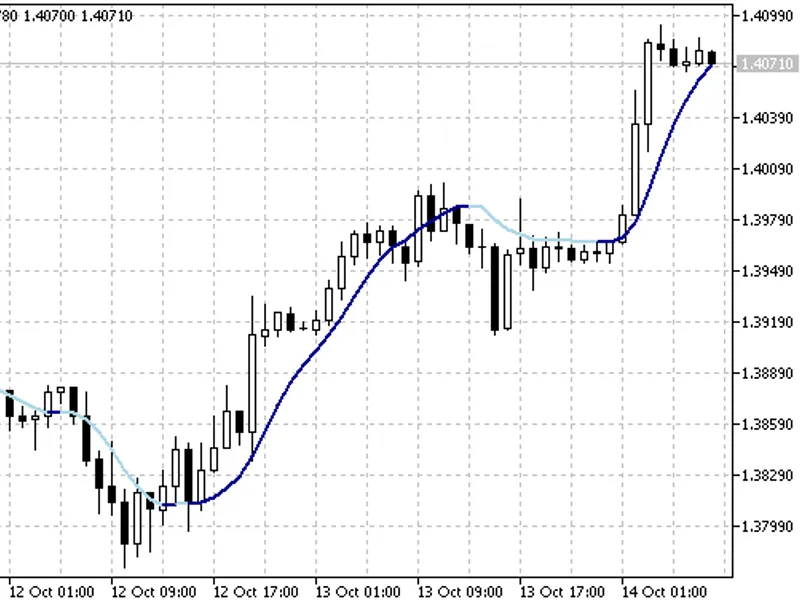
MetaTrader 4 allows using the objects in the Expert Advisor when testing. The chart with the objects will be opened at the end of testing. Arrows makes observation where the Expert Advisor can perform the operation convenient, but this condition didn't allow it. There are a lot of examples of usage.
Also recommended: Object Create And Set - similar library with strong performance on MetaTrader 5.
Note:Now the Expert Advisors are creating without using the objects in MetaTrader 5. Object Emulator allows getting data from the object,
but I do not recommend to do that,
as the testing process will be slowed at times and there are some differences from the official functions.
Use Object Emulator only to display the objects in the chart after testing.
Setting
Add into the tester.tpl tester template the ObjectEmul_indicator indicator.
For those who don't know how to do it:
Open chart on any currency pair.
Throw to the ObjectEmul_indicator indicator.
Right clicking on the chart.
Templates => Save a template by specifying the "tester" file name.
Use
The "Open chart" button on tab "Setting" was removed in MetaTrader 5 Strategy Tester. If the Expert Advisor in the test didn't perform trading operation, the chart won't appear automatically. You will have to switch to "Back-testing", right click and select "Open chart".
Before using throw the ObjectEmul_UnitTest_script on the empty chart and read the log in the tab "Experts" to know the differences from the official functions to work with objects.
Add into the main file of the Expert Advisor:
And change Object to _objs.Objct for standard functions.
To run Help by the object functions in the editor you should just add the letter "e" in "Obj
e
ct" and press F1.
The example
Variables
string FileName - File name. It is default, but you can change it.
bool SaveAuto = false - Should we save the objects into a file when deleting the class object? Default "true" value is only for the simple test.
Functions
, but have the Objct*() names. But there are no analogues of , and .
int Count() - The number of objects.
void ReleaseAll() - Deletes all objects (faster than ObjctDeleteAll).
bool LoadFile(string fname = "", bool print_error = false) - Download the objects from the file.
bool SaveFile(string fname = "", bool print_error = false) - Save the objects into a file.
void DrawAll() - Draws all objects in the chart.
There are also
Objct*Index()
functions to speed up the work:
int ObjctFindIndex(long chart_id, string name) - in comparison with ObjctFind() returns the serial number of the object.
To avoid ambiguity of overloading, I had to select separate functions for indexes. These functions do not call ObjctFindIndex() for search and
the objects must be controlled for them to be used
!
The LoadFile() function uses these functions, but the Count() function shows the number of all objects.
Certainly there are things that should be worked out in the implementation, but I need to find any decision. Of course, I will try to update this library and hoping for the Community help.
You may also like: Object List - excellent alternative for library users on MetaTrader 5.
⚠ Limitations & Risk Warning
- This tool is provided for educational and testing purposes only.
- Past performance does not guarantee future results.
- Trading involves substantial risk of loss. Use on a demo account first.
- Results may vary depending on market conditions, broker, and settings.
- We recommend thorough backtesting and forward testing before using with real funds.