
Wick Rejection Scanner Dashboard
Info
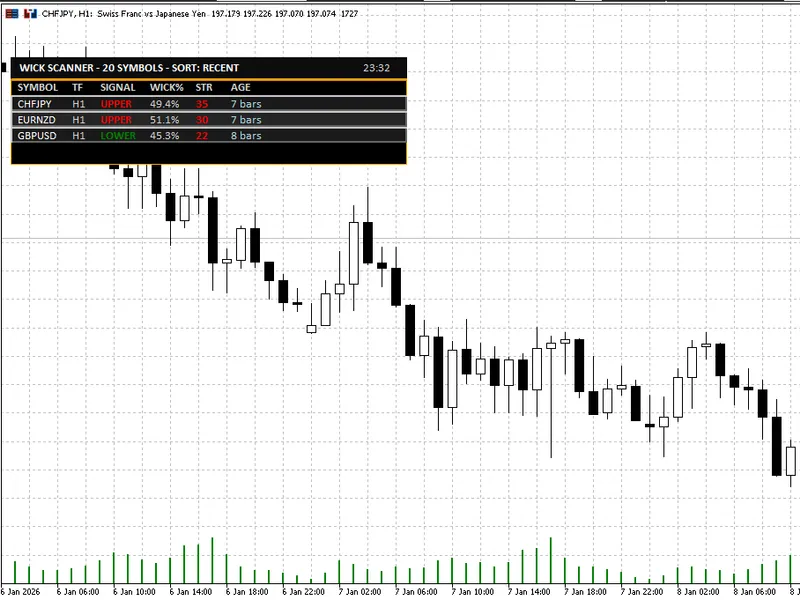
The Wick Rejection Scanner Dashboard is a Indicator for MetaTrader 5 that the wick rejection scanner dashboard is a powerful mt5 indicator designed to streamline the process of identifying and analyzing wick-based rejection candles across multiple symbols and timeframes. This tool is tailored for traders who rely on price action and rejection candles as trading signals but seek a more efficient method to monitor their watchlist without the need to manually open and inspect numerous charts.
Usage
This tool is typically used for enhancing chart analysis and decision making.
Platform
This Indicator works exclusively on MetaTrader 5 (both build 600+ and newer versions).
Setup
Place the downloaded file in MQL5/Indicators folder via File ? Open Data Folder in MetaTrader 5.
How to Install and Use Wick Rejection Scanner Dashboard
1. Installation: Place your file in the MQL/Indicators folder via "Open Data Folder" and restart your terminal.
2. Loading: Find the indicator in the Navigator, drag it onto your chart, and configure the input parameters in the popup window.
3. Customization: Press Ctrl+I to open the indicator list, select your tool, and click "Properties" to change colors, levels, or visual styles.
4. Updating: Replace the old file in the Indicators folder with the new version and restart the platform to apply changes.
Frequently Asked Questions
Q: Why is my indicator not showing? A: Verify the file is in the MQL/Indicators folder, or try right-clicking the "Indicators" tree in the Navigator and clicking "Refresh."
Q: Do custom indicators slow down the platform? A: Too many complex indicators can impact performance; remove unused ones via the "Indicator List" (Ctrl+I).
Q: Can I use MT4 indicators on MT5? A: No, MQL4 and MQL5 are distinct languages; ensure the indicator is compiled specifically for your platform version.
What this tool does
The Wick Rejection Scanner Dashboard is a powerful MT5 indicator designed to streamline the process of identifying and analyzing wick-based rejection candles across multiple symbols and timeframes.
Typical Use Case
This Indicator excels in automated trading and technical analysis on MetaTrader 5.
Compatible Platform & Setup
This Indicator works on MetaTrader 5. Place the file in the MQL5/Indicators folder and restart the terminal.
Description & Settings
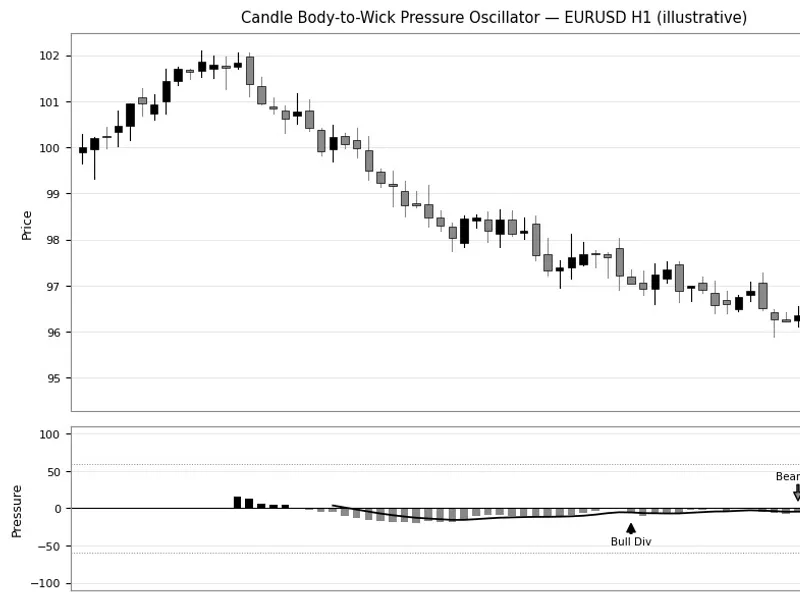
Related: Candle Body-to-Wick Pressure Oscillator - another powerful indicator for MetaTrader 5 traders.
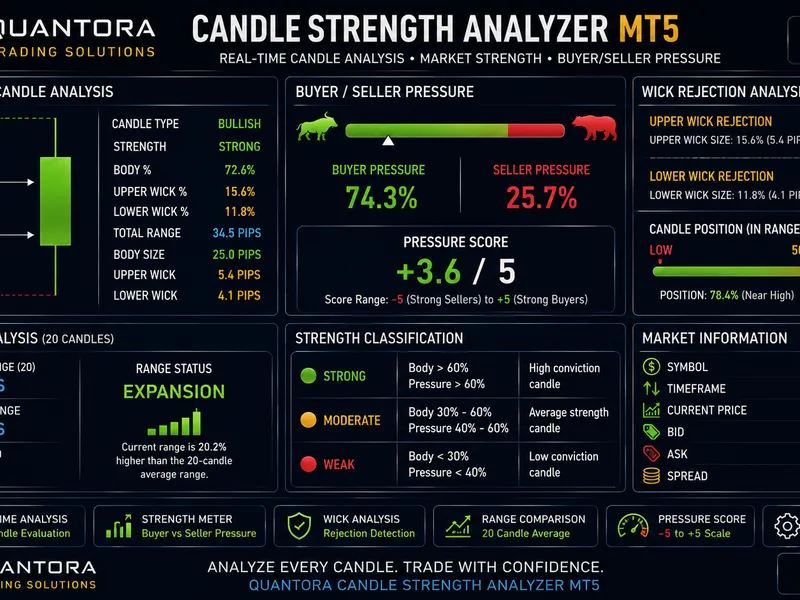
The Wick Rejection Scanner Dashboard is a powerful MT5 indicator designed to streamline the process of identifying and analyzing wick-based rejection candles across multiple symbols and timeframes.Also recommended: Quantora Candle Strength Analyzer MT5: Price Action and Wick Analysis - similar indicator with strong performance on MetaTrader 5.
This tool is tailored for traders who rely on price action and rejection candles as trading signals but seek a more efficient method to monitor their watchlist without the need to manually open and inspect numerous charts.
Key Features:
- **Multi-Symbol Scanner:** Scan symbols from the Market Watch or a custom comma-separated list, with the option to limit the number of scanned symbols for performance optimization.
- **Multi-Timeframe Support:** Scan the current chart timeframe or a fixed timeframe, with additional scans for M15 and H4 timeframes.
- **Professional Dashboard UI:** A clean dark theme dashboard with consistent spacing and alignment, displaying symbol, timeframe, signal type, wick percentage, strength, and age. It offers sorting modes for most recent, highest wick percentage, and highest strength signals.
- **Click-to-Switch Chart:** Instantly switch to the symbol and timeframe of a dashboard row with a single click.
- **On-Chart Markers:** Optional arrows and wick percentage labels for detected signals, with a maximum marker count for performance and readability.
Typical Use Cases:
- Scanning watchlists for rejection candles at significant levels.
- Quick filtering before manual confirmation, considering support/resistance, trend structure, higher timeframe bias, and session timing/volatility conditions.
- Utilizing as a dedicated "setup radar" on a secondary monitor.
Notes and Best Practices:
- Wick rejection candles serve as triggers, not a comprehensive strategy. For enhanced trade decisions, combine signals with support/resistance zones, trend structure, higher timeframe bias, and session timing/volatility conditions.
Inputs and Configuration:
- **Detection Settings:** Configure wick threshold, minimum candle range, minimum body percentage, maximum opposite wick percentage, ATR-based validation, and trend context scoring.
- **Scanner Settings:** Specify symbols, scan timeframes, optional extra timeframes, bars to check, refresh interval, and maximum displayed signals.
- **UI & Alerts:** Customize dashboard position, offsets, row height, font size, marker visibility, label visibility, maximum markers, alert channels, and cooldown.
Summary:
The Wick Rejection Scanner Dashboard is an invaluable tool for traders who trade wick rejections, offering the following benefits:
- Efficiently scan multiple charts simultaneously.
- Reduce noise through practical filters.
- Prioritize the most promising candidates using strength scoring and sorting.
This indicator provides a comprehensive solution for traders seeking a streamlined approach to wick rejection analysis, enabling faster and more informed trading decisions.
You may also like: smart c liquidity sweep and rejection detector - excellent alternative for indicator users on MetaTrader 5.
Source Code
яю//+------------------------------------------------------------------+
#property copyright "RobotFX"
#property link "https://robotfx.org"
#property version   "3.00"
#property description "Educational code - RobotFX www.robotfx.org"
#property description "Educational code - RobotFX www.robotfx.org"
#property indicator_chart_window
#property indicator_buffers 1
#property indicator_plots   0
input group "=== Detection Settings ==="
.......
⚠ Limitations & Risk Warning
- This tool is provided for educational and testing purposes only.
- Past performance does not guarantee future results.
- Trading involves substantial risk of loss. Use on a demo account first.
- Results may vary depending on market conditions, broker, and settings.
- We recommend thorough backtesting and forward testing before using with real funds.