











unity
Info
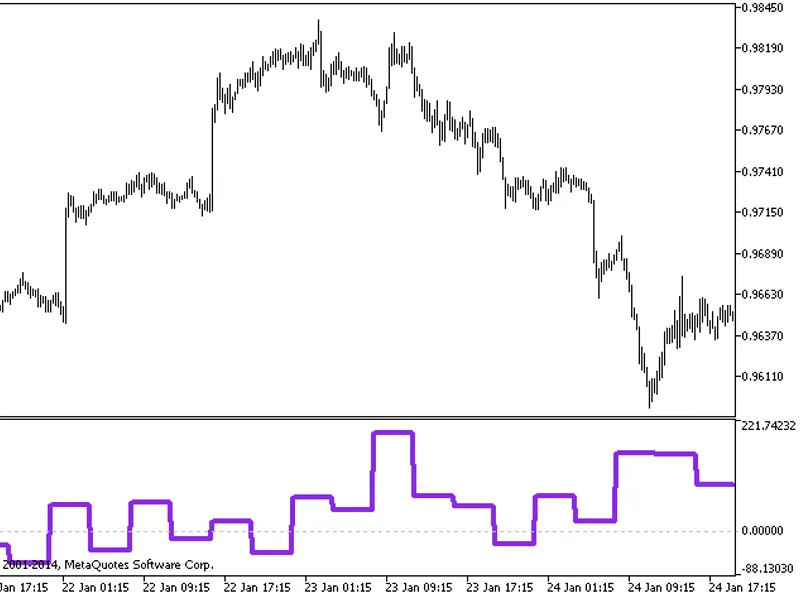
The unity is a Indicator for MetaTrader 5 that unity is a cluster multi-currency indicator showing synchronous changes in the value of metals and major currencies in a generalized form. it was first published in the article.
Usage
This tool is typically used for enhancing chart analysis and decision making.
Platform
This Indicator works exclusively on MetaTrader 5 (both build 600+ and newer versions).
Setup
Place the downloaded file in MQL5/Indicators folder via File ? Open Data Folder in MetaTrader 5.
How to Install and Use unity
1. Installation: Place your file in the MQL/Indicators folder via "Open Data Folder" and restart your terminal.
2. Loading: Find the indicator in the Navigator, drag it onto your chart, and configure the input parameters in the popup window.
3. Customization: Press Ctrl+I to open the indicator list, select your tool, and click "Properties" to change colors, levels, or visual styles.
4. Updating: Replace the old file in the Indicators folder with the new version and restart the platform to apply changes.
Frequently Asked Questions
Q: Why is my indicator not showing? A: Verify the file is in the MQL/Indicators folder, or try right-clicking the "Indicators" tree in the Navigator and clicking "Refresh."
Q: Do custom indicators slow down the platform? A: Too many complex indicators can impact performance; remove unused ones via the "Indicator List" (Ctrl+I).
Q: Can I use MT4 indicators on MT5? A: No, MQL4 and MQL5 are distinct languages; ensure the indicator is compiled specifically for your platform version.
What this tool does
unity is a cluster multi-currency indicator showing synchronous changes in the value of metals and major currencies in a generalized form.
Typical Use Case
This Indicator excels in automated trading and technical analysis on MetaTrader 5.
Compatible Platform & Setup
This Indicator works on MetaTrader 5. Place the file in the MQL5/Indicators folder and restart the terminal.
Description & Settings
Related: unity pro - another powerful indicator for MetaTrader 5 traders.
unity is a cluster multi-currency indicator showing synchronous changes in the value of metals and major currencies in a generalized form. it was first published in the article .
Also recommended: Leading Signal Indicator - similar indicator with strong performance on MetaTrader 5.
in the essence its work is described by the following algorithm. consider it on the minimalistic example with one currency pair (eurusd) and gold (xauusd).at every moment, the market state (that is current prices, or open prices of the bars) is expressed by obvious formulae:
eur / usd = eurusd
xau / usd = xauusd
where variables eur, usd, xau are pure "values" of the assets, and eurusd, xauusd are constants (exchange rates, or quotes).
to find the variables, we supplement the system with another equation, limiting the sum of the squares of the variables to unity:
eur*eur + usd*usd + xau*xau = 1
hence the name of the indicator — unity.
simple substitution gives:
eurusd*usd*eurusd*usd + usd*usd + xauusd*usd*xauusd*usd = 1
then usd can be found as:
usd = sqrt(1 / (1 + eurusd*eurusd + xauusd*xauusd))
and all other variables can be calculated.
in general:
x0 = sqrt(1 / (1 + sum(c(xi, x0)**2))), i = 1..n
xi = c(xi, x0) * x0, i = 1..n
where n — number of variables, c(xi,x0) — the quote of i-th pair including corresponding variables. please note, that the number of variables is 1 more than instruments.
since the coefficients c involved in the calculation are quotes that are usually very different, in the indicator they are additionally multiplied by contract's sizes: this gives more or less comparable values (at least, of one order). to see them in the indicator window (just for information) there is an absolutevalues input parameter that should be set to true. by default, it is, false, of course, and the indicator calculates the increments of variables:
yi = xi0 / xi1 - 1,
where xi0 and xi1 are values on the last and the previous bars respectively.
here is the screenshot for the cluster of eurusd,gbpusd,usdchf,usdjpy,audusd,usdcad,nzdusd,xauusd:
cluster multi-currency indicator unity, xauusd
the lines of assets that make up work symbol of the current chart (in this case, xau and usd) are shown thick, the rest are thin.
the main input parameters of the indicator:
instruments — the string with the names of work symbols separated by commas; it is necessary for all instruments to have one common currency - either base or quoting one;
barlimit — number of bars to calculate;
draw - drawing style;
pricetype - price type used in calculations;
savetofile — (option) a name of csv-file to which the indicator exports values for analysis in an external program, for example, in a neural network; the structure of the file is the following: the first column is the date, all subsequent ones are the values of the corresponding indicator buffers;
shiftlastbuffer - (option) flag for switching the mode in which the csv-file is formed; when the option is false, the data of the same bar are stored in the file on each line, the number of columns is equal to the number of instruments plus one due to the division of tickers into components, and plus one more — the first one — with dates, column names correspond to currencies and metals; when the option is true, an additional column called forecast is created, in which the values from the column with the last asset are saved with the shift to one bar forward; thus, in each row we see not only all the data for the current bar, but also next value of the last variable, which can be used by forecasting algorithms.
recommended timeframes - d1 and higher.
You may also like: iCharts Switch Symbol - excellent alternative for indicator users on MetaTrader 5.
Source Code
#property copyright "robotfx"
#property link "https://robotfx.org"
#property version   "1.0"
#property description "this code is educational. feel free to use, modify and upgrade as you wish. visit robotfx.org for professional trading tools"
#define buf_num 15
#property indicator_separate_window
#property indicator_buffers buf_num
#property indicator_plots buf_num
#property indicator_color1 green
#property indicator_color2 darkblue
.......
⚠ Limitations & Risk Warning
- This tool is provided for educational and testing purposes only.
- Past performance does not guarantee future results.
- Trading involves substantial risk of loss. Use on a demo account first.
- Results may vary depending on market conditions, broker, and settings.
- We recommend thorough backtesting and forward testing before using with real funds.