Crypto Trend
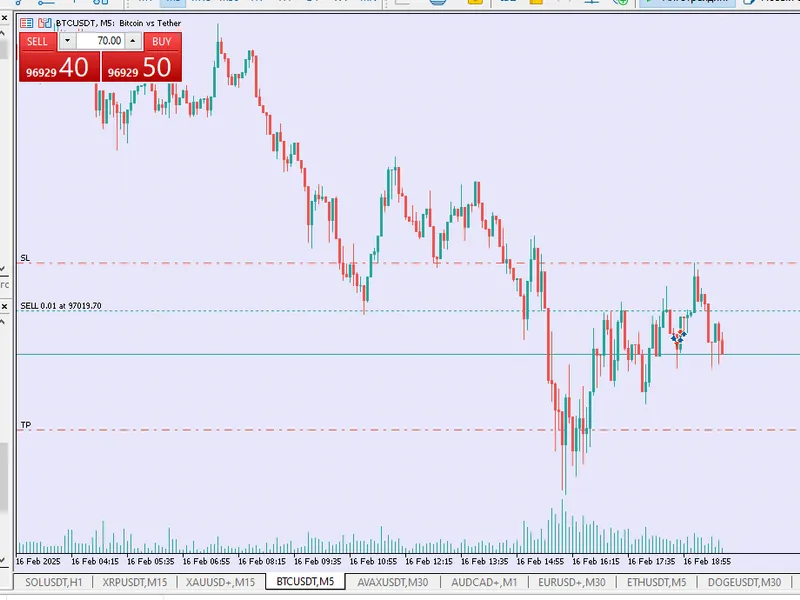
This tool for MetaTrader 5 is specifically engineered to streamline your trading operations. This Expert Advisor serves as automated trading software. It is utilized to monitor financial markets and execute trades based on predefined algorithmic rules, enabling precise position management without the need for constant manual oversight.
How to Setup and Use Crypto Trend
1. Installation: Open the "File" menu, select "Open Data Folder," navigate to MQL/Experts, paste your file, and restart the terminal.
2. Activation: Drag the EA from the Navigator onto a chart, ensure "Allow live trading" is checked in the Common tab, and verify the AutoTrading button is green.
3. Optimization: Right-click your chart, choose "Expert List," click "Properties" to adjust inputs, and save your preferred setup as a set file for future use.
4. Maintenance: Regularly check the "Experts" tab in the terminal window to monitor trade logs and potential execution errors.
Frequently Asked Questions
Q: Why is my EA not opening trades? A: Check the "AutoTrading" button, ensure "Allow live trading" is enabled, and verify your broker allows automated trading on your account type.
Q: Can I run multiple EAs on one chart? A: No, each chart can only host one active EA; however, you can open multiple charts for different currency pairs to run several EAs.
Q: What does the "smiley face" icon mean? A: A smiley face in the top-right corner of the chart indicates the EA is successfully running; a frowny face means it is disabled.
Description & Settings
CryptoTrend 1.00
is an automated EA built for BTC trading, optimised for 2024. It uses the following key components:
Bollinger Indicator:
Helps to identify market extremes. If the price goes beyond the bollinger lines given a certain threshold, an entry signal is generated.
Filter by Order Block:
The Expert Advisor finds a support (for longs) or resistance (for shorts) range based on historical data (the number of bars is set by the OB_Length parameter ). This helps to refine the signal and reduce false entries.
Self-learning mechanism:
By analysing statistics (number of winning and losing trades), the TrendThreshold entry threshold is dynamically adjusted . Thus, the algorithm adapts to changing market conditions.
Risk Management:
Stop Loss (SL) and Take Profit (TP) levels are calculated based on the difference between the entry price and the support/resistance level with an aggressive risk:profit ratio.
Project support:
In the header of the Expert Advisor there is a link with the caption "Support the project, register!" leading to the page, which allows users to support the developer.