
SMMA Levels MTF Indicator
Info
The SMMA Levels MTF Indicator is a Indicator for MetaTrader 5 that importance of the indicatora single moving average only shows the trend condition of one timeframe. This can be misleading when the lower timeframe is bullish while the broader market trend remains bearish.
Usage
This tool is typically used for enhancing chart analysis and decision making.
Platform
This Indicator works exclusively on MetaTrader 5 (both build 600+ and newer versions).
Setup
Place the downloaded file in MQL5/Indicators folder via File ? Open Data Folder in MetaTrader 5.
How to Install and Use SMMA Levels MTF Indicator
1. Installation: Place your file in the MQL/Indicators folder via "Open Data Folder" and restart your terminal.
2. Loading: Find the indicator in the Navigator, drag it onto your chart, and configure the input parameters in the popup window.
3. Customization: Press Ctrl+I to open the indicator list, select your tool, and click "Properties" to change colors, levels, or visual styles.
4. Updating: Replace the old file in the Indicators folder with the new version and restart the platform to apply changes.
Frequently Asked Questions
Q: Why is my indicator not showing? A: Verify the file is in the MQL/Indicators folder, or try right-clicking the "Indicators" tree in the Navigator and clicking "Refresh."
Q: Do custom indicators slow down the platform? A: Too many complex indicators can impact performance; remove unused ones via the "Indicator List" (Ctrl+I).
Q: Can I use MT4 indicators on MT5? A: No, MQL4 and MQL5 are distinct languages; ensure the indicator is compiled specifically for your platform version.
What this tool does
Importance of the IndicatorA single moving average only shows the trend condition of one timeframe.
Typical Use Case
This Indicator excels in automated trading and technical analysis on MetaTrader 5.
Compatible Platform & Setup
This Indicator works on MetaTrader 5. Place the file in the MQL5/Indicators folder and restart the terminal.
Description & Settings
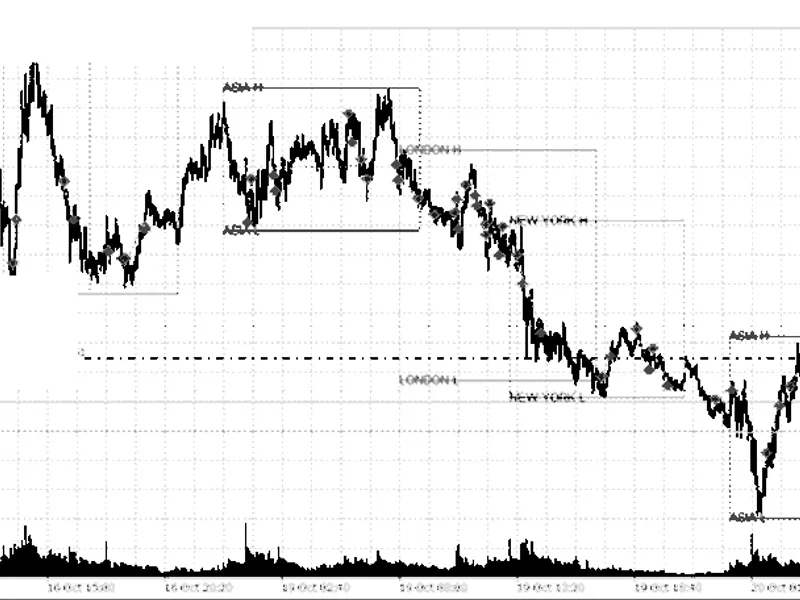
Related: Session Range Breakout: Asia, London, and New York High/Low Levels - another powerful indicator for MetaTrader 5 traders.
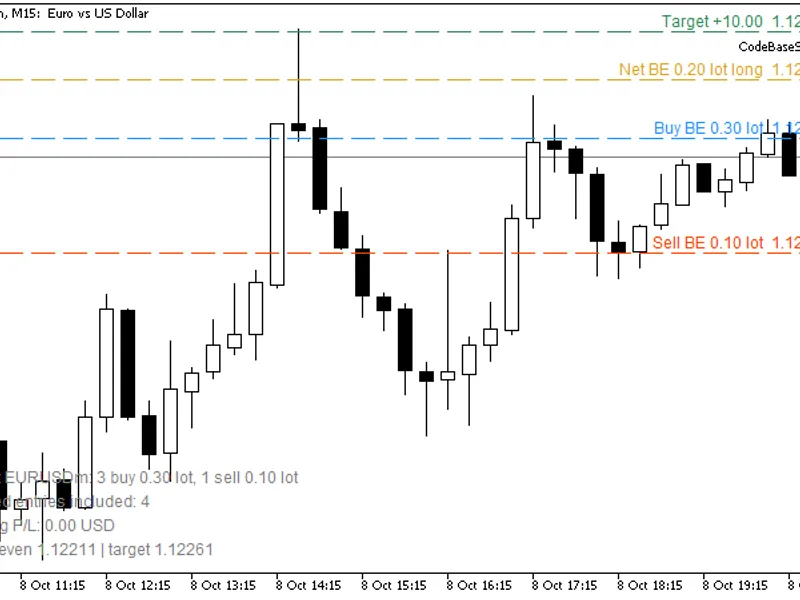
Importance of the IndicatorAlso recommended: Basket Break-Even Levels: Buy, Sell, and Net with Target Price - similar indicator with strong performance on MetaTrader 5.
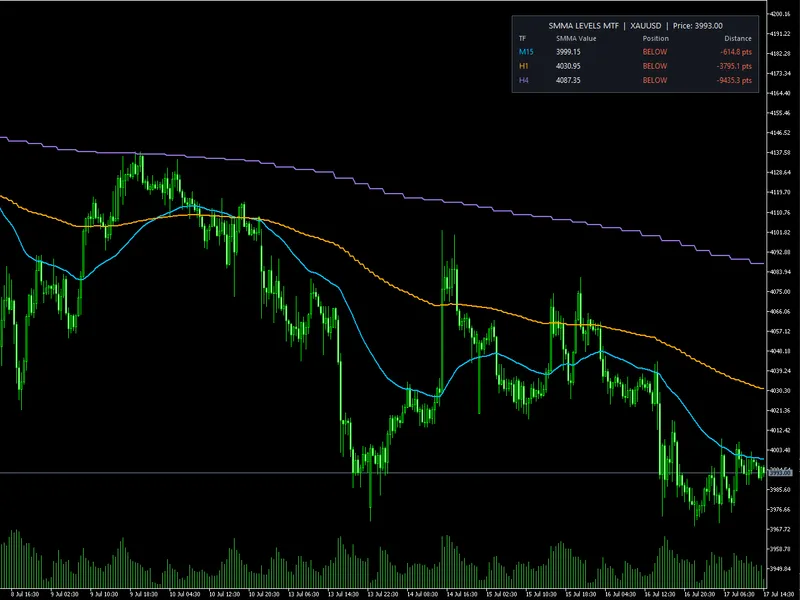
A single moving average only shows the trend condition of one timeframe. This can be misleading when the lower timeframe is bullish while the broader market trend remains bearish.
This indicator helps traders see the relationship between several market timeframes at the same time.
For example:
Price above the M15, H1, and H4 SMMAs may indicate broad bullish alignment.
Price below all three levels may indicate broad bearish alignment.
Price above the lower-timeframe SMMA but below the higher-timeframe levels may indicate a temporary pullback rather than a complete trend reversal.
A large distance from a higher-timeframe SMMA may indicate that price is extended and could be vulnerable to consolidation or mean reversion.
The distance column also helps traders understand how close price is to an important dynamic support or resistance level.
The indicator does not predict future price movement. It provides structured trend and location information that can support better trade filtering and decision-making.
Who Is This Indicator For?
This indicator can be useful for:
- Trend Traders
Trend traders can use the dashboard to confirm whether several timeframes support the same market direction before entering a trade.
- Multi-Timeframe Traders
Traders who normally switch between M15, H1, H4, or other charts can monitor selected SMMA levels from one chart.
- Pullback Traders
The SMMA levels can act as dynamic trend references. Traders may watch for price reactions, pullbacks, or continuation setups near these levels.
- Intraday Traders
Scalpers and day traders can use lower-timeframe SMMAs for immediate market direction while using higher-timeframe SMMAs as broader trend filters.
- Swing Traders
Swing traders can monitor higher-timeframe levels such as H1, H4, or D1 to identify the broader market structure and potential dynamic support or resistance.
- Beginner Traders
The dashboard simplifies moving-average interpretation by clearly showing ABOVE or BELOW, instead of requiring the trader to manually compare every value.
- Expert Advisor Developers
The indicator logic can also serve as a visual reference when testing multi-timeframe trend filters for automated trading systems.
Recommended Use
The indicator is best used as a trend-confirmation and market-context tool. It can be combined with:
- Support and resistance
- Price-action patterns
- Breakout strategies
- Pullback entries
- Market structure
- Momentum indicators
- Risk-management rules
It should not be treated as a complete standalone trading strategy or as a guaranteed buy-and-sell signal system.
You may also like: Stop Distance Indicator: Bar Range and Suggested Stop Levels - excellent alternative for indicator users on MetaTrader 5.
Source Code
#property copyright "RobotFX"
#property version   "1.0"
#property description "This code is educational. Feel free to use, modify and upgrade as you wish. Visit ROBOTFX.ORG for professional trading tools"
#property indicator_chart_window
#property indicator_buffers 3
#property indicator_plots   3
#property indicator_label1  "SMMA MTF Level 1"
#property indicator_type1   DRAW_LINE
#property indicator_color1  clrDeepSkyBlue
#property indicator_style1  STYLE_SOLID
.......
⚠ Limitations & Risk Warning
- This tool is provided for educational and testing purposes only.
- Past performance does not guarantee future results.
- Trading involves substantial risk of loss. Use on a demo account first.
- Results may vary depending on market conditions, broker, and settings.
- We recommend thorough backtesting and forward testing before using with real funds.