
Premium and Discount Zones Based on Current Swing Range
Info
The Premium and Discount Zones Based on Current Swing Range is a Indicator for MetaTrader 5 that premium and discount zones based on the current swing rangethe idea behind itmany price-action traders divide a price range into two halves. The upper half is called Premium: prices there are expensive relative to the range, so traders look for sells or take profit on longs.
Usage
This tool is typically used for enhancing chart analysis and decision making.
Platform
This Indicator works exclusively on MetaTrader 5 (both build 600+ and newer versions).
Setup
Place the downloaded file in MQL5/Indicators folder via File ? Open Data Folder in MetaTrader 5.
How to Install and Use Premium and Discount Zones Based on Current Swing Range
1. Installation: Place your file in the MQL/Indicators folder via "Open Data Folder" and restart your terminal.
2. Loading: Find the indicator in the Navigator, drag it onto your chart, and configure the input parameters in the popup window.
3. Customization: Press Ctrl+I to open the indicator list, select your tool, and click "Properties" to change colors, levels, or visual styles.
4. Updating: Replace the old file in the Indicators folder with the new version and restart the platform to apply changes.
Frequently Asked Questions
Q: Why is my indicator not showing? A: Verify the file is in the MQL/Indicators folder, or try right-clicking the "Indicators" tree in the Navigator and clicking "Refresh."
Q: Do custom indicators slow down the platform? A: Too many complex indicators can impact performance; remove unused ones via the "Indicator List" (Ctrl+I).
Q: Can I use MT4 indicators on MT5? A: No, MQL4 and MQL5 are distinct languages; ensure the indicator is compiled specifically for your platform version.
What this tool does
Premium and Discount Zones Based on the Current Swing RangeThe idea behind itMany price-action traders divide a price range into two halves.
Typical Use Case
This Indicator excels in automated trading and technical analysis on MetaTrader 5.
Compatible Platform & Setup
This Indicator works on MetaTrader 5. Place the file in the MQL5/Indicators folder and restart the terminal.
Description & Settings
Related: ICT Premium, Discount, and OTE Analysis Tool - another powerful indicator for MetaTrader 5 traders.
Premium and Discount Zones Based on the Current Swing RangeAlso recommended: Premium Discount Range Mapper for MT5 - similar indicator with strong performance on MetaTrader 5.
The idea behind it
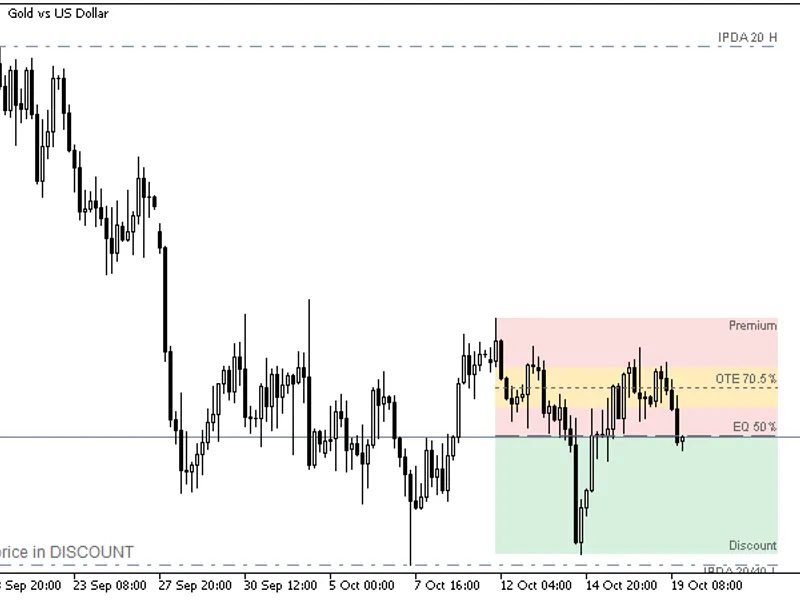
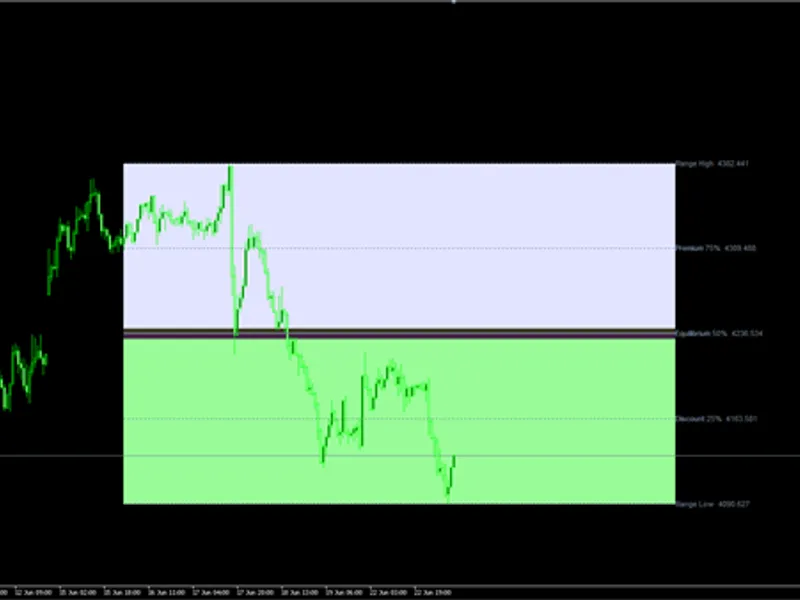
Many price-action traders divide a price range into two halves. The upper half is called Premium: prices there are expensive relative to the range, so traders look for sells or take profit on longs. The lower half is called Discount: prices there are cheap relative to the range, so traders look for buys or take profit on shorts. The middle line, at 50%, is called Equilibrium.
The indicator builds this map automatically:
Swing highs and swing lows are detected with fractals: a swing high has a higher High than InpSwingBars bars on each side, and a swing low has a lower Low. A swing is confirmed only when those following bars are closed.
The current range is defined by the last confirmed swing high and the last confirmed swing low. It starts at the older of the two swings.
The range High and Low are the extremes since that start, so the range widens automatically if price breaks out of it before a new swing is confirmed.
The range is split at 50% into the Premium and the Discount zones.
The indicator keeps its state between calls. At start it scans a limited number of bars; after that every new closed bar is processed once. The range extremes are re-measured only when a new swing is confirmed, and on every tick the objects are redrawn only if the range actually changed.
How to interpret it
Premium zone (gray dashed box, upper half) - prices above the 50% level of the range.
Discount zone (white dashed box, lower half) - prices below the 50% level of the range.
Equilibrium line (dotted line) - the middle of the range. The label shows its price.
Zone labels - "Premium" and "Discount" at the left edge of each box.
Info label (top-left corner) - the zone of the current Bid price and its position in the range as a percentage: 0% is the range Low and 100% is the range High, for example Price in Premium: 61% of range.
Typical reading - in an up-trend, pull-backs into the Discount zone are watched for buys; in a down-trend, rallies into the Premium zone are watched for sells. A price that stays far from equilibrium shows how stretched the move is.
The boxes start at the older swing and extend to the right, so you can see how long the current range has been valid.
External variables (inputs)
Input
Default
Purpose
Swing range
InpSwingBars
5
Number of bars on each side of a swing (1 to 30). Larger values give a wider, more significant range
InpLookbackBars
500
Number of bars scanned when the indicator starts (30 to 5000)
Zones
InpShowPremium
true
Show the Premium zone (upper half)
InpShowDiscount
true
Show the Discount zone (lower half)
InpShowEquilibrium
true
Show the Equilibrium line (50%)
InpExtendBars
20
Number of bars the zones extend to the right of the last bar (0 to 200)
Appearance
InpPremiumColor
clrGray
Color of the Premium zone
InpDiscountColor
clrWhite
Color of the Discount zone
InpEqColor
clrSilver
Color of the Equilibrium line
InpZoneStyle
STYLE_DASH
Border style of the zones
InpEqStyle
STYLE_DOT
Style of the Equilibrium line
InpLineWidth
1
Border and line width (1 to 5). Dash and dot styles are drawn only with width 1
InpFillZones
false
Fill the zones with color
InpShowLabels
true
Show the zone labels at the left edge
InpLabelSize
8
Font size of the zone labels (6 to 20)
Info label
InpShowInfo
true
Show the label with the position of the price in the range
InpInfoColor
clrWhite
Color of the info label
Recommended use
Works on any symbol and timeframe. Use a small InpSwingBars for a short-term range (intraday charts) and a large one for the major range (H4 and above).
The swing range changes when a new swing is confirmed, which happens InpSwingBars bars after the swing forms. The zones can therefore shift after a new swing appears; closed bars, once drawn, are not recalculated differently on later ticks.
The Premium and Discount zones describe where the price is inside a range, not the direction of the market. Combine them with the trend, higher-timeframe levels and your own entry rules.
When price breaks far outside the range, the range widens with the new extreme until new swings are confirmed. In strong trends the range can therefore be very large.
On the first start only the last InpLookbackBars bars are scanned, and a range is shown only after both a swing high and a swing low have been confirmed in that history.
Prices are taken from the current Bid, or from the last close if there is no quote yet.
All objects use the prefix PdZones_ and are removed when the indicator is deleted from the chart. Do not attach two copies to the same chart because they would share object names.
It is a chart indicator only and does not trade, so it works the same on netting and hedging accounts.
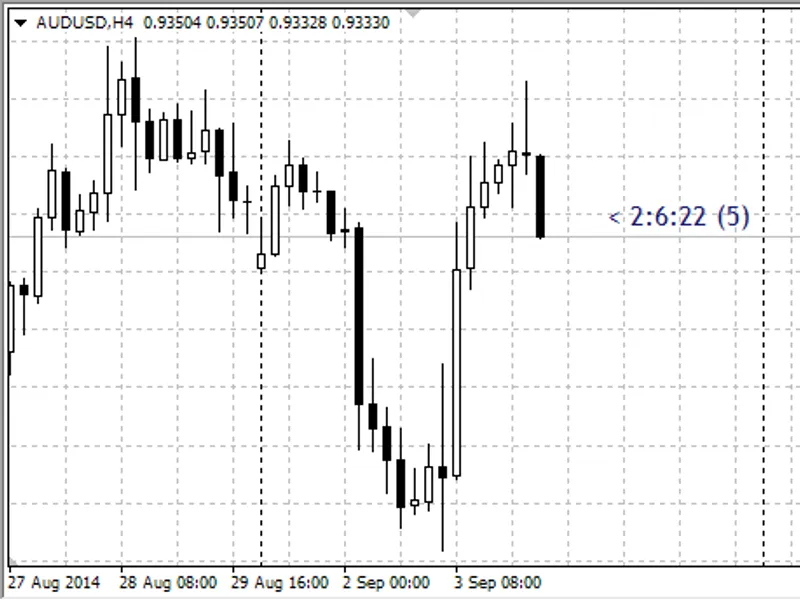
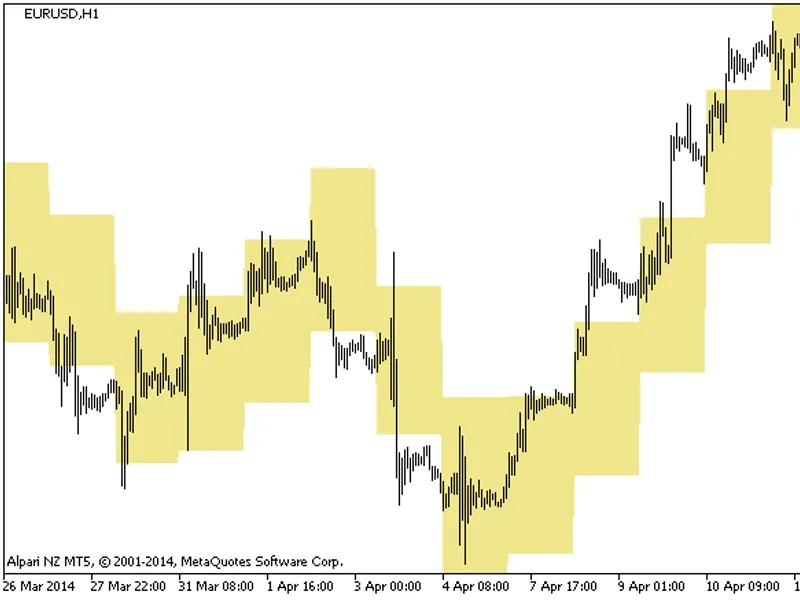
Fig. 1. PremiumDiscountZones on an M15 chart with default settings: Premium (gray), Discount (white) and the Equilibrium line (black and white image per Code Base guidelines).
You may also like: Premium Stochastic Oscillator (PSO) - excellent alternative for indicator users on MetaTrader 5.
Source Code
#property copyright "RobotFX"
#property link "https://robotfx.org"
#property version     "1.00"
#property description "This code is educational. Feel free to use, modify and upgrade as you wish. Visit ROBOTFX.ORG for professional trading tools"
#property indicator_chart_window
#property indicator_plots   0
input group "Swing range"
input int             InpSwingBars       = 5;
input int             InpLookbackBars    = 500;
input group "Zones"
.......
⚠ Limitations & Risk Warning
- This tool is provided for educational and testing purposes only.
- Past performance does not guarantee future results.
- Trading involves substantial risk of loss. Use on a demo account first.
- Results may vary depending on market conditions, broker, and settings.
- We recommend thorough backtesting and forward testing before using with real funds.