






Execution of Flat
Info
The Execution of Flat is a Indicator for MetaTrader 5 that the concept: every flat has a defined duration. This indicator measures the flat, disregarding the notion of a 'trend'.
Usage
This tool is typically used for enhancing chart analysis and decision making.
Platform
This Indicator works exclusively on MetaTrader 5 (both build 600+ and newer versions).
Setup
Place the downloaded file in MQL5/Indicators folder via File ? Open Data Folder in MetaTrader 5.
How to Install and Use Execution of Flat
1. Installation: Place your file in the MQL/Indicators folder via "Open Data Folder" and restart your terminal.
2. Loading: Find the indicator in the Navigator, drag it onto your chart, and configure the input parameters in the popup window.
3. Customization: Press Ctrl+I to open the indicator list, select your tool, and click "Properties" to change colors, levels, or visual styles.
4. Updating: Replace the old file in the Indicators folder with the new version and restart the platform to apply changes.
Frequently Asked Questions
Q: Why is my indicator not showing? A: Verify the file is in the MQL/Indicators folder, or try right-clicking the "Indicators" tree in the Navigator and clicking "Refresh."
Q: Do custom indicators slow down the platform? A: Too many complex indicators can impact performance; remove unused ones via the "Indicator List" (Ctrl+I).
Q: Can I use MT4 indicators on MT5? A: No, MQL4 and MQL5 are distinct languages; ensure the indicator is compiled specifically for your platform version.
What this tool does
The concept: Every flat has a defined duration.
Typical Use Case
This Indicator excels in automated trading and technical analysis on MetaTrader 5.
Compatible Platform & Setup
This Indicator works on MetaTrader 5. Place the file in the MQL5/Indicators folder and restart the terminal.
Description & Settings
Related: RBVI Forex Indicator: Trading Flat Markets - another powerful indicator for MetaTrader 5 traders.
The concept:Every flat has a defined duration. This indicator measures the flat, disregarding the notion of a 'trend'.
Also recommended: Flat Trend Indicator - similar indicator with strong performance on MetaTrader 5.
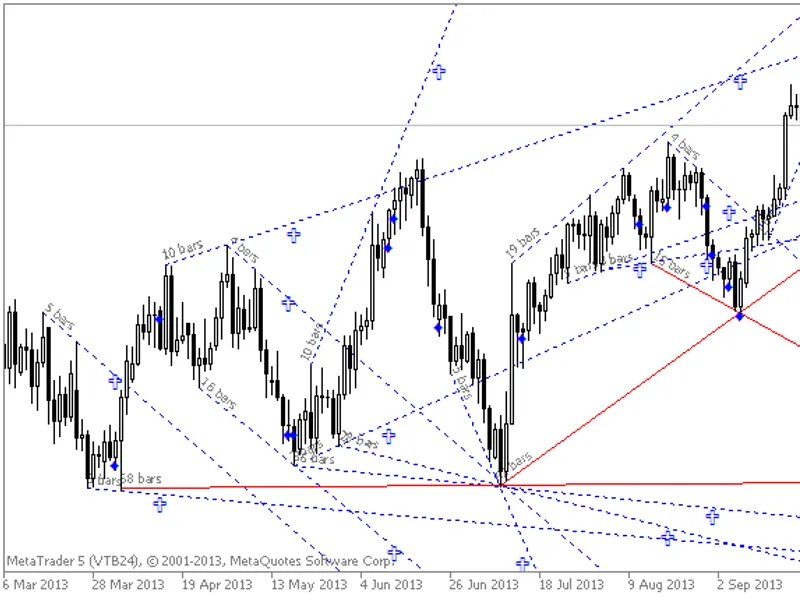
When the flat's duration is reached, it's time to either fix the result or open a new position. This 'double time' approach can be applied to any fluctuations, whether in weather, balance charts, or quotes. The key is the contrast between something small fluctuating against something larger.
The time of flat execution is calculated in bars as the difference between the first and second points of the line, added to the second point. Inactive days are excluded.
Working with lines:
Lines are manually drawn, and the indicator utilizes this line data. These lines should be drawn according to flats, using fractals. The principle is to draw a line from each fractal to all subsequent ones, using upper fractals for the upper line and lower fractals for the lower line. Lines that have been touched by the price can be removed. If a line can be technically touched during the drawing process, it doesn't need to be drawn. If a line encompasses multiple flats, this aggregate flat is considered a distinct entity.
Trade analysis:
Wait for the execution of one flat or a group of flats, and then enter. This can be combined with news analysis. For instance, if there's news about US employment, wait for the execution of the flat(s) in one direction and then enter. Alternatively, if a reduction in QE or an interest rate hike is anticipated in the next Federal Reserve session, wait for the execution of the most global flat(s) and enter. Hold the position after the news is received, and then exit. The principle is that the published news or its expectation leads to the flat's execution, and the entry is not a direct response to the news.
Stop loss can be adjusted along the line. If the price touches the line before execution, close the open position. Sometimes, the flat is not executed before the price touches the line, and the stop loss may pass the second point. In such cases, the stop can be placed beyond the second point to avoid increasing a loss-making stop loss.
Economic statistics analysis:
This method can be applied to analyze any fluctuating economic data over a period. If historical data can be displayed in a chart's subwindow, the analysis can be performed directly in the terminal using the indicator.
Example: The chart illustrates when the period of low interest rates is executed. For the dollar, this moment has arrived, and a rate increase step will soon be initiated in one of the upcoming sessions. For the euro, this moment will come in 2026. This suggests that the euro may depreciate against the dollar over the next two years.
Trade results analysis:
Technically, the forex market works against any strategy, ensuring its own liquidity. We may observe a strategy generating stable profits for a while, but eventually, the profit stops exceeding the highest point and resets to zero. As the market changes, strategies must adapt. Knowing when these changes occur can guide when to stop or start using a strategy, whether in discretionary management, signals, automated advisors, or manual trading. This analysis is similar to currency pair analysis.
Information display:
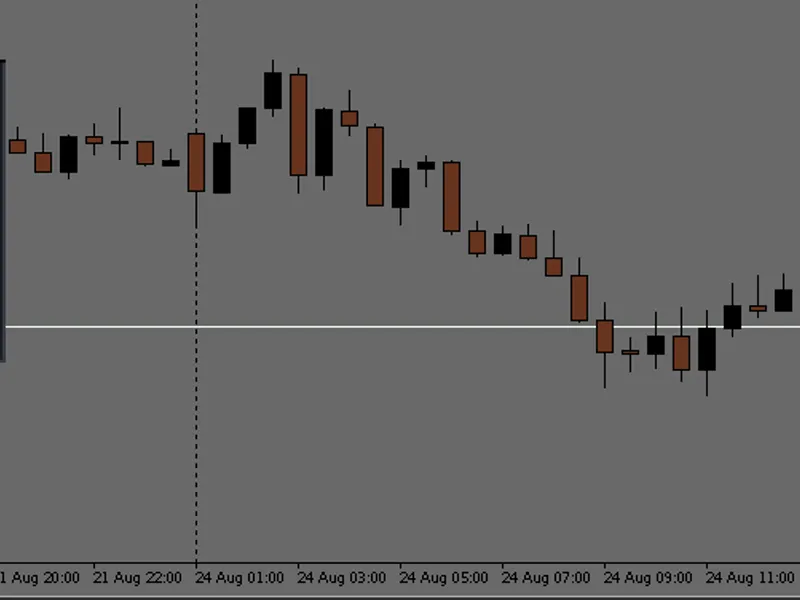
The execution sign appears after the fact, the signal sign appears upon the zero bar opening, and a visual sign (a cross) appears on the line. When the flat is executed, lines become dotted, and signs and lines turn blue by default. If the flat is not executed, the line is red by default. The time remaining until execution, starting from the second point of the line (excluding the signal bar), is displayed in the description and on the line, if the description is included in the chart's features.
Variables:
- Accuracy: You can set the accuracy, such as per minute or per second, which is crucial for precise timing, especially during the day timeframe. With minute accuracy, you can ensure that every minute is accounted for, and the line is drawn accurately, preventing incorrect execution time calculations.
- Colors: You can customize the colors of executed and non-executed lines and signs.
- Chart's subwindow: If you require indicator measurements from specific chart windows, specify the subwindow. By default, 0 is the main window, and subsequent numbers represent additional windows from top to bottom. Set -1 to receive signals from all windows.
You may also like: High Low Flat Channel Indicator - excellent alternative for indicator users on MetaTrader 5.
Source Code
#property copyright "robotfx"
#property version   "1.00"
#property indicator_chart_window
#property indicator_plots 0
input enum_timeframes accuracytf=period_current; //
input color execut=blue;                         //
input color notexecut=red;                       //
input int sub_window=0;                          //
void oninit()
  {
.......
⚠ Limitations & Risk Warning
- This tool is provided for educational and testing purposes only.
- Past performance does not guarantee future results.
- Trading involves substantial risk of loss. Use on a demo account first.
- Results may vary depending on market conditions, broker, and settings.
- We recommend thorough backtesting and forward testing before using with real funds.