
Building a Confluence Signal Engine in MQL5: Triggers, Filters, and a Live Dashboard
Info
The Building a Confluence Signal Engine in MQL5: Triggers, Filters, and a Live Dashboard is a Indicator for MetaTrader 5 that 1. Why One Indicator is Never EnoughEach indicator answers a specific question.
Usage
This tool is typically used for enhancing chart analysis and decision making.
Platform
This Indicator works exclusively on MetaTrader 5 (both build 600+ and newer versions).
Setup
Place the downloaded file in MQL5/Indicators folder via File ? Open Data Folder in MetaTrader 5.
How to Install and Use Building a Confluence Signal Engine in MQL5: Triggers, Filters, and a Live Dashboard
1. Installation: Place your file in the MQL/Indicators folder via "Open Data Folder" and restart your terminal.
2. Loading: Find the indicator in the Navigator, drag it onto your chart, and configure the input parameters in the popup window.
3. Customization: Press Ctrl+I to open the indicator list, select your tool, and click "Properties" to change colors, levels, or visual styles.
4. Updating: Replace the old file in the Indicators folder with the new version and restart the platform to apply changes.
Frequently Asked Questions
Q: Why is my indicator not showing? A: Verify the file is in the MQL/Indicators folder, or try right-clicking the "Indicators" tree in the Navigator and clicking "Refresh."
Q: Do custom indicators slow down the platform? A: Too many complex indicators can impact performance; remove unused ones via the "Indicator List" (Ctrl+I).
Q: Can I use MT4 indicators on MT5? A: No, MQL4 and MQL5 are distinct languages; ensure the indicator is compiled specifically for your platform version.
What this tool does
1.
Typical Use Case
This Indicator excels in automated trading and technical analysis on MetaTrader 5.
Compatible Platform & Setup
This Indicator works on MetaTrader 5. Place the file in the MQL5/Indicators folder and restart the terminal.
Description & Settings
Related: Sensible Guide Confluence - another powerful indicator for MetaTrader 5 traders.
1. Why One Indicator is Never EnoughEach indicator answers a specific question. A moving average indicates the trend, RSI measures the strength of a move, and a volatility filter determines if the market is active. Trading based on a single indicator can lead to numerous false signals in unfavorable conditions.
Also recommended: sniper pro: multi-confluence indicator for metatrader 5 - similar indicator with strong performance on MetaTrader 5.
Confluence, which requires agreement from several independent indicators, is the most established method in technical analysis. The challenge lies in engineering a system that accommodates various indicator combinations without requiring custom code for each one.This article presents an architecture designed for MQL5, complete with code snippets that can be integrated into your projects.
2. The Architecture: Normalize Everything to Two Booleans
The core design principle is to reduce every indicator, regardless of its complexity, to two boolean series: Long[i] and Short[i]. Once this standard is established, the signal engine can process any indicator, whether it's a SuperTrend, an Ichimoku cloud, or a volume filter, without needing specific logic for each.
struct SigArr { char L[]; char S[]; };
// one pair per indicator
SigArr g_sig[IND_COUNT];
void SS(int id, int i, bool l, bool s) {
g_sig[id].L[i]=(char)(l ? 1 : 0);
g_sig[id].S[i]=(char)(s ? 1 : 0);
}
// Example: A simple EMA filter reduced to Long/Short
void CalcEmaFilter(int id, const double &c[], int n, int len) {
double a = 2.0 / (len + 1.0), e = c[0];
for (int i = 0; i < n; i++) {
e = (i == 0) ? c[0] : a * c[i] + (1.0 - a) * e;
SS(id, i, c[i] > e, c[i] < e);
}
}
Using 'char' instead of 'bool' optimizes array size, and a struct with dynamic arrays allows for managing any number of indicators within a single fixed-size array.
3. Leading vs. Confirmation
Not all inputs are equally important. One indicator serves as the trigger, initiating a setup. The others act as filters, requiring confirmation. Differentiating their roles is crucial: the trigger defines 'when', and the filters define 'whether'.
// Filters enabled by the user, stored as a compact ID list
int g_conf[];
int g_nconf = 0;
bool AllAgree(int i, bool longSide) {
for (int k = 0; k < g_nconf; k++) {
int id = g_conf[k];
if (longSide && g_sig[id].L[i] == 0) return false;
if (!longSide && g_sig[id].S[i] == 0) return false;
}
return true; // zero filters = trigger alone
}
Want 53 ready-made engines wired into this exact architecture?
ConfluenceForge Pro offers 53 indicators, 18 overlays, and a live dashboard. Select a trigger, choose your filters, and you are set.
See ConfluenceForge Pro on the MQL5 Market
4. The Expiry Window: Filters Must Agree in Time
Filters typically do not align perfectly with the trigger on the same bar. Requiring same-bar agreement can exclude valid setups, while allowing agreement at any later point may result in delayed entries. The solution is an 'expiry window': track the number of consecutive bars the trigger has been active, and only accept the setup if this count remains within a defined limit (N).
int cntL = 0, state = 0; // state: +1 last long, -1 last short
for (int i = 1; i < n; i++) {
bool trig = g_sig[lead].L[i] != 0;
cntL = trig ? cntL + 1 : 0; // how long has the trigger been on?
bool valid = trig && AllAgree(i, true) && cntL <= expiry;
if (valid && state != 1) { /* LONG signal on bar i */ }
if (valid) state = 1; // alternate mode: no LONG after LONG
}
The 'state' variable implements 'alternate mode': after a long signal, the next displayed signal must be a short. This prevents the clutter of multiple consecutive signals of the same type often seen in multi-indicator tools.
5. Non-Repainting by Construction
Evaluate signals only on closed bars (skip index rates_total-1) and ensure that a later bar never alters a prior decision. Indicators that rely on pivots (fractals, swing-based zones) must exclusively use confirmed pivots. A pivot of length L at bar p is known at bar p+L, never earlier.
bool PivotHigh(const double &h[], int p, int L, int R, int n) {
if (p - L < 0 || p + R >= n) return false; // right side not printed yet
for (int k = 1; k <= L; k++) if (h[p - k] >= h[p]) return false;
for (int k = 1; k <= R; k++) if (h[p + k] > h[p]) return false;
return true;
}
6. A Dashboard Users Actually Read
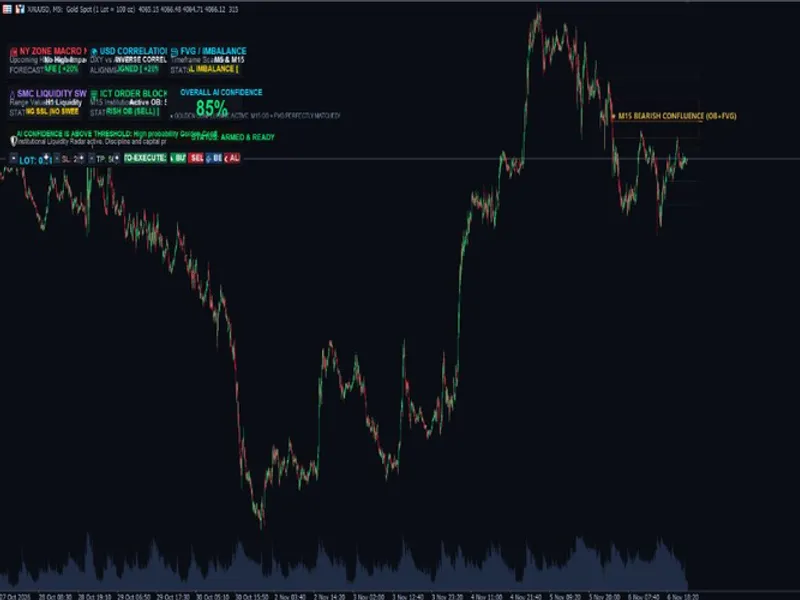
A confluence signal is only reliable if the trader can easily understand its basis. A compact table with 'Long' and 'Short' columns, one row per filter, addresses the most common support question – "why didn't it signal here?" – proactively. This table is constructed using OBJ_RECTANGLE_LABEL cells and OBJ_LABEL text, with positions calculated in pixels relative to chart size for placement in any corner.
void Cell(string n, int x, int y, int w, int h, color bg) {
if (ObjectFind(0, n) < 0) ObjectCreate(0, n, OBJ_RECTANGLE_LABEL, 0, 0, 0);
ObjectSetInteger(0, n, OBJPROP_CORNER, CORNER_LEFT_UPPER);
ObjectSetInteger(0, n, OBJPROP_XDISTANCE, x);
ObjectSetInteger(0, n, OBJPROP_YDISTANCE, y);
ObjectSetInteger(0, n, OBJPROP_XSIZE, w);
ObjectSetInteger(0, n, OBJPROP_YSIZE, h);
ObjectSetInteger(0, n, OBJPROP_BGCOLOR, bg);
ObjectSetInteger(0, n, OBJPROP_BORDER_TYPE, BORDER_FLAT);
ObjectSetInteger(0, n, OBJPROP_SELECTABLE, false);
ObjectSetInteger(0, n, OBJPROP_HIDDEN, true);
}
// Check / cross marks: Wingdings 252 and 251
string Mark(bool ok) { return CharToString((uchar)(ok ? 252 : 251)); }
// Bottom-right placement that survives chart resizes
int cw = (int)ChartGetInteger(0, CHART_WIDTH_IN_PIXELS);
int ch = (int)ChartGetInteger(0, CHART_HEIGHT_IN_PIXELS);
int x0 = cw - tableWidth - 12, y0 = ch - tableHeight - 28;
Redraw the table in OnChartEvent on CHARTEVENT_CHART_CHANGE to keep it anchored when the user resizes the window.
See the full dashboard live – every filter, both directions, the passing score, the last signal, and hover tooltips that list filters that blocked an expired setup.
See ConfluenceForge Pro on the MQL5 Market
7. Performance: Keep it Fast with 50+ Engines
Compute only necessary data. Maintain a 'done[]' flag per indicator and calculate an engine only if it's the trigger, an enabled filter, or a visible overlay.
Limit the calculation window. Process the last N bars plus a small margin (e.g., 3,000 + 700) instead of the entire history.
Throttle tick updates. Recalculate on each new bar and at intervals of approximately 300 ms within a bar.
Redraw objects on new bars only. Zones, sessions, and pivots do not change tick-by-tick; the dashboard does.
8. Free Download: Sessions & PVSRA Indicator
Attached to this publication is ConfluenceForge_Sessions_PVSRA_Free.mq5, a complete, compile-ready indicator demonstrating two techniques from this article:
DST-aware sessions. Tokyo, London, and New York sessions are calculated in UTC, adjusted for UK and US daylight saving (last Sunday of March/October; second Sunday of March / first Sunday of November), and then converted to broker time using an automatic GMT offset (TimeTradeServer()-TimeGMT()).
PVSRA vector candles. Candles with volume ≥ 200% of the previous 10-bar average (or the highest spread×volume) and ≥ 150% are colored with DRAW_COLOR_CANDLES.
Also included:
5 preset files (Trend Rider, Kernel Scalper, Cloud Breaker, Squeeze Hunter, Mean Revert) – load them from the indicator's Inputs tab.
A printable cheat sheet mapping market conditions to trigger/filter combinations.
9. Choosing Combinations That Make Sense
Family
Answers
Examples
Trend
Which direction?
SuperTrend, Half Trend, EMA 200, RQK, Ichimoku
Momentum
Is the push strong now?
MACD, RSI, QQE, Stochastic, TSI
Volatility / Volume
Is the market worth trading?
Choppiness, Damiani, Squeeze, WAE, Volume
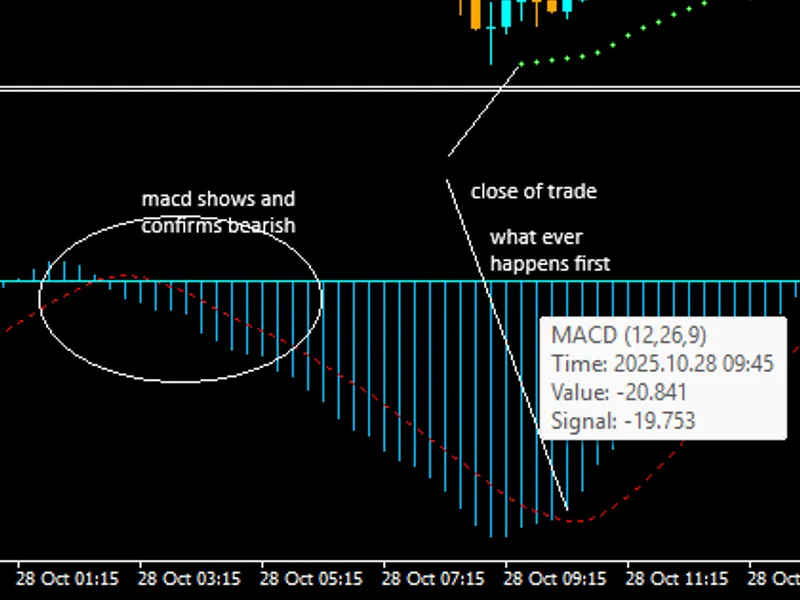
Select one trigger and two or three filters from different families. Three trend filters agreeing reinforces a single perspective, whereas trend + momentum + volatility agreement signifies genuine confluence.
Conclusion
A confluence engine is primarily a data-design challenge: normalize all indicators to Long/Short booleans, differentiate the trigger from filters, implement an expiry window for filter agreement, evaluate on closed bars, and provide users with a clear view of the reasoning. With this framework, adding a new indicator becomes a straightforward process.
Skip the build. Trade the result.
ConfluenceForge Pro: 53 indicators · 18 overlays · non-repainting signals · live dashboard · alerts · EA buffers.
See ConfluenceForge Pro on the MQL5 Market
Attachments: ConfluenceForge_Sessions_PVSRA_Free.mq5 · presets/*.set · ConfluenceForge_Cheat_Sheet.png. Trading involves risk; examples are educational and not investment advice. Provided for informational purposes only as of 2026.
You may also like: confluence detector - excellent alternative for indicator users on MetaTrader 5.
Source Code
#property copyright "RobotFX"
#property link "https://robotfx.org"
#property version     "1.00"
#property description "This code is educational. Feel free to use, modify and upgrade as you wish. Visit ROBOTFX.ORG for professional trading tools"
#property indicator_chart_window
#property indicator_buffers 32
#property indicator_plots   24
#property indicator_label1  "MA 1"
#property indicator_type1   DRAW_LINE
#property indicator_color1  C'254,234,74'
.......
⚠ Limitations & Risk Warning
- This tool is provided for educational and testing purposes only.
- Past performance does not guarantee future results.
- Trading involves substantial risk of loss. Use on a demo account first.
- Results may vary depending on market conditions, broker, and settings.
- We recommend thorough backtesting and forward testing before using with real funds.