
Building a Confluence Signal Engine in MQL5: Leading Triggers, Confirmation Filters and a Live Dashboard
Info
The Building a Confluence Signal Engine in MQL5: Leading Triggers, Confirmation Filters and a Live Dashboard is a Indicator for MetaTrader 5 that 1. Why one indicator is never enough Every indicator answers one question.
Usage
This tool is typically used for enhancing chart analysis and decision making.
Platform
This Indicator works exclusively on MetaTrader 5 (both build 600+ and newer versions).
Setup
Place the downloaded file in MQL5/Indicators folder via File ? Open Data Folder in MetaTrader 5.
How to Install and Use Building a Confluence Signal Engine in MQL5: Leading Triggers, Confirmation Filters and a Live Dashboard
1. Installation: Place your file in the MQL/Indicators folder via "Open Data Folder" and restart your terminal.
2. Loading: Find the indicator in the Navigator, drag it onto your chart, and configure the input parameters in the popup window.
3. Customization: Press Ctrl+I to open the indicator list, select your tool, and click "Properties" to change colors, levels, or visual styles.
4. Updating: Replace the old file in the Indicators folder with the new version and restart the platform to apply changes.
Frequently Asked Questions
Q: Why is my indicator not showing? A: Verify the file is in the MQL/Indicators folder, or try right-clicking the "Indicators" tree in the Navigator and clicking "Refresh."
Q: Do custom indicators slow down the platform? A: Too many complex indicators can impact performance; remove unused ones via the "Indicator List" (Ctrl+I).
Q: Can I use MT4 indicators on MT5? A: No, MQL4 and MQL5 are distinct languages; ensure the indicator is compiled specifically for your platform version.
What this tool does
1.
Typical Use Case
This Indicator excels in automated trading and technical analysis on MetaTrader 5.
Compatible Platform & Setup
This Indicator works on MetaTrader 5. Place the file in the MQL5/Indicators folder and restart the terminal.
Description & Settings
Related: Sensible Guide Confluence - another powerful indicator for MetaTrader 5 traders.
1. Why one indicator is never enough
Every indicator answers one question. A moving average answers "where is the trend?", RSI answers "how strong is the move?", a volatility filter answers "is the market even moving?". Trading on one answer produces a flood of signals in the wrong conditions.
Also recommended: sniper pro: multi-confluence indicator for metatrader 5 - similar indicator with strong performance on MetaTrader 5.
Confluence— requiring several independent answers to agree — is the oldest fix in technical analysis. The hard part is engineering it so that any combination works without writing new code each time.
This article walks through the architecture I use, with MQL5 code you can drop into your own projects.
2. The architecture: normalise everything to two booleans
The key design decision:
every indicator, no matter how complex, is reduced to two boolean series
— Long[i] and Short[i] . Once that contract exists, the signal engine does not care whether a row is a SuperTrend, an Ichimoku cloud or a volume filter.
struct
SigArr {
char
L[];
char
S[]; };
// one pair per indicator
SigArr g_sig[IND_COUNT];
void
SS(
const
int
id,
const
int
i,
const
bool
l,
const
bool
s) { g_sig[id].L[i]=(
char
)(l?
1
:
0
); g_sig[id].S[i]=(
char
)(s?
1
:
0
); }
// Example: a simple EMA filter reduced to Long/Short
void
CalcEmaFilter(
const
int
id,
const
double
&c[],
const
int
n,
const
int
len) {
double
a=
2.0
/(len+
1.0
), e=c[
0
];
for
(
int
i=
0
;i<n;i++) { e=(i==
0
)?c[
0
]:a*c[i]+(
1.0
-a)*e; SS(id,i,c[i]>e,c[i]<e); } }
Using char instead of bool keeps the arrays compact, and a struct with dynamic arrays lets you hold any number of indicators in a single fixed-size array.
3. Leading vs. confirmation
Not all inputs are equal. One indicator is the
trigger
— the event that starts a setup. The others are
filters
that must agree. Treating them differently matters: the trigger defines
when
, the filters define
whether
.
// Filters enabled by the user, stored as a compact id list
int
g_conf[];
int
g_nconf=
0
;
bool
AllAgree(
const
int
i,
const
bool
longSide) {
for
(
int
k=
0
;k<g_nconf;k++) {
int
id=g_conf[k];
if
(longSide && g_sig[id].L[i]==
0
)
return
(
false
);
if
(!longSide && g_sig[id].S[i]==
0
)
return
(
false
); }
return
(
true
);
// zero filters = trigger alone
}
Want 53 ready-made engines wired into this exact architecture?
ConfluenceForge Pro ships 53 indicators, 18 overlays and a live dashboard — pick a trigger, tick your filters, done.
See ConfluenceForge Pro on the MQL5 Market
4. The expiry window: filters must agree
in time
Filters rarely flip on the same candle as the trigger. Requiring same-bar agreement throws away good setups; allowing agreement at any time later produces stale entries. The solution is an
expiry window
: count how many consecutive bars the trigger has been active, and only accept the setup while that count is within N.
int
cntL=
0
, state=
0
;
// state: +1 last long, -1 last short
for
(
int
i=
1
;i<n;i++) {
bool
trig=g_sig[lead].L[i]!=
0
; cntL = trig ? cntL+
1
:
0
;
// how long has the trigger been on?
bool
valid = trig && AllAgree(i,
true
) && cntL<=expiry;
if
(valid && state!=
1
) {
/* LONG signal on bar i */
}
if
(valid) state=
1
;
// alternate mode: no LONG after LONG
}
The state variable implements
alternate mode
: after a long, the next printed signal must be a short. This removes the "five arrows in a row" clutter most multi-indicator tools suffer from.
5. Non-repainting by construction
Evaluate signals only on
closed
bars (skip index rates_total-1 ) and never let a later bar modify an earlier decision. Indicators that use pivots (fractals, swing-based zones) must only use pivots that are already confirmed — a pivot of length L at bar p is known at bar p+L , never earlier.
bool
PivotHigh(
const
double
&h[],
const
int
p,
const
int
L,
const
int
R,
const
int
n) {
if
(p-L<
0
|| p+R>=n)
return
(
false
);
// right side not printed yet
for
(
int
k=
1
;k<=L;k++)
if
(h[p-k]>=h[p])
return
(
false
);
for
(
int
k=
1
;k<=R;k++)
if
(h[p+k]>h[p])
return
(
false
);
return
(
true
); }
6. A dashboard users actually read
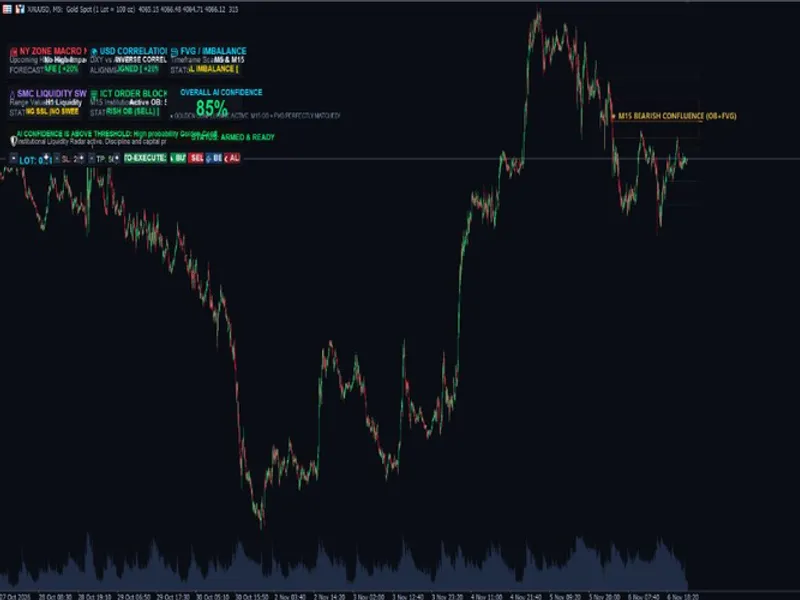
A confluence signal is only trusted if the trader can see the reasoning. A compact table with a Long and a Short column, one row per filter, answers the most common support question — "why didn't it signal here?" — before it is asked. Build it from OBJ_RECTANGLE_LABEL cells and OBJ_LABEL text, computing positions in pixels from the chart size so it works in any corner:
void
Cell(
string
n,
int
x,
int
y,
int
w,
int
h,
color
bg) {
if
(
ObjectFind
(
0
,n)<
0
)
ObjectCreate
(
0
,n,
OBJ_RECTANGLE_LABEL
,
0
,
0
,
0
);
ObjectSetInteger
(
0
,n,
OBJPROP_CORNER
,
CORNER_LEFT_UPPER
);
ObjectSetInteger
(
0
,n,
OBJPROP_XDISTANCE
,x);
ObjectSetInteger
(
0
,n,
OBJPROP_YDISTANCE
,y);
ObjectSetInteger
(
0
,n,
OBJPROP_XSIZE
,w);
ObjectSetInteger
(
0
,n,
OBJPROP_YSIZE
,h);
ObjectSetInteger
(
0
,n,
OBJPROP_BGCOLOR
,bg);
ObjectSetInteger
(
0
,n,
OBJPROP_BORDER_TYPE
,
BORDER_FLAT
);
ObjectSetInteger
(
0
,n,
OBJPROP_SELECTABLE
,
false
);
ObjectSetInteger
(
0
,n,
OBJPROP_HIDDEN
,
true
); }
// check / cross marks: Wingdings 252 and 251
string
Mark(
bool
ok){
return
CharToString
((
uchar
)(ok?
252
:
251
)); }
// bottom-right placement that survives chart resizes
int
cw=(
int
)
ChartGetInteger
(
0
,
CHART_WIDTH_IN_PIXELS
);
int
ch=(
int
)
ChartGetInteger
(
0
,
CHART_HEIGHT_IN_PIXELS
);
int
x0=cw-tableWidth-
12
, y0=ch-tableHeight-
28
;
Redraw the table in OnChartEvent on CHARTEVENT_CHART_CHANGE so it stays anchored when the user resizes the window.
See the full dashboard live
— every filter, both directions, the passing score and the last signal, plus hover tooltips that list the filters that blocked an expired setup.
See ConfluenceForge Pro on the MQL5 Market
7. Performance: keep it fast with 50+ engines
Compute only what is used.
Keep a done[] flag per indicator and calculate an engine only if it is the trigger, an enabled filter or a visible overlay.
Bound the window.
Calculate the last N bars plus a warm-up margin (for example 3,000 + 700) rather than the full history.
Throttle ticks.
Recalculate on every new bar, and at most every ~300 ms within a bar.
Redraw objects on new bars only.
Zones, sessions and pivots do not change tick-by-tick; the dashboard does.
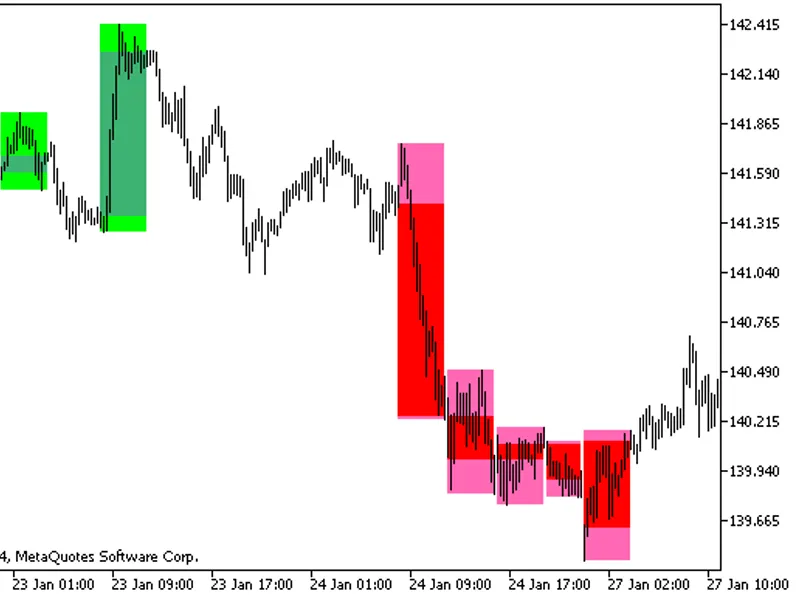
8. Free download: Sessions & PVSRA indicator
Attached to this publication is
ConfluenceForge_Sessions_PVSRA_Free.mq5
, a complete, compile-ready indicator that demonstrates two techniques from this article:
DST-aware sessions.
Tokyo, London and New York boxes calculated in UTC, shifted for UK and US daylight saving (last Sunday of March/October; second Sunday of March / first Sunday of November), then converted to broker time using an automatic GMT offset ( TimeTradeServer()-TimeGMT() ).
PVSRA vector candles.
Candles with volume ≥ 200% of the previous 10-bar average (or the highest spread×volume) and ≥ 150% are coloured with DRAW_COLOR_CANDLES .
Also included:
5 preset files
(Trend Rider, Kernel Scalper, Cloud Breaker, Squeeze Hunter, Mean Revert) — load them in the indicator's Inputs tab.
A printable cheat sheet
mapping market conditions to trigger/filter combinations:
9. Choosing combinations that make sense
Family
Answers
Examples
Trend
Which direction?
SuperTrend, Half Trend, EMA 200, RQK, Ichimoku
Momentum
Is the push strong now?
MACD, RSI, QQE, Stochastic, TSI
Volatility / volume
Is the market worth trading?
Choppiness, Damiani, Squeeze, WAE, Volume
Pick one trigger and two or three filters from
different
families. Three trend filters agreeing is one opinion repeated three times; trend + momentum + volatility agreeing is genuine confluence.
Conclusion
A confluence engine is mostly a data-design problem: normalise every indicator to Long/Short booleans, separate the trigger from the filters, give filters an expiry window to agree in, evaluate on closed bars, and show the user the reasoning. With that contract in place, adding indicator number 54 is a single function.
Skip the build. Trade the result.
ConfluenceForge Pro: 53 indicators · 18 overlays · non-repainting signals · live dashboard · alerts · EA buffers.
See ConfluenceForge Pro on the MQL5 Market
Attachments: ConfluenceForge_Sessions_PVSRA_Free.mq5 · presets/*.set · ConfluenceForge_Cheat_Sheet.png. Trading involves risk; examples are educational and not investment advice.
You may also like: confluence detector - excellent alternative for indicator users on MetaTrader 5.
Source Code
#property copyright "RobotFX"
#property link "https://robotfx.org"
#property version     "1.00"
#property description "This code is educational. Feel free to use, modify and upgrade as you wish. Visit ROBOTFX.ORG for professional trading tools"
#property indicator_chart_window
#property indicator_buffers 32
#property indicator_plots   24
#property indicator_label1  "MA 1"
#property indicator_type1   DRAW_LINE
#property indicator_color1  C'254,234,74'
.......
⚠ Limitations & Risk Warning
- This tool is provided for educational and testing purposes only.
- Past performance does not guarantee future results.
- Trading involves substantial risk of loss. Use on a demo account first.
- Results may vary depending on market conditions, broker, and settings.
- We recommend thorough backtesting and forward testing before using with real funds.