Cincin EA
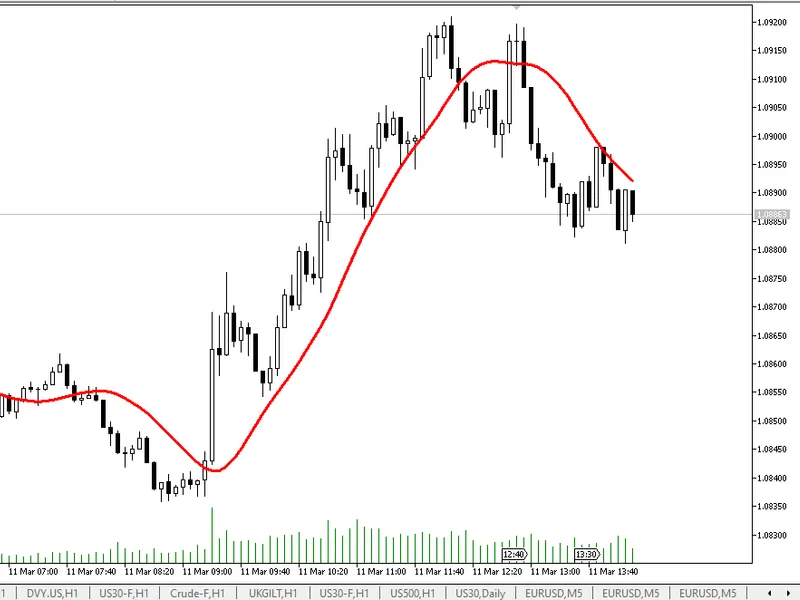
This professional-grade solution for MetaTrader 5 helps traders achieve greater efficiency in their daily workflow. This Expert Advisor serves as automated trading software. It is utilized to monitor financial markets and execute trades based on predefined algorithmic rules, enabling precise position management without the need for constant manual oversight.
How to Setup and Use Cincin EA
1. Installation: Open the "File" menu, select "Open Data Folder," navigate to MQL/Experts, paste your file, and restart the terminal.
2. Activation: Drag the EA from the Navigator onto a chart, ensure "Allow live trading" is checked in the Common tab, and verify the AutoTrading button is green.
3. Optimization: Right-click your chart, choose "Expert List," click "Properties" to adjust inputs, and save your preferred setup as a set file for future use.
4. Maintenance: Regularly check the "Experts" tab in the terminal window to monitor trade logs and potential execution errors.
Frequently Asked Questions
Q: Why is my EA not opening trades? A: Check the "AutoTrading" button, ensure "Allow live trading" is enabled, and verify your broker allows automated trading on your account type.
Q: Can I run multiple EAs on one chart? A: No, each chart can only host one active EA; however, you can open multiple charts for different currency pairs to run several EAs.
Q: What does the "smiley face" icon mean? A: A smiley face in the top-right corner of the chart indicates the EA is successfully running; a frowny face means it is disabled.
Description & Settings
The Cincin EA (v2.24) is an automated trading system for MetaTrader 5 that executes conservative random trades on a specified symbol (e.g., EURUSD), with features like basket management, hedging, and position control. It opens buy or sell trades based on random decisions, respecting user-defined risk parameters, stop-loss/take-profit levels (using ATR or fixed pips), and a maximum daily trade limit. The EA monitors total profit/loss and closes all positions when profit/loss targets or position thresholds are reached, optionally using breakeven adjustments and hedging to mitigate losses. It includes safeguards like margin checks, market status validation, and minimum time/pip distances between trades to ensure disciplined trading.
Please be aware: This EA is not designed for live trading. Using martingale strategies or increasing lot sizes could eventually lead to a complete loss of your balance. It is intended for demo and strategy testing only. The code requires significant updates before it is suitable for live trading. Consider it a work in progress and feel free to make improvements.