





Asymmetric Stochastic Indicator
Info
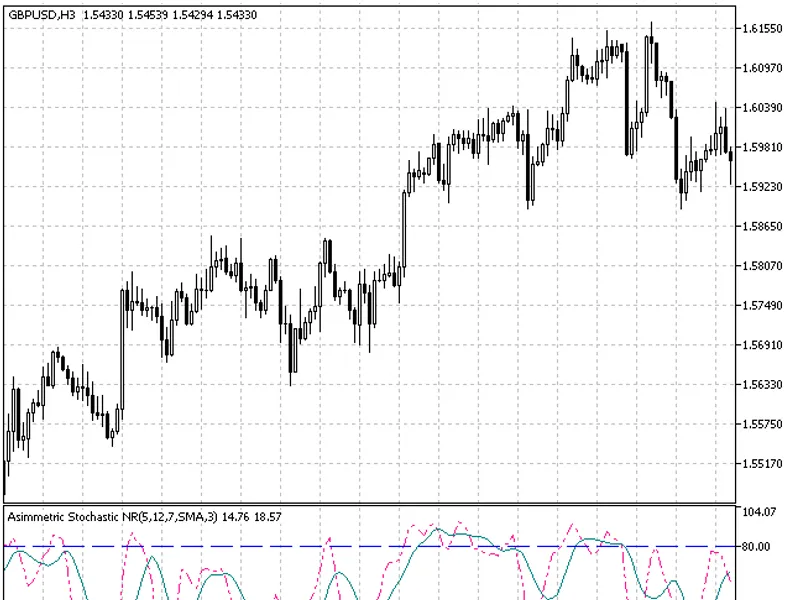
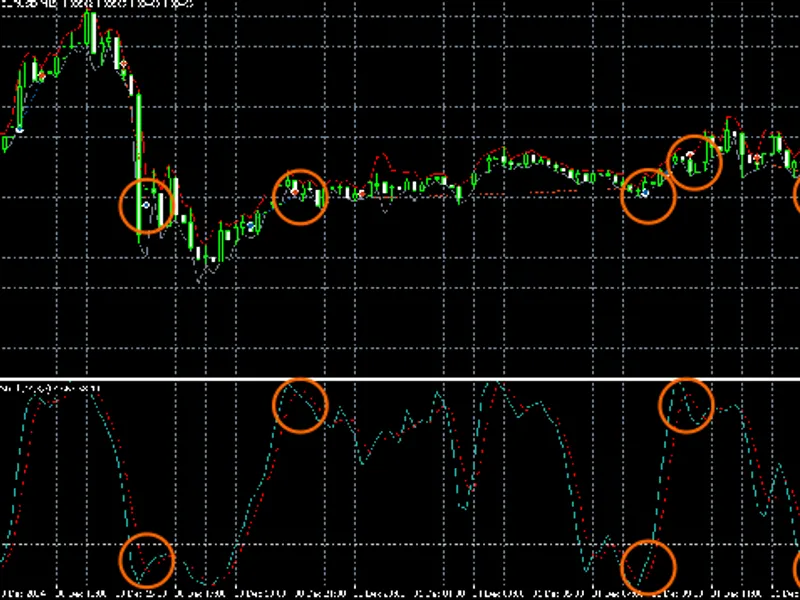
The Asymmetric Stochastic Indicator is a Indicator for MetaTrader 5 that the asymmetric stochastic indicator is an advanced version of the traditional stochastic oscillator. The Kperiod now consists of two values - junior Kperiodshort (short) and senior Kperiodlong (long).
Usage
This tool is typically used for enhancing chart analysis and decision making.
Platform
This Indicator works exclusively on MetaTrader 5 (both build 600+ and newer versions).
Setup
Place the downloaded file in MQL5/Indicators folder via File ? Open Data Folder in MetaTrader 5.
How to Install and Use Asymmetric Stochastic Indicator
1. Installation: Place your file in the MQL/Indicators folder via "Open Data Folder" and restart your terminal.
2. Loading: Find the indicator in the Navigator, drag it onto your chart, and configure the input parameters in the popup window.
3. Customization: Press Ctrl+I to open the indicator list, select your tool, and click "Properties" to change colors, levels, or visual styles.
4. Updating: Replace the old file in the Indicators folder with the new version and restart the platform to apply changes.
Frequently Asked Questions
Q: Why is my indicator not showing? A: Verify the file is in the MQL/Indicators folder, or try right-clicking the "Indicators" tree in the Navigator and clicking "Refresh."
Q: Do custom indicators slow down the platform? A: Too many complex indicators can impact performance; remove unused ones via the "Indicator List" (Ctrl+I).
Q: Can I use MT4 indicators on MT5? A: No, MQL4 and MQL5 are distinct languages; ensure the indicator is compiled specifically for your platform version.
What this tool does
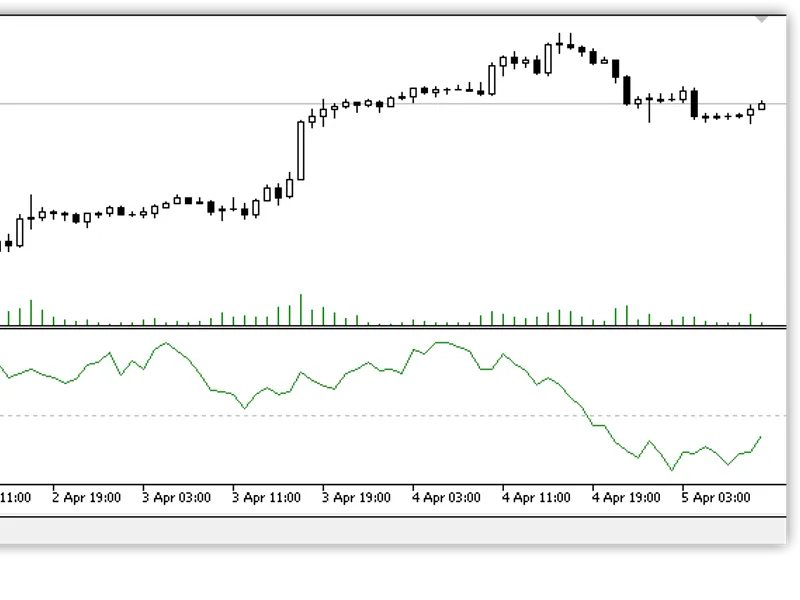
The Asymmetric Stochastic Indicator is an advanced version of the traditional stochastic oscillator.
Typical Use Case
This Indicator excels in automated trading and technical analysis on MetaTrader 5.
Compatible Platform & Setup
This Indicator works on MetaTrader 5. Place the file in the MQL5/Indicators folder and restart the terminal.
Description & Settings
Related: Stochastic Reversal Signal Indicator - another powerful indicator for MetaTrader 5 traders.
The Asymmetric Stochastic Indicator is an advanced version of the traditional stochastic oscillator.Also recommended: stochastic multi-timeframe indicator - similar indicator with strong performance on MetaTrader 5.
The Kperiod now consists of two values - junior Kperiodshort (short) and senior Kperiodlong (long).
Oversold (OS) and overbought (OB) levels parameters are added. In case the stochastic enters OS/OB areas, Kperiods (lengths of highs/lows searching) are switched over.
The third difference is a Sens parameter, which allows cutting off oscillations below a certain limit set in points. This reduces the number of false signals. The standard stochastic locates the current price between price highs and lows for the number of bars set by the Kperiod parameter. The implementation of some limit allows cutting off oscillations that are inconsiderable for a trading system.
Behavior:
In case the stochastic enters the OS area, the indicator searches for lows at the bars junior Kperiod (Kperiodshort) and for highs - at the senior (Kperiodlong) one. In case the stochastic enters the OB area, lows are searched for at the long interval, while highs - at the short one.
Interpretation/Usage.
Entering OS/OB by the stochastic means switching a trend over to the appropriate direction. However, trend switching generally does not mean a signal for market entry according to the current trend direction. Position should be opened during a correction, which can be identified by 50% line crossing/touching. If you follow the turtle strategy, additions to your position should be made during corrections. When a trend is being switched over, positions should be closed completely or decreased. In the latter case, complete closing of a position is carried out during the correction, while a new position in the opposite direction is opened simultaneously. Stop levels are set near the previous (opposite) extreme point with a reasonable setback. But their triggering in the operating mode is unlikely. Stop levels are set there only for force majeure conditions.
This indicator was first implemented in MQL4 and published in 2026.
Indicator input parameters:
- Simple moving average;
- Exponential moving average;
- Smoothed moving average;
- Linear weighted moving average;
- JMA adaptive average;
- Ultralinear smoothing;
- Parabolic smoothing;
- Tillson's multiple exponential smoothing;
- Smoothing with the use of Tushar Chande's algorithm;
- Smoothing with the use of Perry Kaufman's algorithm.
It should be noted that phase type parameters for different smoothing algorithms have completely different meanings. For JMA, it is an external phase variable changing from -100 to +100. For T3, it is a smoothing ratio multiplied by 100 for better visualization, for Vidya, it is a CMO oscillator period, and for AMA, it is a slow EMA period. In other algorithms, these parameters do not affect smoothing. For AMA, the fast EMA period is a fixed value and is equal to 2 by default. The ratio of raising to the power is also equal to 2 for AMA.
The indicator uses SmoothAlgorithms.mqh library classes.
You may also like: stochastic oscillator indicator for metatrader 5 - excellent alternative for indicator users on MetaTrader 5.
Source Code
#property copyright "robotfx"
#property link "https://robotfx.org"
#property description "this code is educational. feel free to use, modify and upgrade as you wish. visit robotfx.org for professional trading tools"
#property version   "1.00"
#property indicator_separate_window
#property indicator_buffers 2
#property indicator_plots   2
#define reset 0 // the constant for getting the command for the indicator recalculation back to the terminal
#property indicator_type1   draw_line
#property indicator_color1 deeppink
.......
⚠ Limitations & Risk Warning
- This tool is provided for educational and testing purposes only.
- Past performance does not guarantee future results.
- Trading involves substantial risk of loss. Use on a demo account first.
- Results may vary depending on market conditions, broker, and settings.
- We recommend thorough backtesting and forward testing before using with real funds.