AS Q Super Trend
This professional-grade solution for MetaTrader 5 helps traders achieve greater efficiency in their daily workflow. This technical indicator acts as a specialized analysis tool designed to visualize market data. It helps traders identify emerging trends, momentum shifts, and key support or resistance levels by plotting statistical calculations directly onto price charts.
How to Setup and Use AS Q Super Trend
1. Installation: Place your file in the MQL/Indicators folder via "Open Data Folder" and restart your terminal.
2. Loading: Find the indicator in the Navigator, drag it onto your chart, and configure the input parameters in the popup window.
3. Customization: Press Ctrl+I to open the indicator list, select your tool, and click "Properties" to change colors, levels, or visual styles.
4. Updating: Replace the old file in the Indicators folder with the new version and restart the platform to apply changes.
Frequently Asked Questions
Q: Why is my indicator not showing? A: Verify the file is in the MQL/Indicators folder, or try right-clicking the "Indicators" tree in the Navigator and clicking "Refresh."
Q: Do custom indicators slow down the platform? A: Too many complex indicators can impact performance; remove unused ones via the "Indicator List" (Ctrl+I).
Q: Can I use MT4 indicators on MT5? A: No, MQL4 and MQL5 are distinct languages; ensure the indicator is compiled specifically for your platform version.
Description & Settings
ASQ SuperTrend
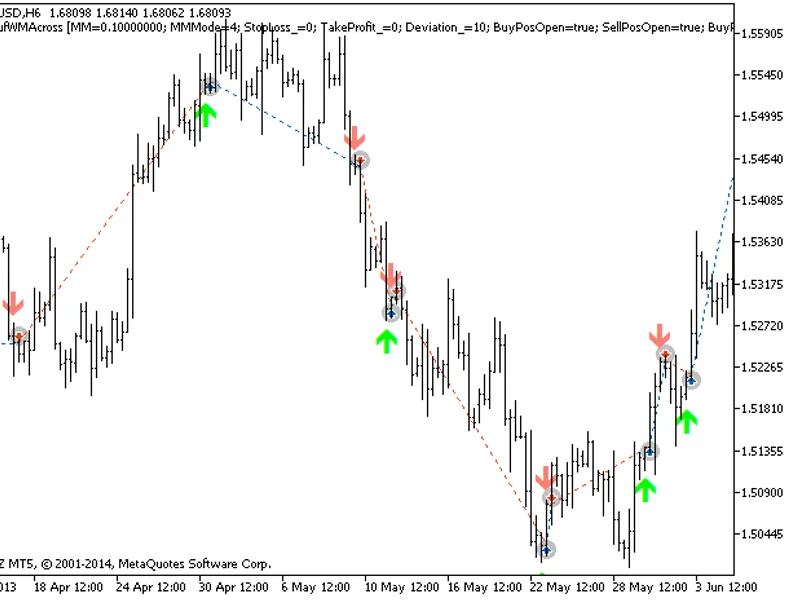
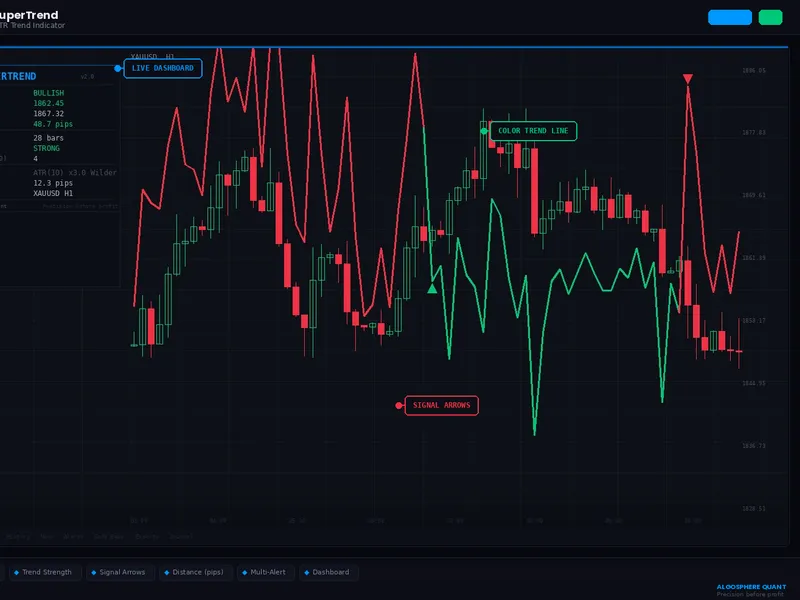
is a professional ATR-based trend-following indicator for MetaTrader 5. It plots a dynamic SuperTrend line that switches color in real time — green below price in uptrends, red above price in downtrends — with signal arrows on every trend reversal.
Core Features:
New in v2.0 — Three ATR Modes (fully implemented):
• Wilder Smoothing (Standard) — the classic ATR calculation used in most SuperTrend implementations. Uses the recursive formula: ATR = (prev_ATR × (N-1) + TR) / N• SMA — Simple Moving Average of True Range. Equal weight to all bars in the lookback period. More responsive to sudden volatility changes• EMA — Exponential Moving Average of True Range. More weight to recent bars. Produces a smoother, faster-reacting SuperTrend line
Each mode produces a noticeably different SuperTrend behavior. The mode is displayed in the indicator short name and dashboard.
New in v2.0 — Expanded Dashboard:
• Trend direction with color (BULLISH / BEARISH)• Exact SuperTrend level• Current price• Distance from price to SuperTrend line in pips — instantly see how far price is from the flip point• Trend duration — how many bars the current trend has been active• Trend strength rating (FLAT / WEAK / NORMAL / STRONG) — computed as the ratio of distance to current ATR value. A “STRONG” reading means price has moved significantly away from the SuperTrend line relative to volatility• Signal counter — number of trend reversals in the last 100 bars. Helps gauge whether the market is trending (few signals) or chopping (many signals)• Active settings: ATR period, multiplier, mode• Current ATR value in pips• Symbol and timeframe
Technical Details:
• 7 indicator buffers: 2 plot lines (bull/bear), 1 color arrow plot, 3 internal calculation buffers (upper band, lower band, direction)• Proper band locking logic: upper band can only decrease, lower band can only increase — prevents false reversals in the core algorithm• Arrow code set once in OnInit (not per-bar) for performance• Alerts fire only on the last completed bar to prevent repaint-based false signals
How to Use:
Attach to any chart (works best on H1, H4, D1)
Set ATR period (default 10) and multiplier (default 3.0)
Choose your ATR mode — try all 3 to see which suits your instrument
The dashboard shows you everything at a glance
Use signal arrows for entries, SuperTrend line as trailing stop
Single-file indicator, no DLLs, no external dependencies.