

Alpha Beta Trend Filter with Multi-Timeframe Matrix Dashboard
Info
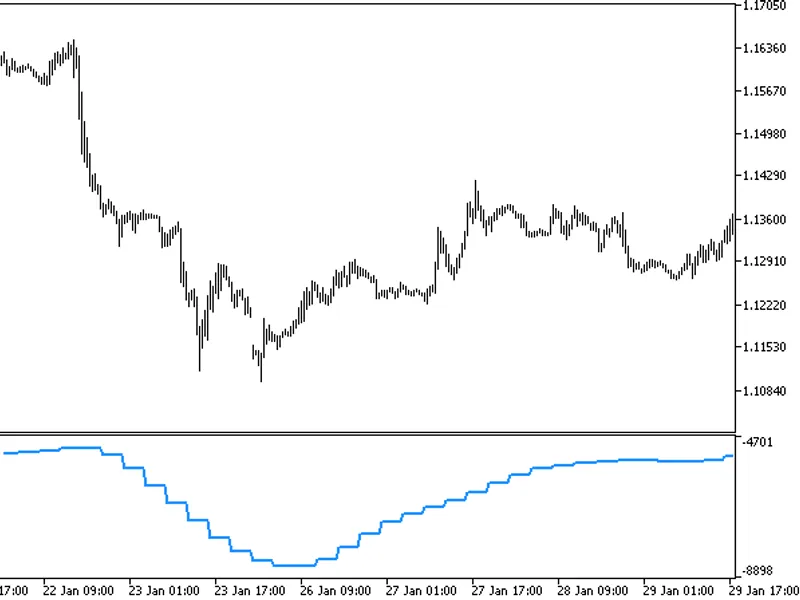
The Alpha Beta Trend Filter with Multi-Timeframe Matrix Dashboard is a Indicator for MetaTrader 5 that 1. OverviewThe Alpha-Beta Trend Filter is a predictive smoothing indicator rooted in control theory and digital signal processing.
Usage
This tool is typically used for trend following strategies across multiple currency pairs.
Platform
This Indicator works exclusively on MetaTrader 5 (both build 600+ and newer versions).
Setup
Place the downloaded file in MQL5/Indicators folder via File ? Open Data Folder in MetaTrader 5.
How to Install and Use Alpha Beta Trend Filter with Multi-Timeframe Matrix Dashboard
1. Installation: Place your file in the MQL/Indicators folder via "Open Data Folder" and restart your terminal.
2. Loading: Find the indicator in the Navigator, drag it onto your chart, and configure the input parameters in the popup window.
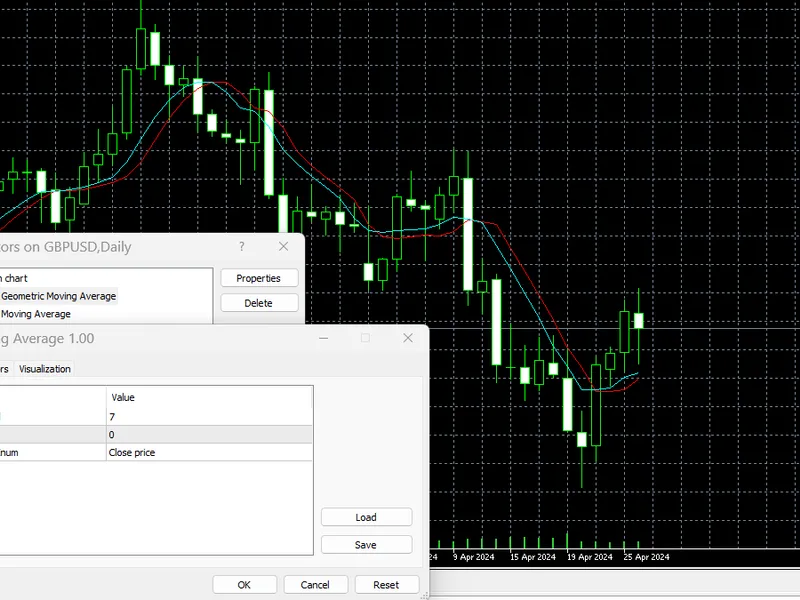
3. Customization: Press Ctrl+I to open the indicator list, select your tool, and click "Properties" to change colors, levels, or visual styles.
4. Updating: Replace the old file in the Indicators folder with the new version and restart the platform to apply changes.
Frequently Asked Questions
Q: Why is my indicator not showing? A: Verify the file is in the MQL/Indicators folder, or try right-clicking the "Indicators" tree in the Navigator and clicking "Refresh."
Q: Do custom indicators slow down the platform? A: Too many complex indicators can impact performance; remove unused ones via the "Indicator List" (Ctrl+I).
Q: Can I use MT4 indicators on MT5? A: No, MQL4 and MQL5 are distinct languages; ensure the indicator is compiled specifically for your platform version.
What this tool does
1.
Typical Use Case
This Indicator excels in trend following on MetaTrader 5.
Compatible Platform & Setup
This Indicator works on MetaTrader 5. Place the file in the MQL5/Indicators folder and restart the terminal.
Description & Settings
Related: Alpha Beta Channel - another powerful indicator for MetaTrader 5 traders.
1. OverviewThe Alpha-Beta Trend Filter is a predictive smoothing indicator rooted in control theory and digital signal processing. It functions as a simplified, steady-state Kalman filter. Unlike standard Moving Averages (SMA, EMA, LWMA) that rely solely on past data and lag behind live price action, the Alpha-Beta filter estimates the current "true" price and trend velocity while filtering out market noise.
Also recommended: Covariation, Correlation, and Beta Indicator for MT4/MT5 - similar indicator with strong performance on MetaTrader 5.
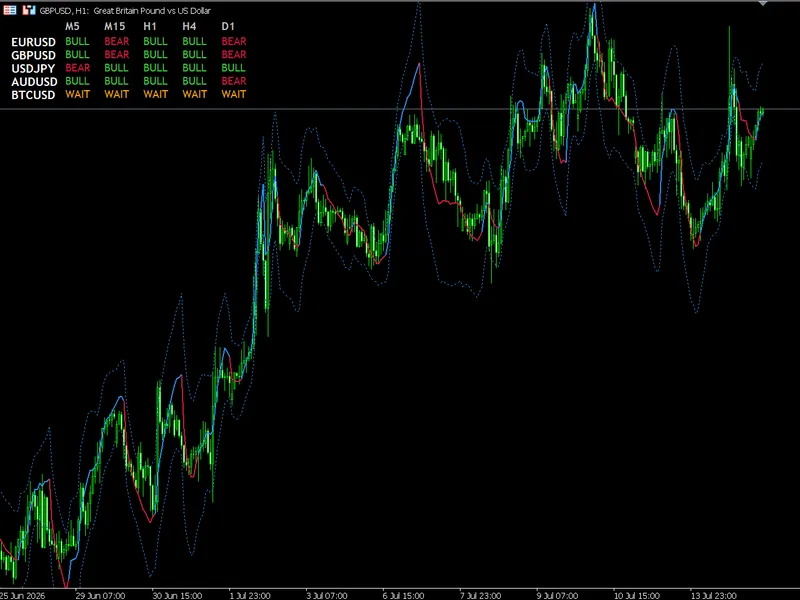
This MQL5 implementation enhances the classic single-line indicator by integrating a Multi-Symbol, Multi-Timeframe Matrix Dashboard. Traders can monitor the Alpha-Beta trend bias across their entire portfolio from a single chart, with dynamic updates on every tick.
2. The Mathematical Engine
The filter iterates on each new price bar, guided by two primary tuning coefficients:
$\alpha$
(Alpha):
Price sensitivity coefficient, balancing the weight of new price observations against the filter's prediction.
$\beta$
(Beta):
Velocity sensitivity coefficient, controlling responsiveness to trend momentum changes.
The algorithm operates in two phases per bar:
Phase 1: Prediction Step
Before the current bar closes, the filter predicts the current price (
$\hat{P}_{t}$
) and velocity (
$\hat{V}_{t}$
) based on the previous bar's state:
$$\hat{P}_{t}=P_{t-1}+V_{t-1}$$
$$\hat{V}_{t}=V_{t-1}$$
Phase 2: Update Step
Upon the actual closing price (
$Z_{t}$
) printing, the filter calculates the error (
$E_{t}$
) between prediction and reality, updating its state:
$$E_{t}=Z_{t}-\hat{P}_{t}$$
$$P_{t}=\hat{P}_{t}+\alpha E_{t}$$
$$V_{t}=\hat{V}_{t}+\beta E_{t}$$
Where:
$Z_{t}$
:
Actual closing price of the current bar.
$P_{t}$
:
Updated, smoothed price estimate (plotted).
$V_{t}$
:
Updated velocity (determines trend bias).
3. Key Features
Zero-Lag Predictive Smoothing:
The indicator line closely follows price action, ideal for fast crossover strategies.
Dynamic Color-Coded Plotting:
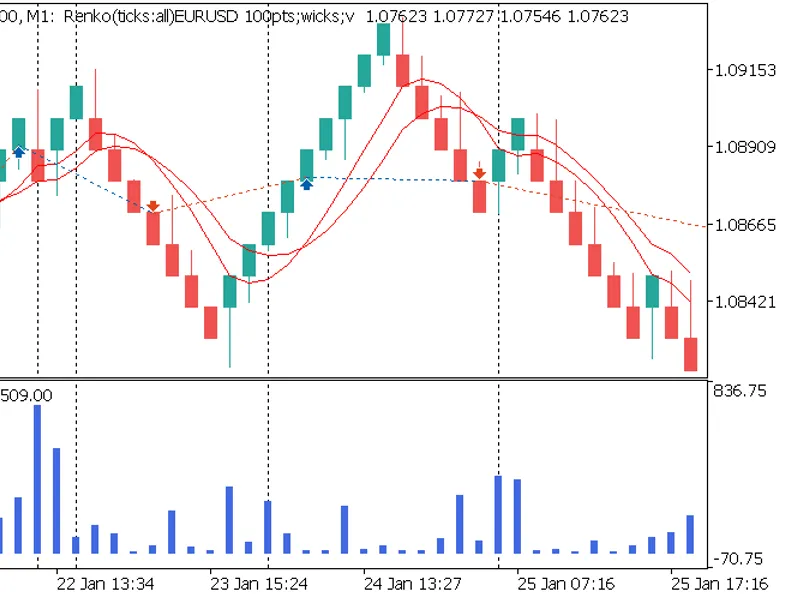
The chart line shifts between Blue (bullish) and Red (bearish) based on velocity.
Non-Intrusive Matrix Dashboard:
An on-chart UI tracks the trend state (Bull, Bear, Wait) for multiple timeframes across user-defined symbols.
Lightweight Resource Management:
External symbols and timeframes in the dashboard load minimal history, preventing terminal lag.
4. Input Parameters
Filter Engine Settings
inpAlpha (Default:
$0.2$
):
Typical range is
$0.1$
to
$0.9$
. Higher
$\alpha$
tracks prices closely; lower smooths out sideways chop.
inpBeta (Default:
$0.05$
):
Typical range is
$0.01$
to
$0.5$
. Higher
$\beta$
reacts to momentum shifts; lower assumes a steady trend.
Dashboard Grid Settings
inpSymbols (Default: "EURUSD,GBPUSD,USDJPY,AUDUSD"):
Comma-separated list of symbols to track, parsed by StringSplit().
Timeframe Toggles (showM5 to showD1):
Customizes dashboard columns.
5. Architecture & Code Highlights
For MQL5 developers:
Time-Series Indexing:
Arrays are indexed with ArraySetAsSeries(buffer, true) for standard trading logic.
State Extraction Helper:
GetStateForTarget() fetches prices, initializes the engine, and returns the trend state without iCustom calls.
Clean Object De-initialization:
OnDeinit() ensures all graphical labels are removed when the indicator is deleted.
6. Trading Applications
Scalping:
Use
$\alpha$
of 0.45 and
$\beta$
of 0.12 for rapid color changes, capturing micro-trends.
Macro Swing:
Set
$\alpha$
to 0.15 and
$\beta$
to 0.02 for intraday noise filtering, identifying macroscopic velocity shifts.
Matrix Confluence:
Trade only when H1, H4, and D1 cells align in color for a specific symbol.
You may also like: Alpha Trend Spotter PA Free - excellent alternative for indicator users on MetaTrader 5.
Source Code
#property copyright "RobotFX"
#property link "https://robotfx.org"
#property version   "1.00"
#property version   "1.00"
#property indicator_chart_window
#property indicator_buffers 3
#property indicator_plots   1
#property indicator_label1  "Alpha-Beta Trend"
#property indicator_type1   DRAW_COLOR_LINE
#property indicator_color1  clrDodgerBlue, clrCrimson
.......
⚠ Limitations & Risk Warning
- This tool is provided for educational and testing purposes only.
- Past performance does not guarantee future results.
- Trading involves substantial risk of loss. Use on a demo account first.
- Results may vary depending on market conditions, broker, and settings.
- We recommend thorough backtesting and forward testing before using with real funds.